1. Introduction
This user manual provides comprehensive instructions for the UNIWA F41 4G Mobile Phone, a robust and versatile device designed for reliable communication. It combines smartphone functionalities with walkie-talkie capabilities, making it suitable for various professional and outdoor environments. Please read this manual carefully before using the device to ensure proper operation and maintenance.
2. Safety Information
To ensure safe and effective use of your UNIWA F41, please observe the following safety guidelines:
- Initial Charge: Upon receiving the product, charge the F41 for at least 1 hour before turning it on for the first time.
- Software Updates: The F41 currently supports Android 8.1. Do not attempt to upgrade the Android version, as this may cause the device to malfunction.
- Water Resistance: The device is IP54 waterproof. While it offers protection against splashes and dust, avoid submerging it in water or exposing it to high-pressure water jets.
- Battery Safety: Use only the provided or approved charging accessories. Do not puncture, disassemble, or expose the battery to extreme temperatures.
- Operating Temperature: Ensure the device is operated within the specified temperature range of -20℃ to +60℃.
- Network Compatibility: Verify that your SIM card supports the device's network bands (2G: GSM850/900/1800/1900MHz; 3G: WCDMA B1/B2/B5/B8, TD-SCDMA B34/B39; 4G: FDD-LTE:B1/B3/B7/B8/B20; TDD-LTE:B38/B39/B40/B41) for optimal performance.
3. Product Overview
3.1 Device Components
The UNIWA F41 is designed with user-friendly components for efficient operation.

Figure 3.1: The UNIWA F41 4G Mobile Phone shown with its charging dock, highlighting its robust design and integrated antenna.
- Display: 2.4-inch IPS capacitive touch screen with 320 x 240 resolution.
- Keypad: T9 keypad for traditional input, alongside a customizable button.
- PTT Button: Dedicated Push-to-Talk intercom button for walkie-talkie functionality.
- SOS Button: Emergency call button for critical situations.
- Speaker: Front-facing Φ36/3 watt box speaker for clear audio output.
- Cameras: 5MP front camera and 8MP rear camera for photography and video.
- Battery: Removable 4600 mAh Li-polymer battery.
- Ports: 2 SIM card slots, 1 TF card slot, 1 USB Type-C port, 1 M6 headphone jack, 2 dock charging contacts.
3.2 Key Features Visualized

Figure 3.2: The UNIWA F41 supports global multiband 2G/3G/4G networks, ensuring seamless communication worldwide.

Figure 3.3: The device features a powerful front 3W high volume speaker, providing clear communication even in noisy environments.
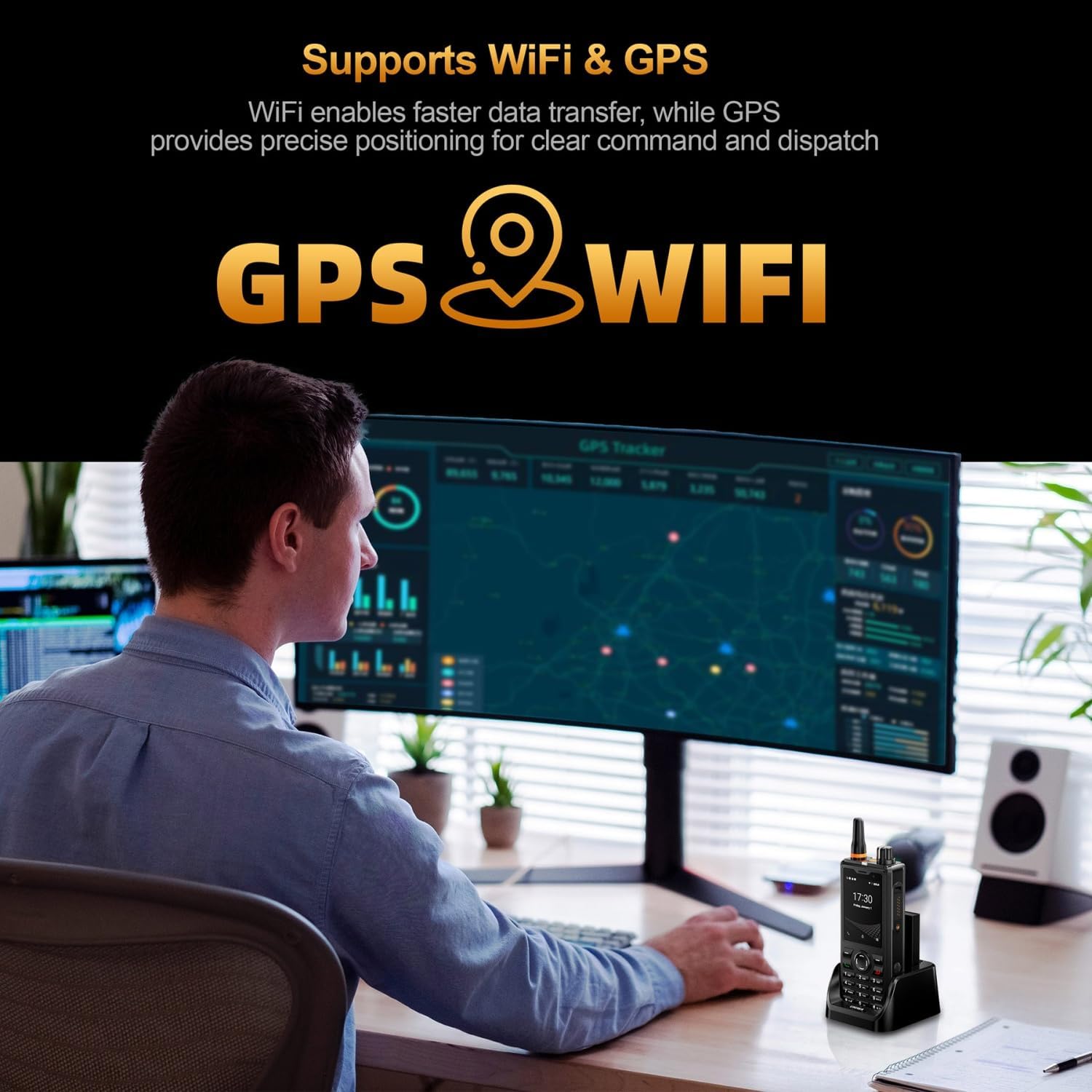
Figure 3.4: Integrated GPS provides precise positioning, while WiFi enables faster data transfer for various applications.
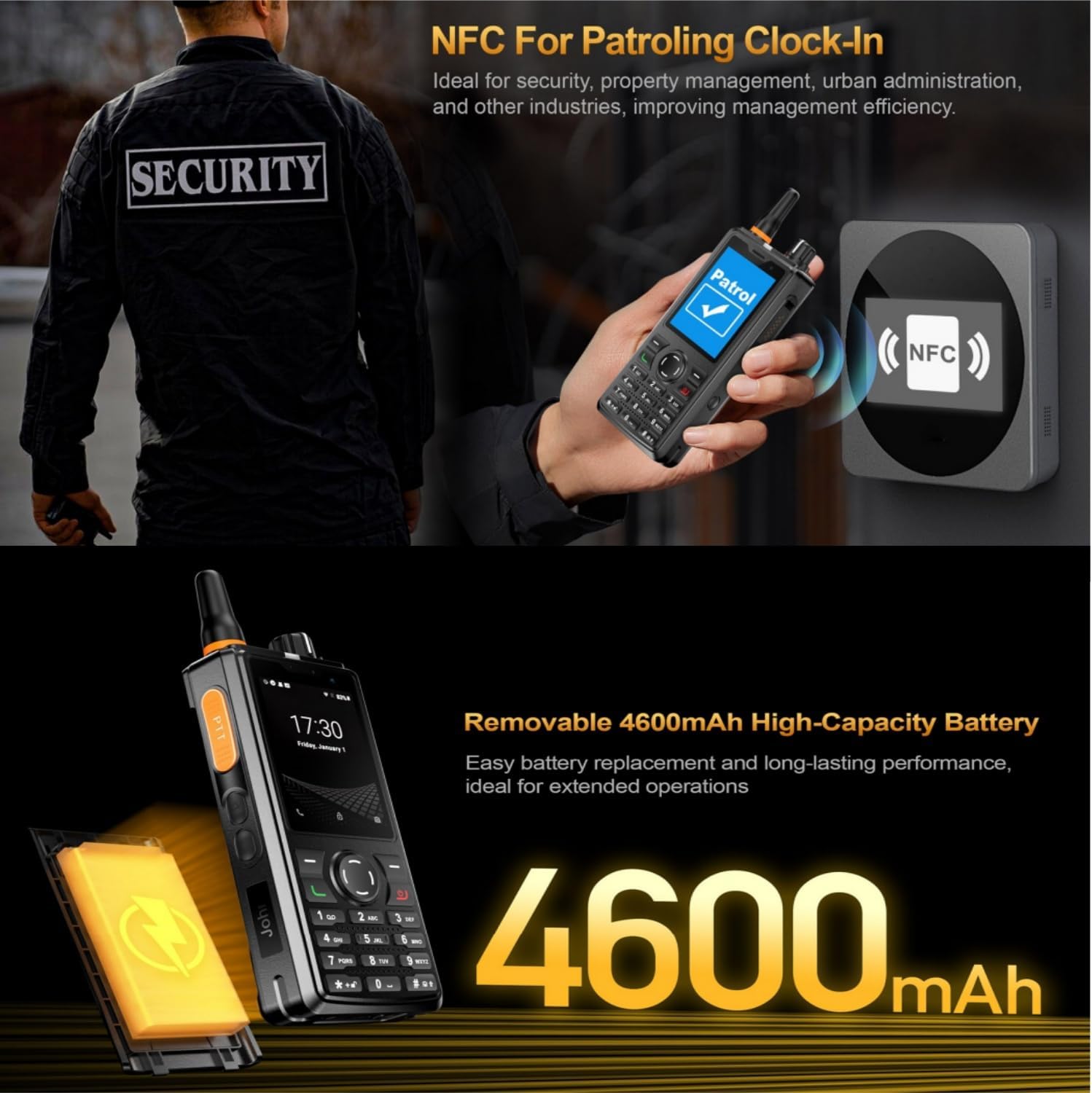
Figure 3.5: Built-in NFC functionality is ideal for applications such as patrolling clock-in, enhancing efficiency in security and property management.

Figure 3.6: The removable 4600mAh high-capacity battery ensures long-lasting performance and easy replacement for extended operations.

Figure 3.7: Equipped with a 5MP front camera and an 8MP rear camera, the F41 provides high-definition imaging for clear recording of important scenes.

Figure 3.8: The F41 comes pre-adapted for popular walkie-talkie applications such as Zello, Real PTT, and Pocstar, ready for immediate use.

Figure 3.9: The 2.4-inch IPS capacitive touch screen delivers clearer colors and provides responsive touch operations for easy navigation.
3.3 Package Contents
The standard package for the UNIWA F41 includes the following items:
- UNIWA F41 Talkie Walkie Smartphone x 1
- Power Adapter (5V/2A) x 1
- USB Cable x 1
- Clip x 1
- Antenna x 1
- User Manual (this document) x 1
- Charging Dock (if "F41+charging dock" variant is purchased)
4. Setup
4.1 Initial Charging
Before first use, connect the UNIWA F41 to the provided power adapter (5V/2A) and USB cable. Charge the device for at least 1 hour. The battery indicator on the screen will show charging status. A full charge is recommended for optimal battery life.
4.2 SIM Card and TF Card Installation
The UNIWA F41 supports dual SIM cards and one TF (Micro SD) card for expandable storage up to 64GB.
- Locate the SIM/TF card slot cover on the side or back of the device.
- Carefully open the cover.
- Insert your SIM cards into the designated slots with the gold contacts facing down.
- Insert the TF card into its slot, ensuring it is correctly oriented.
- Close the cover securely to protect the slots from dust and water.
4.3 Power On/Off
- Power On: Press and hold the Power button (usually located on the side) until the screen lights up and the device vibrates.
- Power Off: Press and hold the Power button until the power options menu appears. Select "Power Off" and confirm.
5. Operating Instructions
5.1 Basic Phone Functions
- Making Calls: Use the T9 keypad to dial a number or select a contact from your address book. Press the green call button to initiate the call.
- Sending Messages: Navigate to the Messaging application. Select a contact or enter a recipient number, then type your message using the keypad.
- Volume Adjustment: Use the volume +/- buttons on the side of the device to adjust call volume, media volume, or ringtone volume.
5.2 Walkie-Talkie (PTT) Functionality
The UNIWA F41 supports Push-to-Talk (PTT) communication through applications like Zello, Smart PTT, and Pocstar.
- Ensure you have a compatible PTT application installed and configured (e.g., Zello).
- Open the PTT application and log in or select your desired channel/group.
- To transmit, press and hold the dedicated PTT intercom button on the side of the device. Speak clearly into the microphone.
- Release the PTT button to listen for incoming transmissions.
5.3 Camera Operation
The device features a 5MP front camera and an 8MP rear camera.
- Open the Camera application from the home screen or app drawer.
- Switch between front and rear cameras as needed.
- Tap the screen to focus, then press the shutter button to capture photos or start/stop video recording.
5.4 Connectivity (WiFi, GPS, Bluetooth, NFC)
- WiFi: Access Wi-Fi settings to connect to available wireless networks for internet access and faster data transfer. Supports 2.4GHz/5GHz.
- GPS: The integrated GPS/BeiDou/GLONASS system provides accurate location tracking and navigation. Ensure location services are enabled in settings.
- Bluetooth: Pair with Bluetooth devices (e.g., headsets, other phones) via Bluetooth 4.2 in the settings menu.
- NFC: Utilize NFC for short-range wireless communication, such as patrolling clock-in or data exchange with compatible devices. Enable NFC in settings.
6. Maintenance
6.1 Cleaning Your Device
To maintain the device's appearance and functionality:
- Wipe the device with a soft, damp cloth. Avoid using harsh chemicals or abrasive cleaners.
- Ensure all port covers are closed when cleaning to prevent liquid ingress.
6.2 Battery Care
Proper battery care extends its lifespan:
- Avoid fully discharging the battery frequently.
- Do not expose the device to extreme heat or cold, as this can degrade battery performance.
- If the device will not be used for an extended period, charge it to about 50% before storing.
7. Troubleshooting
This section addresses common issues you might encounter with your UNIWA F41.
| Problem | Possible Cause | Solution |
|---|---|---|
| Device does not power on. | Low or depleted battery. | Charge the device for at least 1 hour using the provided charger. |
| Device malfunctions after software update. | Android version upgraded beyond 8.1. | The F41 is designed for Android 8.1. Do not upgrade the Android version. If already upgraded, contact customer support for assistance. |
| Poor network signal or no service. | SIM card not properly inserted or network incompatibility. | Reinsert SIM card. Verify your SIM card supports the device's 2G/3G/4G network bands. Move to an area with better network coverage. |
| PTT function not working. | PTT application not configured or internet connectivity issue. | Ensure the PTT application (e.g., Zello) is installed, logged in, and has an active internet connection (Wi-Fi or mobile data). |
8. Specifications
| Feature | Detail |
|---|---|
| CPU | MT6739 Quad-Core |
| Operating System | Android 8.1 |
| Memory | 1GB RAM + 8GB ROM (expandable up to 64GB via TF card) |
| SIM Card | Dual SIM Card Support |
| Battery | Removable 4600mAh Li-polymer battery, 10W fast charging support |
| Dimensions | 135.6 x 60.5 x 26 mm |
| Weight | 265g (including battery and clip) |
| Network Bands | 2G: GSM850/900/1800/1900MHz; 3G: WCDMA B1/B2/B5/B8, TD-SCDMA B34/B39; 4G: FDD-LTE:B1/B3/B7/B8/B20; TDD-LTE:B38/B39/B40/B41 |
| Speaker | Front Φ36/3 watt box speaker |
| Buttons | PTT intercom, Volume +/-, SOS, Customize, T9 keypad |
| Bluetooth | BT4.2 |
| GNSS | GPS/BeiDou/GLONASS Support |
| Ports | 2x SIM card slot, 1x TF card slot, 1x USB Type-C, 1x M6 headphone jack, 2x dock charging contacts |
| Operating Temperature | -20℃ to +60℃ |
| Water Resistance | IP54 |
9. Warranty and Support
For warranty information and technical support, please refer to the documentation provided at the time of purchase or contact your retailer. Keep your proof of purchase for any warranty claims.


