
COSWHEEL MIRAI S
COSWHEEL MIRAI S Electric Moped Instruction Manual
Model: MIRAI S
1. Introduction
Thank you for purchasing the COSWHEEL MIRAI S Electric Moped. This manual provides essential information for the safe and efficient operation, maintenance, and care of your new electric moped. Please read this manual thoroughly before using the product and retain it for future reference. Proper understanding and adherence to these instructions will ensure a safe and enjoyable riding experience.

Image 1.1: The COSWHEEL MIRAI S Electric Moped. This image displays the full view of the electric moped, highlighting its robust frame, fat tires, and integrated lighting system.
2. Safety Information
Operating an electric moped requires attention to safety. Always wear a helmet and appropriate protective gear. Familiarize yourself with local traffic laws and regulations regarding electric mopeds and 50cc class vehicles. Ensure the moped is in good working condition before each ride.
- Always wear a certified helmet and protective clothing.
- Perform a pre-ride inspection: check brakes, tires, lights, and battery level.
- Do not operate the moped under the influence of alcohol or drugs.
- Maintain a safe speed and distance from other vehicles.
- Be aware of your surroundings and road conditions.
- Avoid riding in adverse weather conditions if possible.
3. Product Overview
The COSWHEEL MIRAI S is a 50cc class electric moped designed for urban and light off-road use. It features a powerful motor, hydraulic disc brakes, and a removable battery for convenient charging.
Key Features:
- Motor Output: 500W (50cc class equivalent)
- Pedal Assist: Yes
- Braking System: Front and rear hydraulic disc brakes
- Tire Size: 20" x 4" fat tires
- Vehicle Weight: Approximately 38 kg
- Maximum Speed: Approximately 45 km/h
- Frame Material: Aluminum alloy
- Suspension Type: Full suspension
- USB Port: Integrated USB Type-A port for device charging

Image 3.1: A rider standing next to the COSWHEEL MIRAI S. This image illustrates the moped's size and design in a real-world setting, with a person for scale.
4. Setup
4.1 Initial Assembly
Your COSWHEEL MIRAI S may require minor assembly upon arrival. This typically includes attaching the handlebars, pedals, and front wheel. Refer to the included assembly guide for detailed, step-by-step instructions. Ensure all bolts and fasteners are securely tightened before first use.
4.2 Battery Installation and Initial Charge
The moped is equipped with a removable battery. Insert the battery securely into its compartment. Before your first ride, fully charge the battery. Connect the charger to the moped's charging port and then to a power outlet. The charging indicator on the charger will show the charging status. A full charge for the standard 10Ah battery takes approximately 3 hours.

Image 4.1: Battery and charging specifications. This graphic details the standard 10Ah battery offering 30km range and 3-hour charge time, and an optional 20Ah battery providing 60km range and 6-hour charge time. It also shows the removable battery design.
5. Operating Instructions
5.1 Power On/Off
To power on the moped, press and hold the power button on the display unit. The display will illuminate, indicating the system is active. To power off, press and hold the power button again until the display turns off.
5.2 Riding Modes
The COSWHEEL MIRAI S offers multiple riding modes, including pure electric (throttle only) and pedal-assist. Use the controls on the handlebar to switch between modes and adjust the level of pedal assistance. The 500W motor provides strong acceleration, making uphill climbs easier.
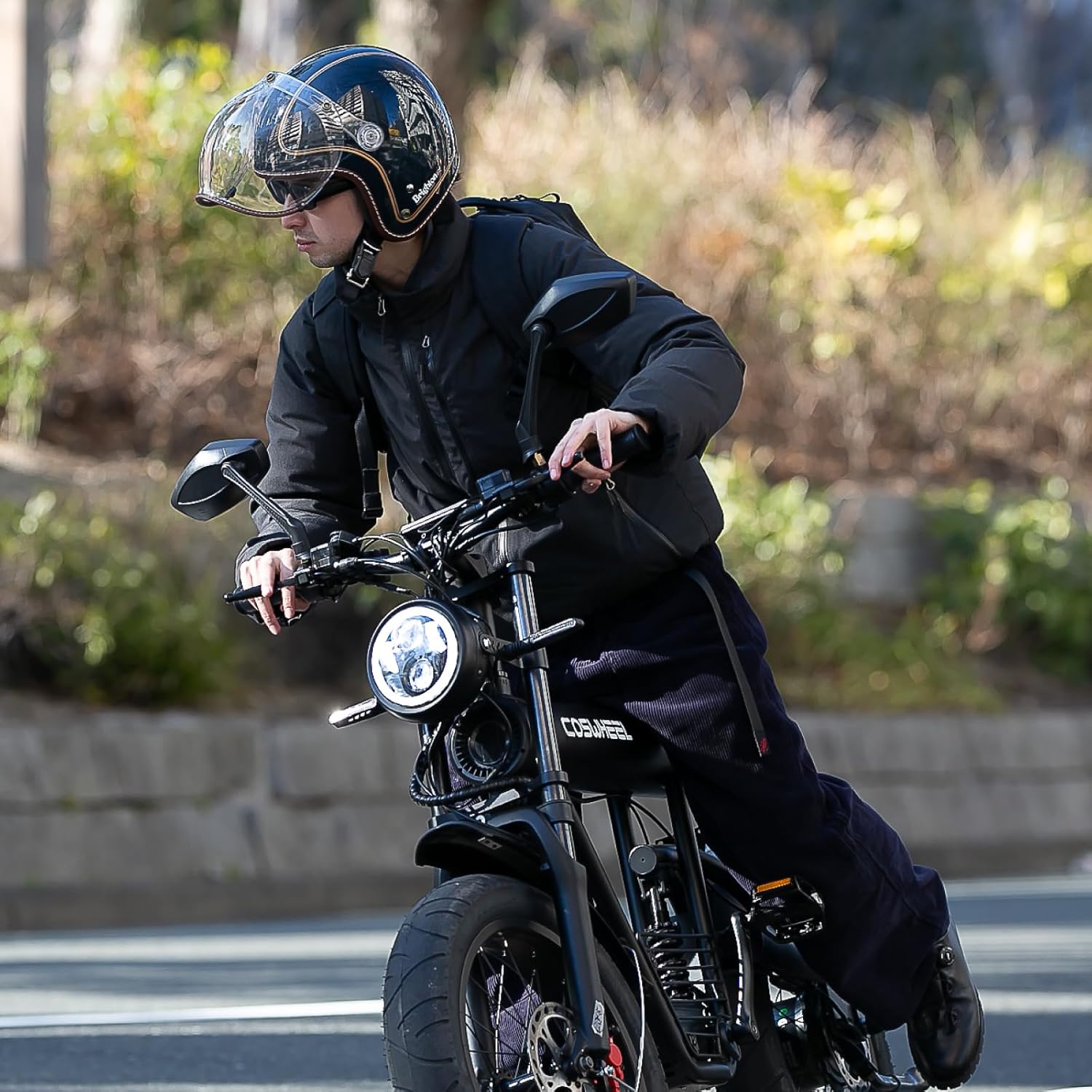
Image 5.1: A rider actively operating the COSWHEEL MIRAI S. This image shows the rider's posture and interaction with the moped's controls during use.
5.3 Braking
The moped is equipped with front and rear hydraulic disc brakes for reliable stopping power. Apply both brakes smoothly and evenly to slow down or stop. Avoid sudden, harsh braking, especially at high speeds or on slippery surfaces.

Image 5.2: Close-up view of the hydraulic disc brake system on the COSWHEEL MIRAI S. This image highlights the brake caliper and rotor, emphasizing the moped's reliable stopping capability.
5.4 USB Charging Port
The COSWHEEL MIRAI S includes a USB Type-A port, allowing you to charge your mobile devices or power accessories while riding. This feature is useful for navigation apps or emergency charging.

Image 5.3: A smartphone connected to the USB charging port on the COSWHEEL MIRAI S. This image demonstrates the convenience of charging mobile devices directly from the moped.
6. Battery Information
The COSWHEEL MIRAI S uses a 48V removable battery. The standard battery is 10Ah, providing a range of approximately 30km and requiring about 3 hours for a full charge. An optional 20Ah battery is available, extending the range to approximately 60km with a charging time of about 6 hours.
6.1 Charging Guidelines
- Always use the original charger provided with your moped.
- Charge the battery in a well-ventilated area, away from flammable materials.
- Do not leave the battery charging unattended for extended periods.
- Avoid completely draining the battery before recharging to prolong its lifespan.
- The battery can be charged while installed on the moped or removed.
7. Maintenance
Regular maintenance is crucial for the longevity and safe operation of your COSWHEEL MIRAI S.
7.1 Routine Checks
- Tires: Check tire pressure regularly. The 20" x 4" fat tires provide excellent grip and stability, but proper inflation is essential.
- Brakes: Inspect brake pads and rotors for wear. Ensure brake levers operate smoothly and provide adequate stopping power.
- Chain: Keep the chain clean and lubricated to ensure smooth pedaling and power transfer.
- Lights: Verify that the headlight, taillight, and turn signals are functioning correctly.
- Fasteners: Periodically check all bolts and nuts for tightness.

Image 7.1: Close-up of the 20x4 inch fat tire on the COSWHEEL MIRAI S. This image emphasizes the tire's robust tread pattern, which contributes to stability and grip.
7.2 Cleaning
Clean your moped with a damp cloth and mild detergent. Avoid using high-pressure washers directly on electrical components. Dry thoroughly after cleaning.
8. Troubleshooting
This section addresses common issues you might encounter with your COSWHEEL MIRAI S.
| Problem | Possible Cause | Solution |
|---|---|---|
| Moped does not power on | Battery not charged or improperly installed; power button not pressed correctly. | Ensure battery is fully charged and correctly seated. Press and hold the power button firmly. |
| Motor not assisting | Pedal assist level set to zero; sensor issue; motor connection loose. | Check pedal assist level on the display. Inspect motor connections. |
| Brakes feel weak | Worn brake pads; air in hydraulic line; low brake fluid. | Inspect and replace brake pads if worn. Consult a professional for hydraulic system issues. |
| Short battery range | Battery not fully charged; old battery; riding conditions (hills, heavy load). | Ensure full charge. Consider battery replacement if old. Adjust riding style. |
If you encounter issues not listed here or require further assistance, please contact COSWHEEL customer support.
9. Specifications
Detailed technical specifications for the COSWHEEL MIRAI S Electric Moped.
| Feature | Specification |
|---|---|
| Motor Output | 500W (50cc class) |
| Pedal Assist | Yes |
| Braking System | Front/Rear Hydraulic Disc Brakes |
| Tire Size | 20" x 4" |
| Vehicle Weight | Approx. 38 kg |
| Maximum Speed | Approx. 45 km/h |
| Battery (Standard) | 48V 10Ah (Approx. 30km range, 3h charge) |
| Battery (Optional) | 48V 20Ah (Approx. 60km range, 6h charge) |
| Frame Material | Aluminum Alloy |
| Suspension Type | Full Suspension |
| Overall Dimensions | Length 1,630mm × Width 600mm × Height 1,050mm |
| Included Components | Main unit |
| USB Port | USB Type-A for device charging |

Image 9.1: Rear view of the COSWHEEL MIRAI S, showing the rear wheel, motor, and a display indicating a maximum speed of approximately 45 km/h. This image highlights the moped's power and speed capabilities.
10. Warranty and Support
For warranty information, please refer to the warranty card included with your product or visit the official COSWHEEL website. If you require technical support, spare parts, or have any questions regarding your COSWHEEL MIRAI S, please contact COSWHEEL customer service through their official channels. Keep your purchase receipt as proof of purchase for warranty claims.
Related documentsMIRAI S

Ask a question about this manual
Ask about setup, troubleshooting, compatibility, parts, safety, or missing instructions. Manuals+ will review the question and use this page’s manual context to help answer it.