
1. Introduction
Thank you for choosing the Speediance Smart Body Fat Scale FG2211LB. This device is designed to provide comprehensive body composition analysis, including weight, BMI, and body fat percentage, using advanced sensor technology and a dedicated mobile application. Please read this manual carefully before use to ensure proper operation and to maximize the benefits of your new scale.
2. Safety Information
- Do not use this device if you have a pacemaker or other internal medical device.
- Do not use this device if you are pregnant.
- Place the scale on a hard, flat surface. Using it on soft surfaces like carpet may affect accuracy.
- Keep the scale dry. Avoid contact with water to prevent damage to electronic components.
- The scale surface can be slippery when wet. Step on and off carefully.
- Do not jump on the scale or use it for purposes other than body measurement.
- Keep out of reach of children.
- The maximum weight capacity is 180 kg (396 lbs). Do not exceed this limit.
3. Package Contents
Please check the package for the following items:
- Speediance Smart Body Fat Scale FG2211LB
- User Manual
4. Product Features
- Smart Body Fat Scale with Voice Assistant: Features a built-in voice assistant to guide you step-by-step during measurement, ensuring proper posture and accurate results.
- Offline Mode for Convenience: After the initial setup and app connection, you can measure weight, body fat, and BMI offline without connecting to the app each time. Data is automatically synced with the app for seamless tracking.
- Clear LED Display: Equipped with an 86x36mm LED display to clearly show weight, body fat percentage, and BMI in real-time, making it easy to track your progress.
- Compatibility with APP: Supports devices allowing easy synchronization with your smartphone for detailed health insights.

Figure 1: Side view of the Speediance Smart Body Fat Scale, showcasing its compact and sleek design with electrode pads.
5. Setup
5.1 Battery Installation
- Open the battery compartment on the underside of the scale.
- Insert the required batteries (typically AAA, not included unless specified) according to the polarity indicators (+/-).
- Close the battery compartment securely.
5.2 Scale Placement
Place the scale on a hard, flat, and stable surface. Uneven or soft surfaces can lead to inaccurate measurements.
5.3 App Download and Initial Pairing
- Download the Speediance app from your smartphone's app store (iOS or Android).
- Create an account and set up your personal profile within the app.
- Ensure Bluetooth is enabled on your smartphone.
- Open the Speediance app and follow the on-screen instructions to pair your scale. The app will guide you through the connection process.

Figure 2: User preparing to measure on the scale, demonstrating app integration for tracking progress.
6. Operating Instructions
6.1 Taking a Measurement
- Ensure the scale is on a hard, flat surface.
- Step onto the scale barefoot, placing your feet on the electrode pads. Stand still and maintain good posture.
- The built-in voice assistant will guide you through the measurement process, providing instructions for proper posture and indicating when the measurement is complete.
- Your weight, body fat percentage, and BMI will be displayed on the LED screen.
- If the app is open and connected, the data will automatically sync to your profile.
6.2 Using Offline Mode
After the initial setup and pairing with the Speediance app, you can use the scale in offline mode. The scale will store your measurements (weight, body fat, BMI) locally. The next time you open the app and the scale is within Bluetooth range, the stored data will automatically synchronize to your app profile.
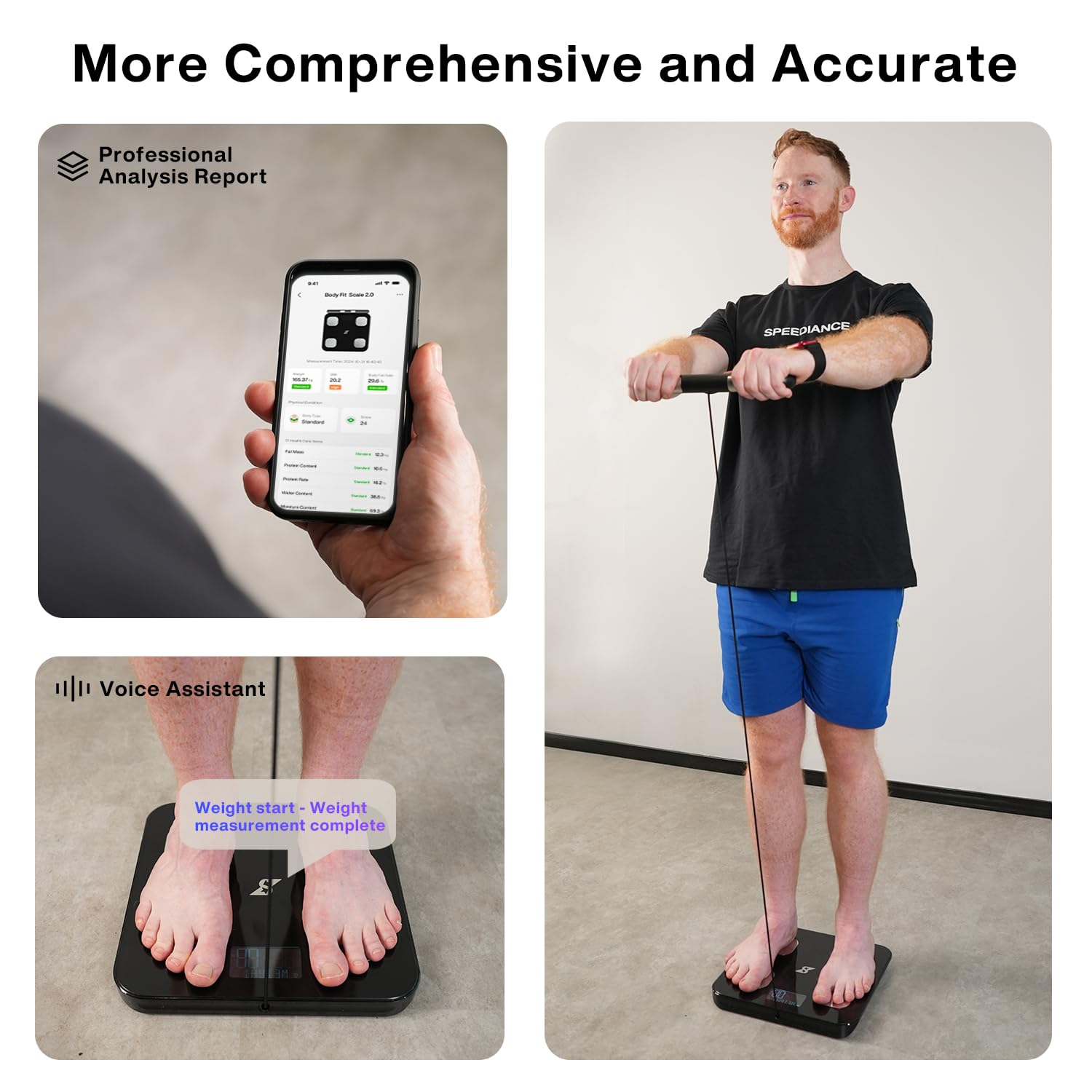
Figure 3: Detailed body analysis report in the Speediance app and voice assistant feedback during measurement.
7. Maintenance
7.1 Cleaning
Wipe the scale surface with a soft, damp cloth. Do not use abrasive cleaners or immerse the scale in water. Ensure the scale is completely dry before storage or next use.
7.2 Storage
Store the scale in a cool, dry place away from direct sunlight and extreme temperatures.
7.3 Battery Replacement
If the display becomes dim or the scale does not turn on, replace the batteries. Refer to section 5.1 for battery installation instructions.
8. Troubleshooting
- Inaccurate Readings: Ensure the scale is on a hard, flat surface. Avoid placing it on carpet. Ensure your feet are clean, dry, and making full contact with the electrode pads. Recalibrate the scale by stepping on it briefly, stepping off, and waiting for it to display '0.0' before taking a measurement.
- Scale Does Not Turn On: Check if the batteries are installed correctly and are not depleted. Replace batteries if necessary.
- App Connection Issues: Ensure Bluetooth is enabled on your smartphone and the scale is within range. Restart the app and try pairing again. If issues persist, try restarting your phone.
- Data Not Syncing: Ensure the app is open and the scale is connected via Bluetooth. If using offline mode, open the app after your measurement to allow data synchronization.
- Voice Assistant Not Working: Check the app settings to ensure the voice assistant feature is enabled and the volume on your phone is audible.
9. Specifications
| Specification | Detail |
|---|---|
| Brand | Speediance |
| Model Number | FG2211LB |
| Color | Black |
| Display Type | LED (86x36mm) |
| Weight Limit | 180 kg (396 Pounds) |
| Readout Accuracy | ±0.5 kg (1.1 pounds) |
| Measurement Type | Kilograms and Pounds |
| Connectivity | Bluetooth |
| Included Components | Smart Body Fit Scale |
10. Warranty Information
The Speediance Smart Body Fat Scale FG2211LB comes with a 2-Year Warranty from the date of purchase. This warranty covers manufacturing defects and malfunctions under normal use. Please retain your proof of purchase for warranty claims. For detailed terms and conditions, please contact customer support.

Figure 4: Speediance 2-Year Warranty information.
11. Customer Support
If you have any questions, concerns, or require assistance with your Speediance Smart Body Fat Scale, please contact our customer support team:
- Phone: 855-200-2702
- Operating Hours: Monday - Sunday, 11:00 AM – 7:00 PM (EDT)
- Email: after-sales@speediance.com

Figure 5: Speediance Customer Support contact details.

