
1. Introduction
This manual provides detailed instructions for the safe and efficient operation, maintenance, and troubleshooting of your Aneson CZK-DC04 Portable Tire Inflator. Please read this manual thoroughly before using the device and retain it for future reference.
2. Safety Information
- Always ensure the inflator is fully charged or connected to a stable power source before use.
- Do not leave the inflator unattended during operation.
- Keep out of reach of children.
- Avoid exposing the device to extreme temperatures, direct sunlight, or moisture.
- Do not attempt to disassemble or modify the inflator. Contact customer support for repairs.
- Ensure the correct nozzle is used for the item being inflated to prevent damage.
- Always check the recommended pressure for your tires or inflatable items to avoid over-inflation.
3. Product Overview
The Aneson CZK-DC04 is a versatile portable tire inflator designed for various inflation needs, including car tires, motorcycle tires, bicycle tires, and sports balls. It features a dual power supply, auto shut-off, and a dual LCD display for real-time and preset pressure monitoring.
Package Contents:
- Tire inflator (1)
- DC power cord (1)
- Type-C Charging Cable (1)
- Inflation Tube (1)
- Storage Bag (1)
- Fuse (1)
- Presta Valve (1)
- Air Nozzle (2)
- Ball Air Nozzle (1)

Image: Aneson CZK-DC04 Portable Tire Inflator with its various accessories, including charging cables, inflation tube, and different nozzles for diverse applications.
4. Setup
4.1 Charging the Inflator
The inflator can be powered in two ways: via its internal battery or directly from a 12V DC power source (e.g., car cigarette lighter).
- Internal Battery: Use the provided Type-C charging cable to connect the inflator to a USB power adapter (not included) or a computer USB port. The battery indicator on the display will show charging status. A full charge supports up to 18 car tire inflations (25-36 PSI).
- 12V DC Power: For continuous operation or when the internal battery is low, connect the provided 12V DC power cord to your vehicle's cigarette lighter socket and then to the inflator.

Image: Illustration showing the two power options for the inflator: cordless operation using the internal battery and corded operation using the 12V DC car power adapter.
4.2 Attaching the Inflation Tube and Nozzles
- Screw the inflation tube securely onto the inflator's air outlet.
- Select the appropriate nozzle for the item you wish to inflate. For car and bicycle tires, use the standard Schrader valve connector. For Presta valves, use the included adapter. For balls and other inflatables, attach the corresponding air nozzle.
5. Operating Instructions
5.1 Powering On and Off
To power on the inflator, hold the power button for 3 seconds. The dual LCD display will illuminate, showing the current real-time pressure and the last preset pressure. To power off, hold the power button again for 3 seconds.
5.2 Setting Desired Pressure and Units
- After powering on, press the 'M' button to cycle through the preset modes: Car, Motorcycle, Bicycle, Ball, and Custom. Each mode has a default pressure setting (e.g., Car: 36 PSI, Motorcycle: 32 PSI, Bike: 30 PSI, Ball: 8 PSI).
- Use the '+' and '-' buttons to adjust the preset pressure to your desired value.
- To change the pressure unit (PSI, BAR, KPA, kg/cm²), press the unit button (often labeled with the unit symbols).

Image: Close-up of the inflator's dual LCD display, clearly showing both the real-time tire pressure and the user-set target pressure.
5.3 Starting and Stopping Inflation
- Connect the inflation tube securely to the valve stem of the item you wish to inflate. The display will show the current pressure.
- Press the inflation button (often a circular button or 'Start' symbol) to begin inflation.
- The inflator will automatically shut off once the preset pressure is reached, preventing over-inflation.
- To manually stop inflation at any time, press the inflation button again.
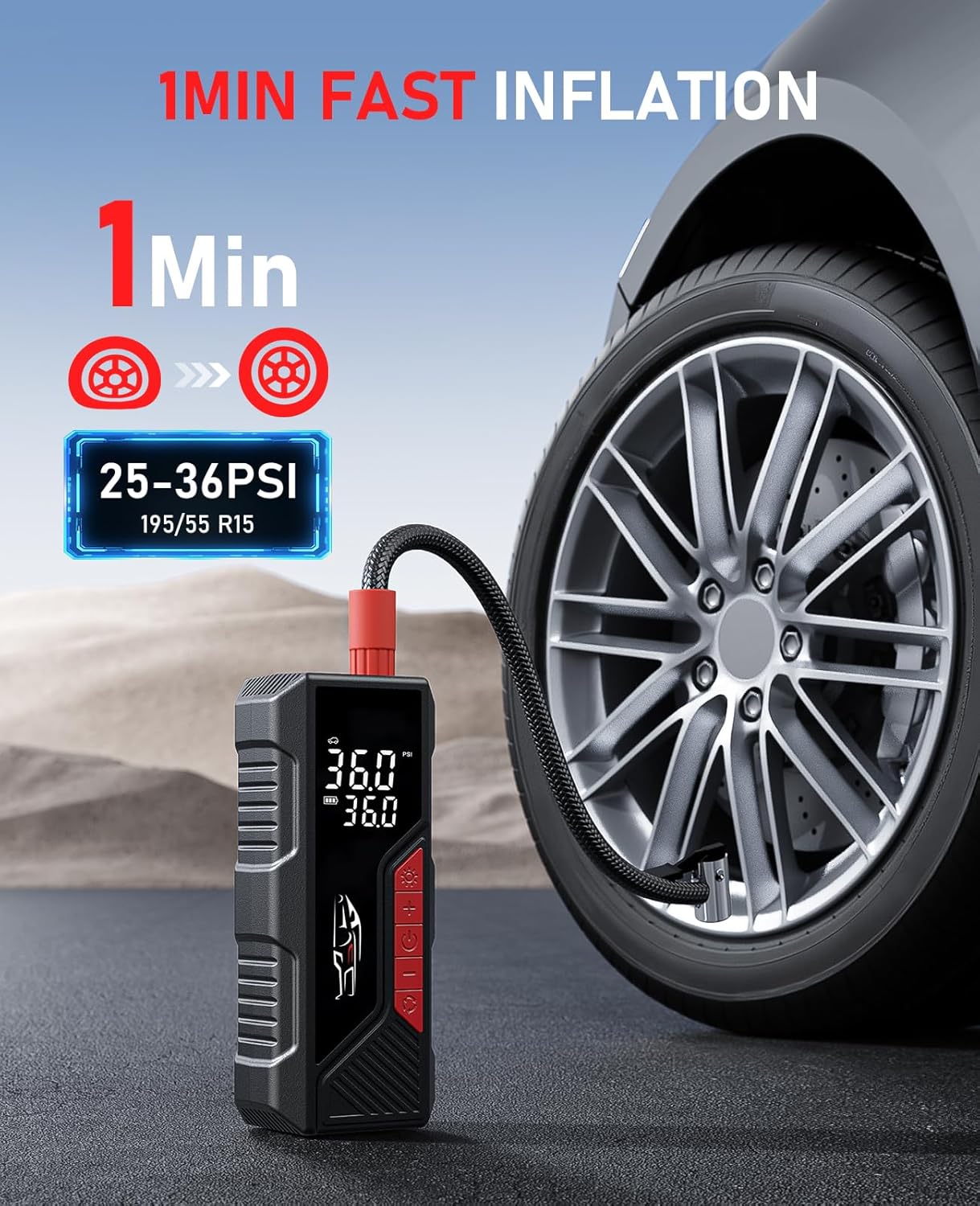
Image: The Aneson CZK-DC04 inflator connected to a car tire, illustrating its rapid inflation capability, filling a tire from 25-36 PSI in approximately 1 minute.

Image: The inflator connected to a bicycle tire, demonstrating the auto shut-off feature once the desired pressure is achieved, preventing over-inflation.
5.4 Memory Function
The inflator features a memory function that saves your last-used pressure settings for each mode. This eliminates the need to reset the pressure every time you use the device for the same item.

Image: Visual representation of the auto-memory feature, indicating how the inflator remembers the last set pressure even after being turned off and on.
5.5 Using the LED Light
The built-in LED light can be activated by pressing the light button. It has multiple modes:
- Solid Light: For illuminating dark work areas.
- Flashing Mode: For emergency signaling.
- SOS Mode: For distress signaling.
5.6 Wide Application
The Aneson CZK-DC04 is suitable for a variety of inflation tasks:
- Car Mode: Default 36 PSI (Adjustable 26-50 PSI)
- Motorcycle Mode: Default 32 PSI (Adjustable 26-43 PSI)
- Bike Mode: Default 30 PSI (Adjustable 30-100 PSI)
- Ball Mode: Default 8 PSI (Adjustable 7-14 PSI)
- Custom Mode: Adjustable 3-150 PSI for other inflatables.

Image: A visual guide demonstrating the wide range of applications for the inflator, including cars, motorcycles, bicycles, and sports balls, with their respective recommended pressure ranges.
6. Maintenance
6.1 Cleaning
Wipe the exterior of the inflator with a soft, damp cloth. Do not use harsh chemicals or abrasive cleaners. Ensure the device is dry before storage.
6.2 Storage
Store the inflator and its accessories in the provided storage bag in a cool, dry place, away from direct sunlight and extreme temperatures. Ensure the battery is partially charged (around 50%) if storing for extended periods to prolong battery life.
6.3 Battery Care
To maintain optimal battery performance, avoid fully discharging the battery frequently. Recharge the device regularly, even if not in use, especially if stored for several months.
7. Troubleshooting
| Problem | Possible Cause | Solution |
|---|---|---|
| Inflator does not turn on | Low battery; Power button not held long enough; Faulty connection | Charge the battery; Hold power button for 3 seconds; Check 12V DC connection if applicable. |
| Inflator does not inflate | Hose not securely attached; Nozzle not properly connected to valve; Preset pressure already met; Air leak | Ensure hose is tight; Secure nozzle to valve; Check current pressure reading; Inspect hose and valve for leaks. |
| Inaccurate pressure reading | Nozzle not fully seated; Unit setting incorrect | Ensure nozzle is fully pressed onto valve stem; Verify correct pressure unit (PSI, BAR, KPA, kg/cm²) is selected. |
| Inflator stops prematurely | Preset pressure reached; Overheating protection activated; Low battery | Check if target pressure is met; Allow device to cool down; Recharge battery. |
8. Specifications
| Feature | Specification |
|---|---|
| Model Name | CZK-DC04 |
| Maximum Operating Pressure | 150 PSI (Pascal) |
| Air Flow Capacity | 34 Cubic Meters Per Minute |
| Power Source | Battery Powered & 12V DC |
| Voltage | 12 Volts |
| Wattage | 100 Watt-hours |
| Battery Type | Lithium Ion (3 x 12V batteries included) |
| Noise Level | 60 dB |
| Product Dimensions | 2.7"L x 1.9"W x 6.5"H |
| Item Weight | 1.48 pounds |
| Material | Plastic |
| Hose Length | 0.89 Feet |
| Special Features | Auto Shut-Off, Dual Screen, Durability, Portability |
9. Warranty and Support
9.1 Warranty Information
The Aneson CZK-DC04 Portable Tire Inflator comes with a 1-year warranty service from the date of purchase. This warranty covers manufacturing defects and ensures the product meets its specified performance standards under normal use. Please retain your proof of purchase for warranty claims.
9.2 Customer Support
For any questions, technical assistance, or warranty claims, please contact Aneson customer support. Our team is available to provide a quick reply within 24 hours.
Please refer to the contact information provided with your purchase or visit the official Aneson website for support details.