
1. Package Contents
The New bee Bluetooth Earpiece package includes all necessary components for immediate use and long-term comfort.

Image: All items included in the New bee Bluetooth Earpiece package, neatly arranged.
- 1 x Bluetooth Earpiece
- 1 x 500mAh Charging Case
- 1 x User Manual
- 4 x Liquid Silicone Ear Tips (Sizes: XS/S/M/L)
- 4 x Ear Hooks (Sizes: XS/S/M/L)
- 1 x Type-C Cable (NO AC ADAPTER)
2. Setup and Charging
2.1 Initial Charging
Before first use, fully charge the earpiece and its charging case. The 500mAh charging case provides multiple charges for extended use.

Image: The New bee Bluetooth Earpiece inside its charging case, showing the LED battery display.
- Charging the Case: Connect the provided Type-C cable to the charging port on the case and to a USB power source (adapter not included). The LED digital display on the case shows the remaining power.
- Charging the Earpiece: Place the earpiece into the charging case. It will automatically begin charging. The earpiece can also be charged directly via its Type-C port located under a small slot.
- Charging Time: Approximately 2 hours for a full charge.
- Playtime: Up to 50 hours of playtime with the fully charged case.
2.2 Fitting the Earpiece
Select the ear tips and ear hooks that provide the most comfortable and secure fit for extended use. The earpiece is designed for ergonomic comfort.

Image: The New bee Bluetooth Earpiece shown with different sizes of liquid silicone ear tips and ear hooks (XS/S/M/L) to ensure a comfortable and secure fit for various ear shapes.
- Choose from the 4 sizes (XS/S/M/L) of liquid silicone ear tips and ear hooks for optimal comfort.
- The earbud is 60° adjustable, allowing for a perfect fit in either your left or right ear.
3. Operating Instructions
3.1 Power On/Off
- Power On: Press and hold the Multi-function Button for 3 seconds.
- Power Off: Press and hold the Multi-function Button for 5 seconds.
3.2 Bluetooth Pairing
The earpiece features Bluetooth 5.1 for fast and stable connections up to 15 meters (49 feet).
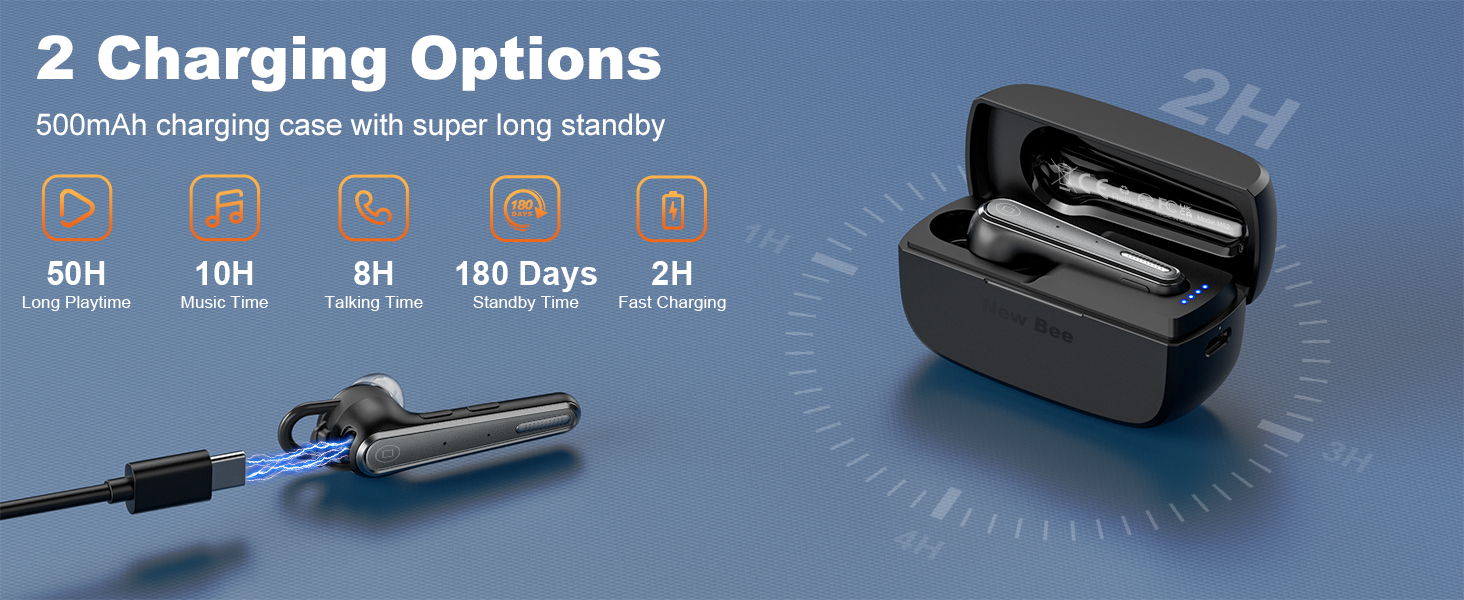
Image: The New bee Bluetooth Earpiece demonstrating its ability to connect to two different devices simultaneously, such as a smartphone and a laptop, within a 15-meter range.
- Ensure the earpiece is powered off.
- Press and hold the Multi-function Button until the LED indicator flashes blue and red, indicating pairing mode.
- On your device (phone, computer, tablet), enable Bluetooth and search for "New bee M51-49".
- Select the earpiece from the list to connect. The LED will turn solid blue when successfully paired.
- Dual Device Connection: The earpiece can connect to two devices simultaneously. After pairing with the first device, disable Bluetooth on that device. Pair with the second device. Then, re-enable Bluetooth on the first device, and it will automatically connect.
3.3 Call Management
Manage your calls effortlessly with the intuitive button controls.
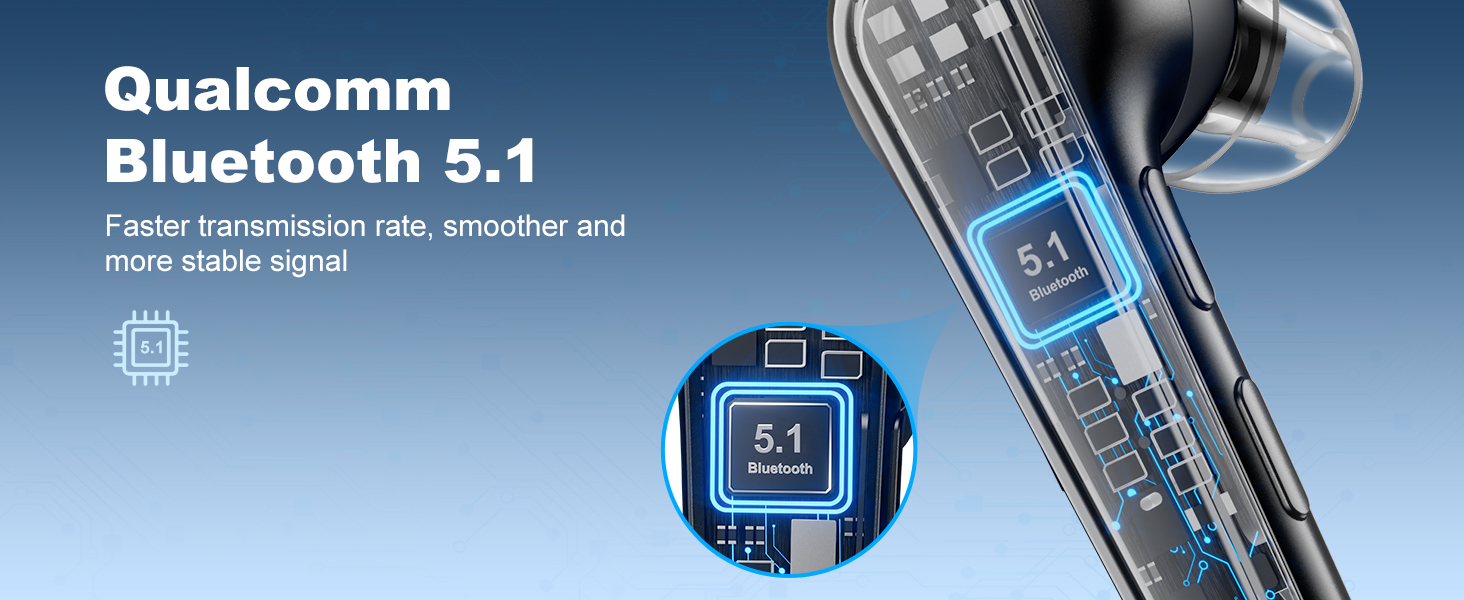
Image: The New bee Bluetooth Earpiece highlighting its one-button talking and mute functions, showing a user making a call and another user muting their microphone during a conversation.
- Answer/End Call: Press the Multi-function Button once.
- Reject Call: Press and hold the Multi-function Button for 2 seconds.
- Redial Last Number: Double-press the Multi-function Button.
- Mute/Unmute: Press the dedicated Mute Button on the side of the earpiece.
3.4 Music Playback
Enjoy clear stereo sound with 13mm big speaker drivers for HiFi sound quality.
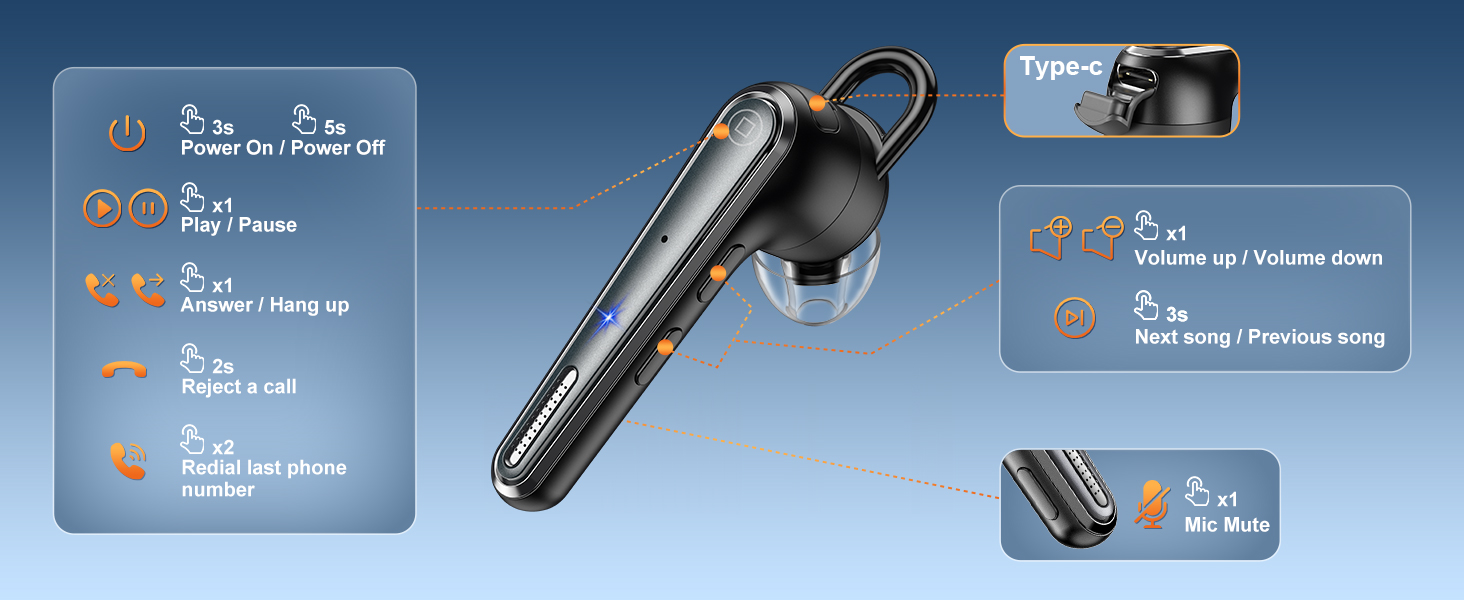
Image: A detailed diagram of the New bee Bluetooth Earpiece, illustrating the location and function of its control buttons for power, play/pause, answer/hang up, reject call, redial, volume up/down, next/previous song, and mic mute.
- Play/Pause: Press the Multi-function Button once.
- Volume Up: Press the Volume Up button.
- Volume Down: Press the Volume Down button.
- Next Song: Long press the Volume Up button for 3 seconds.
- Previous Song: Long press the Volume Down button for 3 seconds.
4. Maintenance
- Cleaning: Use a soft, dry cloth to clean the earpiece and charging case. Avoid using harsh chemicals or abrasive materials.
- Storage: Store the earpiece in its charging case when not in use to protect it and keep it charged. Store in a cool, dry place away from extreme temperatures.
- Battery Care: To prolong battery life, avoid fully discharging the battery frequently. Charge regularly.
5. Troubleshooting
| Issue | Possible Cause | Solution |
|---|---|---|
| Earpiece won't turn on | Low battery | Charge the earpiece and charging case fully. |
| Cannot pair with device | Earpiece not in pairing mode; device Bluetooth off; too far from device | Ensure earpiece is in pairing mode (flashing blue/red). Turn device Bluetooth off/on. Move closer to the device (within 15m). |
| Poor call quality / Background noise | Environmental noise interference | The Dual-Mic ENC Noise Cancelling should reduce most background noise. Ensure the microphone is not obstructed. |
| Earpiece won't stay in ear | Incorrect ear tip/hook size | Try different sizes of liquid silicone ear tips and ear hooks (XS/S/M/L) for a more secure fit. |
6. Specifications
| Feature | Detail |
|---|---|
| Model Name | B41 |
| Item Model Number | M51-49 |
| Bluetooth Version | 5.1 |
| Bluetooth Range | 15 Meters |
| Battery Life (Earpiece) | 25 Hours |
| Playtime with Charging Case | 50 Hours |
| Charging Time | 2 Hours |
| Noise Control | Environmental Noise Cancellation (ENC) with Dual-Mic |
| Control Type | Push Button / Touch Control |
| Weight | 3.52 ounces |
| Manufacturer | New bee |
7. Warranty and Support
New bee is committed to providing excellent customer service.
- Customer Support: If you encounter any issues with your order, please contact customer support. Issues will be addressed promptly within 24 hours.
- Warranty: Enjoy 3-year customer support services.
- Manufacturer: New bee
For more information or assistance, please visit the New bee Store.


