1. Introduction and Overview
The TESSAN Universal Travel Adapter TS-WTA07 is designed to provide convenient power access for your electronic devices across more than 150 countries worldwide. This compact and versatile adapter features GaN 65W fast charging technology, a universal AC outlet, three USB-C ports, and two USB-A ports, allowing you to charge multiple devices simultaneously. Its integrated plug types (Type C, G, A, I) ensure compatibility in various regions, making it an essential travel accessory.
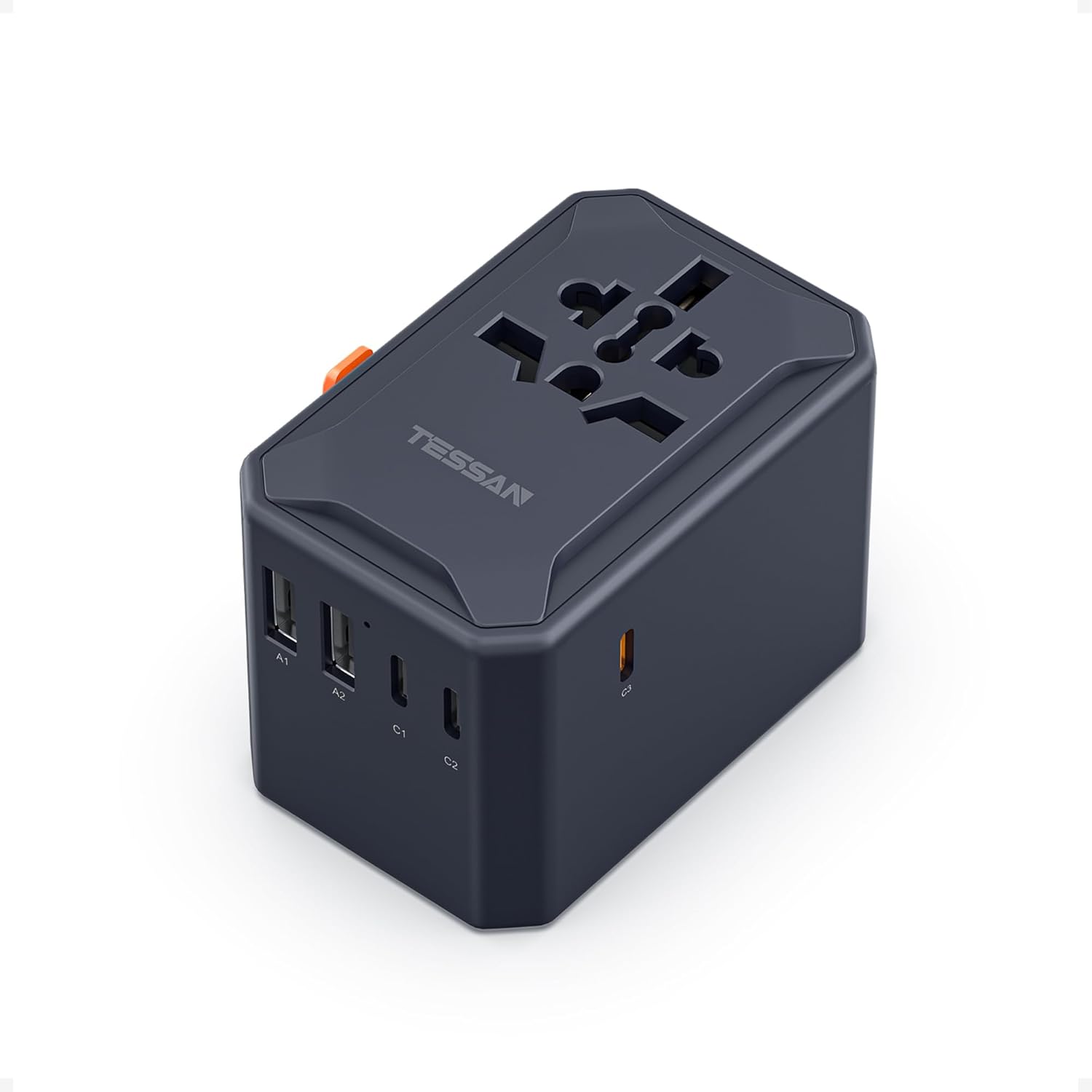
Image 1: TESSAN Universal Travel Adapter (Model TS-WTA07) in Cool Black.
2. Product Features
- Universal Compatibility: Covers over 150 countries with built-in Type C (Europe), Type G (UK), Type A (USA), and Type I (Australia) plugs.
- GaN 65W Fast Charging: Features a dedicated USB-C3 port for 65W maximum output, capable of charging compatible phones from 0% to 80% in approximately 40 minutes.
- 6-in-1 Charging: Equipped with 1 universal AC outlet, 3 USB-C ports (C1, C2, C3), and 2 USB-A ports (A1, A2), allowing simultaneous charging of up to 6 devices.
- Compact and Portable: Measures 2.13 × 1.97 × 3.03 inches and weighs 6.04 oz, designed for minimal luggage space.
- Safety Protection: Includes double 10A fuse protection to safeguard your devices during use.

Image 2: The TESSAN adapter providing 6-in-1 charging for various devices.

Image 3: Visual representation of the adapter's compatibility with Type C (EU), Type G (UK), Type A (USA), and Type I (AU) plugs.
Video 1: This video demonstrates the TESSAN Universal Travel Adapter's ability to add an extra 2-prong AC outlet, showcasing its versatility in expanding power options.
3. Setup and Getting Started
To use the TESSAN Universal Travel Adapter, simply slide the appropriate prongs for your destination country. The adapter features sliders on its side to extend and retract the different plug types.
- Identify Plug Type: Determine the correct plug type for your travel destination (e.g., Type C for Europe, Type G for UK, Type A for USA, Type I for Australia).
- Extend Prongs: Locate the slider corresponding to the required plug type on the side of the adapter. Push and slide the lever to extend the prongs.
- Insert into Outlet: Once the correct prongs are extended, firmly insert the adapter into the wall outlet.
- Retract Prongs: To retract the prongs, press the release button (if applicable) and slide the lever back into its original position.
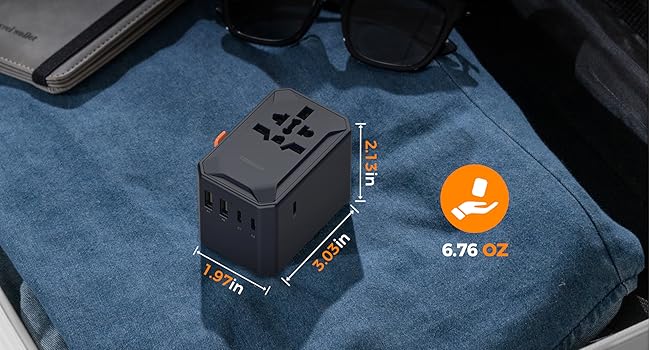
Image 4: Instructions on how to extend and retract the different plug types (Type A, I, C, G) using the side levers.
4. Operating Instructions
4.1 Using the Universal AC Outlet
The adapter features a universal AC outlet that accepts plugs from various countries (excluding India and South Africa). Ensure your device supports a wide voltage range (100V-250V) before plugging it in. The maximum power output for the AC outlet is 2500W.

Image 5: The universal AC outlet is compatible with various plug types including Type C, G, E, F, I, A, B, L, J, and N.
4.2 Using the USB Ports
The adapter includes three USB-C ports (C1, C2, C3) and two USB-A ports (A1, A2) for charging your electronic devices.
- USB-C3 Port: This port offers GaN 65W MAX output when used alone, providing rapid charging for compatible devices like laptops, tablets, and smartphones.
- USB-A1, A2, C1, C2 Ports: These ports provide up to 15W MAX output per port.
- Multi-Device Charging: You can charge up to 5 USB devices simultaneously. The total output will be distributed among the connected devices.

Image 6: Output details for a single USB port, highlighting the 65W MAX from USB-C3.

Image 7: Output details for two USB ports in various combinations.

Image 8: Output details for three USB ports in various combinations.

Image 9: Output details for four USB ports in various combinations.

Image 10: Output details for five USB ports in a combined configuration.
Video 2: This video provides a general overview of the TESSAN Universal Travel Adapter's features and how to use its various plug types and USB ports for charging.
5. Safety Information and Warnings
- NOT A VOLTAGE CONVERTER: This travel adapter is not a voltage converter. It only adapts the plug shape to fit different outlets. Ensure your electronic devices (e.g., hair dryers, straighteners, curling irons) support a wide voltage range (100V-250V) to avoid damage.
- Maximum Power: Do not exceed the maximum power rating of 2500W for the AC outlet.
- Fuse Protection: The adapter is equipped with double 10A fuses for protection. If the adapter stops working, check and replace the fuse if necessary.
- Indoor Use Only: This device is intended for indoor use only.
- Keep Away from Children: Store the adapter out of reach of children.

Image 11: Important warning that the adapter is not a voltage converter and devices must support wide voltage.
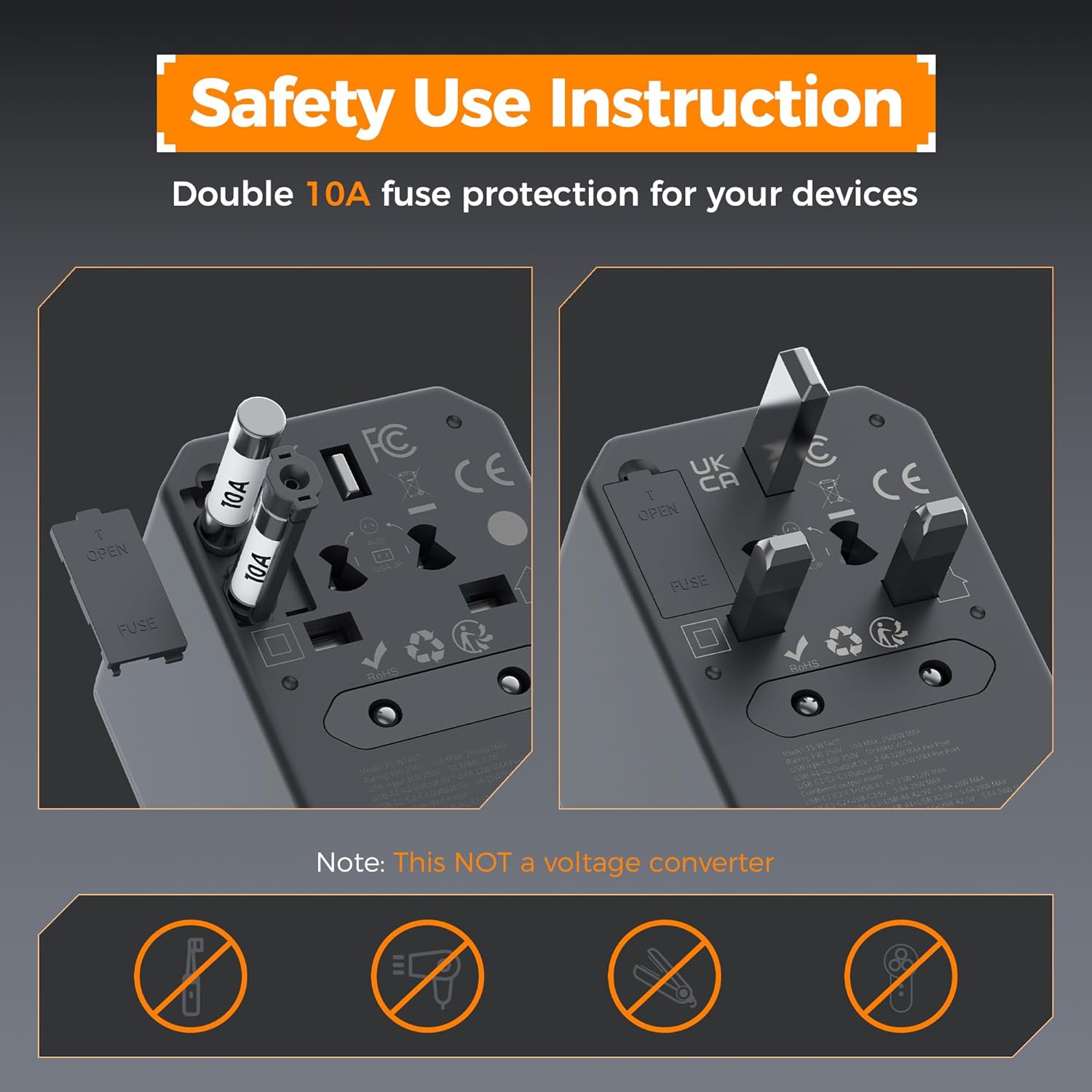
Image 12: Detail of the double 10A fuse protection and how to access the spare fuse.
6. Maintenance
To ensure the longevity and optimal performance of your TESSAN Universal Travel Adapter, follow these maintenance guidelines:
- Cleaning: Disconnect the adapter from the power outlet and all devices before cleaning. Use a soft, dry cloth to wipe the exterior. Do not use liquid cleaners or abrasive materials.
- Storage: When not in use, retract all prongs and store the adapter in a cool, dry place, away from direct sunlight and moisture.
- Inspection: Periodically inspect the adapter for any signs of damage, such as frayed cables, loose prongs, or cracks in the casing. Do not use a damaged adapter.
- Fuse Replacement: If a fuse blows, replace it with a new 10A fuse. Refer to the safety information section for fuse access.
7. Troubleshooting
If you encounter issues with your TESSAN Universal Travel Adapter, consider the following:
- No Power Output:
- Ensure the adapter is fully inserted into the wall outlet.
- Check if the wall outlet is functional by testing it with another device.
- Verify the internal fuse. If it's blown, replace it with a spare 10A fuse.
- Slow Charging:
- Ensure you are using a high-quality charging cable.
- For optimal fast charging, use the USB-C3 port individually for compatible devices.
- Charging multiple devices simultaneously will distribute the total power output, potentially slowing down individual device charging.
- Device Not Charging:
- Confirm that your device is compatible with the adapter's voltage range (100V-250V).
- Ensure the total power consumption of all connected devices does not exceed 2500W.
- Try connecting your device to a different port on the adapter.
8. Specifications
| Feature | Specification |
|---|---|
| Model Number | TS-WTA07 |
| Product Dimensions | 1.97 x 2.13 x 3.03 inches |
| Item Weight | 7.4 ounces |
| Input Voltage | 100V-250V AC, 50/60Hz |
| Max Load | 10A |
| Max Power | 2500W at 250V, 1000W at 100V |
| USB-C3 Output | 65W MAX (single port use) |
| USB-A1/A2/C1/C2 Output | 15W MAX (per port) |
| Total USB Output | 65W MAX |
| Plug Formats | Type C, Type G, Type I, Type A |
| Manufacturer | Zhuhai Tessan Power Technology CO., LTD. |
9. Warranty and Support
For warranty information, technical support, or any inquiries regarding your TESSAN Universal Travel Adapter, please contact TESSAN customer service through their official website or the retailer where the product was purchased. Please retain your proof of purchase for warranty claims.


