1. Important Safety Instructions
Read all instructions carefully before using the appliance. Keep this manual for future reference. Failure to follow these instructions may result in electric shock, fire, or injury.
- Do not attempt to operate this oven with the door open as this can result in harmful exposure to microwave energy.
- Do not place any object between the oven front face and the door or allow soil or cleaner residue to accumulate on sealing surfaces.
- Do not operate the oven if it is damaged. It is particularly important that the oven door closes properly and that there is no damage to the: (1) Door (bent), (2) Hinges and latches (broken or loosened), (3) Door seals and sealing surfaces.
- The oven should not be adjusted or repaired by anyone except properly qualified service personnel.
- Ensure the appliance is properly grounded.
- Do not use corrosive chemicals or vapors in this appliance.
- Do not heat liquids or other foods in sealed containers as they are liable to explode.
- Always use microwave-safe cookware.
- Supervise children closely when the appliance is in use.
2. Product Overview
The Hisense 800W Manual Microwave Oven H28MOBS17 is designed for efficient and convenient food preparation. It features a 28-liter capacity, 800W power output, 10 power levels, 6 preset programs, and a child lock for safety.
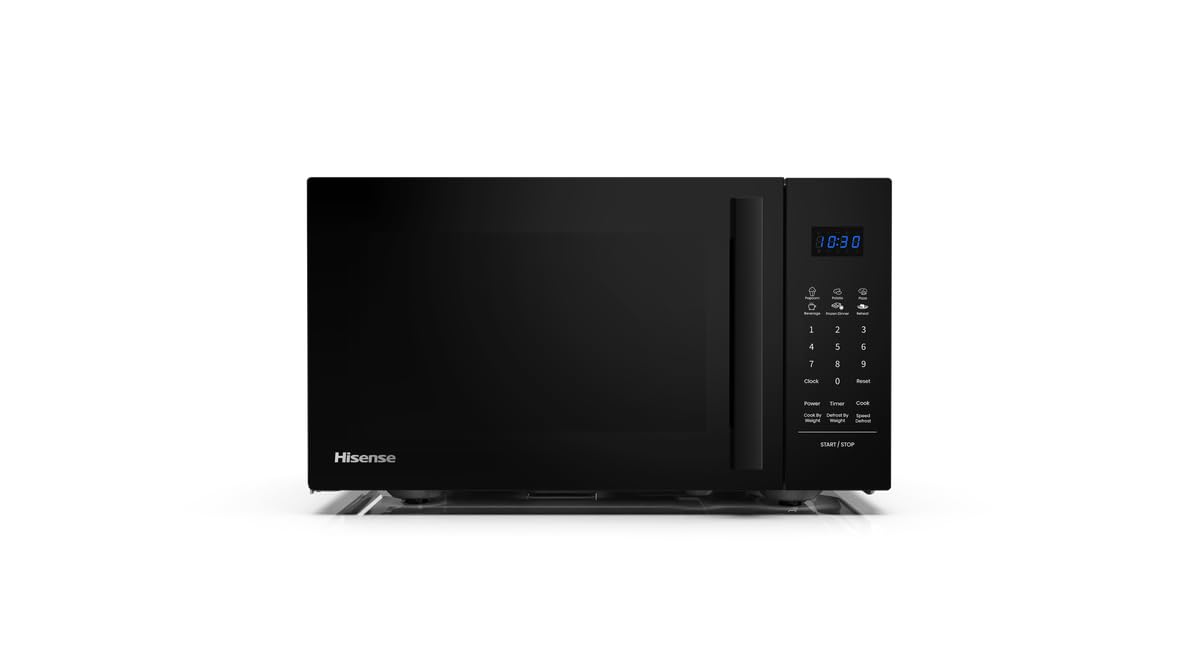
Figure 1: Front view of the Hisense 800W Manual Microwave Oven H28MOBS17.
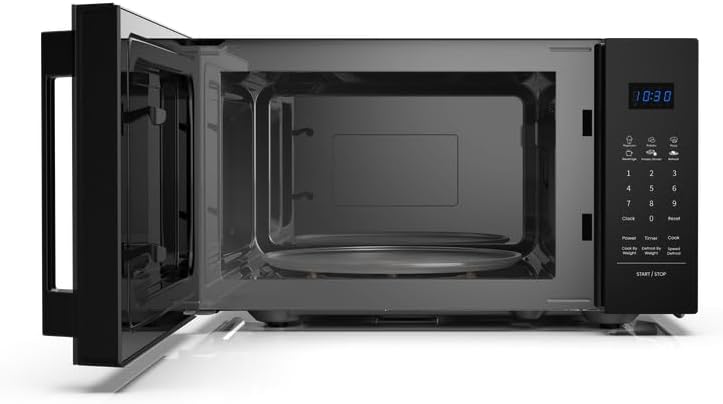
Figure 2: Interior view of the microwave oven, showing the glass turntable.
Key Features:
- 28L Capacity: Spacious interior for various dish sizes.
- 800W Power Output: Ensures fast and efficient cooking.
- 10 Power Levels: Adjustable heat settings for precise cooking.
- 6 Preset Programs: Convenient one-touch options for common recipes.
- Time & Weight Defrost: Efficient thawing based on time or food weight.
- Multiphase Cooking: Program step-by-step cooking for optimal results.
- LED Display & Digital Controls: Intuitive interface for ease of use.
- Child Lock: Keeps controls secure for added safety.
3. Setup
3.1 Unpacking
Carefully remove the microwave oven and all packing materials from the carton. Check the oven for any damage, such as dents or a misaligned door. Do not operate the oven if it is damaged. Contact Hisense customer service.
3.2 Placement
Place the oven on a flat, stable surface that can support its weight and the heaviest food item likely to be cooked in it. Ensure adequate ventilation by leaving a minimum of 20 cm (8 inches) of space above the oven, 10 cm (4 inches) at the rear, and 5 cm (2 inches) on each side. Do not block air vents. Keep the oven away from heat sources and strong magnetic fields.

Figure 3: Microwave oven dimensions and recommended clearances for proper ventilation.
3.3 Electrical Connection
Plug the oven into a standard household electrical outlet (220-240V, 50Hz). Ensure the outlet is properly grounded. Do not use extension cords or adapters.
3.4 Initial Cleaning
Before first use, wipe the interior and exterior of the oven with a damp cloth. Wash the glass turntable and roller ring in warm, soapy water, rinse, and dry thoroughly. Place the roller ring and turntable back into the oven.
4. Operating Instructions
4.1 Control Panel Overview
The control panel features an LED display, number buttons (0-9), and function buttons for various cooking modes, power levels, and settings. Refer to the diagram in your quick start guide for specific button locations.
4.2 Setting the Clock
- Press the Clock button once.
- Use the number buttons to enter the current time (e.g., 12:30).
- Press the Clock button again to confirm.
4.3 Basic Microwave Cooking
- Place food in a microwave-safe container on the turntable. Close the door.
- Use the number buttons to enter the desired cooking time.
- Press the Power button repeatedly to select the desired power level (e.g., P100 for 100% power, P80 for 80% power).
- Press the Start/Stop button to begin cooking.
4.4 Using Power Levels
The microwave offers 10 power levels to suit different cooking needs, from softening to high-heat cooking.

Figure 4: Recommended uses for different power levels.
4.5 Defrosting (Time/Weight)
This function allows for efficient thawing of food.
- Time Defrost: Press the Defrost (Time) button, enter the desired defrosting time, then press Start/Stop.
- Weight Defrost: Press the Defrost (Weight) button, enter the food weight, then press Start/Stop. The oven will automatically calculate the defrosting time.
4.6 Preset Programs
The oven includes 6 preset programs for common food items. Consult the label inside the oven door or the quick start guide for a list of these programs and their corresponding numbers.
- Press the Cook button repeatedly to cycle through the preset programs.
- Once the desired program is displayed, press Start/Stop.
4.7 Multi-Stage Cooking
This feature allows you to program two or three cooking stages to achieve optimal results.

Figure 5: Example of a two-step multiphase cooking process.
- Enter the settings for the first cooking stage (time and power level). Do not press Start/Stop.
- Enter the settings for the second cooking stage (time and power level).
- If a third stage is desired, enter its settings.
- Press Start/Stop to begin the multi-stage cooking process.
4.8 Child Lock
To prevent unintended operation, activate the child lock.
- To activate: Press and hold the Stop button for 3 seconds. A lock indicator will appear on the display.
- To deactivate: Press and hold the Stop button for 3 seconds again. The lock indicator will disappear.
5. Care and Maintenance
Regular cleaning and proper maintenance will ensure the longevity and optimal performance of your microwave oven.
5.1 Cleaning the Interior
Wipe the oven cavity after each use with a damp cloth to remove food splatters. For stubborn stains, use a mild detergent and water. Do not use abrasive cleaners or scouring pads.
5.2 Cleaning the Exterior
Clean the exterior surface with a soft, damp cloth. Avoid getting water into the ventilation openings. The matte black finish and tempered glass are designed for easy cleaning.
5.3 Cleaning the Turntable and Roller Ring
The glass turntable and roller ring can be removed for cleaning. Wash them in warm, soapy water or in the dishwasher. Ensure they are completely dry before placing them back in the oven.
5.4 Door Seals
Regularly clean the door seals and adjacent parts with a damp cloth to ensure proper sealing and prevent microwave leakage.
6. Troubleshooting
If you encounter any issues with your microwave oven, refer to the following table for common problems and solutions.
| Problem | Possible Cause | Solution |
|---|---|---|
| Oven does not start | Power cord not plugged in; Door not closed properly; Fuse blown or circuit breaker tripped. | Ensure power cord is securely plugged in; Close the door firmly; Check household fuse or reset circuit breaker. |
| Food not heating | Door not closed properly; Cooking time or power level set incorrectly; Food not suitable for microwave. | Close the door firmly; Adjust cooking time and power level; Use microwave-safe cookware. |
| Turntable not rotating | Turntable or roller ring not positioned correctly; Debris under turntable. | Ensure turntable and roller ring are correctly seated; Clean under the turntable. |
| Sparking inside oven | Metal or foil in oven; Microwave-safe cookware not used. | Remove any metal objects; Use only microwave-safe cookware. |
| Oven light not working | Bulb needs replacement. | Contact qualified service personnel for bulb replacement. |
If the problem persists after attempting these solutions, contact Hisense customer service for assistance.
7. Specifications
Detailed technical specifications for the Hisense 800W Manual Microwave Oven H28MOBS17.
| Specification | Value |
|---|---|
| Brand | Hisense |
| Model Number | H28MOBS17 |
| Colour | Black |
| Capacity | 28 Liters |
| Power Output | 800 watts |
| Material | Glass, Metal |
| Product Dimensions (D x W x H) | 43.9D x 35.5W x 25.8H centimetres |
| Item Weight | 13.4 kg |
| Special Features | LED Display, Timer, Child Lock |
| Door Style | Side Swing |
| Included Components | 1 x Hisense 800W Manual Microwave Oven with Handle |
8. Warranty and Support
For warranty information, service, or technical support, please refer to the warranty card included with your product or visit the official Hisense website. Keep your proof of purchase for warranty claims.


