
1. Introduction
Thank you for choosing the Redragon M724 Wired Gaming Mouse. This manual provides essential information for setting up, operating, maintaining, and troubleshooting your new gaming mouse. Please read it carefully to ensure optimal performance and longevity of your device.

Image: The Redragon M724 mouse highlighting its key features such as lightweight design, advanced sensor, programmable buttons, and software support.
2. Setup
2.1 Package Contents
- Redragon M724 Wired Gaming Mouse
- User Manual
2.2 Connecting the Mouse
- Unpack the Redragon M724 mouse and its USB cable.
- Connect the USB-C end of the cable to the front port of the mouse.
- Plug the USB-A end of the cable into an available USB port on your computer.
- Your operating system should automatically detect and install the necessary drivers.
2.3 Software Installation (Optional)
For advanced customization of DPI settings, keybinds, and other features, download the dedicated Redragon software from the official Redragon website. Follow the on-screen instructions for installation.
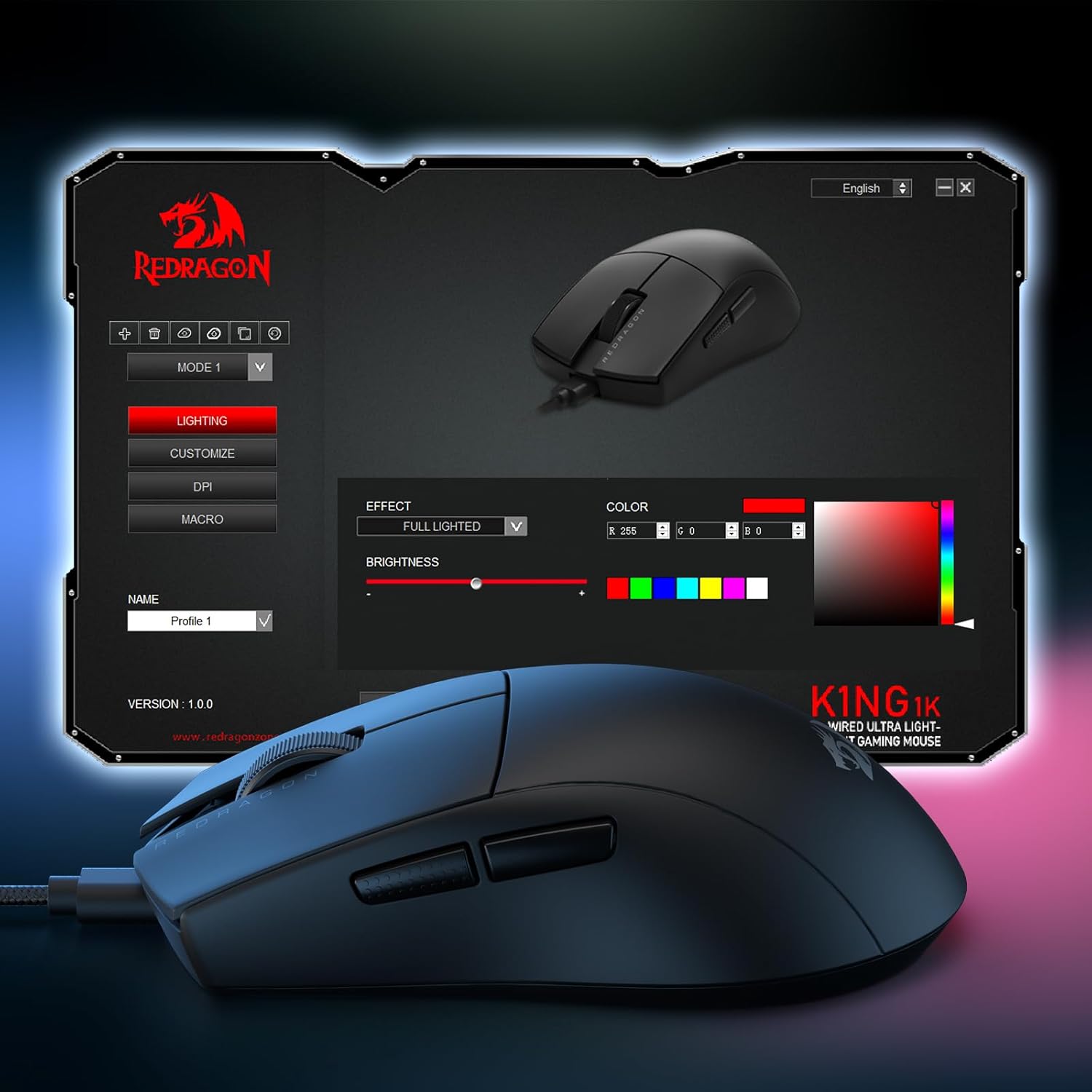
Image: The Redragon M724 mouse with its customization software interface displayed on a monitor, illustrating options for lighting, DPI, and macro settings.
3. Operating the Mouse
3.1 DPI Adjustment
The Redragon M724 features 5 redefinable DPI levels, with default settings at 1200/2400/3500/5500/12400. You can cycle through these levels using the dedicated DPI button, typically located on the underside of the mouse. Fine-tune DPI options between 200-12400 using the Redragon software.
3.2 Programmable Buttons
The mouse is equipped with 5 programmable buttons. These buttons can be customized with tactical keybinds, macros, or media controls through the Redragon software to suit your gaming or work needs. The default configuration includes two side buttons for quick access.

Image: A detailed view of the Redragon M724 mouse, emphasizing the placement of its programmable buttons and the textured scroll wheel for precise control.
3.3 Lightweight Design
Weighing only 42 grams, the M724 is designed for ultra-light handling, providing fast, clean, and controlled movements. This design minimizes fatigue during extended use.
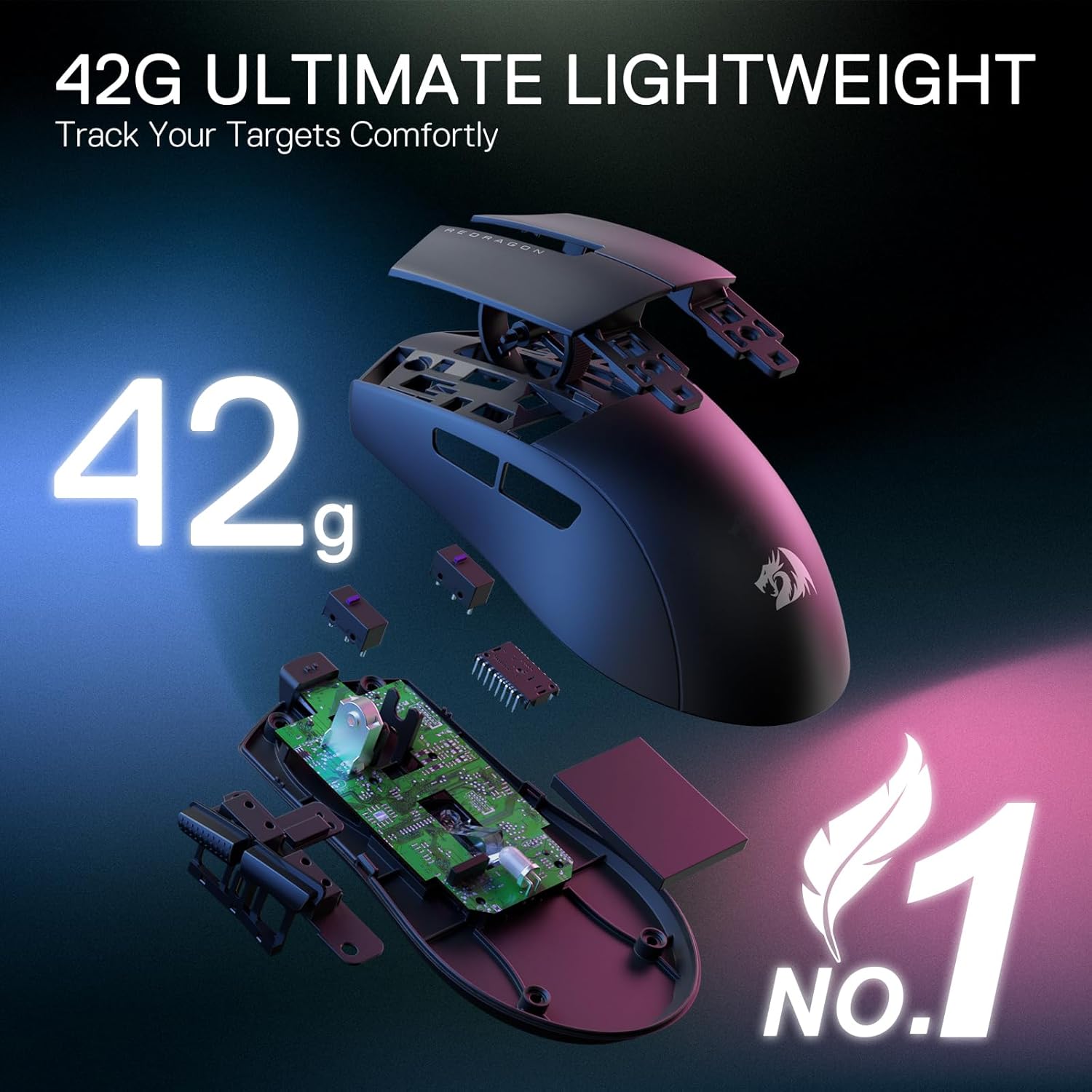
Image: An exploded diagram of the Redragon M724 mouse, illustrating its internal components and emphasizing its 42-gram ultra-lightweight construction.
3.4 Ergonomic Grip
The M724 is shaped to follow the natural structure of the human hand, ensuring comfort and a natural grip for long-lasting use, reducing strain during prolonged gaming sessions or work.
4. Maintenance
4.1 Cleaning
- Use a soft, dry cloth to wipe the surface of the mouse.
- For stubborn dirt, slightly dampen the cloth with water or a mild cleaning solution. Avoid harsh chemicals.
- Clean the optical sensor on the underside regularly with a cotton swab to ensure accurate tracking.
4.2 Cable Care
- Avoid sharp bends or kinks in the USB cable to prevent damage.
- Do not pull the cable forcefully when disconnecting the mouse. Always grasp the connector.
5. Troubleshooting
5.1 Mouse Not Responding
- Ensure the USB cable is securely connected to both the mouse and the computer.
- Try plugging the mouse into a different USB port on your computer.
- Restart your computer.
- Check if the mouse works on another computer to rule out a system-specific issue.
5.2 DPI or Button Customization Issues
- Ensure the Redragon software is correctly installed and updated to the latest version.
- Verify that the mouse is selected within the software interface.
- Save any changes made in the software before closing it.
5.3 Tracking Problems
- Clean the optical sensor on the underside of the mouse.
- Ensure you are using the mouse on a suitable surface (e.g., a mouse pad). Avoid highly reflective or uneven surfaces.
6. Specifications
| Feature | Detail |
|---|---|
| Brand | Redragon |
| Model Name | M724 |
| Connectivity Technology | USB (Wired) |
| Movement Detection Technology | Optical (PAW3327 Sensor) |
| DPI Levels | 5 redefinable (200-12400 Max DPI) |
| Programmable Buttons | 5 |
| Polling Rate | 1000 Hz |
| Item Weight | 42 Grams |
| Hand Orientation | Right |
| Compatible Devices | Personal Computer |
| Operating System | Windows |
| Enclosure Material | Plastic |

Image: A detailed view of the PAW3327 optical sensor, emphasizing its high-performance specifications for gaming.
7. Warranty Information
The Redragon M724 Wired Gaming Mouse comes with a 1-year limited warranty from the date of purchase. This warranty covers manufacturing defects and malfunctions under normal use. It does not cover damage caused by misuse, accidents, unauthorized modifications, or normal wear and tear. Please retain your proof of purchase for warranty claims.
8. Support
For further assistance, technical support, or to download the latest software and drivers, please visit the official Redragon website. You can also find FAQs and contact information for customer service there.
Official Redragon Website: www.redragonusa.com


