
1. Product Overview
The litillbuly 10.6 Inch Android 13 Single Din Car Radio is an advanced in-car entertainment and navigation system designed to enhance your driving experience. Featuring a large, adjustable touchscreen, it offers seamless integration with Wireless CarPlay and Android Auto, a built-in 4G module for internet access, and comprehensive GPS navigation capabilities. Its robust hardware, including 4GB RAM and 64GB ROM, ensures smooth performance for multiple applications. Physical knob and button controls provide convenient operation while driving.
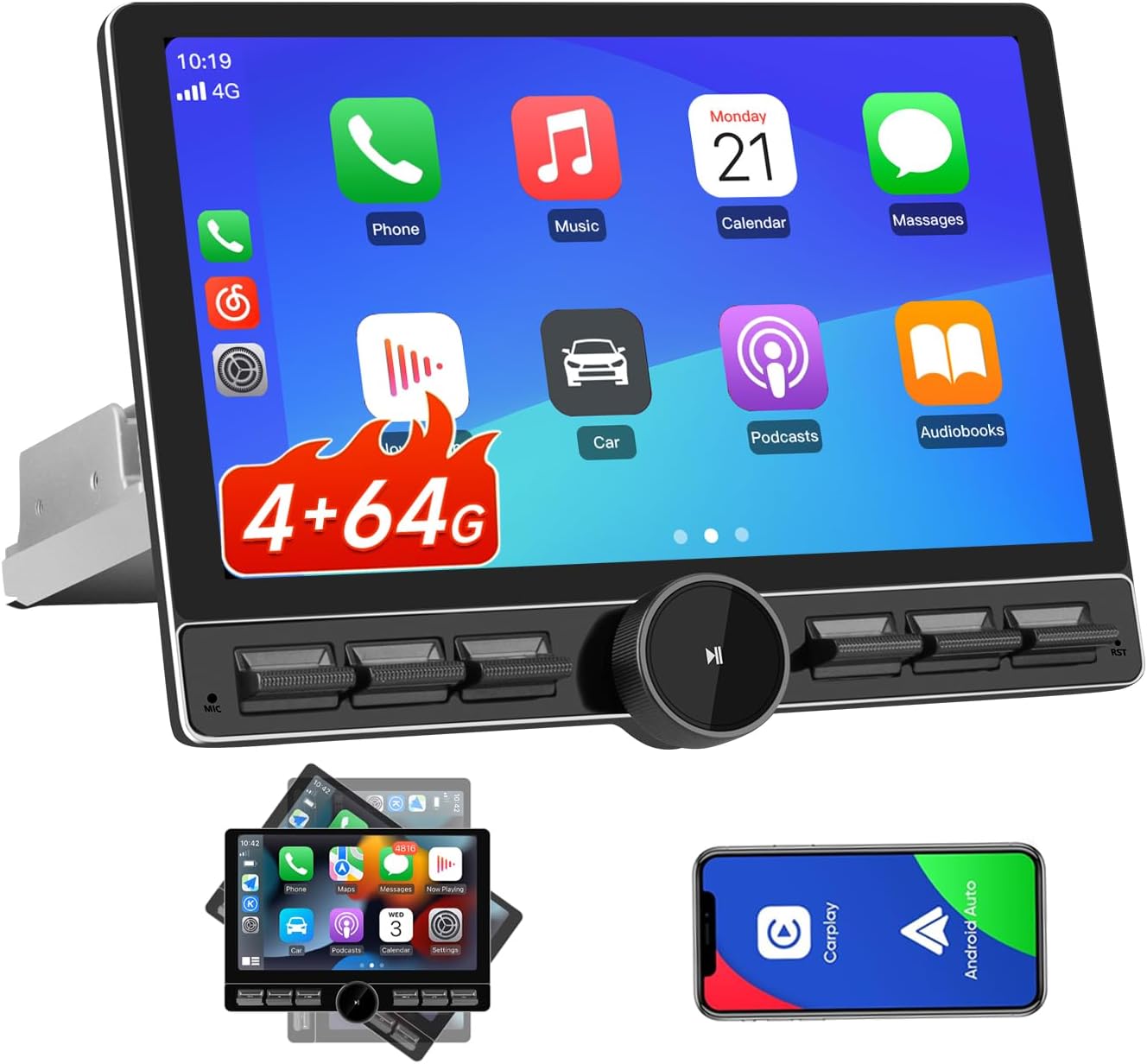
Image: The litillbuly 10.6 Inch Android 13 Single Din Car Radio, showcasing its large display and physical controls.
2. Package Contents
Please verify that all items listed below are included in your package:
- 1 x 10.6 Inch Android 13 Single Din Car Radio Unit
- 1 x 4G Antenna
- 1 x Rearview Camera Video Input Cable (Rearview camera not included)
- 1 x GPS Antenna
- 1 x RCA Cable Set
- 2 x USB Cables
- 1 x External Microphone
- 1 x Power Cable
- 1 x Set of Mounting Brackets
- 1 x Set of Installation Tools (e.g., screwdriver, pry tool)

Image: A visual representation of all components included in the product package.
3. Setup and Installation
Proper installation is crucial for optimal performance. It is recommended that installation be performed by a qualified professional.
3.1 Important Notices Before Installation
- An installation frame kit, special ISO harness, amplifier adapter, or CANbus decoder may be required depending on your vehicle's specific configuration. These are not included.
- This unit does not support factory car GPS antenna, original backup rear camera, factory Bluetooth, factory USB, or factory microphone.
- Ensure your dashboard opening size accommodates the car stereo. If not, an additional suitable dash kit will be necessary.
- If your car's power cable does not have an ISO standard interface, you will need to purchase a compatible ISO wiring harness.

Image: Guidance on checking dashboard dimensions and power cable compatibility for installation.
3.2 Wiring Diagram
Refer to the following diagram for proper wiring connections. Ensure all connections are secure to prevent malfunctions.

Image: Comprehensive interface description diagram detailing all wiring connections for the car radio.
3.3 Screen Adjustment
The 10.6-inch floating and detachable touchscreen offers flexible adjustability to achieve the optimal viewing angle. You can adjust it in three directions:
- Approximately 30° front/rear tilt
- Approximately 30° left/right tilt
- Approximately 5cm vertical movement

Image: Illustration of the screen's flexible adjustability for tilt and vertical positioning.
4. Operating Instructions
4.1 Wireless CarPlay & Android Auto
This unit supports both wired and wireless CarPlay and Android Auto. For wireless connection:
- Activate Bluetooth on your smartphone.
- Connect your phone to the car radio via Bluetooth.
- Open the CarLink application on the car radio.
Voice control via Apple Siri or Google Assistant allows for hands-free management of calls, navigation, and music.

Image: Steps for connecting to Wireless CarPlay and Android Auto.
4.2 Physical Knob and Button Controls
The unit features a physical knob and dedicated buttons for easy access to common functions, reducing the need to interact with the touchscreen while driving. These controls allow for quick adjustments of volume, switching songs, muting, pausing, and accessing GPS functions.

Image: Overview of the convenient physical controls on the car radio.
4.3 AM/FM Radio
The car stereo includes a built-in AM/FM RDS radio, allowing you to listen to music, news, and broadcasts. You can save your favorite stations for quick access.

Image: The FM/AM radio interface of the car stereo.
4.4 Bluetooth Connectivity
Equipped with a high-quality Bluetooth 5.2 module, the unit supports hands-free calls and music playback. Connect your smartphone to stream audio or make and receive calls directly through the car stereo.

Image: The Bluetooth 5.1 interface for music, address book, and calls.
4.5 Built-in 4G Module
Insert a SIM card (not included) into the built-in 4G module for direct internet access. This allows for online streaming, browsing, and updates without relying on your phone's hotspot. Note that the 4G module supports internet access but cannot be used for phone calls or sending SMS messages.

Image: Details on the 4G module and SIM card insertion.
4.6 GPS Navigation
The unit features GPS/Beidou/GLONASS dual-mode navigation, supporting simultaneous reception and processing of signals from multiple satellite systems. This provides higher positioning accuracy, especially in complex environments, and greater reliability.

Image: GPS navigation display and steering wheel control support.
4.7 Digital Sound Processing (DSP) & Equalizer
The built-in Digital Signal Processor (DSP) enables time alignment in car audio systems, ensuring sound waves from different speakers reach the listener simultaneously for improved sound quality and precision. The Equalizer interface allows for detailed sound settings, including sound field adjustments, surround sound, stereo enhancement, and bass enhancement. Users can select predefined sound effects or manually adjust settings.

Image: Built-in DSP and audio output capabilities.
4.8 Split Screen Functionality
The split screen feature allows multiple applications to run simultaneously on the display, enhancing multitasking capabilities. For example, you can view navigation on one side while controlling music playback on the other.

Image: Split screen functionality and other display features.
4.9 Steering Wheel Control (SWC) Output
The unit supports connection to your vehicle's steering wheel controls, allowing you to manage basic functions like volume adjustment and track changes without taking your hands off the wheel.
4.10 Rearview Camera Support
The unit supports an integrated rearview camera (not included). When a compatible camera is connected and the vehicle is put into reverse, the display will automatically switch to the camera view, providing parking assistance.
5. Maintenance
To ensure the longevity and optimal performance of your car radio, follow these general maintenance guidelines:
- Cleaning: Use a soft, dry cloth to clean the screen and unit. For stubborn smudges, slightly dampen the cloth with water or a screen-safe cleaner. Avoid abrasive materials or harsh chemicals.
- Software Updates: Periodically check for available software updates to ensure your system has the latest features and bug fixes. Updates can typically be performed via Wi-Fi connection.
- Environmental Conditions: Avoid exposing the unit to extreme temperatures, direct sunlight for prolonged periods, or excessive moisture.
6. Troubleshooting
If you encounter issues with your litillbuly car radio, please refer to the following common problems and solutions:
- No Power/Unit Not Turning On:
- Check all power connections according to the wiring diagram. Ensure the ACC (accessory) and B+ (battery) wires are correctly connected and receiving power.
- Verify vehicle fuses related to the radio are intact.
- No Sound:
- Check speaker wire connections.
- Ensure the volume is not muted or set too low.
- Verify DSP/Equalizer settings are not configured to output no sound.
- Wireless CarPlay/Android Auto Connection Issues:
- Ensure Bluetooth is enabled on your phone and paired with the unit.
- Restart both your phone and the car radio.
- Try a wired connection to rule out wireless interference.
- Ensure the CarLink application is open on the radio.
- GPS Signal Loss/Inaccuracy:
- Ensure the GPS antenna is properly connected and placed in an area with a clear view of the sky.
- Verify that the GPS application is running and has necessary permissions.
- Unit Obscures Vehicle Controls:
- Utilize the adjustable screen features (tilt and vertical movement) to find a position that minimizes obstruction.
- Consider if a different dash kit or mounting solution might be more suitable for your vehicle.
- Unit Does Not Turn Off Completely:
- Ensure the ACC wire is correctly connected to a switched power source that turns off with the ignition.
- If the issue persists, a physical switch on the power line may be required for certain vehicle setups.
If these steps do not resolve the issue, please contact customer support for further assistance.
7. Specifications
| Feature | Specification |
|---|---|
| Display Size | 10.6 Inches |
| Operating System | Android 13 |
| RAM | 4GB |
| ROM | 64GB (Expandable to 128GB via TF card) |
| CPU | 8-core 1.6GHz (ARM Cortex A55) |
| Connectivity Technology | Wi-Fi (5GHz), Bluetooth 5.2, 4G Module |
| Audio Output Mode | Stereo |
| Special Features | Built-In Bluetooth, Touchscreen, Wireless CarPlay & Android Auto, 4G, Knob Button, GPS, DSP, SWC Output, Split Screen |
| Compatible Devices | Smartphone |
| Item Weight | 5.13 pounds (2.33 Kilograms) |
| Package Dimensions | 11.5 x 10.5 x 9 inches |
| Model Number | 751355440347 |
| Manufacturer | litillbuly |
8. Warranty and Support
This product comes with a 1-year warranty from the manufacturer. For warranty claims, technical support, or any inquiries not covered in this manual, please contact the seller or manufacturer directly through your purchase platform.
For the latest information and support resources, please refer to the official litillbuly store on Amazon: litillbuly Store