
ANSTEN K2Pro
ANSTEN K2Pro Wireless TV Headphones & Optical Fiber Splitter User Manual
Model: K2Pro
Introduction
The ANSTEN K2Pro system provides a comprehensive audio solution for your television, allowing for private listening via wireless headphones and simultaneous audio output to two devices using the included optical fiber splitter. This manual provides detailed instructions for setup, operation, and maintenance of your ANSTEN K2Pro system.
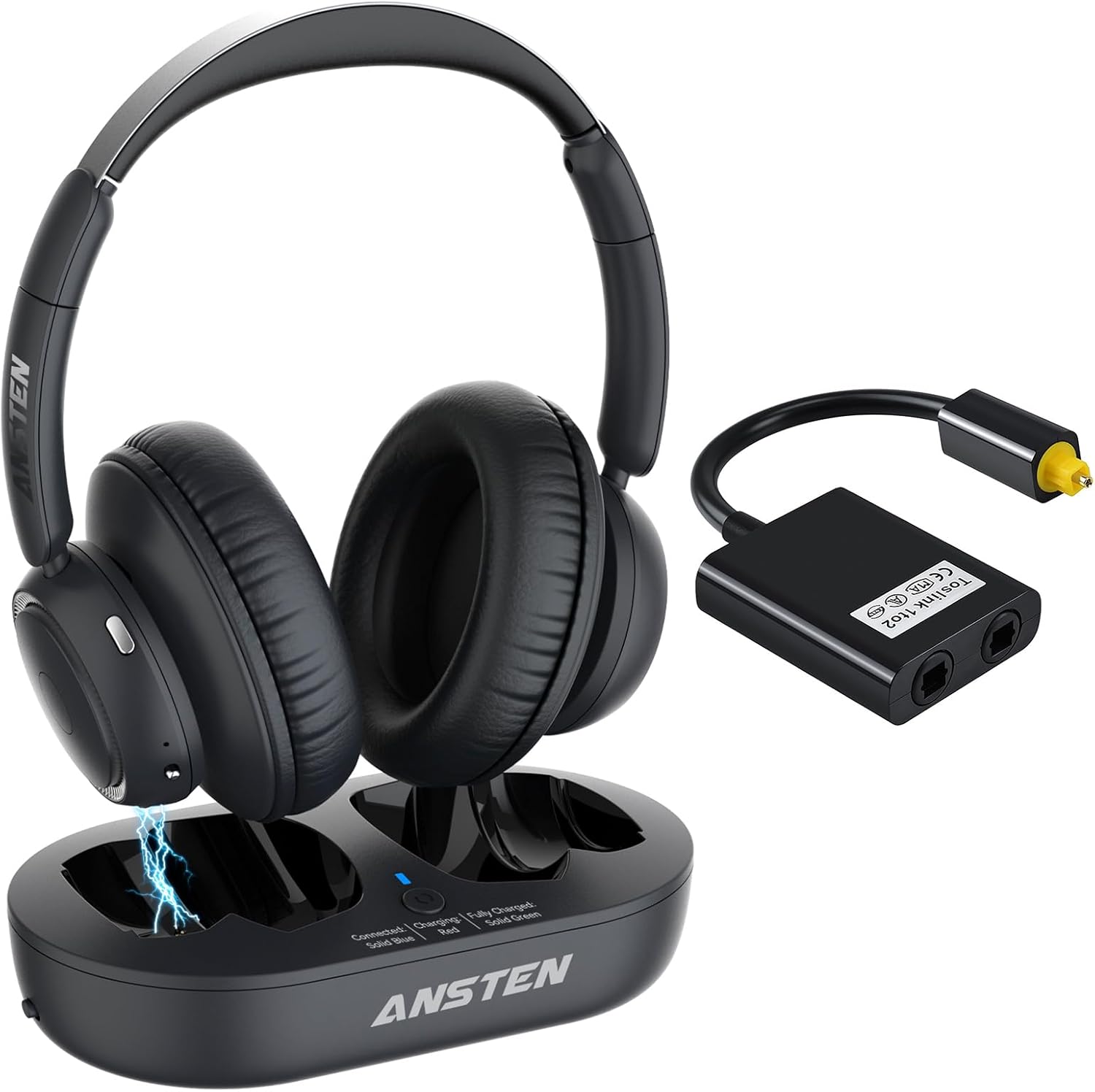
Image: The ANSTEN K2Pro Wireless TV Headphones and the accompanying Optical Fiber Splitter, shown with the charging base.
Package Contents
Please check the package contents to ensure all items are present:
- ANSTEN K2Pro Wireless Headphones
- Charging Base
- Optical Fiber Splitter (Toslink 1 input to 2 outputs)
- USB-C Charging Cable
- Optical Audio Cable
- RCA to 3.5mm Audio Cable
- 3.5mm Audio Cable
- User Manual (this document)
Setup
1. Charging the Headphones
Before first use, fully charge the headphones. You can charge them by placing them on the charging base or by connecting the USB-C cable directly to the headset.
- Using the Charging Base: Connect the USB-C charging cable to the charging base and a power source (e.g., TV USB port, USB wall adapter). Place the headphones onto the charging base, ensuring the charging contacts align. The indicator light on the base will show charging status.
- Direct Charging: Connect the USB-C charging cable directly to the USB-C port on the headphones and a power source.

Image: Illustration of the two charging methods for the ANSTEN K2Pro headphones: via the charging base and direct USB-C connection to the headset. The image highlights the 35-hour battery life.
2. Connecting to Your TV
The ANSTEN K2Pro system offers multiple connection options to your TV. Identify the available audio output ports on your television and choose the appropriate connection method.

Image: Diagram showing various TV audio output ports (Optical, AUX, RCA) and how to connect the ANSTEN K2Pro system to each. A note emphasizes checking TV output interfaces before purchase.
- Optical (Toslink) Connection:
- Connect one end of the optical audio cable to the "Optical Out" port on your TV.
- Connect the other end of the optical audio cable to the "Optical In" port on the ANSTEN K2Pro transmitter (integrated into the charging base).
- Note: Ensure your TV's audio output settings are configured to "PCM" or "Stereo" if using the optical connection, as Dolby/DTS formats are not supported by the transmitter.
- AUX (3.5mm) Connection:
- Connect one end of the 3.5mm audio cable to the "Headphone Out" or "Audio Out" (3.5mm) port on your TV.
- Connect the other end of the 3.5mm audio cable to the "AUX In" port on the ANSTEN K2Pro transmitter.
- RCA (Red/White) Connection:
- Connect the RCA to 3.5mm audio cable to the "Audio Out" (Red/White) ports on your TV.
- Connect the 3.5mm end of this cable to the "AUX In" port on the ANSTEN K2Pro transmitter.
3. Using the Optical Fiber Splitter
The included Toslink fiber optic audio splitter allows you to connect one optical audio source (e.g., your TV) to two receiving devices simultaneously, such as the ANSTEN K2Pro transmitter and a soundbar or A/V receiver.

Image: Diagram illustrating the use of the optical fiber splitter. It shows an HDTV as the input source, splitting the optical signal to two output devices: the K2Pro headphones and a soundbar, allowing both to receive audio simultaneously.
- Connect the optical audio cable from your TV's "Optical Out" port to the single input port on the optical fiber splitter.
- Connect one optical audio cable from an output port on the splitter to the "Optical In" port on the ANSTEN K2Pro transmitter.
- Connect a second optical audio cable from the other output port on the splitter to your second audio device (e.g., soundbar, A/V receiver).

Image: A close-up view of the Toslink optical fiber splitter, showing its single input and dual output ports.
Operating Instructions
Powering On/Off
- Headphones: Press and hold the Power button on the headphones for approximately 3 seconds to turn them on or off.
- Transmitter: The transmitter (charging base) powers on automatically when connected to a power source and receives an audio signal.
Volume Control
Adjust the volume directly on the ANSTEN K2Pro headphones using the volume control buttons located on the ear cup.
Automatic Connection
Once the headphones and transmitter are powered on and within range, they should automatically connect. A solid blue indicator light on the charging base typically indicates a successful connection.
Wireless Range
The ANSTEN K2Pro headphones offer a wireless range of up to 100 feet (30 meters), providing flexibility to move around while enjoying your audio.

Image: A person wearing the ANSTEN K2Pro headphones in a spacious living room, illustrating the long wireless range of up to 100 feet (30 meters) for superior sound quality anywhere in the area.
Comfortable Design
The headphones are designed with a lightweight headband and plush ear cups made from soft cotton material, ensuring comfort for extended listening sessions.

Image: A person wearing the ANSTEN K2Pro headphones, highlighting the comfortable over-ear design with a lightweight headband and plush ear cups for all-day comfort.
Low Latency Performance
The K2Pro system features ultra-low latency technology (less than 40ms), ensuring that audio and video are perfectly synchronized for an immersive viewing experience without disturbing others.

Image: A couple watching TV, with one person wearing the ANSTEN K2Pro headphones, illustrating the ultra-low latency feature (<40ms) that ensures audio and video are perfectly synchronized.
Versatile Usage (Bluetooth)
The headphones can also be used independently with other Bluetooth devices such as phones, tablets, or computers. To switch from TV audio to Bluetooth, ensure the original paired device (transmitter) is turned off or unplugged first.

Image: The ANSTEN K2Pro headphones shown with a smartphone, indicating their versatile usage with other Bluetooth devices like Windows, Android, and iOS systems. A note advises turning off or unplugging the original paired device (transmitter) first.
Maintenance
- Cleaning: Use a soft, dry cloth to clean the headphones and charging base. Do not use abrasive cleaners or solvents.
- Storage: When not in use, store the headphones on the charging base or in a cool, dry place away from direct sunlight and extreme temperatures.
- Battery Care: To prolong battery life, avoid fully discharging the headphones frequently. Charge them regularly, even if not in constant use.
Troubleshooting
| Problem | Possible Cause | Solution |
|---|---|---|
| No sound from headphones. | Headphones not powered on or not charged. Transmitter not powered on or not connected to TV. TV audio output settings incorrect. | Ensure headphones are charged and powered on. Verify transmitter is powered and connected to TV. Check TV audio output settings (e.g., set to PCM for optical). |
| Sound is distorted or intermittent. | Out of wireless range. Interference from other devices. Low battery on headphones. | Move closer to the transmitter. Reduce interference by moving away from other wireless devices. Charge the headphones. |
| Headphones not connecting to transmitter. | Headphones or transmitter not powered on. Pairing issue. | Ensure both devices are powered on. Power cycle both devices. Refer to pairing instructions if manual pairing is required (though typically automatic). |
| Optical splitter not working. | Cables not fully inserted. TV audio output settings incorrect. | Ensure all optical cables are securely connected. Verify TV audio output is set to PCM/Stereo. |
Specifications
- Model: K2Pro
- Wireless Technology: Low Latency 2.4GHz (for TV connection), Bluetooth (for independent device connection)
- Wireless Range: Up to 100 ft (30 m)
- Battery Life: Up to 35 hours (headphones)
- Charging Time: Approximately 2-3 hours
- Audio Inputs (Transmitter): Optical (Toslink), 3.5mm AUX, RCA (via adapter)
- Optical Splitter: 1 Input to 2 Outputs (Toslink)
- Ear Cup Material: Soft Cotton
Warranty and Support
ANSTEN products are designed for reliability and performance. For any questions, technical support, or warranty inquiries, please contact ANSTEN customer service. Our after-sales team is committed to providing assistance and will reply within 24 hours.
Contact Information: Please refer to the contact details provided on the ANSTEN official website or your purchase documentation.
Ask a question about this manual
Ask about setup, troubleshooting, compatibility, parts, safety, or missing instructions. Manuals+ will review the question and use this page’s manual context to help answer it.