
Introduction
This manual provides detailed instructions for the safe and effective use of your iFamily SM650 Baby Monitor. Please read all instructions carefully before operating the device and retain this manual for future reference.
The iFamily SM650 Baby Monitor features a 5-inch display, remote pan-tilt-zoom camera, two-way audio, night vision, temperature monitoring, and lullabies. It operates on 2.4GHz FHSS technology, ensuring a secure, private connection without Wi-Fi.
What's in the Box
- Parent Unit (Monitor)
- Baby Unit (Camera)
- Power Adapters (for Parent Unit and Baby Unit)
- Instruction Manual
- Wall Mount Kit

Image: The iFamily SM650 Baby Monitor parent unit and baby unit, along with charging cables, laid out on a surface.
Setup
- Charge the Parent Unit: Connect the parent unit to a power outlet using the provided power adapter. Charge fully before first use.
- Position the Baby Unit (Camera): Place the baby unit in your baby's room on a flat surface or mount it on a wall using the included kit. Ensure a clear view of the crib or desired monitoring area. Keep the camera at least 1.5 meters away from the baby to avoid interference.
- Power On the Baby Unit: Connect the baby unit to a power outlet using its dedicated power adapter.
- Power On the Parent Unit: Press and hold the power button on the parent unit until the screen turns on. The units should automatically pair. If not, refer to the 'Pairing' section in Operating Instructions.

Image: The iFamily SM650 Baby Monitor parent unit showing a live feed of a baby, positioned next to the baby unit camera.
Operating Instructions
Basic Functions
- Power On/Off: Press and hold the power button on the parent unit.
- Volume Control: Use the volume buttons on the parent unit to adjust the audio level.
- Screen Brightness: Use the brightness buttons to adjust the display intensity.
Remote Pan-Tilt-Zoom (PTZ)
Use the directional buttons on the parent unit to remotely adjust the camera's viewing angle (pan and tilt) and zoom in or out for a closer look.

Image: The iFamily SM650 Baby Monitor screen displaying a split view, illustrating 1x zoom and 2x zoom capabilities on a baby.
Two-Way Audio
Press and hold the microphone button on the parent unit to speak to your baby through the camera's speaker.

Image: The iFamily SM650 Baby Monitor screen displaying a baby, with speech bubbles showing 'Hi, baby' and 'Mommy', illustrating the two-way talk feature.
Night Vision
The baby unit automatically activates infrared night vision in low-light conditions, providing a clear black and white image on the parent unit.

Image: The iFamily SM650 Baby Monitor camera unit, surrounded by musical notes, symbolizing its night vision and lullaby capabilities.
VOX Mode (Eco Mode)
Activate VOX mode to conserve battery. The screen will automatically wake up and transmit audio/video when noise is detected from the baby's room.
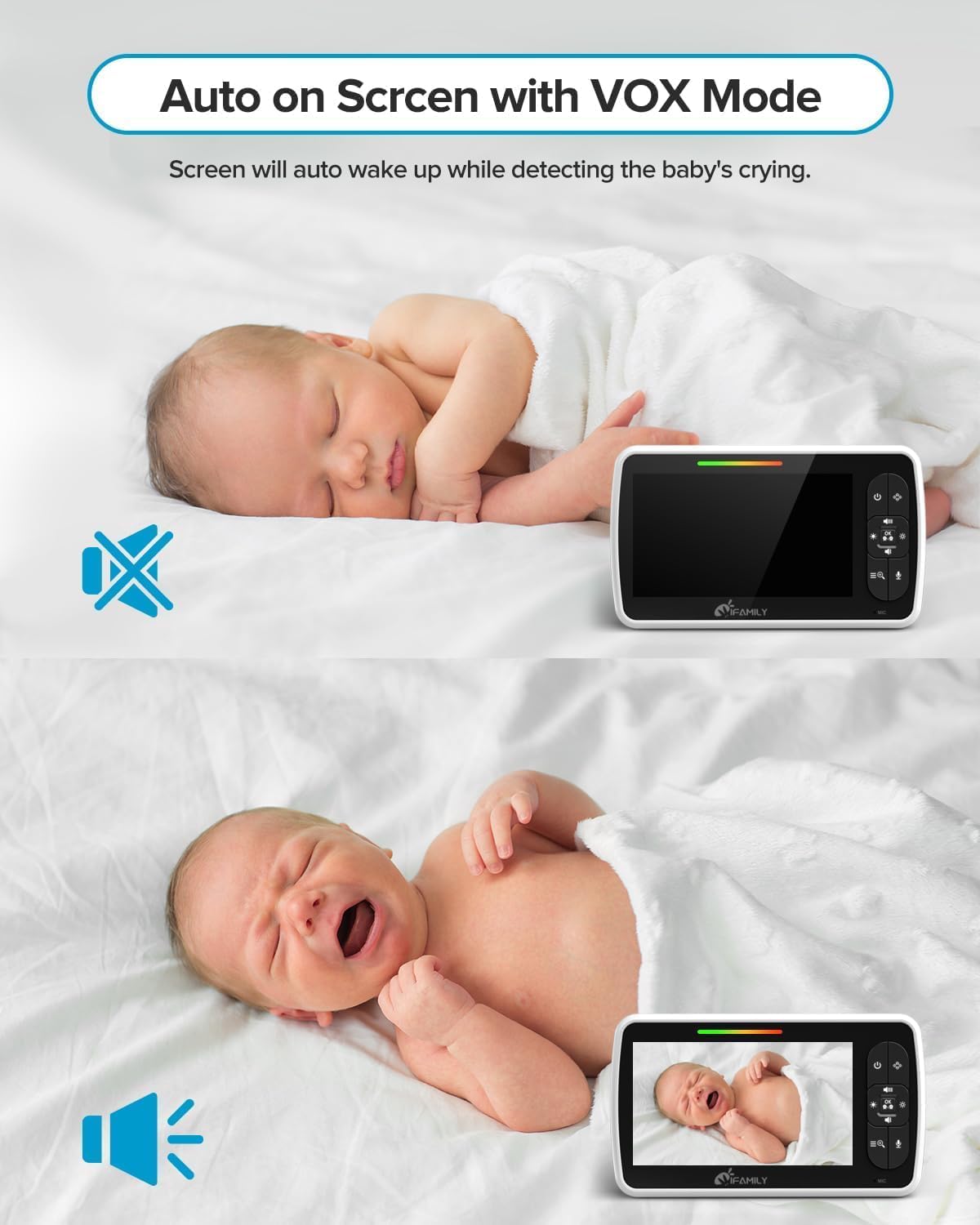
Image: The iFamily SM650 Baby Monitor screen in two states: off when a baby is sleeping quietly, and on when a baby is crying, demonstrating the VOX mode's automatic activation.
Lullabies
Select from built-in lullabies to play through the baby unit's speaker to soothe your baby.
Temperature Alert
The parent unit displays the room temperature measured by the baby unit. Set alerts for high or low temperatures.

Image: The iFamily SM650 Baby Monitor screen displaying a sleeping baby, with the room temperature shown and alert icons for high or low temperatures.
Multi-Camera View
The monitor supports up to 4 cameras. Use the camera toggle button to switch between views or activate a scan view that cycles through all connected cameras.
Pairing Additional Cameras
To pair an additional camera, access the menu on the parent unit, navigate to the 'Pair' option, and follow the on-screen instructions. Ensure the new camera is powered on and within range.
Maintenance
- Cleaning: Use a soft, dry cloth to clean the monitor and camera units. Do not use abrasive cleaners or solvents.
- Battery Care: For optimal battery life, fully charge the parent unit before initial use. Avoid extreme temperatures.
- Storage: If storing the device for an extended period, ensure both units are powered off and stored in a cool, dry place.
Troubleshooting
| Problem | Solution |
|---|---|
| No image/sound on parent unit | Ensure both units are powered on and within range. Re-pair units if necessary. Check power adapters. |
| Poor signal/intermittent connection | Move parent and baby units closer. Avoid obstructions like thick walls or other 2.4GHz devices. Extend the antenna on the parent unit. |
| Short battery life | Fully charge the parent unit. Activate VOX mode to conserve power. |
| Camera not responding to PTZ controls | Ensure the camera is powered on and properly paired. Check for signal interference. |
Specifications
| Feature | Detail |
|---|---|
| Screen Size | 5 inches |
| Video Capture Resolution | 480p |
| Connectivity Technology | Wireless (2.4GHz FHSS, No WiFi) |
| Range | Up to 960 feet (open space) |
| Two-Way Audio | Yes |
| Night Vision | Yes (Invisible infrared LED) |
| Temperature Sensor | Yes |
| Lullabies | Yes (Built-in) |
| VOX Mode | Yes |
| Expandable Cameras | Up to 4 cameras |
| Mounting Type | Wall Mount, Tabletop |
| Item Dimensions L x W x H | 6.79 x 5 x 4.4 inches |
| Item Weight | 1.46 pounds |
Warranty & Support
This product may be eligible for extended protection plans. Please refer to your purchase documentation for details on available 2-Year, 3-Year, or Complete Protect plans.
For technical support or further assistance, please contact iFamily customer service through the contact information provided in your product packaging or on the official iFamily website.
Product Videos
Video: A user demonstrates the iFamily baby monitor, highlighting features like the status bar, temperature display, volume control, remote camera movement, and the ability to toggle between two cameras. The video emphasizes the good picture quality, especially night vision, and the convenience of having a second camera for travel.
Video: A user reviews the iFamily baby monitor, showcasing its 5-inch screen and the camera's pan-tilt-zoom capabilities. The video also highlights the two-way audio, night vision, temperature monitoring, and lullaby features, emphasizing its non-WiFi secure connection.


