
Sanorum G58
Sanorum Smartwatch User Manual
Model: G58
1. Introduction
Thank you for choosing the Sanorum Smartwatch. This user manual provides detailed instructions on how to set up, operate, and maintain your new smartwatch. Please read this manual thoroughly before using the device to ensure optimal performance and longevity.
2. What's in the Box
Upon unboxing your Sanorum Smartwatch, please verify that all the following items are included:
- Sanorum Smartwatch (G58)
- Magnetic Charging Cable
- User Manual
- Additional Strap (e.g., Silicone or Metal Mesh, depending on model)
- Sunflower Necklace (may be included as a gift)

3. Product Overview
The Sanorum Smartwatch G58 features an elegant and fashionable design, specifically tailored for comfort and style. It comes with a 1.27-inch HD screen and offers two interchangeable straps to suit various occasions.

4. Setup
4.1 Initial Charging
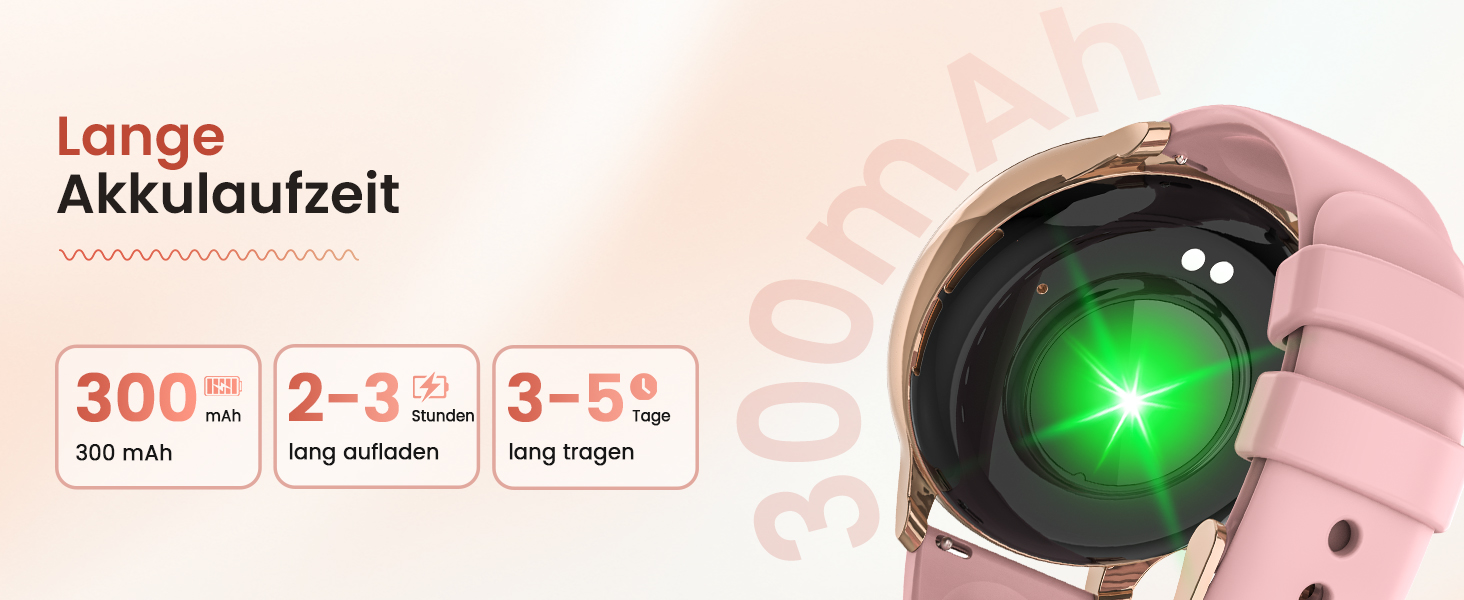
Before first use, fully charge your smartwatch. Connect the magnetic charging cable to the charging points on the back of the watch and plug the USB end into a power adapter (not included) or a computer USB port. A full charge typically takes 2-3 hours.
4.2 App Download and Installation
To unlock the full potential of your Sanorum Smartwatch, download the companion application on your smartphone. The app is compatible with both iOS and Android devices. Scan the QR code provided in the quick start guide or search for the app name (usually mentioned in the manual or on the watch screen) in your device's app store.
4.3 Device Pairing
- Ensure Bluetooth is enabled on your smartphone.
- Open the downloaded app and follow the on-screen instructions to add a new device.
- The app will search for available devices. Select 'Sanorum G58' or a similar name from the list.
- Confirm the pairing request on both your smartwatch and smartphone.
- Once paired, the watch will synchronize data with your phone.
5. Operating Instructions
5.1 Basic Navigation
- Touchscreen: Swipe left/right to navigate between main screens, swipe up/down to access quick settings or notifications. Tap to select.
- Side Buttons: Typically, one button serves as a power/home button, while others may be customizable shortcuts or back buttons. Refer to the on-screen prompts for specific functions.
5.2 Communication Features
The Sanorum Smartwatch supports Bluetooth 5.3 calls, allowing you to make and receive calls directly from your wrist. It features a built-in speaker and an independent microphone for clear audio.
- Bluetooth Calling: Once paired, you can answer incoming calls or dial from your watch's contact list (supports up to 100 contacts).
- Message Notifications: Receive real-time notifications for calls, SMS, and various social media apps (e.g., WhatsApp, Facebook, Instagram, TikTok).
- Voice Assistant: Access your smartphone's voice assistant directly from the watch for hands-free control.

6. Health Monitoring
The Sanorum Smartwatch provides comprehensive 24-hour health monitoring features to help you stay informed about your well-being.
- Heart Rate Monitoring: Tracks your heart rate continuously throughout the day.
- Blood Oxygen (SpO2) Monitoring: Measures your blood oxygen saturation levels.
- Blood Pressure Monitoring: Provides estimates of your blood pressure.
- Respiratory Rate Monitoring: Monitors your breathing rate.
- Sleep Monitoring: Analyzes your sleep patterns, including deep sleep, light sleep, and awake times, to help improve sleep quality.
- Menstrual Cycle Tracking: Specifically designed for women, this feature helps track and predict menstrual cycles and ovulation periods.
- Breathing Exercises: Guided breathing exercises to help you relax and reduce stress.


7. Sports Modes
The Sanorum Smartwatch supports over 120 sports modes, catering to a wide range of fitness activities. It provides precise movement data to help you achieve your athletic goals.
- Activity Tracking: Tracks calories burned, distance covered, heart rate during exercise, and steps taken.
- Supported Modes: Includes popular activities such as running, yoga, tennis, cycling, rope skipping, mountain climbing, and many more.

8. Customization
Personalize your Sanorum Smartwatch with a wide variety of watch faces and DIY options.
- Online Watch Faces: Choose from over 400 online watch faces to match your style.
- DIY Designs: Create your own custom watch faces using your favorite photos.

9. Battery Life
Equipped with a powerful 300mAh battery, the Sanorum Smartwatch offers extended battery life, reducing the need for frequent charging. A full charge provides approximately 3-5 days of typical use.

10. Water Resistance
The Sanorum Smartwatch boasts an IP68 water resistance rating, making it resistant to sweat and rain. It is suitable for daily wear and light water exposure, such as handwashing. Note: It is not recommended for swimming, showering with hot water, or diving.

11. Additional Functions
Beyond its core features, the Sanorum Smartwatch includes several practical tools to enhance your daily life:
- Weather Forecast: Get real-time weather updates directly on your wrist.
- Music Control: Control music playback on your smartphone.
- Alarm Settings: Set alarms and reminders.
- Calculator: A convenient calculator for quick computations.
- Remote Camera: Use your watch as a remote shutter for your phone's camera.
- Calorie Tracker: Monitors calorie consumption.
- Timer/Stopwatch: Essential tools for timing activities.
- SOS Emergency Call: A quick access feature for emergency situations.
12. Maintenance
To ensure the longevity and proper functioning of your Sanorum Smartwatch, follow these maintenance guidelines:
- Cleaning: Regularly wipe the watch screen and straps with a soft, dry cloth. For stubborn dirt, a slightly damp cloth can be used, but ensure the watch is completely dry afterward.
- Avoid Chemicals: Do not use harsh chemicals, cleaning solvents, or strong detergents, as they can damage the watch's finish and internal components.
- Storage: When not in use for extended periods, store the smartwatch in a cool, dry place away from direct sunlight and extreme temperatures.
- Charging: Use only the provided magnetic charging cable. Avoid overcharging the battery.
13. Troubleshooting
If you encounter any issues with your Sanorum Smartwatch, please refer to the following common troubleshooting steps:
| Problem | Possible Cause | Solution |
|---|---|---|
| Watch won't turn on | Low battery; Power button not pressed long enough | Charge the watch for at least 30 minutes; Press and hold the power button for 5-10 seconds. |
| Cannot pair with phone | Bluetooth off; App not open; Watch too far; Interference | Ensure Bluetooth is on; Open the app; Keep watch close to phone; Restart both devices. |
| Inaccurate health data | Watch not worn correctly; Sensor dirty; Movement during measurement | Ensure watch is snug on wrist; Clean sensor; Remain still during measurement. |
| Notifications not received | App permissions; Notification settings in app/phone; Bluetooth disconnected | Check app permissions; Enable notifications in app and phone settings; Reconnect Bluetooth. |
| Short battery life | Frequent use of power-intensive features; Brightness too high | Reduce screen brightness; Limit continuous monitoring; Disable unnecessary features. |
If the problem persists, please contact Sanorum customer support for further assistance.
14. Specifications
| Feature | Detail |
|---|---|
| Model Number | G58 |
| Screen Size | 1.27 inches HD |
| Connectivity Technology | Bluetooth 5.3 |
| Operating System | iOS, Android compatible |
| Battery Capacity | 300 mAh |
| Water Resistance | IP68 |
| Memory Capacity | 25 MB |
| Product Dimensions | 28.4 x 10.1 x 1.9 cm |
| Weight | 240 Grams |
| Shape | Round |
| Color | Gold Black |
15. Warranty and Support
Sanorum is committed to providing excellent customer service and product quality.
- Return Policy: Enjoy a 30-day hassle-free return and exchange policy for worry-free shopping.
- Quality Guarantee: The product comes with a 24-month quality guarantee, ensuring long-term peace of mind.
- Customer Service: Professional customer support is available 24/7 to assist you with any inquiries or issues.
- Post-Purchase Support: Comprehensive support is provided after purchase to protect your rights and interests.

For further assistance or to visit the Sanorum store, please refer to the contact information provided with your product or visit the official Sanorum brand store online.
Related documentsG58


Ask a question about this manual
Ask about setup, troubleshooting, compatibility, parts, safety, or missing instructions. Manuals+ will review the question and use this page’s manual context to help answer it.