
1. Introduction
This manual provides detailed instructions for installing and operating your Light My Bricks 2.0 Light Kit, designed specifically for the LEGO Ideas Home Alone #21330 set. This kit enhances your LEGO model with custom lighting, bringing the iconic McCallister family home to life.
The Light My Bricks 2.0 system features ultra-slim cables, plug-and-play connectors, and components engineered for seamless integration with LEGO bricks. Please read all instructions carefully before beginning installation.
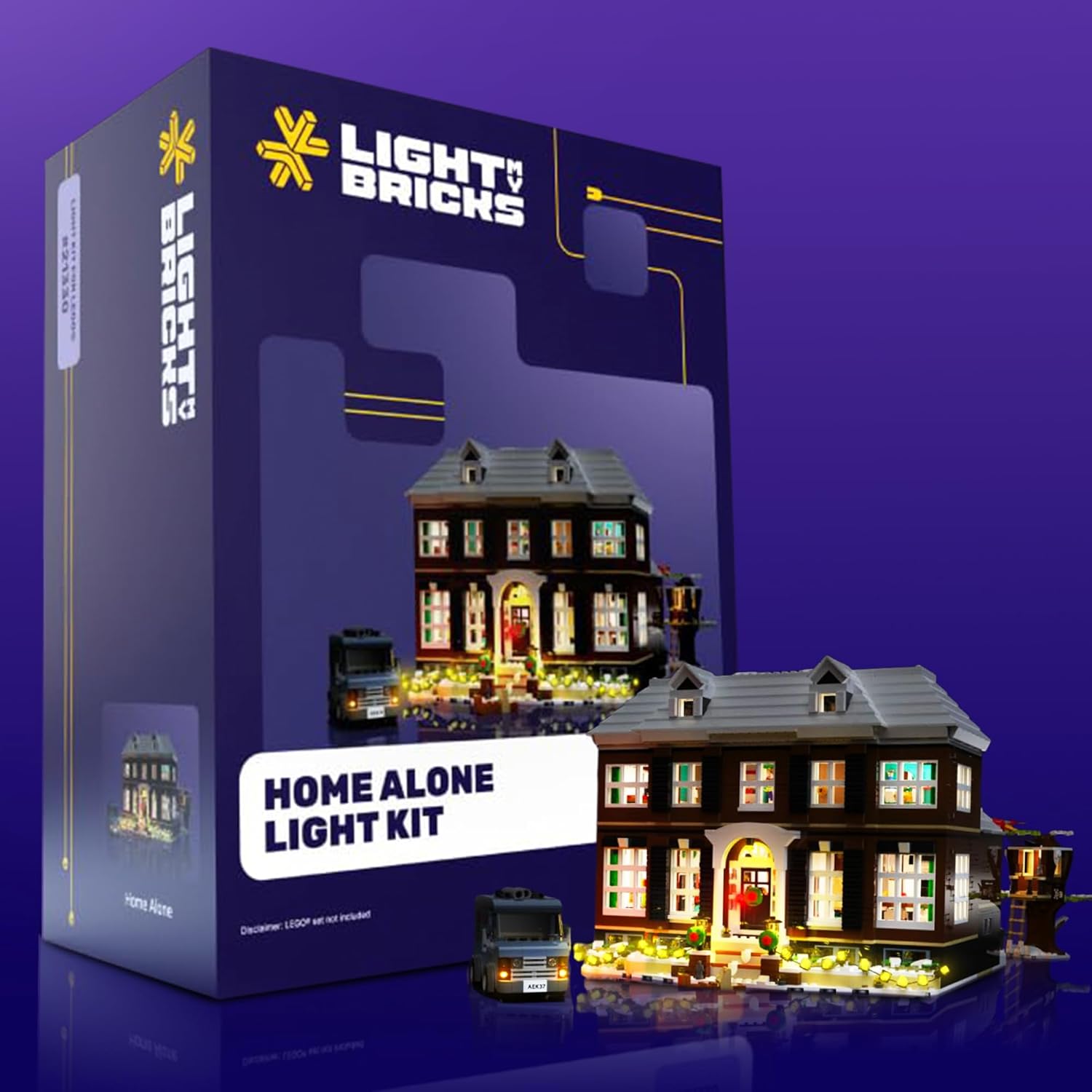
Image: The Light My Bricks 2.0 Light Kit packaging alongside the illuminated LEGO Home Alone #21330 set.
2. Safety Information
Warning: Choking Hazard - small parts. Not for children under 3 years.
This product contains small components that could pose a choking hazard. Keep out of reach of small children. Always handle electronic components with care. Do not expose components to water or extreme temperatures. Disconnect power before making any changes to the lighting setup.
3. What's Included
Your Light My Bricks 2.0 Light Kit for LEGO Home Alone #21330 includes the following components:
- 29 x Lights
- 13 x Belts
- 5 x Docks
- 1 x Flux Power
- 16 x Accessories
- 15 x Assorted Bricks
- 6 x Flux Touch Plates
- 1 x Power Brick
Note: The LEGO Home Alone #21330 set is not included with this light kit.

Image: A visual representation of the components included in the Light My Bricks kit, detailing quantities of lights, belts, docks, and other accessories.
4. Setup and Installation
The Light My Bricks 2.0 Light Kit is designed for installation after your LEGO set is fully built. For detailed, step-by-step instructions, please refer to the 3D installation guide provided by Light My Bricks. You can access this guide by scanning the QR code located on the side of your kit's box.
General Installation Steps:
- Prepare Your LEGO Set: Ensure your LEGO Home Alone #21330 set is fully assembled and stable.
- Identify Components: Familiarize yourself with the various lighting components, including lights, connection cables, expansion boards, and power sources.
- Route Cables: Utilize the ultra-slim flat flex cables to route wiring discreetly between LEGO studs and plates. These cables are designed to fit without creating gaps or compromising the structural integrity of your model.
- Connect Lights: Attach individual lights to specific areas of your LEGO set as indicated in the 3D guide. The plug-and-play connectors feature reverse polarity, allowing for easy connection in any orientation.
- Connect to Expansion Boards/Docks: Link multiple lights and accessories to expansion boards or docks to manage power distribution.
- Connect Power Source: Connect the main power brick to a compatible USB power source (not included).

Image: Visual guide illustrating key installation features: flat flex cables for seamless routing, plug-and-play connectors, components designed to integrate with LEGO bricks, and the high quality of individual light elements.
Important Considerations:
- Cable Management: Carefully route cables to avoid pinching or excessive tension. The flat design allows them to sit invisibly between bricks.
- Power Source: We recommend powering this kit using a USB Power Bank or a USB Wall Adaptor (for connection to a mains outlet). These power sources are not included.
- Component Compatibility: All components are designed to fit perfectly with LEGO bricks, ensuring a discreet and integrated look.

Image: A three-step visual guide demonstrating the process: selecting a kit, installing the lights, and powering the system.
5. Operating Instructions
Once all lighting components are installed and connected to the power brick, connect the power brick to a suitable USB power source (e.g., USB power bank, USB wall adapter, or computer USB port). The lights in your LEGO Home Alone set will illuminate, bringing the model to life.
Some kits may include Flux Touch Plates or other interactive elements. Refer to your specific 3D installation guide for details on operating these features.

Image: Multiple close-up views of the LEGO Home Alone set, showcasing the detailed lighting effects on both the exterior and interior sections of the house.
6. Maintenance
- Cleaning: To clean your illuminated LEGO set, gently dust with a soft, dry cloth. Avoid using liquids or harsh cleaning agents directly on the lighting components.
- Cable Inspection: Periodically check cables for any signs of wear, damage, or pinching. Ensure all connections are secure.
- Storage: If storing your set, ensure cables are not excessively bent or tangled. Store in a cool, dry place away from direct sunlight.
7. Troubleshooting
- Lights Not Turning On:
- Ensure the power brick is securely connected to a functional USB power source.
- Check all cable connections to the power brick, expansion boards, and individual lights. Ensure they are firmly seated.
- Verify that the USB power source is providing adequate power. Try a different USB port or power bank.
- Some Lights Not Working:
- Inspect the connections for the specific non-working lights. Re-seat the connectors.
- Check for any visible damage to the cable or LED of the affected light.
- If using expansion boards, ensure the non-working lights are connected to a functional port on the board.
- Flickering Lights:
- This can indicate a loose connection. Re-check all connections, especially at the power source and expansion boards.
- Ensure your power source is stable and providing consistent power.
- Difficulty Routing Cables:
- The flat flex cables are designed to fit between studs. Avoid forcing them. If a cable is difficult to route, try adjusting the surrounding LEGO bricks slightly.
- Refer to the 3D installation guide for specific cable routing suggestions.
If you continue to experience issues, please contact Light My Bricks customer support for further assistance.
8. Specifications
| Feature | Detail |
|---|---|
| Product Dimensions | 5.7 x 4.5 x 2.75 inches |
| Item Weight | 7.4 ounces |
| ASIN | B0DXDKFKG5 |
| Item Model Number | 2.0homealone-21330 |
| Manufacturer Recommended Age | 12 years and up |
| Manufacturer | Light My Bricks |
9. Warranty and Support
Light My Bricks products are designed for quality and durability. For specific warranty information, please refer to the documentation included with your purchase or visit the official Light My Bricks website. In case of any issues or questions regarding your light kit, please contact Light My Bricks customer support directly.
You can often find support contact information on the product packaging or through the Light My Bricks official website: www.lightmybricks.com


