
1. Introduction
Thank you for purchasing the Alonefire SV103 10W 365nm UV LED Blacklight Flashlight. This device is designed for various detection and curing applications, utilizing a powerful 365nm ultraviolet light source. Please read this manual thoroughly before use to ensure proper operation and safety.

Image: The Alonefire SV103 UV LED Blacklight Flashlight, accompanied by its rechargeable lithium-ion battery and a USB-C charging cable.
2. Product Features
- High-Quality 365nm UV LED: Equipped with three high-quality 365nm UV LEDs, providing up to 10W of power and 2800mW of radiant flux for professional-grade blacklight performance.
- Black UV Filter Lens: Features a hardened black filter optical lens that blocks ambient visible light, ensuring a purer and more powerful ultraviolet output.
- Durable Aluminum Alloy Casing: Constructed from high-quality aluminum alloy, enhancing heat dissipation and extending the lifespan of the LED lamps, thereby improving reliability and durability.
- USB Type-C Rechargeable: Designed with a convenient USB-C charging port, allowing for easy and reversible plug insertion. Includes a charging indicator for monitoring power status and ensuring safe charging.
- Removable Back Clip: Includes a detachable clip for convenient carrying and attachment to pockets or gear.

Image: A diagram demonstrating the function of the black UV filter lens, which purifies the ultraviolet light by blocking interfering ambient light.

Image: A visual comparison highlighting the superior fluorescence detection capabilities of 365nm UV light compared to 395nm UV light on various mineral samples.
3. Package Contents
- Alonefire SV103 UV LED Blacklight Flashlight
- 18650 Lithium-Ion Rechargeable Battery (2000mAh)
- USB Type-C Charging Cable
4. Setup
4.1 Battery Installation
- Unscrew the tail cap of the flashlight counter-clockwise.
- Insert the included 18650 lithium-ion battery with the positive (+) end facing towards the flashlight head.
- Screw the tail cap back on clockwise until secure.
4.2 Charging
The Alonefire SV103 features a built-in USB Type-C charging port for convenient recharging.
- Locate the USB-C charging port on the flashlight body.
- Connect the provided USB-C cable to the flashlight and to a compatible USB power source (e.g., wall adapter, computer, power bank).
- The charging indicator light will illuminate: Red indicates charging in progress. Green indicates charging is complete.
- Charging typically takes 4-5 hours for a full charge.

Image: The flashlight connected via USB-C cable, illustrating the charging process and the indicator light status.
5. Operating Instructions
5.1 Power On/Off
Press the power button located on the side of the flashlight to turn the UV light on or off.
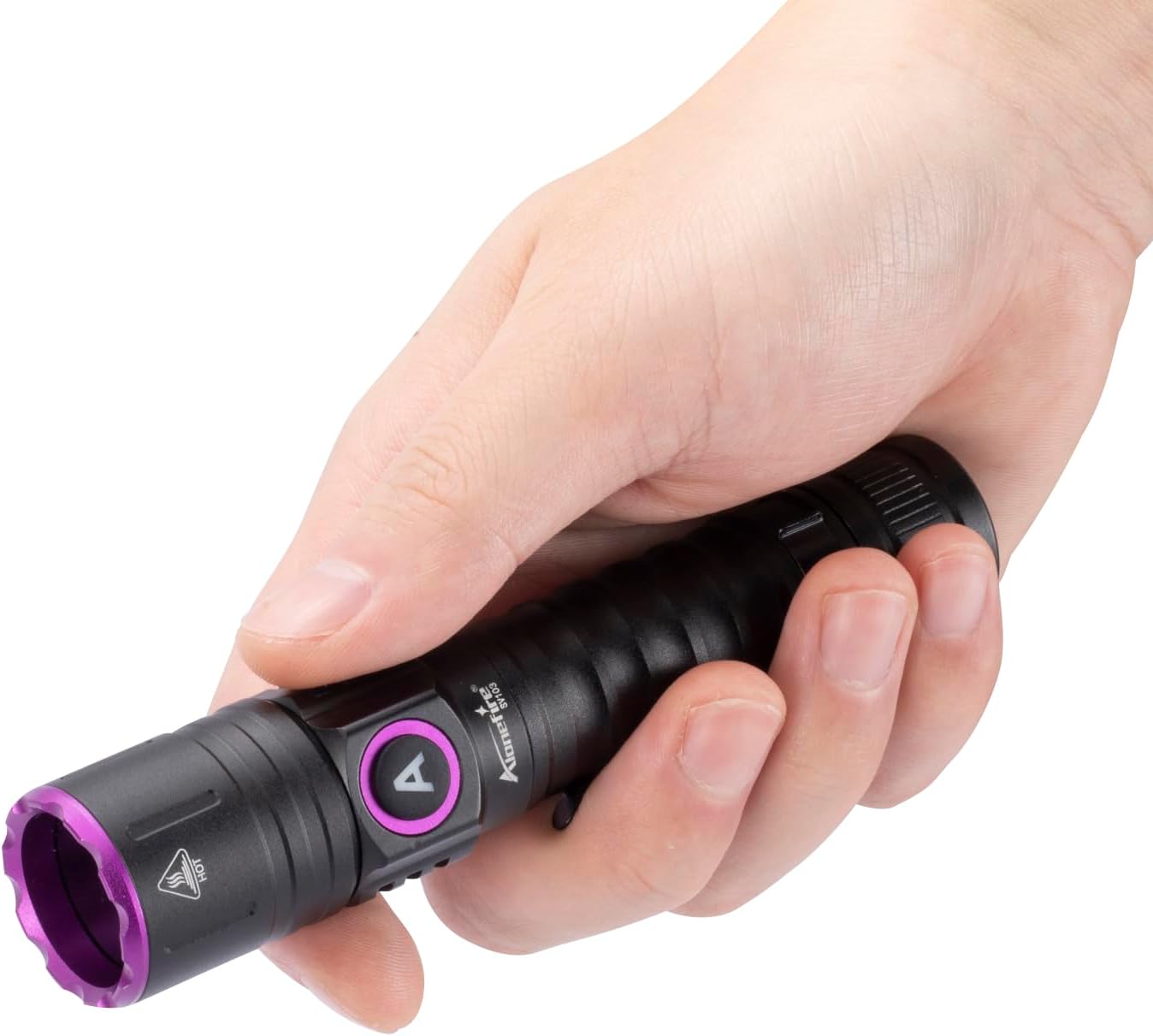
Image: A hand gripping the Alonefire SV103 flashlight, highlighting its compact size and comfortable hold.
5.2 Usage Tips
- For best results in detecting fluorescent materials, use the flashlight in a dark or dimly lit environment.
- Keep the UV light at an appropriate distance from the target object to achieve optimal illumination and detection.
6. Applications
The Alonefire SV103 UV LED Blacklight Flashlight is suitable for a wide range of applications:
- Pet Urine Detection: Identify hidden pet stains on carpets, rugs, and furniture that are invisible to the naked eye.
- Cat Fungus (Ringworm) Detection: Assist in detecting certain types of fungal infections on pets, which may fluoresce under 365nm UV light.
- Counterfeit Currency and Document Verification: Reveal security features on banknotes, passports, and other official documents.
- Scorpion Detection: Scorpions fluoresce brightly under UV light, making them easier to spot in dark environments.
- Mineral and Gemstone Identification: Observe fluorescence in various minerals and gemstones for identification purposes.
- Resin Curing: Accelerate the curing process of UV-sensitive resins and adhesives.
- Fishing Lure Charging: Quickly charge glow-in-the-dark fishing lures.
- Hotel Room Inspection: Check for cleanliness and hidden stains in hotel rooms.

Image: A collage illustrating diverse applications of the UV flashlight, from pet health checks to material authentication.

Image: A UV flashlight illuminating pet urine stains on a wooden floor, making them visible.

Image: A demonstration of using the UV flashlight to identify potential cat fungus on a cat's fur, which fluoresces under UV light.
7. Maintenance
- Keep the flashlight clean and dry. Wipe with a soft, damp cloth if necessary.
- Avoid dropping the flashlight or subjecting it to strong impacts.
- Store the flashlight in a cool, dry place when not in use.
- If storing for extended periods, remove the battery to prevent leakage and recharge it periodically to maintain battery health.
- Do not attempt to disassemble the flashlight, as this may void the warranty and cause damage.
8. Troubleshooting
| Problem | Possible Cause | Solution |
|---|---|---|
| Flashlight does not turn on. | Battery is depleted or incorrectly installed. | Recharge the battery or ensure it is inserted with the correct polarity. |
| Light output is weak. | Battery is low. | Recharge the battery fully. |
| Charging indicator does not light up. | USB cable or power source issue; flashlight not properly connected. | Check USB cable connection, try a different USB port or power adapter. Ensure the cable is fully inserted into the flashlight's USB-C port. |
| Flashlight gets hot during prolonged use. | Normal operation for high-power LEDs. | This is normal. If it becomes excessively hot, turn it off and allow it to cool down. |
9. Specifications
| Feature | Detail |
|---|---|
| Brand | Alonefire |
| Model Number | SV103 |
| UV Wavelength | 365nm |
| Power Output | 10W (Max) |
| Radiant Flux | 2800mW (Max) |
| Light Source | 3 x High-Quality UV LEDs |
| Lens Type | Hardened Black UV Filter Optical Lens |
| Body Material | High-Quality Aluminum Alloy |
| Battery Type | 1 x 18650 Lithium-Ion (Included) |
| Charging Port | USB Type-C |
| Charging Time | Approx. 4-5 hours |
| Battery Life | Approx. 1-1.5 hours (continuous use) |
| Dimensions | 15.9 x 4.6 x 3.9 cm (approximate) |
| Weight | 160 g (approximate) |
| Country of Origin | China |
10. Safety Information
- UV Radiation Warning: Do not look directly into the UV light source. Prolonged exposure to UV light can be harmful to eyes and skin. Use appropriate eye protection (UV-blocking glasses) if prolonged exposure is anticipated.
- Keep out of reach of children.
- Do not shine the light into the eyes of people or animals.
- Do not use the flashlight in explosive atmospheres or near flammable materials.
- Use only the specified battery type and charging method.
- Dispose of batteries according to local regulations.
11. Warranty and Support
For warranty information or technical support, please refer to the product packaging or contact Alonefire customer service through the retailer where the product was purchased. You can also visit the official Alonefire brand store for more information: Alonefire Brand Store.


