
1. Product Overview
The NANU SHOP No-Break Senoidal Puro is an ideal solution for ensuring stable and secure power for sensitive equipment in 220V environments. With a capacity of 3 KVA and an output power of 2100W, it protects against power outages, voltage spikes, and electrical instabilities, ensuring continuous operation of servers, telecommunication systems, and industrial equipment. Its pure sine wave output provides high-quality power, essential for devices requiring precision and stability.
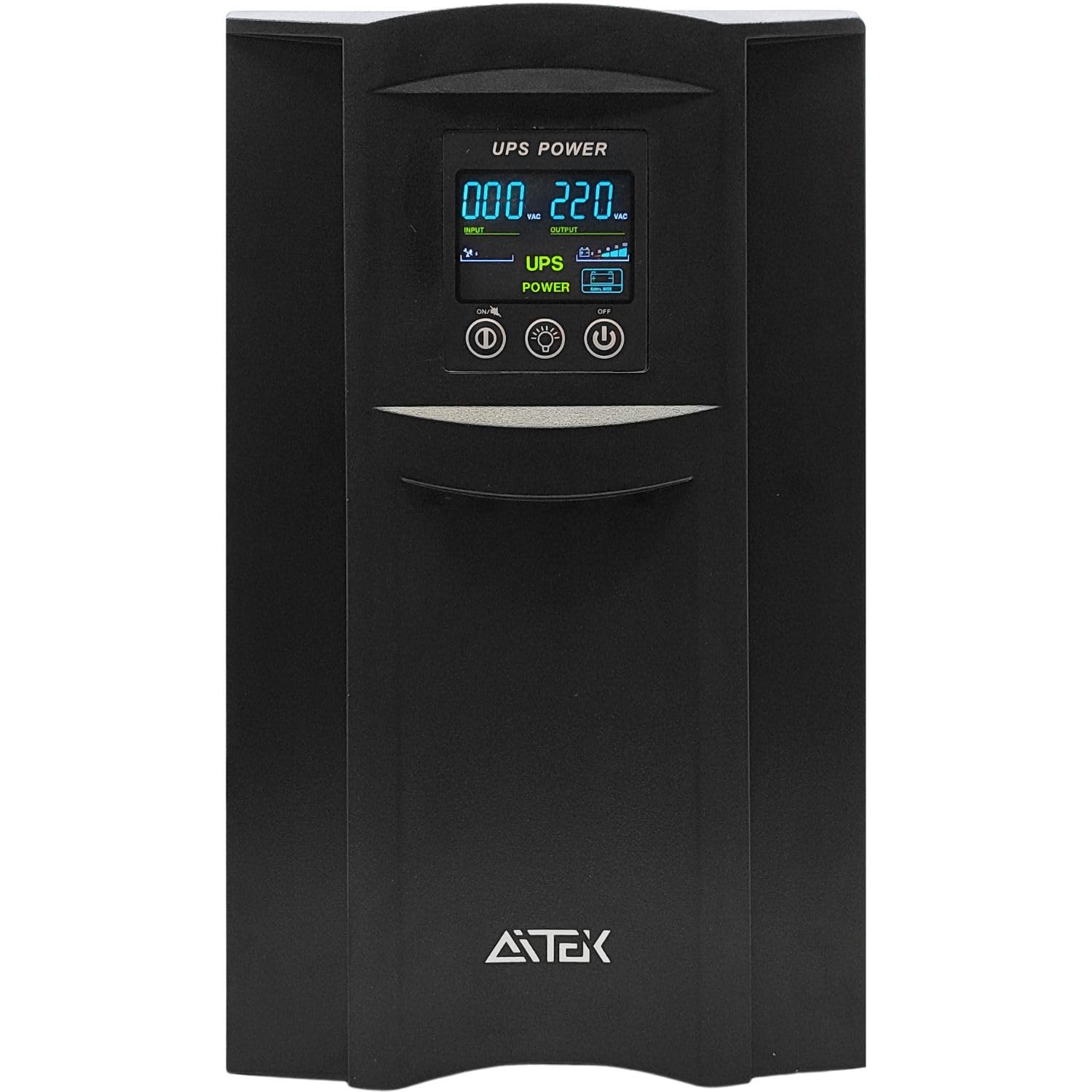
Figure 1: Front view of the NANU SHOP No-Break Senoidal Puro 3KVA 2100W.
2. Setup and Installation
2.1 Unpacking
Carefully unpack the No-Break and verify that all items are present:
- No-Break Senoidal Puro Aitek (ANB-3022P)
- User Manual
- Power Cable
2.2 Placement
Place the No-Break in a well-ventilated area, away from direct sunlight, heat sources, and excessive humidity. Ensure adequate space around the unit for proper airflow.
2.3 Connecting to Power
- Connect the provided power cable to the No-Break's input port and then to a grounded 220V AC wall outlet.
- Ensure the wall outlet is properly grounded to utilize the No-Break's surge protection features.
2.4 Connecting Devices
The No-Break features multiple output options:
- 8 x 10A Output Sockets: For connecting standard electronic devices such as computers, monitors, routers, and modems. These sockets are 100% protected and offer No-Break functionality.
- 1 x 20A Output Socket: For high-power devices or gaming PCs with 20A plugs. This socket is also 100% protected and offers No-Break functionality, eliminating the need for adapters.
- LAN/Ethernet Protection (RJ45): Connect your network cable through the RJ45 ports to protect against electrical interference, atmospheric discharges, and electrostatic events.
- USB Port (Type B): For communication with monitoring software (Supervise) and RGB control software (RGB OneUP).

Figure 2: Rear panel with output sockets, USB, and LAN ports.
2.5 Initial Power-On
Press the power button on the front panel to turn on the No-Break. The display will illuminate, showing input/output voltage and battery status.
3. Operating Instructions
3.1 Front Panel Display and Controls
The front panel features a digital display and control buttons:
- Digital Display: Shows real-time information such as input voltage, output voltage, battery charge level, and load percentage.
- LED Indicators: Four LEDs indicate various operational modes and battery status.
- Control Buttons: Use the 'Power', 'Menu', and 'Set' buttons to navigate through display information, change settings, and control the RGB lighting.

Figure 3: Close-up of the front panel display and control buttons.
3.2 Battery Mode Operation
In the event of a power outage, the No-Break will automatically switch to battery mode, providing continuous power to connected devices. The front panel display and LEDs will indicate the change in status and remaining battery life. The pure sine wave output ensures compatibility with sensitive electronics, including those with Active PFC power supplies.
3.3 USB Charging Ports
Two USB 5V 2.1A charging ports are located on the top panel. These ports are designed for charging gadgets, peripherals, smartphones, tablets, and other USB-powered devices.
3.4 RGB Lighting Customization
The front panel features customizable RGB lighting. You can change colors directly using the control buttons or through the dedicated RGB OneUP software connected via the USB port. The software allows for a wider range of color choices and intensity adjustments.
3.5 Front Panel Tag Personalization
The No-Break comes with interchangeable front panel tags for personalization. You can replace the default tag with one of the included designs or create your own custom design using the blank tag provided. A small Allen key is included to remove the acrylic cover and swap the tags.
4. Maintenance
4.1 Battery Care
The No-Break is equipped with internal lead-acid batteries (6 x 12V 7Ah). It takes approximately 4 hours to charge to 90% capacity. For extended autonomy, an external 24V battery module (up to 80Ah) can be connected via the dedicated connector on the rear panel.
4.2 Cleaning
Regularly clean the exterior of the No-Break with a soft, dry cloth. Do not use liquid cleaners or solvents. Ensure ventilation grilles are free from dust and obstructions.
4.3 Intelligent Ventilation
The intelligent fan system ensures optimal cooling of the internal components, maintaining a stable operating temperature and extending the lifespan of the unit and its batteries. The fan speed adjusts based on demand, ensuring quiet operation (below 45 dBA).
5. Troubleshooting
5.1 Overload and Short-Circuit Protection
The No-Break features a resettable circuit breaker on the rear panel. In case of a short-circuit or excessive overcurrent on the output, the breaker will trip, disconnecting power to protect the unit and connected devices. To reset, simply press the button on the circuit breaker after resolving the issue.
5.2 Surge Protection (DPS)
All output sockets are equipped with triple DPS (Device for Protection against Surges) with active thermofusible MOVs for high-speed protection against voltage surges. This eliminates the need for external surge protectors.
5.3 Grounding and Surge Indication
A rear LED indicator illuminates to signal the occurrence of a voltage surge or the absence of proper grounding. If this LED is lit, check your electrical installation's grounding.
5.4 Software Communication
If you experience issues with the Supervise or RGB OneUP software, ensure the USB cable is securely connected between the No-Break and your computer. Refer to the software's help documentation for further assistance.
6. Specifications
| Feature | Specification |
|---|---|
| Brand | NANU SHOP |
| Model Number | ANB-3022P |
| Capacity | 3 KVA |
| Output Power | 2100W |
| Output Voltage | 220V AC |
| Input Voltage Range | 145V to 275V AC (220V model) |
| Output Waveform | Pure Sine Wave |
| Battery Type | Lead-acid (6 x 12V 7Ah internal) |
| Battery Charge Time | 4 hours to 90% capacity |
| Power Factor | ≥ 0.99 |
| Efficiency (AC Mode) | 88% |
| Efficiency (Battery Mode) | 85% |
| Overload Protection | 100%-110%: alert; 110%-130%: shuts down in 30s; >130%: immediate shutdown |
| Communication Ports | RS-232 or USB (Type B) |
| Operational Noise | Less than 45 dBA at 1 meter |
| Dimensions (LxWxH) | 44.5 x 19.2 x 32.5 cm (19.2D x 44.5W x 32.5H centimeters) |
| Weight | 26 kg (25.9 Kilograms) |
| Material | Metal, resistant ABS Plastic |
| Total Outlets | 6 (8x 10A, 1x 20A) |
7. Warranty and Support
7.1 Warranty Information
This product comes with a 90-day warranty from the store. Please retain your proof of purchase for warranty claims.
7.2 Customer Support
For any questions, technical assistance, or support regarding your NANU SHOP No-Break, please contact our customer service team. Refer to the contact information provided with your purchase or visit the NANU SHOP store on Amazon: Visit NANU SHOP Store.