
MB Quart FA2-400.4
MB Quart Formula FA2-400.4 Car Audio Mobile Amplifier User Manual
Model: FA2-400.4
1. Introduction and Product Overview
The MB Quart Formula FA2-400.4 is a 400-watt, 4-channel car audio mobile amplifier designed to deliver a high-quality sonic experience in your vehicle. This amplifier features advanced technologies to ensure clear, powerful, and distortion-free audio reproduction.

Figure 1: Front view of the MB Quart Formula FA2-400.4 Amplifier. This image displays the sleek black casing with the MB Quart logo and model number.
Key Features:
- Superior Audio: Q-Stasis Pre-Amplifier Stage for minimal distortion and crystal-clear audio. Class Q1 amplification combines efficiency with enhanced engineering for superior sound quality.
- Secure Connection: High-temperature impact-proof nickel-plated RCA inputs for secure and erosion-proof connections. Heavy-duty output connections for reliable power, ground, and speaker connections.
- Automatic Turn-On: DC SIGNAL SENSE allows the amplifier to turn on automatically upon detecting incoming signals on the RCA inputs.
- Custom Sound Control: On-board electronic equalizer and variable electronic crossovers to tailor specific frequencies to speakers and subwoofers.
- Efficient Power: FLUID-FETS output device technology and a rugged MOSFET power supply produce efficient power without straining the vehicle's electrical system.
- Safety Features: Heavy-duty heat sink for efficient heat dissipation. LED system protection circuitry diagnostics monitor overload and speaker short protection.
- Bass Remote: Included bass remote for convenient fine-tuning of bass response from the driver's seat.
2. Setup and Installation
Proper installation is crucial for optimal performance and longevity of your amplifier. It is recommended that installation be performed by a qualified professional.
2.1 Mounting the Amplifier
Choose a mounting location that is dry, well-ventilated, and away from direct heat sources. Ensure there is sufficient space around the amplifier for air circulation. The amplifier can be surface mounted.

Figure 2: Dimensions of the MB Quart FA2-400.4 Amplifier. This image provides the length, width, and height measurements to assist with installation planning.
2.2 Wiring Connections
Before making any connections, disconnect the vehicle's negative battery terminal to prevent electrical shorts. Use appropriate gauge wiring for power, ground, and speaker connections.
- Power (B+): Connect to the positive terminal of the vehicle's battery via an inline fuse (not supplied, recommended 120A external fuse).
- Ground (GND): Connect to a clean, unpainted metal surface of the vehicle chassis. Ensure a solid, low-resistance connection.
- Remote (REM): Connect to the remote turn-on output of your head unit. If using DC SIGNAL SENSE, this connection may not be required.
- RCA Inputs (LINE-INPUT): Connect to the RCA pre-amp outputs of your head unit. The amplifier features high-temperature impact-proof nickel-plated RCA inputs.
- Speaker Outputs: Connect your speakers to the designated speaker terminals. This is a 4-channel amplifier, allowing for various speaker configurations.

Figure 3: Rear view of the MB Quart FA2-400.4 Amplifier showing power, ground, remote, and speaker connections. Heavy-duty output connections are visible.
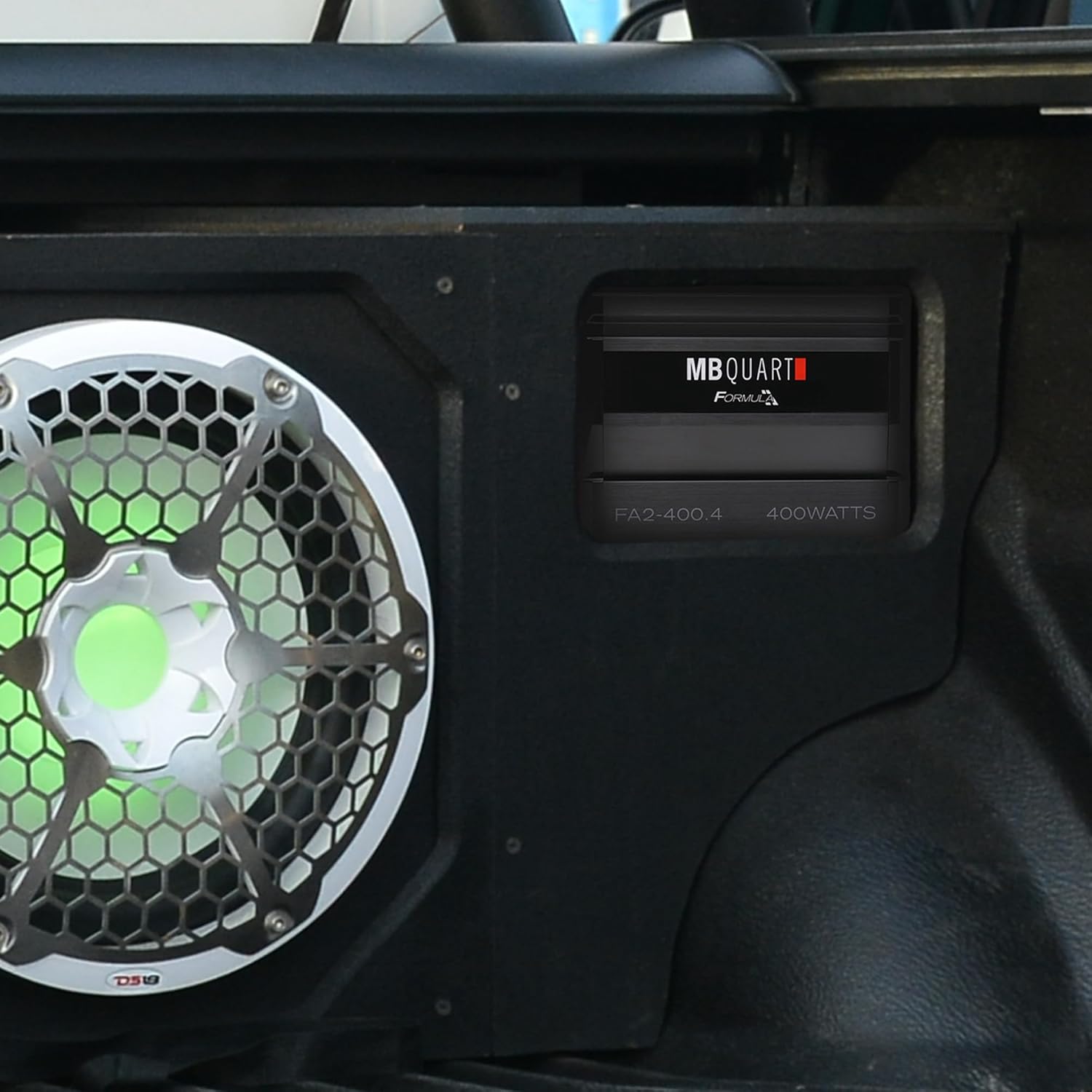
Figure 4: Example installation of the MB Quart FA2-400.4 Amplifier in a vehicle, positioned next to a subwoofer enclosure.
3. Operating the Amplifier
Once installed, the amplifier offers various controls to fine-tune your audio system.
3.1 Control Panel Overview
The control panel on the amplifier allows for precise adjustments of audio settings.

Figure 5: Top view of the MB Quart FA2-400.4 Amplifier showing the control panel with various adjustment knobs and switches.
- LPF/HPF/FULL (Crossover): Adjust the low-pass filter (LPF) or high-pass filter (HPF) frequency, or select full range. This allows you to direct specific frequencies to your speakers or subwoofers.
- X-OVER: Fine-tune the crossover frequency within the selected range (40Hz - 400Hz).
- LEVEL: Adjust the input sensitivity (gain) to match the output voltage of your head unit. This ensures optimal signal-to-noise ratio.
- MODE: Select the input mode for the amplifier channels.
- REM / DC SIGNAL SENSE: Switch between remote turn-on or DC signal sense for automatic amplifier activation.
3.2 Using the Bass Remote
The included bass remote allows for convenient adjustment of the bass level from your listening position. Connect the remote to the designated port on the amplifier.
4. Maintenance
Regular maintenance helps ensure the longevity and consistent performance of your MB Quart amplifier.
- Cleaning: Periodically clean the exterior of the amplifier with a soft, dry cloth. Avoid using harsh chemicals or abrasive cleaners.
- Ventilation: Ensure that the amplifier's heat sink and ventilation fins remain clear of obstructions to allow for efficient heat dissipation. The heavy-duty heat sink is designed to manage thermal loads.
- Connections: Occasionally check all wiring connections (power, ground, remote, RCA, speaker) to ensure they are secure and free from corrosion.
- Environmental Factors: Avoid exposing the amplifier to extreme temperatures, moisture, or direct sunlight for prolonged periods.
5. Troubleshooting
If you encounter issues with your amplifier, refer to the following troubleshooting guide before seeking professional assistance.
5.1 LED Indicators
The amplifier is equipped with LED system protection circuitry diagnostics. These indicators, typically located on the end panel, provide visual cues regarding the amplifier's status:
- Power LED (Green): Indicates the amplifier is powered on and operating normally.
- Protect LED (Red): Indicates the amplifier has entered protection mode due to an issue such as overload, speaker short, or overheating.
5.2 Common Issues and Solutions
| Problem | Possible Cause | Solution |
|---|---|---|
| No Power (Power LED Off) | Blown fuse, loose power/ground connection, no remote signal. | Check inline fuse, verify power and ground connections, ensure remote wire is connected and receiving signal. |
| Protect LED On | Speaker short circuit, impedance too low, overheating, DC offset. | Check speaker wiring for shorts, ensure speaker impedance matches amplifier's capabilities (1 Ohm stable), allow amplifier to cool down, check for DC voltage on speaker outputs. |
| No Sound | No input signal, incorrect gain setting, speaker wires disconnected. | Verify RCA input connections, adjust LEVEL (gain) control, check speaker wire connections. |
| Distorted Sound | Gain set too high, incorrect crossover settings, poor ground connection. | Reduce LEVEL (gain), adjust LPF/HPF/FULL and X-OVER settings, ensure solid ground connection. |
6. Specifications
Detailed technical specifications for the MB Quart Formula FA2-400.4 Amplifier.
- Model Number: FA2-400.4
- Brand: MB Quart
- Type: 4-Channel Full Range Class Q1 Car Audio Mobile Amplifier
- Power Output: 400 Watts (Total)
- Impedance Stability: 1 Ohm Stable
- Voltage: 0.2 Volts (DC)
- Minimum Supply Voltage: 0.2 Volts (DC)
- Mounting Type: Surface Mount
- Manufacturer: MB Quart
- First Available: October 7, 2022
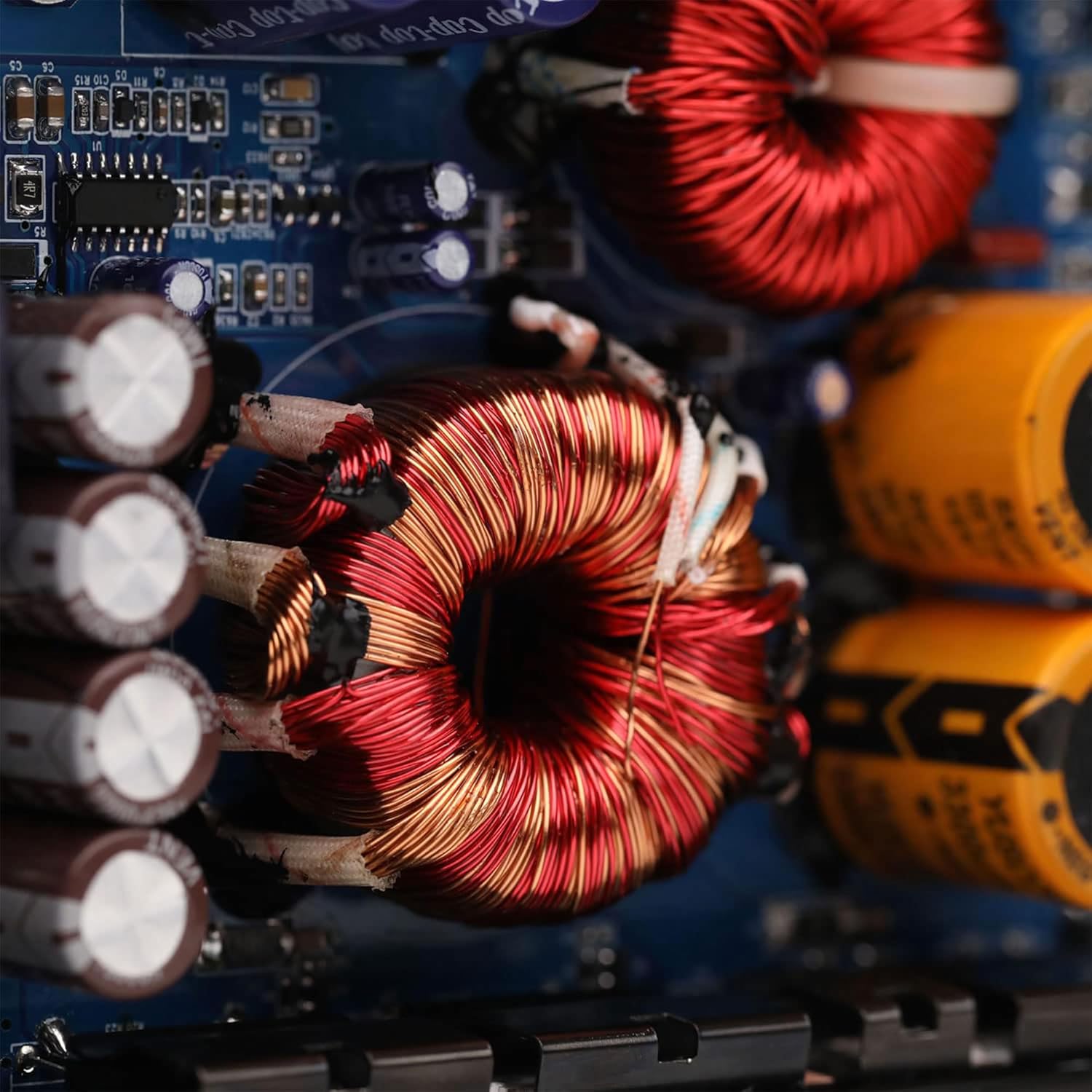
Figure 6: Close-up view of the internal components, showcasing the robust circuitry and FLUID-FETS output device technology.
7. Warranty and Support
For detailed warranty information and customer support, please refer to the official MB Quart website or the warranty card included with your product packaging. Keep your proof of purchase for warranty claims.
MB Quart Official Website: www.mbquart.com
Ask a question about this manual
Ask about setup, troubleshooting, compatibility, parts, safety, or missing instructions. Manuals+ will review the question and use this page’s manual context to help answer it.