
1. Product Overview
The ELECCTV DL06 Solar Cellular Trail Camera is designed for outdoor wildlife detection and surveillance. It features 4G LTE connectivity, 2.7K video recording, 14MP photo capture, and night vision capabilities. The integrated solar panel and built-in battery provide continuous power, making it suitable for remote locations without Wi-Fi access.
Key Features:
- 4G LTE Connectivity: Instant access to live images and video via the "UCON" app, eliminating the need for SD card retrieval. Note: Does not support Wi-Fi.
- Built-in SIM Card: Pre-installed 4G LTE SIM card compatible with AT&T, T-Mobile, and Verizon. Includes 300MB free trial data.
- High-Resolution Imaging: Records 2.7K HD videos with audio and captures vivid 14MP photos.
- Invisible Night Vision: Features 940nm No-Glow LEDs for discreet operation without disturbing wildlife.
- Solar Powered & Durable: Equipped with a powerful 7800mAh battery and adjustable solar panel for continuous power. IP66 waterproof design ensures resilience in various weather conditions.
- Fast Motion Detection: Advanced PIR motion sensors trigger photo and video capture within 0.2 seconds, sending immediate notifications to your device.
- Two-Way Audio: Built-in microphone and speaker allow for clear audio monitoring and communication.
2. What's in the Box
Upon opening the package, verify that all components are present:
- 2 x Trail Camera
- 2 x Antenna
- 2 x Mounting Kit (includes screws and fixing strap)
- 2 x Solar Panel
- 2 x Data Cable
- 1 x User Manual
Video: Unboxing the ELECCTV DL06 Solar Cellular Trail Camera, showing all included components.
3. Setup Guide
3.1 Initial Preparation
- Charge the Camera: Before first use, fully charge the camera's built-in battery using the provided data cable.
- Insert SD Card: Insert a compatible SD card (not included) into the camera's SD card slot. Ensure it is formatted correctly (FAT32 recommended).
- Attach Antenna: Screw the antenna securely onto the designated port on the camera.
3.2 Mounting the Camera
The camera can be mounted using the included strap or mounting kit. Choose a location that provides a clear view of the desired area and allows the solar panel to receive adequate sunlight.
- Strap Mounting: Thread the fixing strap through the camera's back brackets and secure it around a tree or pole. Tighten the strap firmly to prevent movement.
- Screw Mounting: Use the provided mounting kit to attach the camera to a wall or other flat surface. Ensure the solar panel is positioned for optimal sun exposure.
Video: Demonstration of installing the 4G LTE Cellular Trail Camera using the provided strap.

Image: The ELECCTV DL06 Solar Trail Camera mounted on a tree, illustrating the solar panel's position for charging.

Image: The ELECCTV DL06 Solar Trail Camera installed on a tree, highlighting its solar power feature in an outdoor setting.
3.3 App Connection
- Download App: Download the "UCON" app from your smartphone's app store.
- Power On: Turn on the camera. The blue light will indicate it's ready for connection.
- Connect: Open the UCON app and follow the on-screen instructions to connect to your camera. Ensure your phone's Bluetooth is enabled. Do not connect to home Wi-Fi or any other Bluetooth devices during this process.
- Adjust Settings: Once connected, you can adjust camera parameters and view live feeds or recordings through the app.

Image: Visual guide for connecting the camera to the UCON app, showing the steps from enabling Bluetooth to adjusting settings.
4. Operating Instructions
4.1 Capturing Images and Videos
The ELECCTV DL06 camera is designed for automatic operation based on motion detection. It captures 2.7K HD videos with audio and 14MP photos.
- Motion Activation: The camera utilizes advanced PIR motion sensors to detect movement within its 130° wide-angle viewing range.
- Fast Trigger Speed: With a 0.2-second trigger speed, the camera quickly captures events as they occur.
- Night Vision: Invisible 940nm No-Glow LEDs enable clear recording and imaging in low-light or nighttime conditions without startling wildlife.

Image: The camera capturing a deer, demonstrating its 2.7K HD video capability.

Image: Night vision footage from the camera, showing deer in a dark environment.
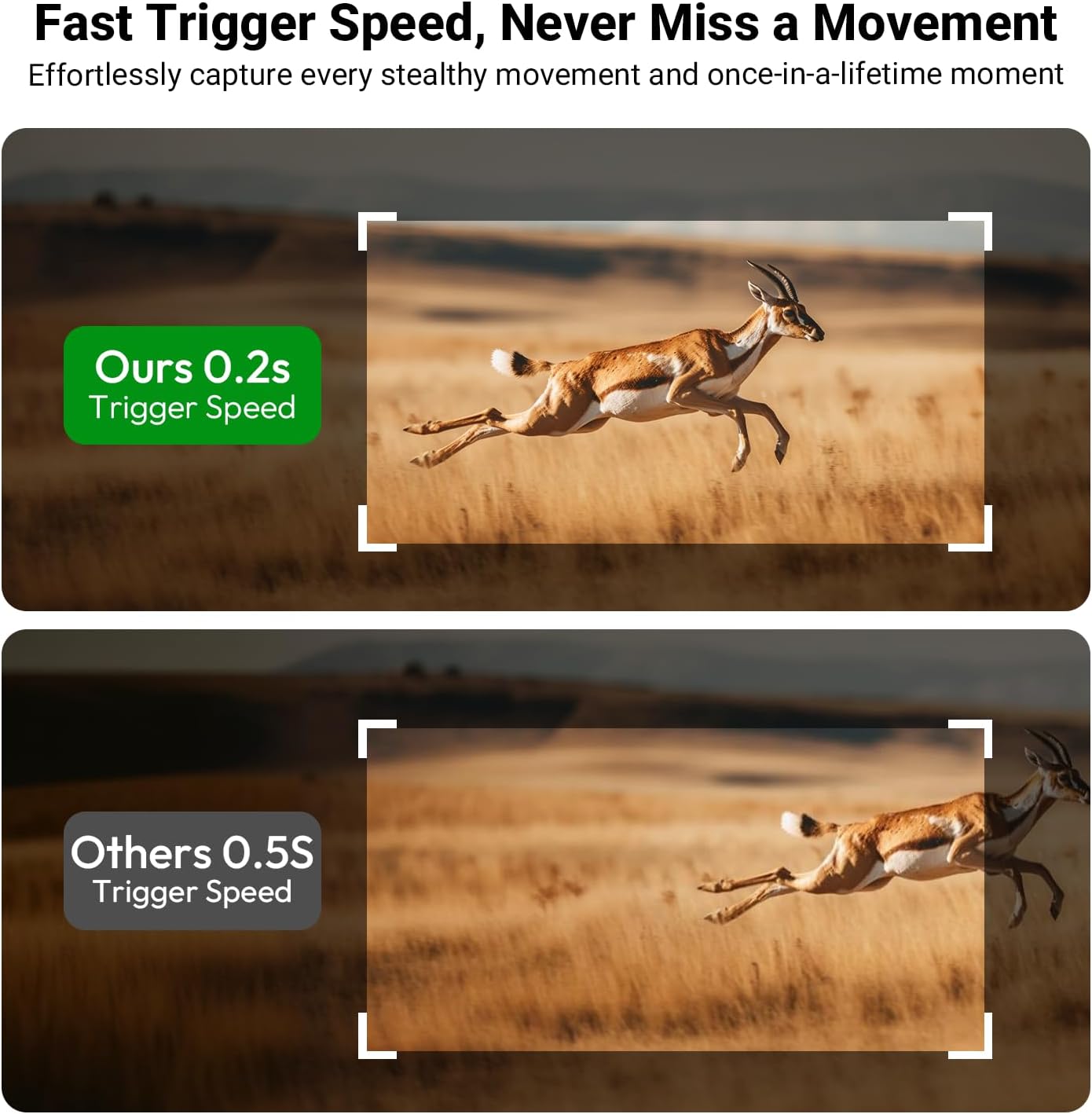
Image: A visual comparison highlighting the camera's rapid 0.2-second trigger speed.
Video: Footage from the ELECCTV DL06 camera showcasing its 2.7K video quality.
Video: Real-time footage from the solar trail camera with 2.7K night vision.
Video: Demonstration of the camera's wide-angle motion-activated capabilities for wildlife.
Video: Example of 2.7K video with sound captured by the cellular trail camera.
4.2 Remote Monitoring and Alerts
- Real-Time Alerts: Receive immediate notifications on your smartphone via the UCON app when motion is detected.
- Live View & Playback: Access live video streams and review recorded footage directly from the app.
- Two-Way Audio: Use the app to listen to the camera's surroundings and speak through its built-in speaker.
- Data Plans: The camera operates on 4G LTE networks. After the initial 300MB free trial, various data plans are available for purchase through the app.
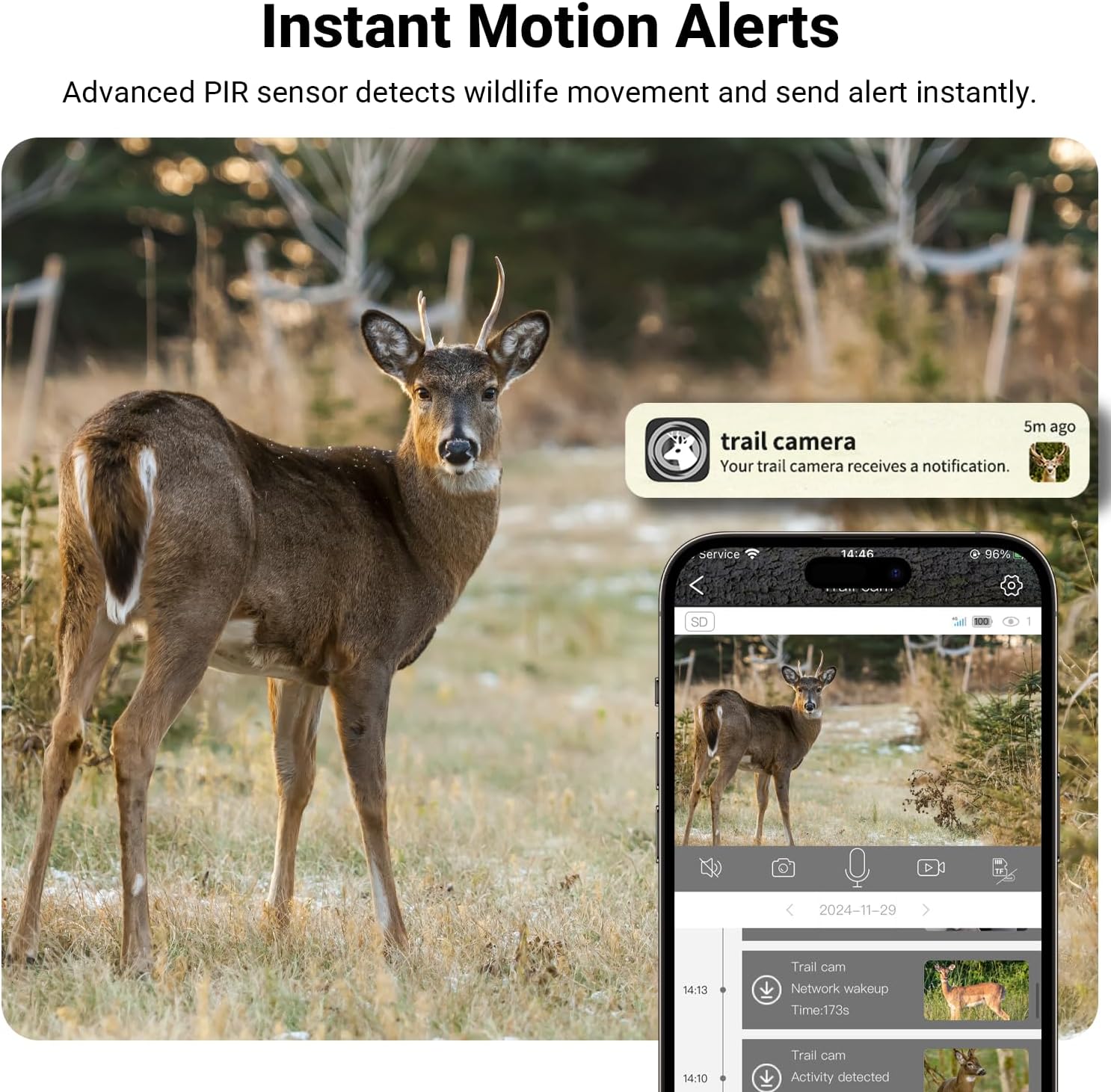
Image: A smartphone displaying an instant motion alert from the ELECCTV trail camera.

Image: Illustration of the camera's built-in SIM card and available 4G data plans.
Video: Demonstrates instant motion alerts, night vision, and live streaming to a phone.
5. Maintenance
- Solar Panel Cleaning: Regularly clean the solar panel surface to ensure optimal charging efficiency. Dust, dirt, or debris can reduce its performance.
- Battery Monitoring: While solar-powered, monitor the battery level via the UCON app, especially during prolonged periods of low sunlight. Recharge using the data cable if necessary.
- Weather Protection: The camera has an IP66 waterproof rating, making it resistant to rain, snow, and dust. However, avoid submerging the camera in water.
- Firmware Updates: Check the UCON app periodically for any available firmware updates to ensure optimal performance and access to new features.

Image: The camera demonstrating its IP66 waterproof rating in various weather conditions.
6. Troubleshooting
- Camera Not Powering On:
- Ensure the battery is charged. Connect the camera to a power source using the data cable.
- Verify the power switch is in the "ON" position.
- No Connection to UCON App:
- Confirm your smartphone's Bluetooth is enabled and not connected to other devices.
- Ensure the camera is powered on and within Bluetooth range.
- Restart both the camera and the UCON app.
- Check if the SIM card has an active data plan.
- Poor Image/Video Quality:
- Clean the camera lens with a soft, dry cloth.
- Ensure the camera is securely mounted and not vibrating.
- Check app settings for resolution and quality options.
- For night vision, ensure there are no obstructions in front of the IR LEDs.
- Motion Detection Issues:
- Adjust the camera's sensitivity settings in the UCON app.
- Ensure there are no objects (e.g., swaying branches) that might trigger false alarms.
- Verify the camera's placement covers the desired detection area.
- Solar Panel Not Charging:
- Clean the solar panel surface.
- Ensure the solar panel is positioned to receive direct sunlight for several hours daily.
- Check the connection between the solar panel and the camera.
7. Product Specifications
| Model Name | DL06 |
| Brand | ELECCTV |
| Indoor/Outdoor Usage | Outdoor |
| Compatible Devices | Smartphone (Android) |
| Power Source | Solar/Battery Powered (7800mAh built-in battery) |
| Connectivity Protocol | Cellular (4G LTE) |
| Mounting Type | Tree Mount |
| Video Capture Resolution | 2.7K |
| Photo Sensor Technology | CMOS |
| Viewing Angle | 130 Degrees |
| Night Vision Range | 86 Feet |
| Frame Rate | 15 frames per second |
| Material | Acrylonitrile Butadiene Styrene (ABS) |
| Item Dimensions (L x W x H) | 2.83 x 2.48 x 5.12 inches |
| Water Resistance Level | IP66 Waterproof |
| Video Encoding | H.265 |
| Video Capture Format | MP4 |
| Audio Visual Recording Capabilities | Audio and Motion |
| Special Features | 0.2S Speed Motion Activated, Solar Powered, IP66 Waterproof, 2.7K Night Vision, 2-Way Audio, Portable |
8. Warranty and Support
For warranty information, technical support, or any inquiries regarding your ELECCTV DL06 Solar Cellular Trail Camera, please contact the manufacturer or the seller directly. Refer to your purchase documentation for specific contact details.
Manufacturer: ELECCTV
Seller: Lokoguard Inc