
Introduction
Thank you for choosing the oraolo W25 Wireless Earbuds. These earbuds feature advanced Bluetooth 5.4 technology, immersive stereo sound, clear call quality with Environmental Noise Cancellation (ENC), and a durable IPX7 waterproof design. This manual provides detailed instructions for setup, operation, maintenance, and troubleshooting to ensure optimal performance and longevity of your device.
Package Contents
- oraolo W25 Wireless Earbuds (Left and Right)
- Charging Case
- USB-C Charging Cable
- User Manual
- Ear Tips (various sizes)
Setup and Pairing
1. Initial Charge
Before first use, fully charge the earbuds and the charging case. Connect the USB-C charging cable to the charging port on the case and a power source. The LED display on the case will indicate the charging status.

Image: The charging case with a USB-C port and a white USB-C cable connected, indicating charging functionality. The image text shows "10h per charge" and "30h in total" for battery life.
2. Automatic Pairing
- Ensure the earbuds are charged.
- Open the charging case. The earbuds will automatically power on and enter pairing mode.
- On your device (smartphone, tablet, etc.), enable Bluetooth and search for available devices.
- Select "oraolo W25" from the list of devices to connect.
- Once connected, you will hear a confirmation tone, and the earbuds will be ready for use.
The earbuds will automatically reconnect to the last paired device when removed from the case, if Bluetooth is enabled on the device.

Image: The oraolo W25 earbuds and their open charging case are shown next to a smartphone displaying a call interface, illustrating the Bluetooth connection process. The image also highlights "Ultimo Bluetooth 5.3" (Latest Bluetooth 5.3).
Operating Instructions
The oraolo W25 earbuds feature sensitive touch controls for easy management of music and calls.

Image: A diagram illustrating the touch control functions for the oraolo W25 earbuds, including power on/off, play/pause, volume adjustment, track skipping, call answering/hanging up, call rejection, and voice assistant activation.
| Action | Function |
|---|---|
| Auto Power On/Off | Take out/Place back the earbuds in the charging case. |
| Play/Pause | Single tap the MFB (Multi-Function Button) on either earbud. |
| Volume +/- | Double tap the right MFB for Volume +, double tap the left MFB for Volume -. |
| Previous/Next Track | Press and hold the left MFB for 2 seconds for Previous Track. Press and hold the right MFB for 2 seconds for Next Track. |
| Answer/Hang Up Phone Call | Single tap either MFB. |
| Reject Call | Press and hold either MFB for 2 seconds. |
| Activate Voice Assistant | Triple tap either MFB. |
Features
Bluetooth 5.4 Technology
Equipped with an advanced Bluetooth 5.4 chip and a high-sensitivity antenna design, these earbuds ensure faster transmission speeds and a more stable connection. Experience seamless audio and video synchronization with low latency, enhancing your gaming and video viewing experience.

Image: The oraolo W25 earbuds are positioned next to a smartphone displaying a first-person shooter game, illustrating the low-latency Bluetooth 5.3 technology for synchronized audio and video.
Superior Stereo Sound and Clear Calls
The earbuds feature a 13mm dynamic driver and a three-layer ultra-sensitive composite diaphragm, delivering immersive, high-fidelity audio. Enjoy powerful bass, rich mids, and crisp, balanced stereo sound. Four integrated ENC (Environmental Noise Cancellation) microphones work together to suppress ambient noise, ensuring high-quality, clear calls.
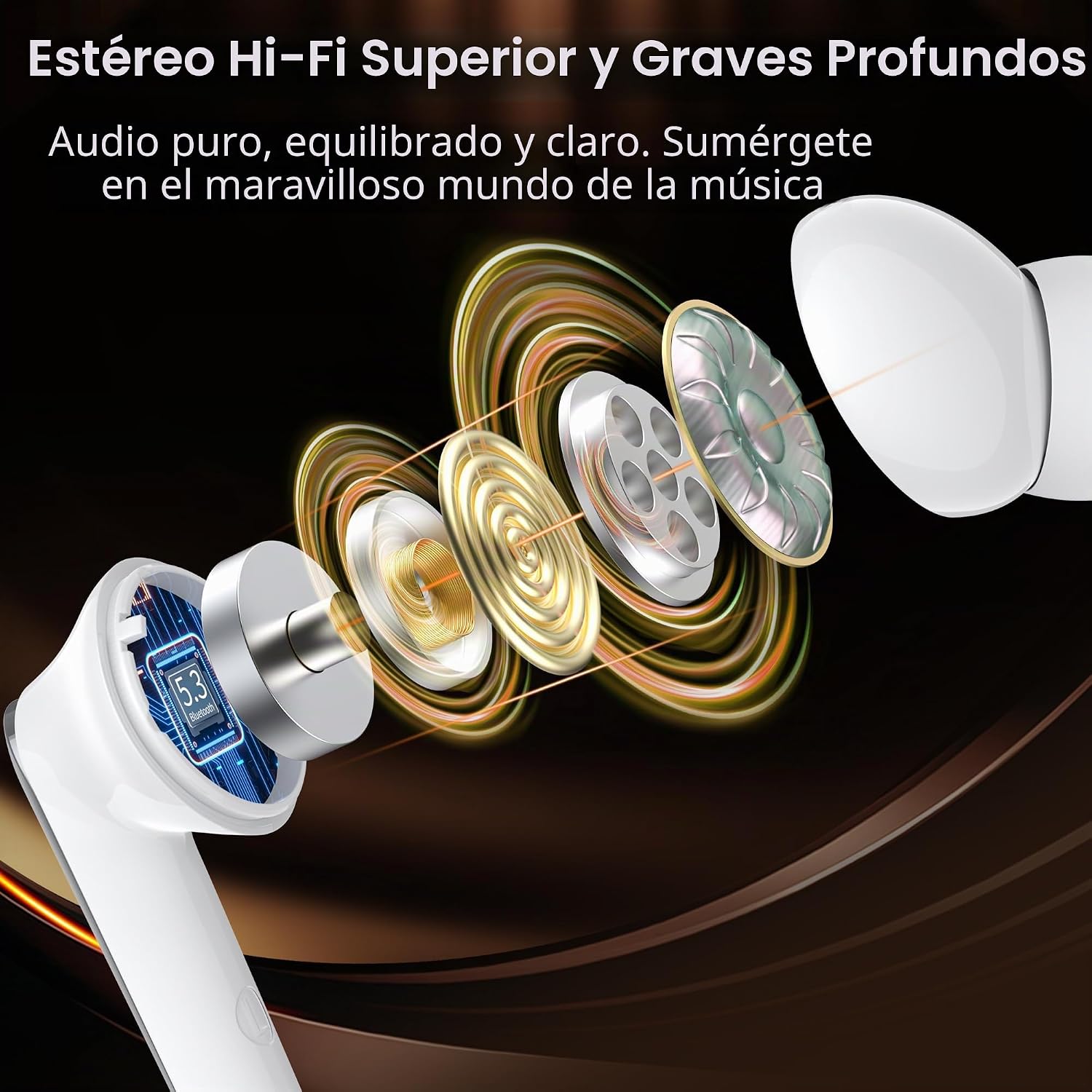
Image: An exploded diagram of the oraolo W25 earbud, showcasing its internal components like the Bluetooth chip and dynamic driver, emphasizing superior Hi-Fi stereo and deep bass capabilities.

Image: A man wearing an oraolo W25 earbud, with sound waves emanating from it, illustrating the integrated microphone and clear call functionality.
Extended Playtime
The earbuds provide 6 to 8 hours of playback on a single charge. With the charging case, the total playback time extends up to 50 hours. The earbuds fully charge in approximately 1.5 hours.
IPX7 Waterproof Rating
Designed with an IPX7 waterproof rating, these earbuds are resistant to sweat and rain, making them suitable for sports and outdoor activities.

Image: The oraolo W25 earbuds are shown with water splashing around them, indicating their IPX5 waterproof rating (note: product description states IPX7).
Ergonomic Design
The earbuds feature an ergonomic design with silicone ear tips available in three sizes, ensuring a comfortable and secure fit for extended wear.
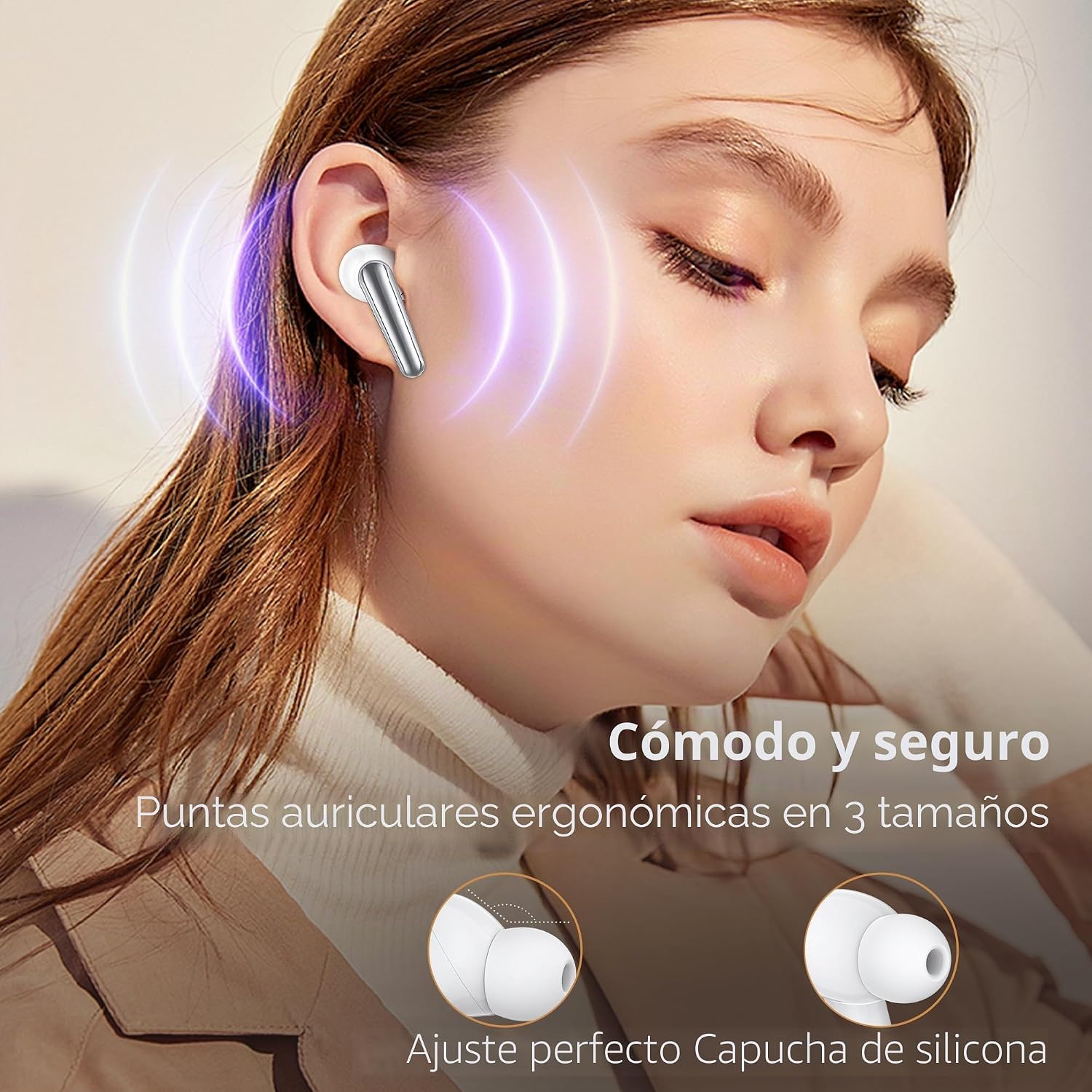
Image: A close-up of a woman wearing an oraolo W25 earbud, highlighting its comfortable and secure ergonomic design with silicone ear tips available in three sizes.
Maintenance
Cleaning
- Regularly clean the earbuds and charging case with a soft, dry, lint-free cloth.
- Do not use abrasive cleaners, solvents, or aerosol sprays.
- Remove ear tips and clean them with mild soap and water if necessary, ensuring they are completely dry before reattaching.
- Keep charging contacts on both earbuds and case clean to ensure proper charging.
Storage
- Store the earbuds in their charging case when not in use to protect them and keep them charged.
- Avoid storing in extreme temperatures (hot or cold) or high humidity.
Troubleshooting
Earbuds not pairing or connecting:
- Ensure both earbuds are charged.
- Place earbuds back into the charging case, close the lid, wait a few seconds, then open the lid again.
- Turn off Bluetooth on your device, then turn it back on and try pairing again.
- Forget "oraolo W25" from your device's Bluetooth settings and re-pair.
- Try pairing with a different device to rule out device-specific issues.
No sound or low volume:
- Check the volume level on both your device and the earbuds.
- Ensure earbuds are properly seated in your ears.
- Clean any debris from the earbud speakers.
- Ensure the earbuds are connected to the correct audio output on your device.
Earbuds not charging:
- Ensure the charging cable is securely connected to both the case and the power source.
- Verify that the charging contacts on the earbuds and inside the case are clean and free of obstructions.
- Try a different USB-C cable or power adapter.
Specifications
| Feature | Detail |
|---|---|
| Model Number | W25 |
| Bluetooth Version | 5.4 |
| Wireless Range | Up to 15 meters |
| Earbud Playtime (Single Charge) | 6-8 hours |
| Total Playtime (with Charging Case) | Up to 50 hours |
| Earbud Charging Time | Approx. 1.5 hours |
| Waterproof Rating | IPX7 |
| Noise Control | Environmental Noise Cancellation (ENC) |
| Driver Size | 13 mm Dynamic Driver |
| Frequency Range | 20 Hz - 20,000 Hz |
| Control Method | Touch |
| Compatible Devices | Computers, Laptops, Phones, Tablets, Gaming Consoles |
| Material | Plastic |
| Dimensions (Package) | 6 x 6 x 6 cm; 6 g |
Warranty and Support
The oraolo W25 Wireless Earbuds come with a 2-year product warranty. For any support inquiries, troubleshooting assistance, or warranty claims, please contact oraolo customer service through the retailer where the product was purchased or visit the official oraolo website for contact information.
Please retain your proof of purchase for warranty validation.