
1. Introduction
Thank you for choosing the FRESHDEW AP201 Air Purifier. This device is designed to improve your indoor air quality by effectively filtering out particles such as smoke, pollen, dust, pet dander, and odors. Featuring a high-efficiency H13 True HEPA filtration system and a 360° air inlet, the AP201 provides comprehensive air purification for spaces up to 1300 sq ft. Its quiet operation, customizable settings, and fragrance sponge option ensure a comfortable and healthy environment.
Please read this manual thoroughly before operating the air purifier to ensure safe and optimal performance. Keep this manual for future reference.
2. Important Safety Information
- Read all instructions before using the appliance.
- Always place the air purifier on a firm, level surface.
- Do not block air inlets or outlets. Maintain at least 12 inches (30 cm) clearance from walls and furniture.
- Keep the appliance away from water or other liquids. Do not use in wet environments like bathrooms.
- Unplug the air purifier before cleaning, performing maintenance, or when not in use.
- Do not operate the appliance with a damaged cord or plug. Contact customer support for assistance.
- This appliance is not intended for use by persons (including children) with reduced physical, sensory or mental capabilities, or lack of experience and knowledge, unless they have been given supervision or instruction concerning use of the appliance by a person responsible for their safety.
- Do not insert any objects into the air vents.
- Use only original FRESHDEW replacement filters.
3. Product Overview
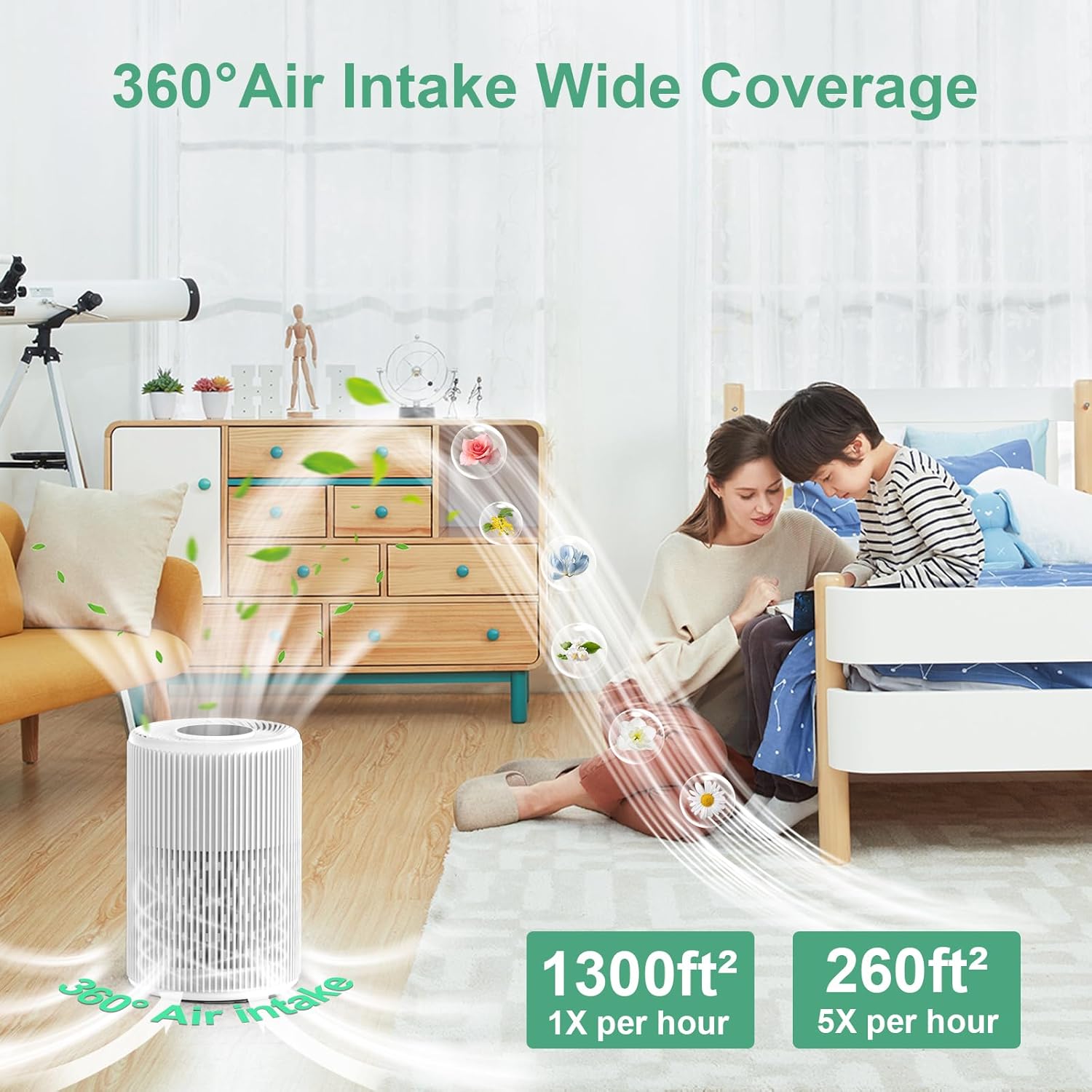
Figure 1: Front view of the FRESHDEW AP201 Air Purifier, showcasing its sleek design and air intake grille.

Figure 2: Top view of the air purifier, highlighting the control panel and the fragrance sponge compartment.
Control Panel Features:
- Power Button: Turns the unit on/off.
- Fan Speed Button: Cycles through Low, High, and Sleep modes.
- Timer Button: Sets the operating time for 2, 4, or 8 hours.
- Night Light Button: Turns the ambient night light on/off.
- HEPA Indicator: Illuminates when filter replacement is due.
- Child Lock Button: Activates/deactivates the child lock function.
- Fragrance Sponge Compartment: Located on the top, allows for adding essential oils.
Air Quality Indicator (PM2.5 Display):
The air purifier features a digital display that shows the real-time PM2.5 (Particulate Matter 2.5) level in your environment. This number indicates the concentration of fine particles in the air. Lower numbers signify better air quality.
- 0-8: Excellent Air Quality
- 9-56: Good Air Quality
- 57-86: Mild Pollution
- 87-266+: Heavy Pollution
4. Setup
4.1 Unpacking and Filter Installation
- Carefully remove the air purifier from its packaging.
- Turn the unit upside down. Unlock the base cover by twisting it counter-clockwise.
- Remove the base cover and gently pull out the filter assembly.
- Remove the plastic packaging from the H13 True HEPA filter.
- Place the unwrapped filter back into the unit, ensuring it is seated correctly.
- Reattach the base cover and twist clockwise to lock it securely.

Figure 3: Diagram illustrating the multi-layer H13 HEPA filter and its installation process.
4.2 Power Connection
- Place the air purifier on a flat, stable surface.
- Plug the power adapter into the power port on the unit.
- Plug the other end of the power adapter into a standard electrical outlet.
4.3 Initial Calibration
Upon first power-on, the unit will undergo a 15-minute self-calibration process to accurately measure air quality. During this time, the PM2.5 data may be unstable. This is normal and ensures accurate readings thereafter.
5. Operating Instructions
5.1 Power On/Off
- Press the Power Button once to turn the air purifier on.
- Press the Power Button again to turn the air purifier off.
5.2 Adjusting Fan Speed
Press the Fan Speed Button to cycle through the available fan speeds:
- Low: For quiet, continuous operation.
- High: For faster air purification.
- Sleep Mode: Operates at the lowest noise level (15 dB) and turns off the display lights for undisturbed sleep.
- Turbo Mode: Provides maximum purification power for rapid air cleaning.
5.3 Setting the Timer
Press the Timer Button to set the desired operating duration:
- Press once for 2 hours.
- Press twice for 4 hours.
- Press three times for 8 hours.
- The unit will automatically turn off after the selected time.
5.4 Night Light Function
Press the Night Light Button to turn the ambient night light on or off. This is useful for maintaining a dark sleeping environment.
5.5 Using the Fragrance Sponge
To add a pleasant aroma to your purified air:
- Locate the fragrance sponge compartment on the top of the air purifier.
- Add 4-5 drops of your favorite essential oil directly onto the sponge.
- The scent will gradually diffuse with the purified air.
5.6 Child Lock Function
To prevent accidental changes to settings:
- Press and hold the Child Lock Button for 3 seconds to activate the child lock. The lock indicator will illuminate.
- To deactivate, press and hold the Child Lock Button for 3 seconds again. The lock indicator will turn off.
6. Maintenance
6.1 Filter Replacement
The H13 True HEPA filter should be replaced every 3-6 months, depending on usage and air quality. The HEPA indicator light on the control panel will remind you when replacement is due.
- Unplug the air purifier from the power outlet.
- Turn the unit upside down and unlock the base cover by twisting it counter-clockwise.
- Remove the old filter.
- Insert a new FRESHDEW H13 True HEPA filter (ensure plastic packaging is removed).
- Reattach the base cover and twist clockwise to lock it securely.
- Plug in the air purifier.
- To reset the filter life indicator, press and hold the HEPA Button for 5 seconds until you hear three beeps. The reset is complete.

Figure 4: Illustration of the 3-stage filtration system, including pre-filter, H13 HEPA filter, and activated carbon filter.
6.2 Cleaning the Pre-Filter
The pre-filter can be cleaned periodically to extend the life of the HEPA filter. It is recommended to vacuum or gently wipe the pre-filter every 2-4 weeks.
- Unplug the air purifier.
- Remove the base cover and filter as described in Section 6.1.
- Gently vacuum the surface of the pre-filter or wipe it with a soft, dry cloth. Do not wash the HEPA filter with water.
- Reinstall the filter and base cover.
6.3 Cleaning the Exterior
Wipe the exterior of the air purifier with a soft, dry cloth. Do not use abrasive cleaners or solvents.
7. Troubleshooting
| Problem | Possible Cause | Solution |
|---|---|---|
| Unit does not turn on | Power cord not properly plugged in; No power from outlet; Filter not installed correctly. | Check power cord connection; Try a different outlet; Ensure filter is unwrapped and base cover is securely locked. |
| Airflow is weak or air quality not improving | Filter is dirty or clogged; Air inlets/outlets are blocked; Unit is too small for the room. | Clean or replace the filter; Ensure no obstructions around the unit; Consider using multiple units for larger spaces. |
| Unusual noise | Filter not installed correctly; Foreign object inside the unit. | Reinstall the filter correctly; Unplug and check for any foreign objects inside the unit. |
| PM2.5 reading is unstable | Initial calibration in progress; Sensor is dirty. | Allow 15 minutes for initial calibration; Gently clean the PM2.5 sensor area with a dry cotton swab. |
| Child lock activated | Buttons are unresponsive. | Press and hold the Child Lock button for 3 seconds to deactivate. |
8. Specifications
| Feature | Detail |
|---|---|
| Model Number | AP201 |
| Product Dimensions | 6.8"D x 6.8"W x 10.2"H |
| Item Weight | 2 Pounds |
| Power Source | AC |
| Filter Type | H13 True HEPA (3-stage filtration) |
| Coverage Area | Up to 1300 ft² (1 air change/hour) / 217 ft² (6 air changes/hour) |
| Noise Level | As low as 15 dB (Sleep Mode) |
| Timer Settings | 2H, 4H, 8H |
| Special Features | Fragrance Sponge, Night Light, Child Lock, PM2.5 Display |
9. Warranty and Support
FRESHDEW products are designed to provide reliable performance. For specific warranty details and customer support, please refer to the warranty card included with your product or visit the official FRESHDEW website. If you encounter any issues or have questions regarding your air purifier, please contact our customer service team for assistance.

