
Jectse Jectsegx6m42n7kc-12
Jectse XG99 OWS AI Language Translator Earbuds
User Manual
Model: Jectsegx6m42n7kc-12
Introduction
The Jectse XG99 OWS AI Language Translator Earbuds are designed to facilitate seamless communication across language barriers. These earbuds offer real-time translation for 80 languages with 14 voices, utilizing advanced AI technology to provide high accuracy and low latency. With multiple translation modes and a comfortable, ergonomic design, they are suitable for various scenarios from business meetings to daily conversations.

Image: The Jectse XG99 OWS AI Language Translator Earbuds, presented in their sleek black charging case, showcasing their compact and portable design.
Setup
- Charging the Device: Before first use, ensure both the earbuds and the charging case are fully charged.
- Connect the charging cable to the charging case's port.
- The charging case has a 300mAh battery capacity.
- Each earbud has a 40mAh battery capacity.
- A full charge provides up to 5 hours of continuous translation and an impressive 60 days of standby time.
- Downloading the Application:
Download the "AI library" application from your device's app store (e.g., Apple App Store, Google Play Store). This application is essential for the translation functionality.
- Pairing with Your Device:
- Open the charging case and remove the earbuds. They will automatically enter pairing mode.
- Enable Bluetooth on your smartphone or tablet.
- Search for "Jectse XG99 OWS" or a similar device name in your Bluetooth settings and select it to pair.
- Once paired, open the "AI library" app and follow the in-app instructions to bind the earbuds for translation services.
Operating Instructions
The Jectse XG99 OWS earbuds offer versatile translation capabilities through four distinct modes:
- 1. Mutation Mode: This mode is ideal for one-on-one conversations where each person speaks into their respective earbud, and the translation is heard in real-time.
- 2. Speaker Mode: One person wears an earbud, and the other person speaks into the smartphone's microphone. The translation is played through the earbud and the phone's speaker, suitable for small groups.
- 3. Earbud Mode: Both individuals wear an earbud, and the translation is delivered directly to each ear, providing a private and immersive experience.
- 4. Dual Ear Mode: Similar to Earbud Mode, but optimized for situations where both users need to hear the original and translated audio simultaneously or for specific conversational flows.
The earbuds support 80 languages with 14 voice options, covering over 90% of the global population. They leverage four top-tier translation engines and 15 global servers for a translation accuracy of 97% and latency as low as 0.5 seconds.
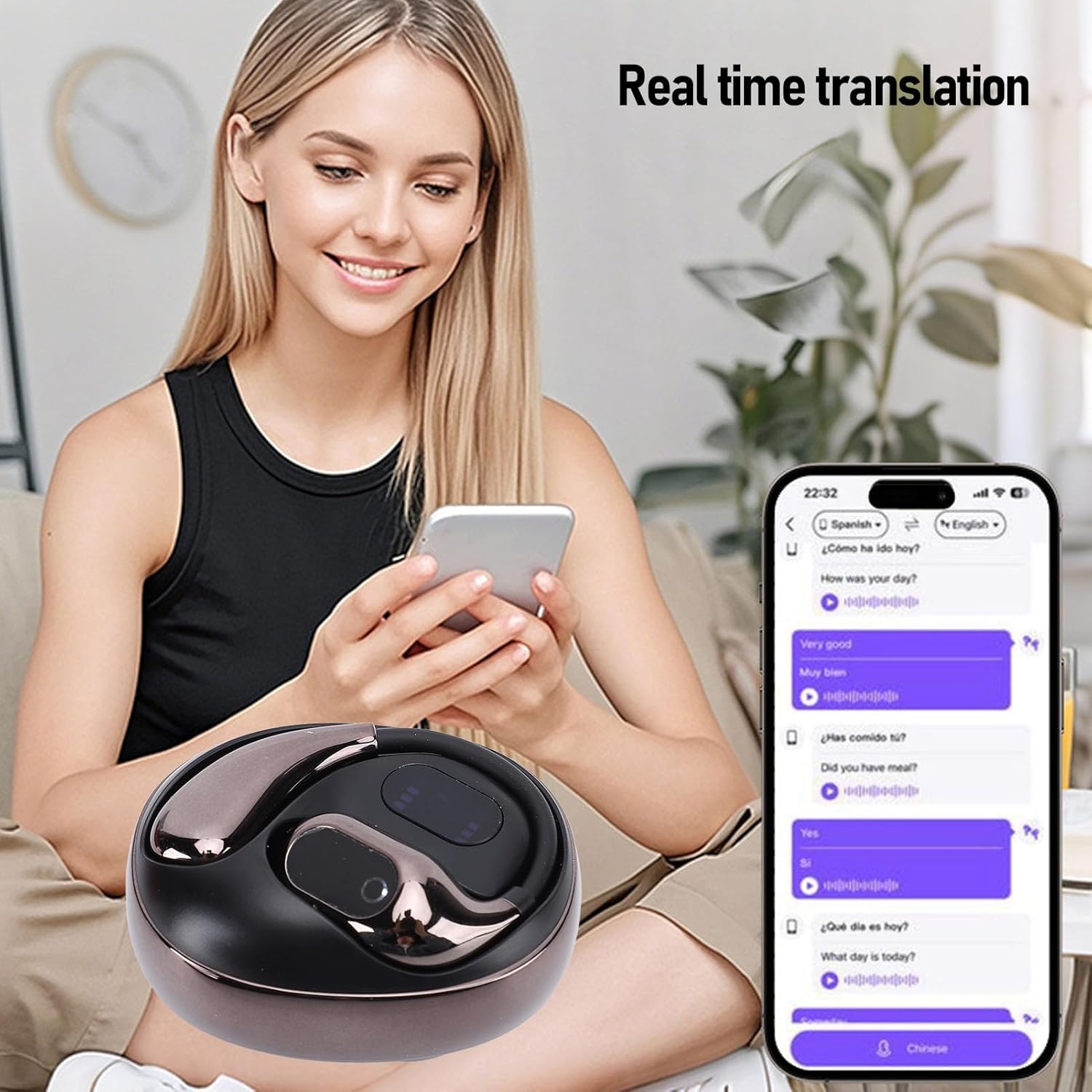
Image: A woman is shown using the Jectse XG99 OWS earbuds while looking at her smartphone, demonstrating the real-time translation feature with a chat interface on the screen.

Image: Two individuals, a man and a woman, are engaged in conversation, both wearing the Jectse XG99 OWS ergonomic headsets, illustrating comfortable and prolonged use for communication.

Image: A collage depicting diverse scenarios where the Jectse XG99 OWS earbuds can be used, including sleeping, work, learning and communicating, traveling abroad, and during exercise and running.
Maintenance
- Cleaning: Use a soft, dry, lint-free cloth to clean the earbuds and charging case. Do not use abrasive cleaners, alcohol, or chemical solvents.
- Storage: When not in use, store the earbuds in their charging case to protect them and keep them charged. Store in a cool, dry place away from direct sunlight and extreme temperatures.
- Battery Care: To prolong battery life, avoid fully discharging the battery frequently. Charge the device regularly, even if not in active use.
- Water Resistance: These earbuds are not waterproof. Avoid exposure to water, rain, or excessive moisture.
Troubleshooting
| Problem | Possible Cause | Solution |
|---|---|---|
| Earbuds not pairing. | Low battery; Bluetooth off; earbuds not in pairing mode. | Charge earbuds and case. Ensure Bluetooth is enabled on your device. Place earbuds back in case, then remove to re-enter pairing mode. |
| Translation not working. | App not open/bound; no internet connection; incorrect mode selected. | Ensure "AI library" app is open and earbuds are bound. Check internet connection. Verify the correct translation mode is selected in the app. |
| Poor audio quality. | Earbuds dirty; weak Bluetooth connection; environmental interference. | Clean earbuds. Move closer to the connected device. Avoid areas with strong electromagnetic interference. |
| Earbuds not charging. | Charging cable/port issue; dirty charging contacts. | Try a different charging cable or power source. Clean the charging contacts on both earbuds and case with a dry cotton swab. |
Specifications
| Brand | Jectse |
| Model Number | Jectsegx6m42n7kc-12 |
| ASIN | B0DX2SQ3M8 |
| Color | Black |
| Charging Case Battery Capacity | 300mAh (Built-in Lithium-ion) |
| Single Earbud Battery Capacity | 40mAh (Built-in Lithium-ion) |
| Continuous Translation Time | Up to 5 hours |
| Standby Time | Up to 60 days |
| Supported Languages | 80 languages with 14 voices |
| Translation Accuracy | 97% |
| Translation Latency | As low as 0.5 seconds |
| Material | ABS |
| First Available Date | February 13, 2025 |
Warranty & Support
For warranty information and technical support, please refer to the documentation included with your purchase or visit the official Jectse website. You may also contact the seller, Luccxx, through the Amazon platform for assistance with your product.
Seller: Luccxx
Ask a question about this manual
Ask about setup, troubleshooting, compatibility, parts, safety, or missing instructions. Manuals+ will review the question and use this page’s manual context to help answer it.