1. Introduction
This manual provides essential instructions for setting up, operating, and maintaining your Truely ONEMYTH S25 Pro Mini Smartphone. Please read this manual thoroughly before using your device to ensure proper function and longevity. The ONEMYTH S25 Pro is a compact 4.0-inch smartphone designed for portability and ease of use, featuring Android 10.0, 2GB RAM, 16GB ROM, and 3G network connectivity.
2. Package Contents
Verify that all items are present in the package:
- 1 x ONEMYTH S25 Pro Mini Smartphone
- 1 x USB Type-C Charging Cable
- 1 x User Manual (this document)
- 1 x Phone Case
- 1 x Phone Screen Protector
- 1 x Card Removal Pin
3. Device Overview
The Truely ONEMYTH S25 Pro is designed for compact functionality. Familiarize yourself with the device's physical features.

Image 3.1: Front and back view of the ONEMYTH S25 Pro Mini Smartphone. The front features the 4.0-inch display and front camera, while the back shows the main camera module and device branding.
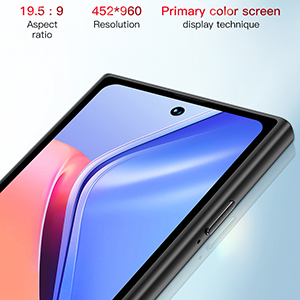
Image 3.2: The ONEMYTH S25 Pro Mini Smartphone held in a hand, illustrating its compact size and suitability for one-handed operation. The device measures approximately 100mm (3.94 inches) in length and 52mm (2.05 inches) in width.
4. Setup
4.1. Inserting SIM and TF Cards
The ONEMYTH S25 Pro supports dual SIM cards and one TF (microSD) card for expandable storage.
- Locate the SIM card tray on the side of the device.
- Insert the provided card removal pin into the small hole on the SIM tray to eject it.
- Carefully place your Nano-SIM cards and/or TF card into the designated slots on the tray. Ensure the metal contacts face downwards.
- Gently push the tray back into the phone until it clicks into place.

Image 4.1: Illustration of the SIM card tray, showing slots for two SIM cards and one TF card. The tray is designed for easy insertion and removal using the provided pin.
4.2. Initial Power On and Basic Configuration
- Press and hold the Power button (located on the right side) until the screen lights up.
- Follow the on-screen prompts to select your language, region, and connect to a Wi-Fi network.
- Set up your Google account or skip for later.
- Configure screen lock options (pattern, PIN, password, or face unlock).
5. Operating Instructions
5.1. Basic Navigation
The ONEMYTH S25 Pro uses a capacitive touchscreen. Navigate by tapping, swiping, pinching, and spreading fingers on the display.
- Tap: Select an item or open an application.
- Swipe: Scroll through lists or switch between home screens.
- Pinch/Spread: Zoom in or out on photos and web pages.
5.2. Calls and Messaging
To make a call, open the Phone app and dial the number or select a contact. To send a message, open the Messages app, tap 'Start chat', and enter the recipient and message.
5.3. Camera Usage
The device features a 5MP rear camera and a 2MP front camera.
- Open the Camera app from the home screen or app drawer.
- Tap the shutter button to take a photo.
- Switch between photo and video modes as needed.
- Use the rear camera's flashlight as a torch in low-light conditions.

Image 5.1: Detail of the 5MP HD camera module on the rear of the ONEMYTH S25 Pro, designed for clear image capture.
5.4. Security Features
The ONEMYTH S25 Pro offers multiple security options to protect your data.
- Face Recognition: Set up face unlock in the Security settings. This allows you to unlock your phone by simply looking at the front camera.
- Pattern/PIN/Password: Configure a traditional screen lock method for additional security.

Image 5.2: A user demonstrating the face recognition security feature on the ONEMYTH S25 Pro, which intelligently matches facial features for quick unlocking.
5.5. Battery Management
The device is equipped with a 2000mAh polymer battery.
- Charging: Use the provided USB Type-C cable and a compatible charger to charge the device.
- Battery Life: Expect 24-48 hours standby time, 8 hours of continuous call, and 3-4 hours of video playback.
- Optimization: To extend battery life, reduce screen brightness, close unused apps, and disable unnecessary connectivity features.
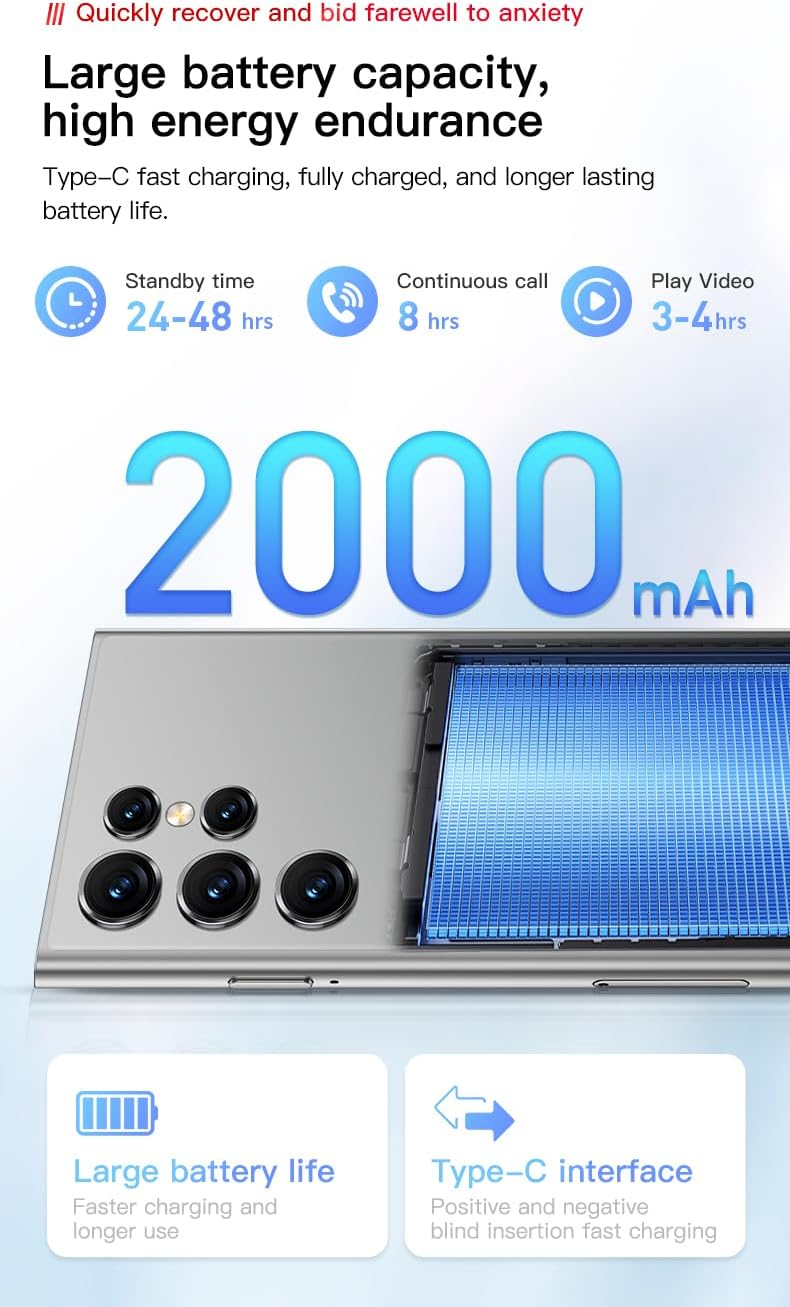
Image 5.3: Visual representation of the 2000mAh battery capacity and estimated usage times for standby, calls, and video playback.
5.6. Connectivity
The ONEMYTH S25 Pro supports 3G cellular networks and Wi-Fi.
- Wi-Fi: Go to Settings > Network & internet > Wi-Fi to connect to available networks.
- 3G Network: Ensure your SIM card is active and has a data plan. The device supports WCDMA (B1/B2/B4/B5/B8) and GSM (850/900/1800/1900) bands.
6. Maintenance
- Cleaning: Use a soft, lint-free cloth to clean the screen and body. Avoid abrasive materials or harsh chemicals.
- Software Updates: Regularly check for system updates in Settings > System > System update to ensure optimal performance and security.
- Storage Management: Periodically clear cache, delete unnecessary files, and uninstall unused apps to free up storage space.
7. Troubleshooting
- Device not powering on: Ensure the battery is charged. Connect the charger and try again.
- Screen unresponsive: Restart the device by holding the Power button for approximately 10 seconds.
- Cannot connect to Wi-Fi: Check if Wi-Fi is enabled. Restart your router and the phone.
- Poor network signal: Ensure your SIM card is properly inserted. Move to an area with better network coverage.
- Apps crashing: Clear the app's cache in Settings > Apps & notifications > [App Name] > Storage & cache. If the issue persists, reinstall the app.
8. Specifications
| Feature | Specification |
|---|---|
| Model Name | S25 Pro |
| Operating System | Android 10.0 |
| Display Size | 4.0 Inches |
| Resolution | 452 x 960 |
| Processor | MTK6580M Quad-core 1.3GHz |
| RAM | 2 GB |
| Internal Storage | 16 GB |
| Expandable Storage | Up to 128GB (TF card not included) |
| Rear Camera | 5 MP |
| Front Camera | 2 MP |
| Battery Capacity | 2000 mAh |
| Connectivity | 3G (WCDMA B1/B2/B4/B5/B8, GSM 850/900/1800/1900), Wi-Fi |
| SIM Support | Dual SIM |
| Security Features | Pattern, Face, Password Unlock |
| Dimensions (Approx.) | 100mm x 52mm |
9. Warranty and Support
For warranty information and technical support, please refer to the documentation provided at the time of purchase or contact your retailer. Keep your proof of purchase for warranty claims.


