Introduction
This manual provides comprehensive instructions for the SJoyBring 7-inch Double Din Car Stereo. It covers installation, operation, maintenance, and troubleshooting to ensure optimal performance and user experience. Please read this manual thoroughly before using the product.
What's in the Box
Verify that all components are present before beginning installation.
- Car Stereo Unit
- Backup Camera
- Screws
- ISO Stereo Harness
- Disassembly Tool
- Remote Control
- AUX Cable
- Frames (2) - for use when needed
- Brackets
- User Manual

Image: Package contents of the SJoyBring car stereo, showing the main unit, backup camera, remote control, wiring harness, mounting brackets, and other accessories.
Key Features
Wireless CarPlay & Android Auto
Connect your iPhone or Android phone wirelessly to the car stereo. This feature allows for seamless integration of calls, navigation, music, and more, displayed on the 7-inch HD touchscreen. Voice control via Siri or Google Assistant is supported for hands-free operation.
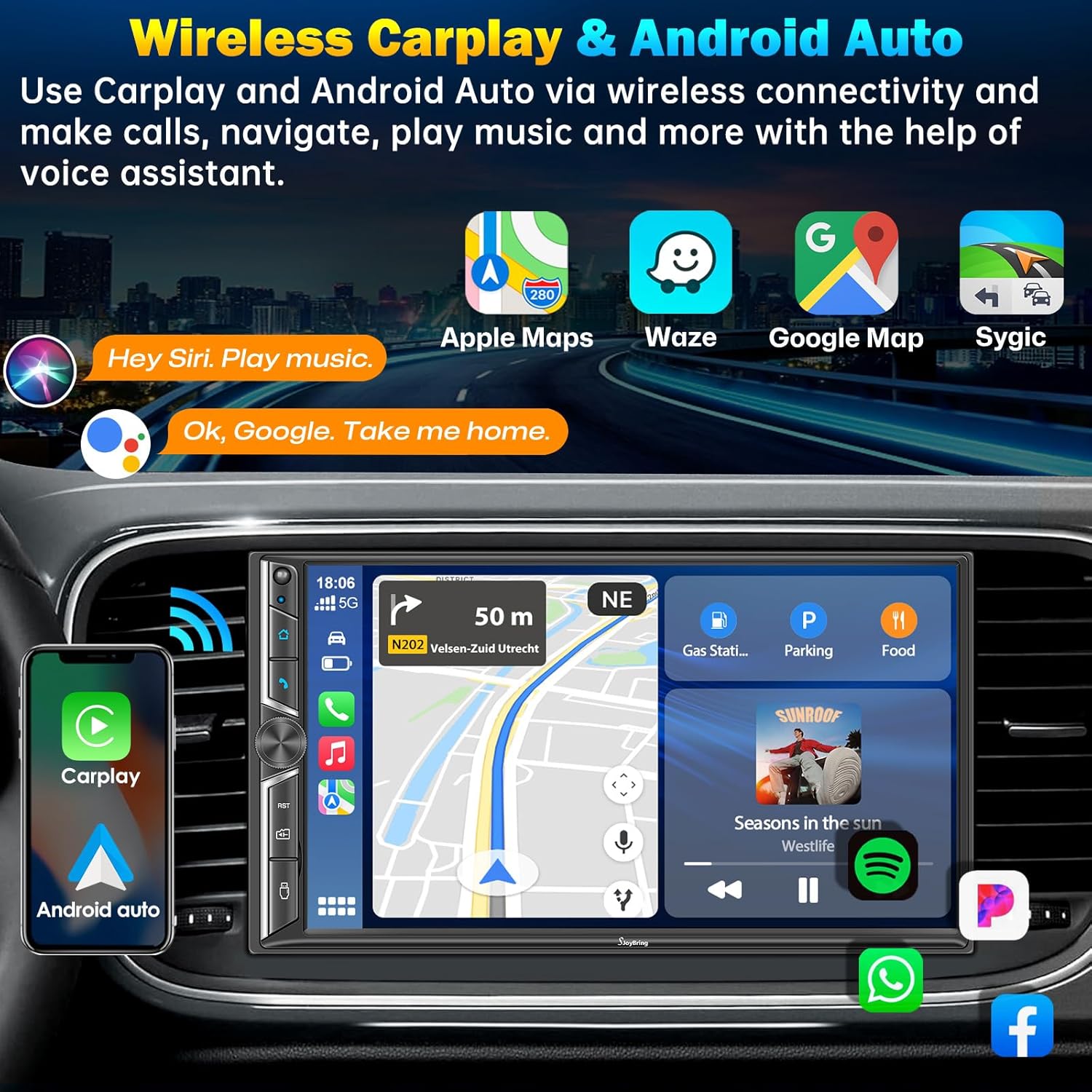
Image: The car stereo displaying the CarPlay interface, with a smartphone illustrating wireless CarPlay and Android Auto connectivity.

Image: A car dashboard featuring the SJoyBring stereo, demonstrating wireless CarPlay and Android Auto functionality with voice command examples.
4.2-Channel Audio Output
Experience enhanced sound quality with 4.2-channel RCA audio output and dual subwoofer ports. This system supports connection to aftermarket amplifiers and includes rear/front right/left speaker outputs, providing a rich audio experience.

Image: A visual representation of the 4.2-channel audio output system, highlighting the RCA connections for speakers and subwoofers, indicating enhanced sound quality.

Image: An illustration detailing the upgraded 4.2-channel audio output with 60W*4 power and dual subwoofer outputs, showing speaker distribution within a car.
Bluetooth 5.0 Function
Equipped with Bluetooth 5.0 for stable, faster, and clearer wireless connections for music streaming and calls. The built-in ultra-clear microphone ensures crystal-clear calls, enhancing voice control accuracy and promoting safer driving.

Image: Visual representation of the upgraded Bluetooth 5.0 feature, highlighting the noise-cancelling microphone and external MIC jack for improved call clarity.
Mirror Link
Connect your iOS or Android phone via USB to mirror apps like Google Maps, Spotify, and YouTube directly onto the 7-inch HD touchscreen. Enjoy 1920x1080P video playback and intuitive controls.
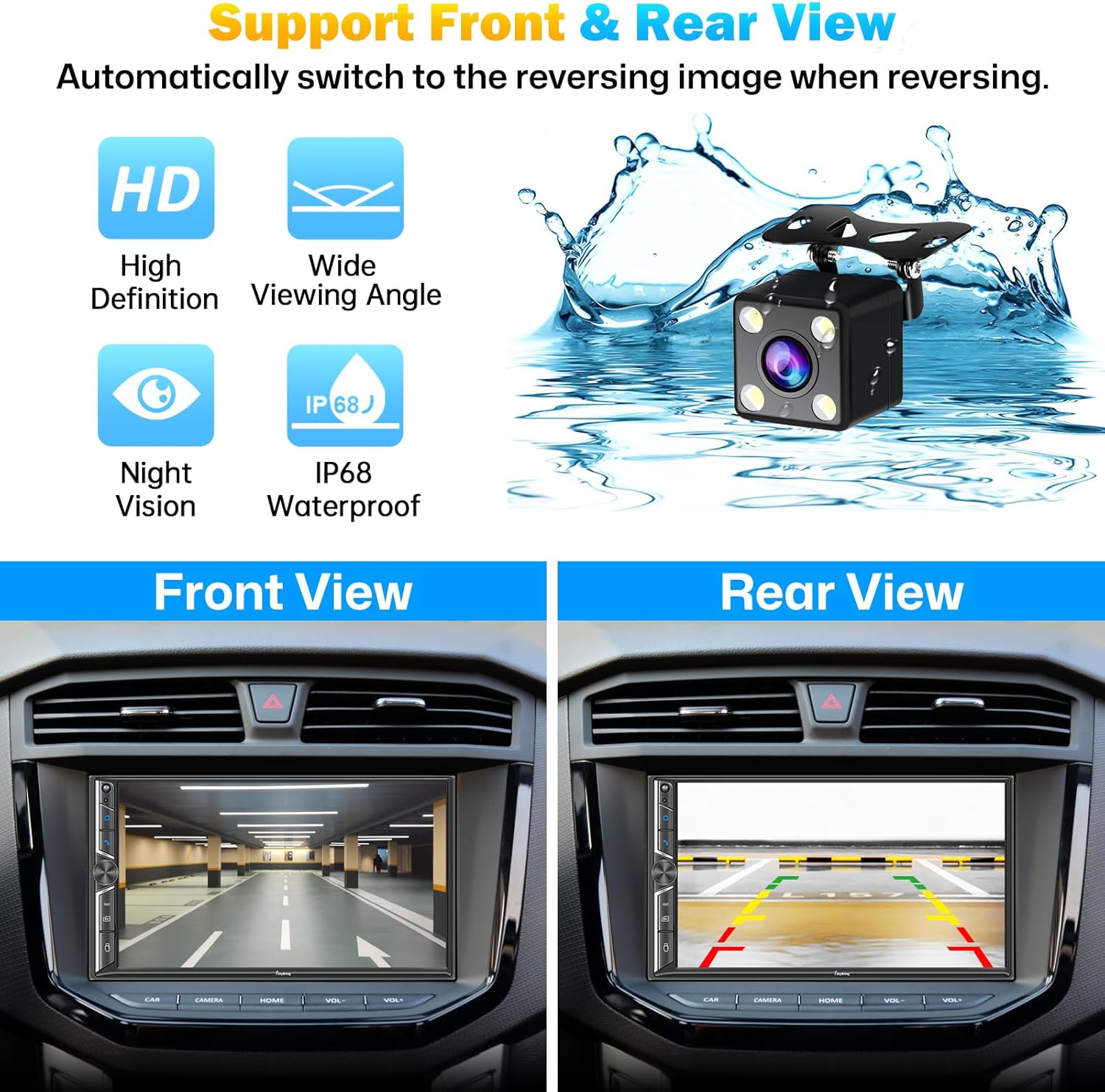
Image: The car stereo screen mirroring a smartphone display, showcasing the Mirror Link feature for apps like YouTube.
Rear and Front View Camera Support
The stereo supports both rear and front view camera displays. When reversing, the screen automatically switches to the HD night vision rear view camera for safer and easier parking. The camera is waterproof and performs well in low-light conditions.

Image: A split image demonstrating the car stereo's capability to display both front and rear camera views, aiding in parking and navigation.
Setup & Installation
Important Tip: Before installation, verify that your car’s dashboard opening size fits this double din radio. If not, you may need a suitable dash kit. Professional installation is recommended for optimal results. Some cars may require additional accessories such as wire harness adapters or radio antenna adapters for full functionality.
Wiring Diagram
Refer to the following diagrams for proper wiring connections. Ensure all connections are secure to prevent malfunction.

Image: The SJoyBring 7-inch Double Din Car Stereo, showing the main unit, backup camera, and remote control.
Image: Rear view of the car stereo, detailing the various input and output ports for audio, video, and power connections.
Image: A diagram showing the 4.2-channel audio output connections, including front, rear, and subwoofer outputs.

Image: Comprehensive installation diagram, including unit dimensions and detailed wiring schematics for power, speakers, and camera inputs.
Operating Instructions
Wireless CarPlay & Android Auto
To connect, ensure Bluetooth is enabled on your phone and the stereo. Pair your device. Once paired, the CarPlay or Android Auto interface will appear on the screen. Navigate using the touchscreen or voice commands.
Video: An overview of the SJoyBring Double Din Car Stereo, demonstrating its wireless CarPlay and Android Auto features, sound capabilities, and connectivity options.
Bluetooth Functionality
Access the Bluetooth menu to pair new devices, manage connected devices, and stream audio. The built-in microphone allows for hands-free calling. Use the touchscreen to answer, end, or dial calls.
Mirror Link Operation
Connect your smartphone to the stereo via a USB cable. Select the "Mirror Link" option on the stereo. Follow the on-screen prompts to establish the connection and mirror your phone's display.
FM/AM Radio
Select the "Radio" application. Use the scan function to find available stations or manually tune to a specific frequency. Save your favorite stations for quick access.
Audio Equalizer (EQ)
Adjust the audio settings using the built-in 10-band EQ. Customize sound profiles for different music genres or personal preferences. The system also allows for subwoofer output adjustments and sound field optimization.
Image: The car stereo's display showing the adjustable 10-band equalizer and sound field settings for audio customization.
Steering Wheel Control
If your vehicle supports steering wheel controls, connect the appropriate wires during installation. The stereo can be configured to recognize and respond to your vehicle's steering wheel buttons for volume, track changes, and call management.
Maintenance
- Cleaning: Use a soft, dry cloth to clean the touchscreen and unit. Avoid abrasive cleaners or solvents.
- Temperature: Do not expose the unit to extreme temperatures or direct sunlight for prolonged periods.
- Moisture: Keep the unit dry. Avoid contact with liquids.
Troubleshooting
| Problem | Possible Cause | Solution |
|---|
| No Power | Incorrect wiring; Blown fuse | Check power connections (ACC, B+); Inspect and replace fuses if necessary. |
| No Sound | Speaker wiring issue; Volume too low; Mute activated | Verify speaker connections; Increase volume; Check mute setting. |
| Bluetooth Disconnection | Interference; Device too far; Phone settings | Ensure phone is within range; Restart Bluetooth on both devices; Check phone's Bluetooth settings. |
| CarPlay/Android Auto Not Connecting | Incorrect USB cable; Phone software issue; Stereo software issue | Use a high-quality USB cable; Restart phone and stereo; Check for software updates. |
| Backup Camera Not Displaying | Camera wiring issue; Reverse trigger not connected | Check camera power and video connections; Ensure reverse trigger wire is correctly connected to the vehicle's reverse light circuit. |
Specifications
- Display: 7-inch HD Touchscreen (1920x1080P video playback)
- Connectivity: Wireless CarPlay, Wireless Android Auto, Bluetooth 5.0, USB, RCA
- Audio Output: 4.2-Channel RCA, Dual Subwoofer Ports
- Power Output: 240 Watts
- Radio: FM/AM Tuner
- Special Features: Mirror Link, Backup Camera Support (HD Night Vision), Front View Camera Support, Steering Wheel Control, Adjustable 10-Band EQ
- Dimensions: 9.17 x 6.42 x 5.98 inches (Package Dimensions)
- Item Weight: 2.75 pounds
- Manufacturer: SJOYBRING
- Model: B0DX1QS87N
Warranty & Support
For warranty information and technical support, please refer to the warranty card included with your product or visit the official SJOYBRING website. You may also contact the seller directly for assistance.
Seller: Car Stereo Developer
Amazon Store: Visit SJOYBRING Store on Amazon


