
1. Product Overview
The PRETZI Fireplace TV Stand is a modern 2-tier entertainment center designed to accommodate TVs up to 70 inches. It features an integrated electric fireplace, adjustable LED lighting, and ample storage solutions with enclosed cabinets and adjustable shelving. This unit is constructed with engineered wood and includes heat-resistant columns for durability. Please note that the product is shipped in two separate packages, which may arrive at different times.
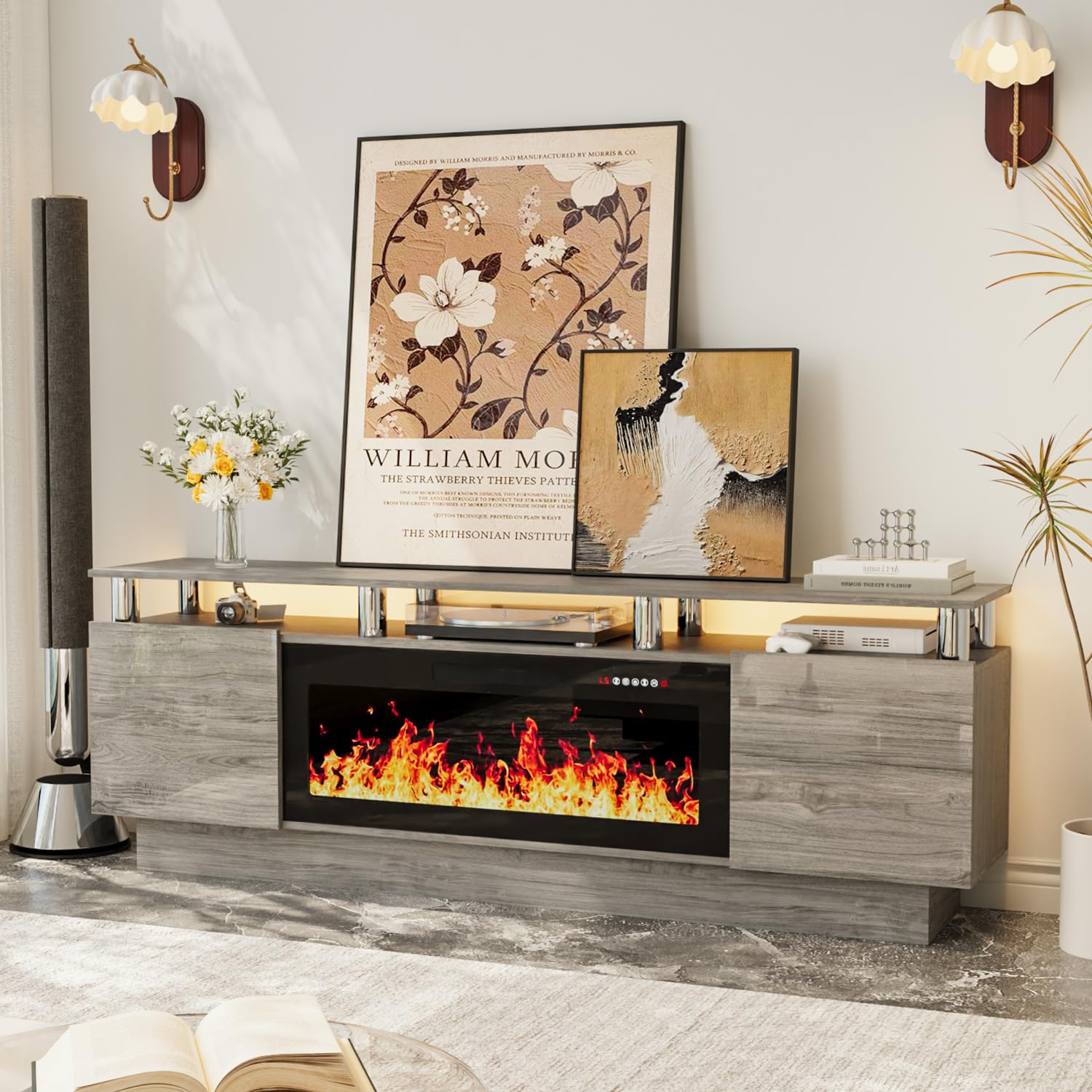
Image 1.1: The PRETZI Fireplace TV Stand, 70-inch model, featuring a grey and black finish with an illuminated electric fireplace.
2. Setup and Assembly
This section provides instructions for assembling your PRETZI Fireplace TV Stand. Ensure all components are present before beginning assembly.
2.1 Package Contents
The TV stand and fireplace are shipped in two separate boxes. Please verify you have received both packages before starting assembly. Components include the TV stand parts, electric fireplace unit, and hardware.

Image 2.1: Illustration showing the product dimensions and the two-box delivery method for the TV stand and fireplace.
2.2 Assembly Steps
- Attach Legs: Securely attach the legs to the main TV stand base using the provided screws. Tighten all screws with the included tool.
- Assemble Frame: Follow the detailed instructions provided in your package to assemble the main frame of the TV stand, including side panels and shelves.
- Install Fireplace Insert: Carefully mount the electric fireplace insert into the designated opening within the TV stand. Secure it using the provided brackets and screws.
- Connect Power: Once fully assembled, connect the fireplace power cord to a grounded electrical outlet.
- Adjust Shelving: The internal shelves are adjustable. Position them according to your storage needs.
- Cable Management: Utilize the cable holes on the back of the TV console to organize and hide cords for a cleaner appearance.

Image 2.2: Detailed view of the TV stand's storage compartments, adjustable shelves, and cable management system.
Video 2.1: Official video demonstrating the assembly and features of the PRETZI 2-Tier Fireplace TV Stand.
3. Operation
This section details how to operate the electric fireplace and LED lighting features of your TV stand.
3.1 Electric Fireplace Controls
The 36-inch electric fireplace offers a captivating 3D flame effect and heating functionality. It can be controlled via the integrated control panel or the included remote control.
- Flame Brightness & Speed: Adjust the flame effect with 5 settings for brightness and speed.
- Flame Colors: Choose from 12 realistic flame colors to match your ambiance.
- Heating: The heater operates between 750 watts and 1,500 watts, capable of heating rooms up to 400 square feet.
- Timer Function: Set the fireplace to operate for 1 to 8 hours using the timer.
- Overheat Protection: The fireplace includes an overheat protection feature for safety.
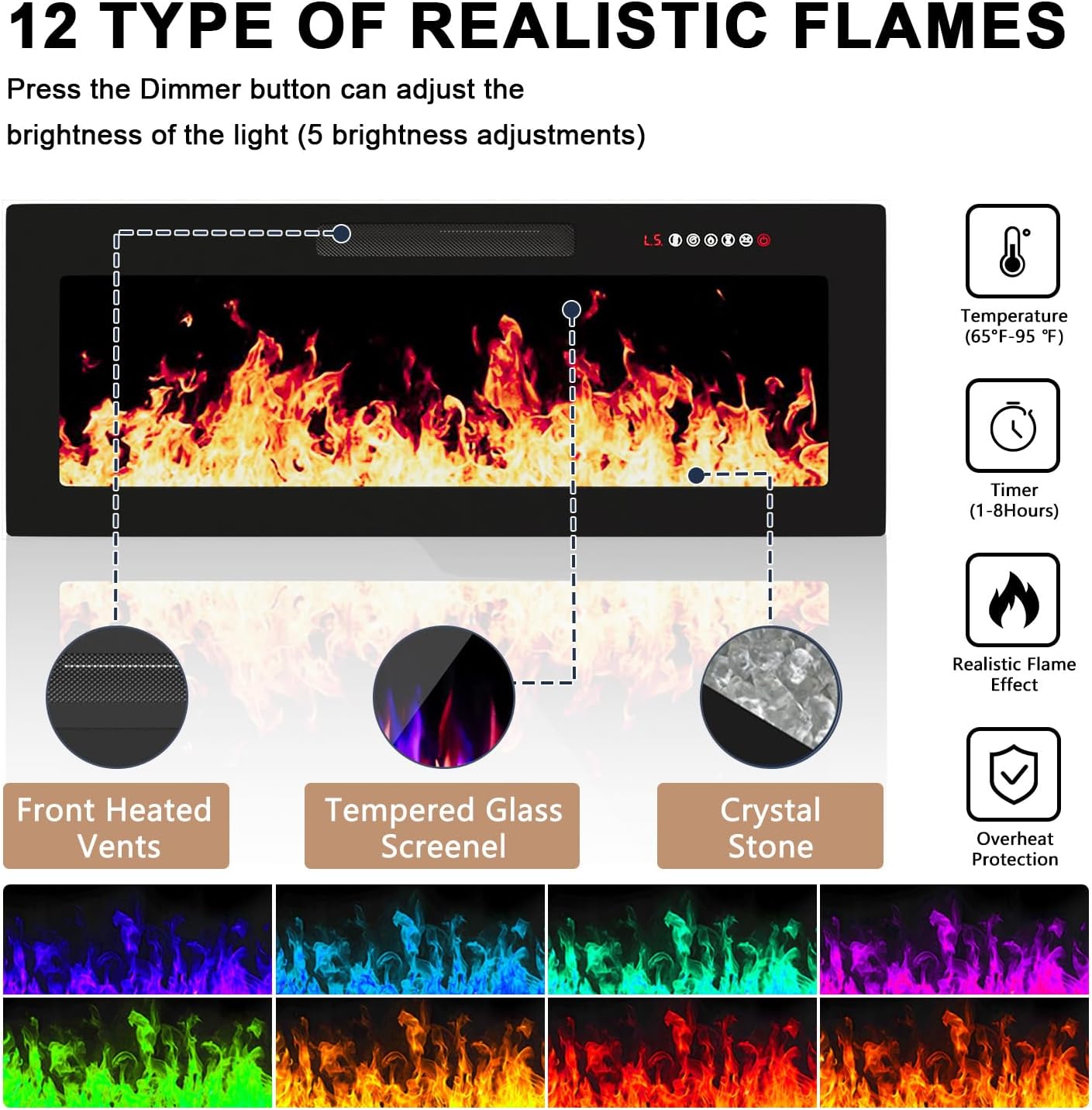
Image 3.1: Overview of the electric fireplace controls, including flame settings, temperature, and timer functions.

Image 3.2: The 36-inch fireplace with its remote control, highlighting features such as dual control, infrared quartz heating, 400 sq ft heating coverage, 12 colors and 5 levels of flame, energy-saving independent flame, 1-8 hour timer, and low noise level.

Image 3.3: Visual representation of the fireplace heating a room up to 400 square feet.
3.2 LED Lighting Controls
The TV stand features 20 adjustable LED lights that can be dimmed to create various moods. These lights can be controlled via the remote or the integrated controls.
- Color Selection: Choose from 20 different LED colors.
- Dimming: Adjust the brightness of the LED lights.
- Control Options: Use the remote control or the touch control panel on the unit.

Image 3.4: Demonstration of the 20-color LED strip lights with both on and off states, highlighting the two-way control via remote.
4. Maintenance
Proper maintenance ensures the longevity and optimal performance of your TV stand and fireplace.
- Cleaning the Surface: Use a soft, damp cloth to wipe down the engineered wood surfaces. Avoid abrasive cleaners or harsh chemicals that could damage the finish.
- Fireplace Vents: Periodically check and clean the air intake and output vents of the electric fireplace to ensure proper airflow and prevent dust buildup. Use a soft brush or vacuum cleaner attachment.
- Electrical Components: Ensure the power cord and plug are free from damage. Do not attempt to service the internal electrical components of the fireplace yourself.
- General Care: Avoid placing excessively hot or wet items directly on the surface without protection. Keep the unit away from direct sunlight and excessive humidity.
5. Troubleshooting
If you encounter issues with your PRETZI Fireplace TV Stand, refer to the following common troubleshooting steps.
| Problem | Possible Cause | Solution |
|---|---|---|
| Fireplace does not turn on. | No power, remote battery low, or unit is off. | Check if the power cord is securely plugged into a grounded outlet. Replace remote control batteries. Ensure the power switch on the unit is in the 'ON' position. |
| No heat output from fireplace. | Heater function is off, or thermostat setting is too low. | Activate the heater function using the control panel or remote. Increase the thermostat setting. |
| LED lights are not working. | LED power is off, or connection issue. | Ensure LED lights are turned on via remote or control panel. Check all LED strip connections. |
| Cabinet doors are misaligned. | Hinges require adjustment. | Adjust the screws on the cabinet hinges to align the doors properly. Refer to the assembly manual for detailed hinge adjustment instructions. |
6. Product Specifications
| Feature | Detail |
|---|---|
| Brand | PRETZI |
| Model | Fireplace TV Stand 70 inch |
| Material | Engineered Wood |
| Color | Grey & Black |
| Overall Dimensions | 70 inches (Length) x 15.7 inches (Depth) x 24 inches (Height) (Approximate, refer to Image 2.1 for details) |
| Fireplace Size | 36 inches |
| Power Source | Corded Electric |
| Heat Output | 750W / 1500W |
| Heating Coverage | Up to 400 sq ft |
| Flame Effects | 12 colors, 5 brightness/speed settings, 3D effect |
| LED Lights | 20 adjustable colors, dimmable |
| Timer | 1-8 hours |
| Control Method | Remote control, Touch control panel |
| Installation Type | Freestanding |
| Included Components | Fireplace, TV stand |
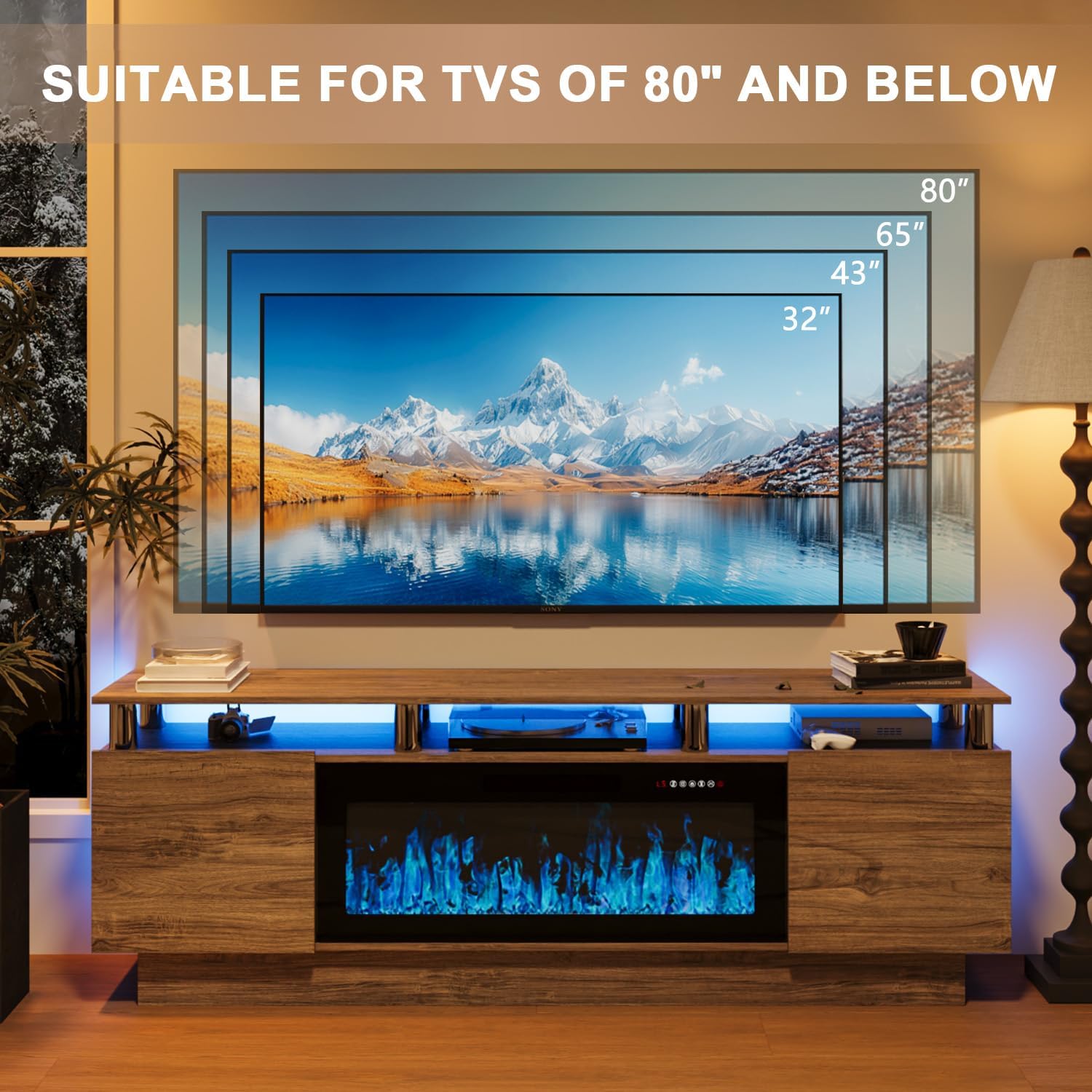
Image 6.1: The TV stand is designed to accommodate televisions up to 80 inches in size.
7. Warranty Information
The PRETZI Fireplace TV Stand comes with a Limited Warranty. For specific terms and conditions, please refer to the warranty card included with your product or contact customer support.
8. Customer Support
If you have any questions regarding the assembly, operation, maintenance, or any other aspect of your PRETZI Fireplace TV Stand, please do not hesitate to contact our customer service team. We are committed to providing satisfactory assistance within 24 hours.
Contact information can typically be found on the packaging, in the included documentation, or on the official PRETZI website.