
Introduction
The COAST EAL30R is a versatile and durable 1000 Lumen rechargeable emergency camping lantern. It features multiple lighting modes, a built-in power bank, and optional alkaline battery backup, making it suitable for various outdoor and emergency situations. This manual provides essential information for the safe and effective use of your EAL30R lantern.

Figure 1: The COAST EAL30R lantern providing illumination in a camping environment.
Setup
Charging the Internal Battery
- Locate the USB-C charging port on the lantern.
- Connect the provided USB-C cable to the lantern's charging port.
- Connect the other end of the USB-C cable to a compatible USB power source (e.g., wall adapter, car charger, computer USB port).
- The battery life indicator will illuminate to show charging status. A full charge is indicated when all lights are solid.

Figure 2: The EAL30R lantern being used as a power bank to charge a smartphone.
Installing Alkaline Battery Backup
The EAL30R supports 4xAA alkaline batteries (sold separately) for backup power.
- Unscrew the bottom cap of the lantern.
- Insert 4 AA batteries into the designated slots, ensuring correct polarity (+/-).
- Securely reattach the bottom cap.
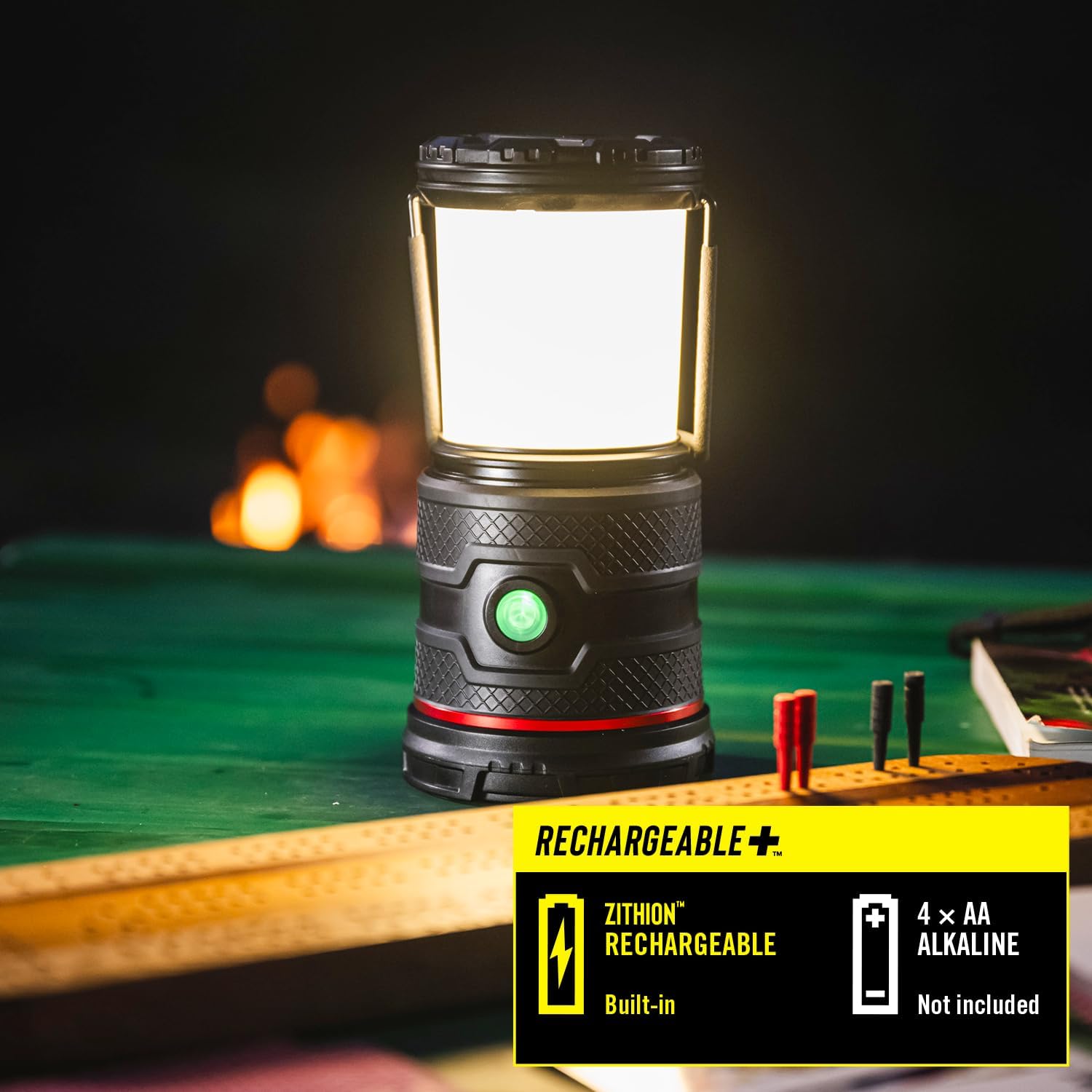
Figure 3: The EAL30R lantern highlighting its dual power options: built-in rechargeable battery and 4xAA alkaline battery compatibility.
Operating Instructions
Power On/Off and Light Mode Selection
The EAL30R features a single power button for controlling the lantern.
- To Power On: Press the power button once. The lantern will turn on in the last used white light mode.
- To Cycle White Light Modes: While the lantern is on in a white light mode, press the power button repeatedly to cycle through Warm White (Low), Cool White (Medium), and Daylight White (High).
- To Activate Red Light Modes: From any white light mode, press and hold the power button for approximately 2 seconds. The lantern will switch to Red (Solid) mode. Press again for Red Flashing mode.
- To Return to White Light: From any red light mode, press and hold the power button for approximately 2 seconds. The lantern will return to the last used white light mode.
- To Power Off: Press the power button once after selecting your desired mode, or press and hold the power button for 2 seconds from any mode to turn off directly.

Figure 4: The EAL30R lantern demonstrating its "Color Shift" feature with various light temperature and color options.

Figure 5: The EAL30R lantern in red light mode, useful for preserving night vision or emergency signaling.
Power Bank Functionality
The EAL30R can be used to charge other devices via its USB-C output port.
- Connect your device's charging cable to the USB-C output port on the lantern.
- The lantern will automatically begin charging your device.
- Monitor your device's charging status.
Battery Life Indicator
The power button also serves as a battery life indicator. Refer to the manual for specific color codes indicating battery levels.

Figure 6: The EAL30R's power button acting as a battery life indicator.
Maintenance
Cleaning
- Wipe the lantern with a soft, damp cloth.
- Do not use abrasive cleaners or solvents.
- Ensure all ports are closed when cleaning to maintain water resistance.
Storage
- Store the lantern in a cool, dry place away from direct sunlight.
- For long-term storage, ensure the internal battery is partially charged (around 50%) and recharge every 3-6 months to maintain battery health.
- Remove alkaline backup batteries if storing for extended periods to prevent leakage.
Cord Storage
The included USB-C cable can be stored conveniently by wrapping it around the lid of the lantern.

Figure 7: The integrated cord storage feature of the EAL30R lantern.
Troubleshooting
| Problem | Possible Cause | Solution |
|---|---|---|
| Lantern does not turn on. | Low or depleted battery. | Charge the internal battery or install fresh alkaline batteries. |
| Device not charging from power bank. | Lantern battery is too low or cable is faulty. | Ensure lantern is sufficiently charged. Try a different USB-C cable. |
| Light modes are not cycling correctly. | Incorrect button press sequence. | Refer to the "Operating Instructions" section for correct button usage. |
Specifications
- Light Source Type: Light Emitting Diode (LED)
- Light Output Maximum: 1000 Lumens
- Light Modes: Warm white (low), Cool white (medium), Daylight white (high), Red, Red Flashing
- Power Source: Battery Powered (Rechargeable Lithium-Ion, 4 AA Alkaline backup)
- Battery Life: Up to 15 Hours (on Warm White Low mode)
- Material: Aluminum
- Color: Black
- Water Resistance Level: Water Resistant (IP54 rated)
- Item Dimensions L x W x H: 4.5"L x 4.5"W x 7.9"H
- Item Weight: 0.66 Kilograms
- Included Components: USB-C Cable

Figure 8: Dimensions of the COAST EAL30R lantern.

Figure 9: The EAL30R lantern demonstrating its water and dust resistance.
Warranty
The COAST EAL30R is backed by COAST's Lifetime Warranty. This warranty reflects COAST's commitment to quality and ensures confidence in your product. For detailed information regarding the warranty policy and claims, please refer to the official COAST website or contact customer support.
Support
For further assistance, technical support, or to inquire about replacement parts, please visit the official Coast website or contact their customer service department.
- Official Website: www.coastportland.com
- Customer Service: Refer to the website for contact information.
Product Videos
Video 1: EAL30R Product Spotlight. This video provides an overview of the COAST EAL30R lantern's key features and functionalities, including its various light modes, power bank capability, and durable design.