
1. Introduction
The MiLi Wallet Finder is a Google Certified location tracker designed for Android devices (Android 9 or higher). This slim, credit card-sized device allows you to keep track of your valuables, such as wallets, purses, passports, or luggage, using the Google Find My Device (Find Hub) app. It features wireless recharging and robust data security to protect your information.

Image 1: The MiLi Wallet Finder card, a sleek black device designed to fit into a wallet.
2. Setup
2.1. App Installation
- Locate the QR code on the product packaging or the device itself.
- Scan the QR code with your Android phone to be directed to the Google Play Store.
- Download and install the 'MiCard' app.

Image 2: A MiLi Wallet Finder card held next to an Android phone displaying a map, illustrating compatibility with Android devices.
2.2. Device Pairing and Account Setup
- Open the 'MiCard' app on your Android device.
- Follow the on-screen prompts to connect the MiLi Wallet Finder. This typically involves using NFC (Near Field Communication) by tapping the card to your phone.
- Agree to the terms and conditions, including the Find My Device Acceptable Use Policy.
- The device will automatically integrate with your Google Find My Device (Find Hub) account.
- You may be prompted to enter personal information for the digital business card feature, which can be scanned by others if your item is found.
3. Operating Instructions
3.1. Locating Your Device
- Open the Google Find My Device (Find Hub) app on your Android phone.
- The app will display the last known location of your MiLi Wallet Finder on a map, provided it is within the Android network coverage.
- You can get directions to the device's location directly from the app.

Image 3: An Android phone screen displaying the MiLi Wallet Finder's location on a map, indicating global positioning capabilities.
3.2. Playing a Sound
- If your MiLi Wallet Finder is within Bluetooth range (up to 150m/500ft), you can activate a loud sound through the app or via voice commands.
- This feature helps you pinpoint the exact location of your item when it's nearby, such as under a couch cushion or in another room.

Image 4: An illustration showing a MiLi Wallet Finder emitting sound waves, helping to locate various items like a wallet, passport, or keys within a home environment.
3.3. Lost Mode and Sharing
- In the Google Find My Device app, you can mark your MiLi Wallet Finder as lost. This allows you to leave a message and contact number for anyone who finds your item.
- The location of your device can also be shared with family or friends, enabling them to assist in tracking.
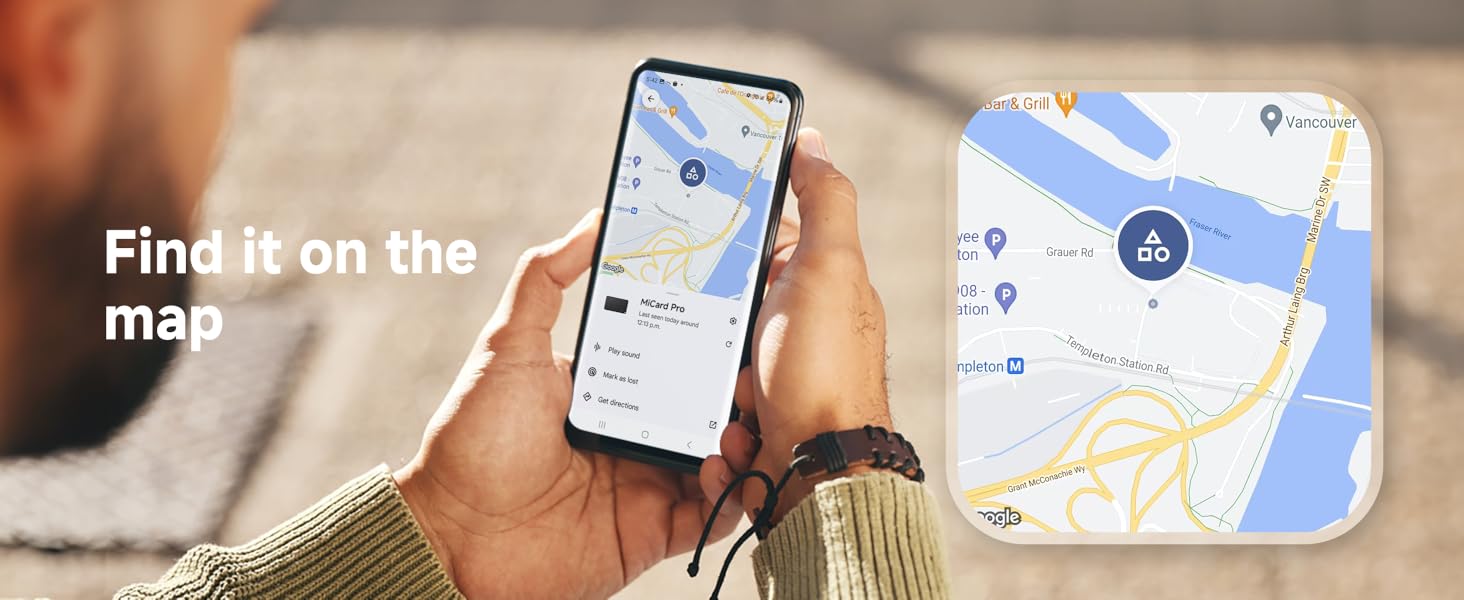
Image 5: Two Android phones displaying the MiLi Wallet Finder's location on a map, with an arrow indicating the sharing of location between users.
4. Maintenance
4.1. Charging
- The MiLi Wallet Finder features wireless charging. Place the device on a compatible wireless charger (charger not included).
- A full charge provides approximately 6-7 months of battery life. The overall battery lifespan is up to 5 years.

Image 6: A hand placing the MiLi Wallet Finder card onto a wireless charging pad, highlighting its wireless charging capability and long battery life.
4.2. Water and Dust Resistance
- The device has an IP67 rating, making it dust-resistant and capable of withstanding immersion in water up to 3 feet for 30 minutes.
- This protection ensures durability against splashes, rain, and short accidental submersions.
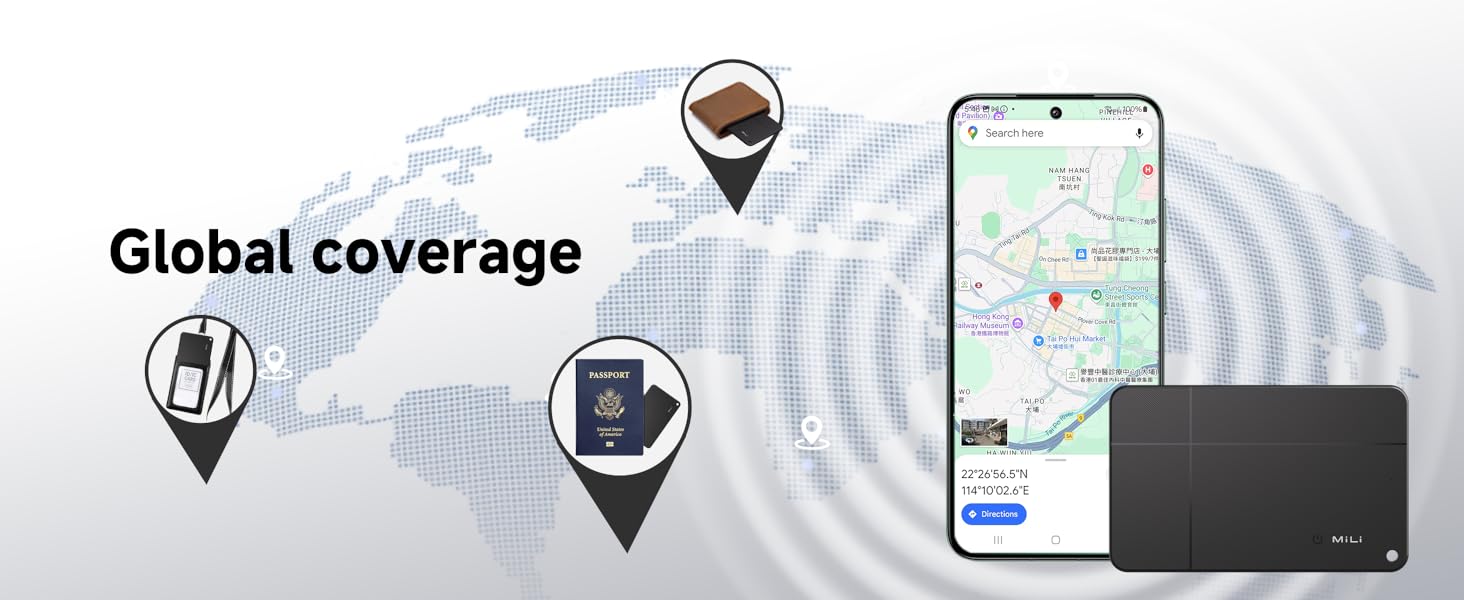
Image 7: The MiLi Wallet Finder card being splashed with water, illustrating its IP67 waterproof and dust-resistant features.
5. Troubleshooting
If you encounter any problems during the use of your MiLi Wallet Finder, please contact the MiLi Support Team for assistance. Common issues may include:
- Connection Issues: Ensure Bluetooth is enabled on your Android device and the MiLi Wallet Finder is sufficiently charged.
- Inaccurate Location: Verify that your Android device has location services enabled and is connected to the internet. The accuracy depends on the Google Find My network coverage.
- Sound Not Playing: Check the volume settings on your phone and ensure the device is within Bluetooth range.
- Charging Problems: Confirm that your wireless charger is compatible and functioning correctly. The red indicator light on the MiLi card should illuminate during charging.
6. Specifications
| Feature | Detail |
|---|---|
| Product Dimensions | 3.15"L x 1.97"W x 0.1"Th |
| Item Weight | 0.529 ounces |
| Item Model Number | HD-P16-C |
| Batteries | 1 Lithium Polymer battery (included) |
| Connectivity Technologies | Bluetooth |
| Other Display Features | Wireless |
| Material | Acrylonitrile Butadiene Styrene (ABS), Polycarbonate (PC) |
| Water Resistance | IP67 (dust-resistant, 3ft depth for 30 minutes) |
| Battery Life (Full Charge) | 6-7 months |
| Battery Lifespan | Up to 5 years |
7. Warranty and Support
For any product inquiries, technical support, or warranty claims, please contact the MiLi Support Team. Refer to your product packaging or the official MiLi website for the most current contact information.

