
1. Introduction
Thank you for purchasing the ZEBRONICS ZEB-GLOW BOX 15A Party Trolley DJ Speaker. This manual provides essential information for the safe and efficient operation of your speaker. Please read it thoroughly before use and retain it for future reference.

Image: The ZEBRONICS ZEB-GLOW BOX 15A Party Trolley DJ Speaker with its wireless microphone.
2. What's in the Box
Carefully unpack the contents and ensure all items are present:
- Speaker - 1 unit
- Input Cable - 1 unit
- Power Cord - 1 unit
- Remote - 1 unit
- Wireless Mic - 1 unit
- QR Code Guide - 1 unit
3. Product Features
The ZEB-GLOW BOX 15A is designed to deliver a powerful audio experience with versatile functionalities:
- Powerful Audio: 180W output with a 38.1cm (15-inch) full-range driver for immersive sound.
- Multi-connectivity: Supports Bluetooth v5.0, USB, SD card, and AUX input, plus FM radio.
- Dual Inputs: Features dual 6.3mm and dual XLR inputs for microphones and guitars.
- Long Playtime: Built-in rechargeable battery provides up to 6 hours of playback (at 50% volume, LED off).
- Portable Design: Equipped with carry handles and trolley wheels for easy transport.
- Karaoke & Recording: Dedicated karaoke mode and recording feature to USB/SD card.
- RGB LED Lights: Translucent body with multiple RGB LED light modes and an LED display.
- TWS Capability: Allows pairing two ZEB-Glow Box 15A speakers for stereo sound.
- Comprehensive Controls: Dedicated controls for mic volume, echo, bass, treble, and master volume.
- Wireless UHF Mic: Includes a wireless UHF microphone for hassle-free vocal input.
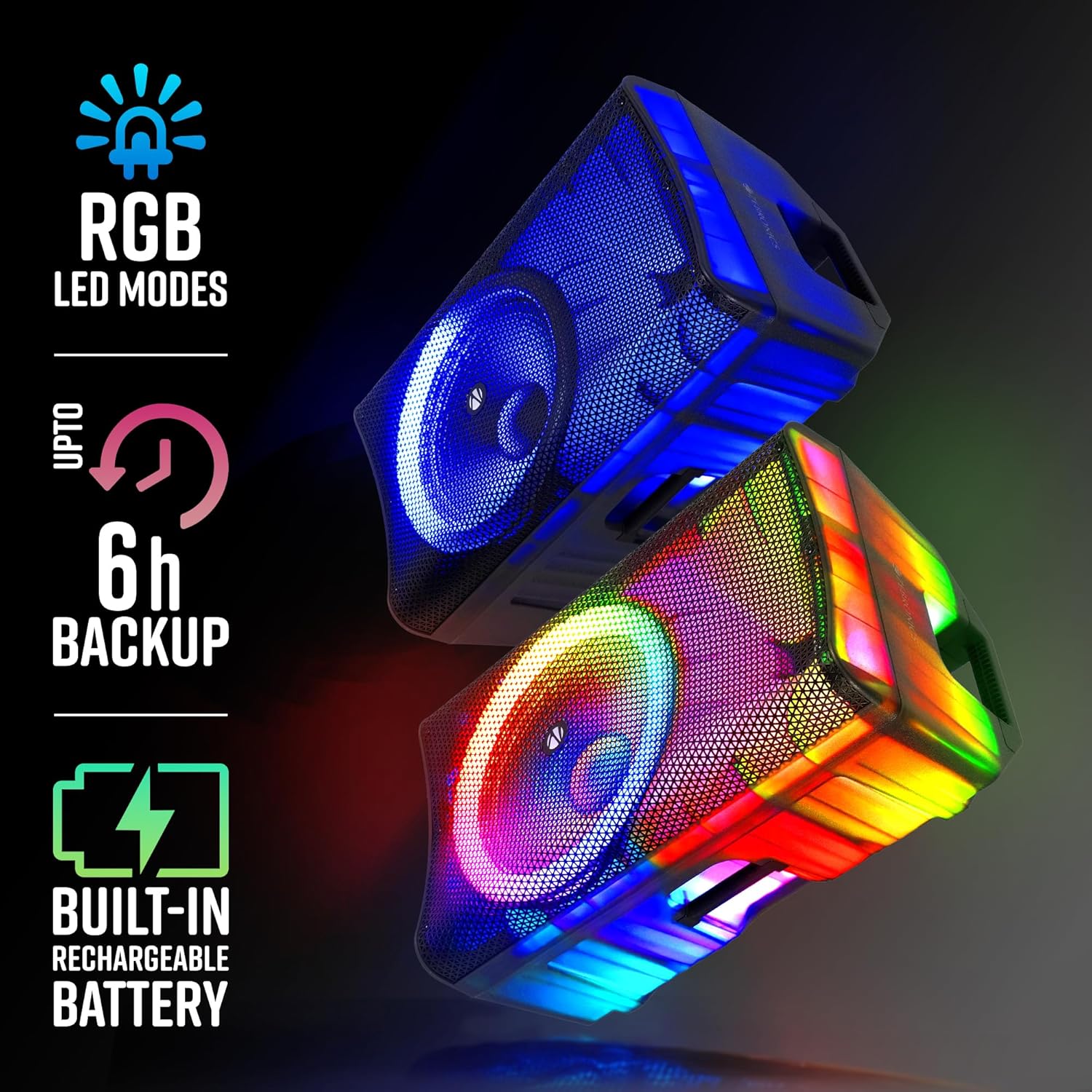
Image: Visual representation of the speaker's RGB LED modes, battery backup, and rechargeable battery feature.
4. Setup Guide
4.1 Unpacking and Placement
- Carefully remove the speaker and all accessories from the packaging.
- Place the speaker on a stable, flat surface. The integrated trolley wheels and carry handles facilitate easy movement.
- Ensure adequate ventilation around the speaker.

Image: Close-up views highlighting the speaker's translucent body, trolley wheels, carry handle, and the included remote control.
4.2 Powering On and Charging
- Connect the power cord to the speaker's AC input and then to a suitable power outlet.
- The speaker has a built-in rechargeable battery. For first-time use, fully charge the speaker for optimal battery life.
- To power on, locate the power switch on the rear panel and switch it to the 'ON' position.
5. Operating Instructions
5.1 Basic Operation
- Power On/Off: Use the main power switch on the rear panel.
- Volume Control: Adjust the master volume knob on the control panel. Separate bass and treble controls are available for sound customization.
- Mode Selection: Press the 'MODE' button on the control panel or remote to switch between Bluetooth, USB, SD, AUX, and FM radio modes. The LED display will indicate the current mode.
5.2 RGB LED Lights
- The speaker features dynamic RGB LED lights. Use the dedicated LED button on the control panel or remote to cycle through different light modes or turn them off.

Image: The ZEB-GLOW BOX 15A speaker displaying its blue RGB lighting effect.

Image: The ZEB-GLOW BOX 15A speaker displaying its vibrant multicolor RGB lighting effect.
6. Connectivity
6.1 Bluetooth Connection
- Switch the speaker to Bluetooth mode. The LED display will show 'BLUE'.
- Enable Bluetooth on your mobile device and search for 'ZEB-GLOW BOX 15A'.
- Select the speaker to pair. A confirmation tone will indicate successful pairing.
6.2 USB/SD Card Playback
- Insert a USB drive or SD card into the respective slot. The speaker will automatically switch to USB/SD mode and begin playing compatible audio files.
- Use the playback controls (Play/Pause, Next, Previous) on the speaker or remote.
6.3 AUX Input
- Connect an external audio device (e.g., MP3 player, smartphone) to the AUX input using a 3.5mm audio cable.
- Switch the speaker to AUX mode.
6.4 Microphone and Guitar Inputs
- The speaker features dual 6.3mm and dual XLR inputs for microphones or guitars.
- Connect your wired microphone or guitar to the appropriate input.
- Adjust the dedicated 'MIC VOL' and 'ECHO' controls for optimal sound.

Image: A detailed view of the speaker's control panel, illustrating the various input ports and adjustment knobs.
7. Karaoke and Recording
7.1 Using the Wireless UHF Microphone
- Insert batteries into the wireless UHF microphone.
- Turn on the microphone. It will automatically connect to the speaker.
- Adjust the 'MIC VOL' and 'ECHO' controls on the speaker for desired vocal effects.
7.2 Recording Function
- Ensure a USB drive or SD card is inserted into the speaker.
- Press the 'REC' button on the control panel or remote to start recording.
- Press 'REC' again to stop recording. The audio will be saved to the inserted storage device.

Image: The top image demonstrates the TWS function with two speakers, while the bottom image illustrates the use of the UHF wireless microphone for karaoke and recording.
8. TWS (True Wireless Stereo) Function
The TWS function allows you to pair two ZEB-GLOW BOX 15A speakers wirelessly for a true stereo sound experience.
- Ensure both speakers are powered on and in Bluetooth mode.
- On one of the speakers (this will be the primary speaker), press and hold the 'TWS' button. The speaker will emit a pairing tone.
- The primary speaker will automatically search for and connect to the secondary speaker. Once connected, both speakers will play audio in stereo.
- Connect your mobile device to the primary speaker via Bluetooth as described in section 6.1.
9. Maintenance
9.1 Cleaning
- Wipe the speaker's exterior with a soft, dry cloth.
- Do not use abrasive cleaners, waxes, or solvents.
- Keep the speaker free from dust and debris.
9.2 Battery Care
- To prolong battery life, avoid fully discharging the battery frequently.
- Charge the speaker regularly, even if not in use, to prevent deep discharge.
- Store the speaker in a cool, dry place when not in use for extended periods.
10. Troubleshooting
| Problem | Possible Cause | Solution |
|---|---|---|
| No power | Power cord not connected; Battery discharged; Power switch off | Check power cord connection; Charge the battery; Turn power switch ON |
| No sound | Volume too low; Incorrect input mode; Device not connected properly | Increase volume; Select correct input mode; Reconnect device/cable |
| Bluetooth not pairing | Speaker not in Bluetooth mode; Device Bluetooth off; Speaker already paired | Switch to Bluetooth mode; Enable Bluetooth on device; Disconnect from other devices |
| Microphone not working | Mic volume low; Mic off; Batteries low (wireless mic); Incorrect input | Increase 'MIC VOL'; Turn mic ON; Replace batteries; Ensure mic is in correct input |
| TWS pairing failed | Speakers too far apart; One speaker not in Bluetooth mode | Ensure speakers are close; Verify both are in Bluetooth mode before TWS pairing |
11. Specifications
| Model | ZEB-GLOW BOX 15A |
| Output Power (RMS) | 180W |
| Driver Size | 38.1cm (15-inch) Full Range |
| Connectivity | Bluetooth v5.0, USB, SD, AUX, FM Radio |
| Microphone/Guitar Inputs | Dual 6.3mm, Dual XLR |
| Wireless Microphone | UHF Wireless Mic (included) |
| Battery Playtime | Up to 6 hours (at 50% volume, LED off) |
| Features | Karaoke, Recording, TWS, RGB LED Lights, Trolley Wheels, Carry Handle |
| Dimensions (L x W x H) | 44.2 x 47.5 x 73.2 cm |
| Item Weight | 12 kg |
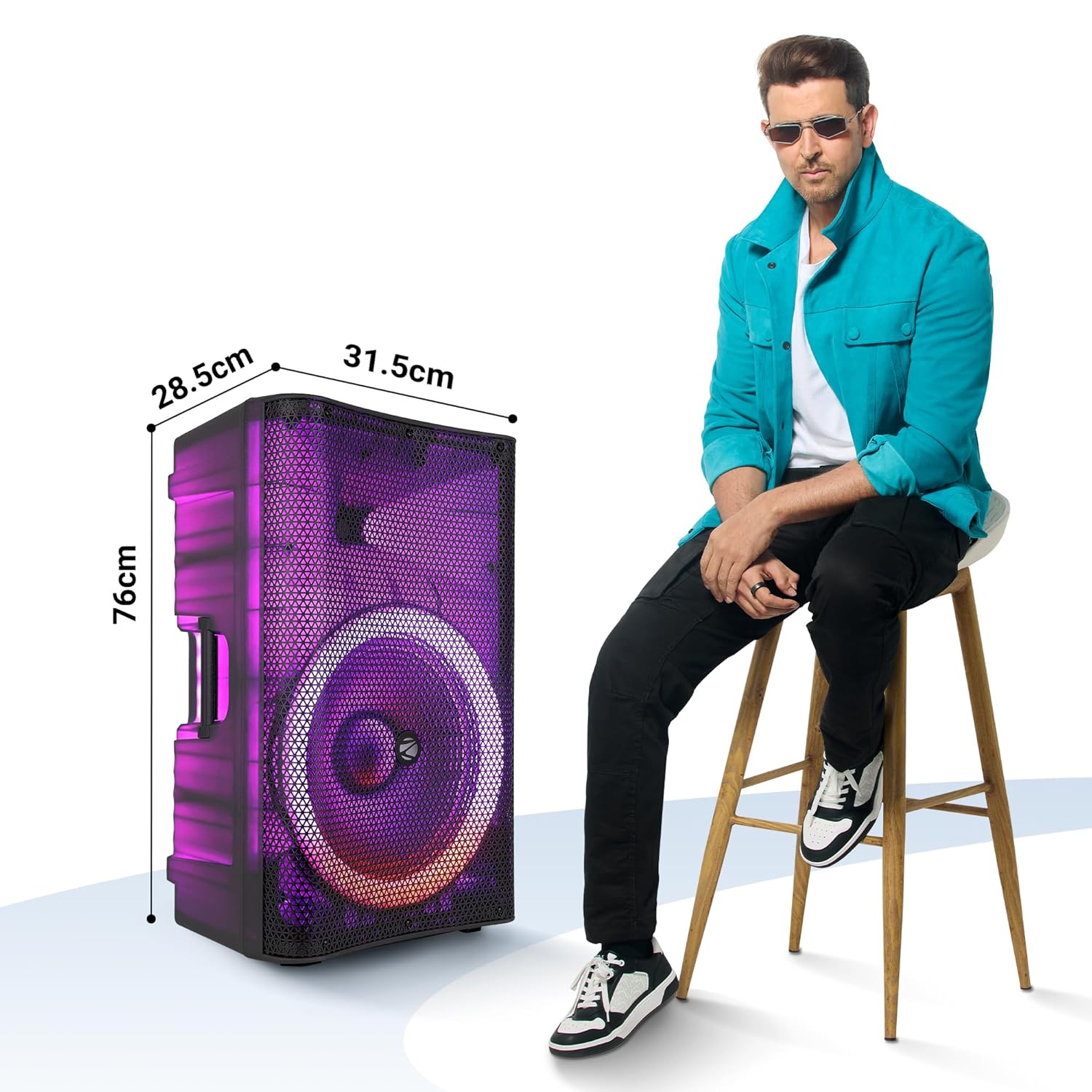
Image: The ZEB-GLOW BOX 15A speaker with its key dimensions indicated, shown next to a person for size comparison.
12. Safety Information
- Do not expose the speaker to rain or moisture.
- Do not open the speaker casing; refer servicing to qualified personnel.
- Avoid placing the speaker near heat sources or in direct sunlight.
- Ensure proper ventilation to prevent overheating.
- Keep out of reach of children.
13. Warranty and Support
For warranty information, technical support, or service inquiries, please refer to the warranty card included with your product or visit the official ZEBRONICS website. Keep your purchase receipt as proof of purchase.
Manufacturer: Zebronics India Private Limited


