
Microwear S10 Pro+
Microwear S10 Pro+ Smartwatch User Manual
Model: S10 Pro+ (Sw298)
1. Introduction
Welcome to the Microwear S10 Pro+ Smartwatch user manual. This guide provides comprehensive instructions to help you set up, operate, and maintain your new smartwatch. The Microwear S10 Pro+ is a versatile device designed for both men and women, featuring advanced connectivity options like NFC and GPS, and smart integrations such as ChatGPT.
Please read this manual carefully before using your device to ensure proper functionality and to avoid any damage.
2. Important Safety Information & Water Resistance
WARNING: The Microwear S10 Pro+ Smartwatch is NOT waterproof. It is designed with an IP68 rating, which means it is resistant to water splashes, light rain, sweat, and dust. However, it is NOT recommended for submersion in water, diving, saunas, heated pools, or sea bathing.
- Do not expose the smartwatch to hot/warm water or saltwater.
- Do not wear the smartwatch while showering, swimming in the sea, or in pools.
- The IP68 rating signifies resistance to splashes, light rain, sweat, and dust only.
- Warranty will be VOID if the smartwatch is damaged due to water submersion.
- Claims related to water damage will not be eligible for a refund.
To ensure the longevity of your device, please adhere strictly to these water resistance guidelines.
3. Package Contents
Upon opening your Microwear S10 Pro+ Smartwatch package, please verify that all the following items are included:
- Microwear S10 Pro+ Smartwatch (Black)
- 1x Silicone Strap
- 1x Metal (Milanese) Strap
- 1x Protective Film (pre-applied)
- 1x Protective Case
- 1x Original Induction Charging Cable
- 1x User Manual (this document)

Image: The Microwear S10 Pro+ Smartwatch in black, accompanied by its induction charging cable, protective case, and two types of straps (silicone and Milanese metal).
4. Setup
4.1 Initial Charging
Before first use, fully charge your Microwear S10 Pro+ Smartwatch. The battery capacity is 350 mAh, and a full charge typically takes about 2 hours.
- Connect the original induction charging cable to a standard USB power adapter (not included).
- Place the back of your smartwatch onto the charging pad. The watch will magnetically align and begin charging.
- The screen will indicate charging status. Once fully charged, the indicator will change.
IMPORTANT: Do NOT use "turbo" or fast chargers, as this can damage the device and void the warranty. Use only standard 5V/1A USB chargers.

Image: A visual warning indicating that "turbo" chargers should not be used with the smartwatch, as they can cause damage.
4.2 App Installation and Pairing
The Microwear S10 Pro+ Smartwatch uses the MActive Pro application for full functionality and synchronization with your smartphone. It is compatible with both Android and iOS systems.
- Download the "MActive Pro" app from your smartphone's app store (Google Play Store for Android or Apple App Store for iOS).
- Ensure Bluetooth is enabled on your smartphone.
- Open the MActive Pro app and follow the on-screen instructions to create an account or log in.
- In the app, navigate to the device pairing section (usually indicated by a "+" icon or "Add Device").
- Select "Microwear S10 Pro+" from the list of available devices. Confirm the pairing request on both your phone and the smartwatch.
- Once paired, the app will synchronize data and allow you to customize settings, receive notifications, and track activities.
5. Operating Your Smartwatch
The Microwear S10 Pro+ runs on the new Micro OS 10, offering a smooth and intuitive user experience with a 2.08-inch OLED multi-touch display.
5.1 Basic Navigation
- Touch Screen: Swipe left, right, up, or down to navigate through menus and screens. Tap to select items.
- Side Button/Crown: Press to return to the home screen or access the app menu. Rotate to scroll through lists or zoom in/out.
- Dynamic Island: The smartwatch features a "Dynamic Island" display that shows active functions and notifications at the top of the screen.

Image: Details of the smartwatch screen, highlighting its 2.08-inch size, 346 PPI density, 468x548px resolution, and 64-bit color display for optimal saturation.
5.2 Calls and Notifications
Once paired with your smartphone, the S10 Pro+ allows you to receive notifications and manage calls directly from your wrist.
- Receiving Notifications: Social media alerts (WhatsApp, Facebook, Instagram, Email) and other app notifications will appear on your watch screen.
- Making/Receiving Calls: The smartwatch supports Bluetooth calls, allowing you to answer or dial directly from the watch using its dual speakers.

Image: The smartwatch screen showing incoming social media notifications, synchronized with a smartphone.
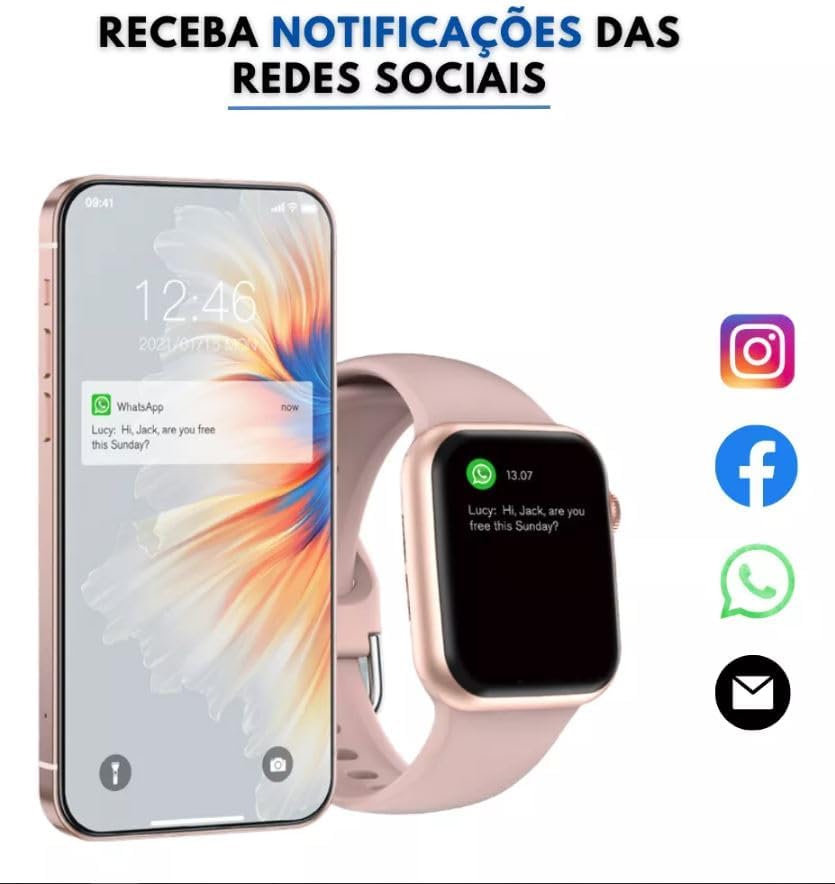
Image: The smartwatch displaying call logs and options to answer or make calls via Bluetooth, showcasing its communication capabilities.
5.3 Advanced Features
- ChatGPT Integration: Access intelligent assistance and quick responses directly from your wrist.
- NFC: Utilize NFC for various functions (specific uses may depend on regional support and app integration).
- GPS: Precise location tracking for outdoor activities.
- Activity Tracking: Features include a pedometer, custom activity tracking, and various sports modes (running, walking, climbing, cycling, table tennis, badminton, basketball, rope skipping, football, yoga).
- Utility Tools: Decibel meter, Honeycomb menu, Password lock, High-precision compass, Voice assistant, Strap lock, Timer, Stopwatch, Alarm, Camera remote, Find phone, Calculator.

Image: The smartwatch displaying various sports modes available for tracking workouts, including running, walking, climbing, cycling, and more.

Image: An illustration of the smartwatch's internal processor (A10 chip), highlighting its powerful performance, extended battery life (5-10 days watch mode, 2-3 days call mode), and improved touch sensitivity.
6. Maintenance
6.1 Cleaning Your Smartwatch
To keep your Microwear S10 Pro+ in optimal condition, regular cleaning is recommended.
- Wipe the screen and body of the watch with a soft, lint-free cloth.
- For stubborn smudges, slightly dampen the cloth with water (do not use harsh chemicals or abrasive materials).
- Ensure the watch is completely dry before charging or wearing.
- Clean the charging contacts periodically to ensure efficient charging.
6.2 Battery Care
- Charge the device fully before it completely drains to prolong battery life.
- Avoid exposing the smartwatch to extreme temperatures (very hot or very cold), as this can affect battery performance.
- As mentioned in the setup section, always use the original induction charging cable and a standard 5V/1A USB power adapter.
7. Troubleshooting
If you encounter issues with your Microwear S10 Pro+, refer to the common solutions below:
| Problem | Possible Solution |
|---|---|
| Smartwatch won't turn on. | Ensure the battery is charged. Connect to the charger for at least 30 minutes. If still unresponsive, perform a hard reset (refer to device-specific instructions if available, or hold power button for 10-15 seconds). |
| Cannot pair with smartphone. |
|
| Notifications not appearing. |
|
| Battery drains quickly. |
|
| Touch screen unresponsive. | Restart the smartwatch. Ensure the screen is clean and dry. If a screen protector is applied, ensure it is correctly installed and not interfering. |
If the problem persists after trying these solutions, please contact customer support.
8. Specifications
| Feature | Detail |
|---|---|
| Brand | Microwear |
| Model Name | S10 PRO (Sw298) |
| Operating System | Micro OS 10 |
| Display Type | OLED |
| Screen Size | 2.08 inches (47.5 mm) |
| Resolution | 468*548px (346 PPI) |
| Memory Storage Capacity | 1 GB |
| Battery Capacity | 350 Milliamp Hours (Lithium Polymer) |
| Average Battery Life | 5 Days |
| Charging Time | 2 Hours |
| Connectivity Technology | Bluetooth, GPS, NFC |
| Special Features | Custom activity tracking, ChatGPT, Gesture control, GPS, NFC, Decibel meter, Honeycomb menu, Dual speakers, Password lock, High-precision compass, Pedometer, Voice assistant, Strap lock, Timer, Stopwatch, Alarm, Camera remote, Find phone, Calculator. |
| Compatible Devices | Smartphones (Android & iOS) |
| Product Weight | 400 g |
| Package Dimensions | 23.9 x 7.6 x 3.2 cm |
9. Warranty and Support
Your Microwear S10 Pro+ Smartwatch comes with the following warranty:
- Manufacturer Warranty: 1 Year
- Store Warranty: 30 Days
Note: As stated in the Safety Information section, damage caused by water submersion is NOT covered under warranty.
For technical support, warranty claims, or further assistance, please contact the seller or manufacturer through the platform where you purchased the product.
Ask a question about this manual
Ask about setup, troubleshooting, compatibility, parts, safety, or missing instructions. Manuals+ will review the question and use this page’s manual context to help answer it.