
Genérico KA-8673
Genérico KA-8673 Portable Bluetooth Speaker User Manual
Model: KA-8673
1. Introduction
This manual provides detailed instructions for the safe and efficient operation of your Genérico KA-8673 Portable Bluetooth Speaker. Please read this manual thoroughly before using the product and retain it for future reference.
2. Product Overview
2.1 Key Features
- IPX6 Water and Dust Resistance: Designed for outdoor use, resistant to water splashes and dust.
- 85dB Audio Output: Provides clear and powerful sound.
- RGB LED Lighting: Integrated lighting that can sync with music.
- TWS Function: Allows connection of two speakers for stereo sound.
- Versatile Connectivity: Supports USB-C, 3.5mm (P2) auxiliary, USB-A, and TF card inputs.
- Portable Design: Lightweight and ergonomic for easy transport.
- Durable Battery: 1200mAh battery for extended playtime.
2.2 Package Contents
- Genérico KA-8673 Portable Bluetooth Speaker
- USB-C Charging Cable
- Auxiliary Audio Cable (3.5mm)
- User Manual
2.3 Speaker Components
Refer to the image below for an illustration of the speaker's components and controls.

Image: Side view of the Genérico KA-8673 speaker, highlighting the USB-C, USB-A, 3.5mm auxiliary, and TF card ports. This image illustrates the various connectivity options available on the device.
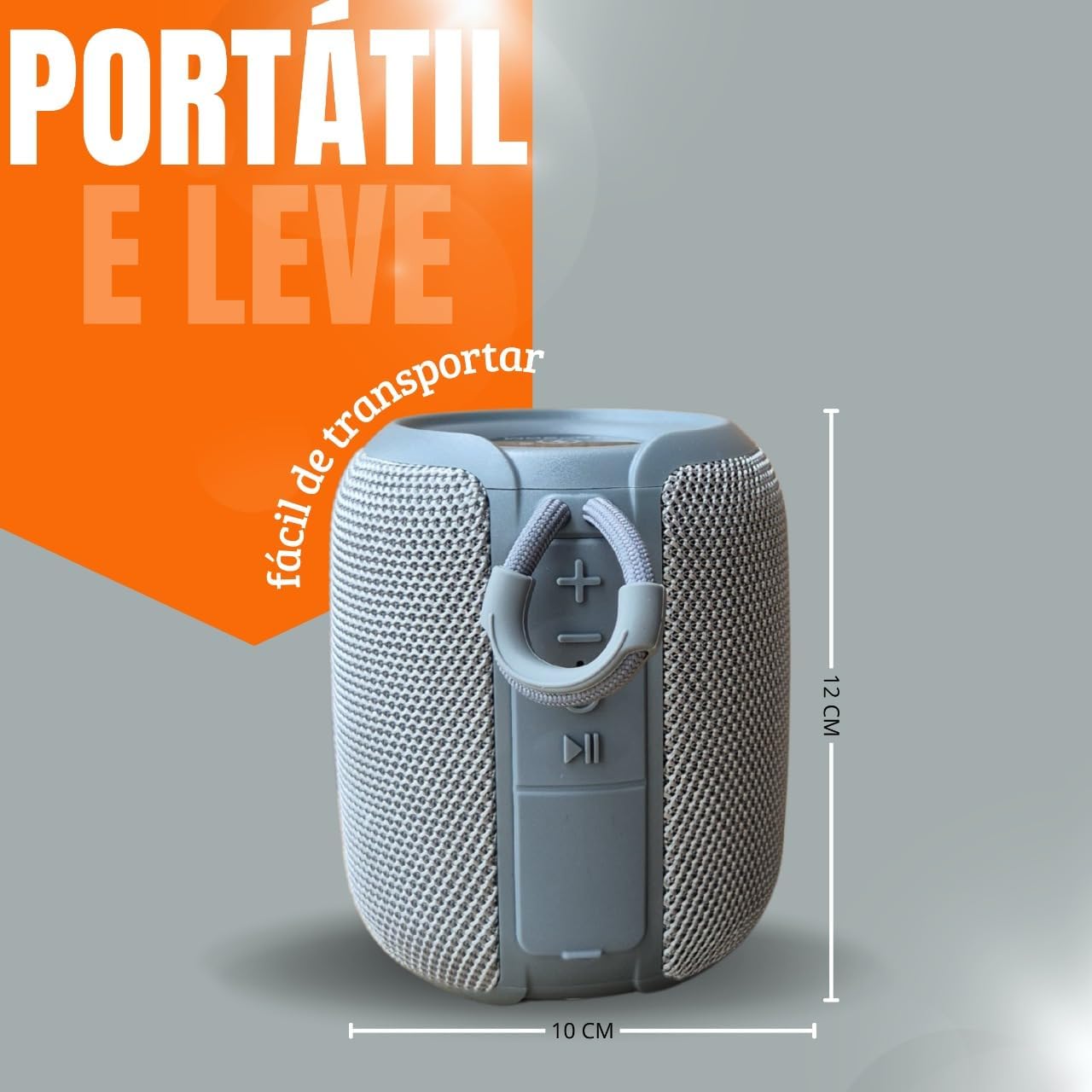
Image: Side view of the Genérico KA-8673 speaker, showing the control buttons (volume up/next track, volume down/previous track, play/pause) and the integrated carry strap. Dimensions are indicated as approximately 12 cm height and 10 cm width.
3. Setup
3.1 Charging the Speaker
- Connect the provided USB-C charging cable to the speaker's USB-C port.
- Connect the other end of the cable to a USB power adapter (not included) or a computer's USB port.
- The LED indicator will illuminate during charging and turn off or change color when fully charged.
- A full charge typically takes 2-3 hours.
Note: For optimal battery life, fully charge the speaker before first use.
4. Operating Instructions
4.1 Power On/Off
- To power on, press and hold the Power button for approximately 3 seconds.
- To power off, press and hold the Power button for approximately 3 seconds.
4.2 Bluetooth Pairing
- Ensure the speaker is powered on and in Bluetooth pairing mode (indicated by a flashing LED).
- On your device (smartphone, tablet, computer), enable Bluetooth and search for available devices.
- Select "KA-8673" from the list of devices.
- Once paired, the LED indicator will stop flashing and remain solid.
4.3 True Wireless Stereo (TWS) Function
The TWS function allows you to connect two KA-8673 speakers for a stereo audio experience.
- Ensure both speakers are powered on and not connected to any Bluetooth device.
- On one speaker (this will be the primary speaker), double-press the TWS button (often the Play/Pause button or a dedicated TWS button).
- The primary speaker will search for the secondary speaker. Once connected, you will hear an audible confirmation.
- Now, connect your device to the primary speaker via Bluetooth as described in section 4.2.
- Audio will now play in stereo through both speakers.
4.4 RGB LED Lighting Control
The speaker features integrated RGB LED lighting. Specific controls for changing light modes or turning them off may vary. Typically, a short press of a dedicated light button or the Play/Pause button can cycle through modes.
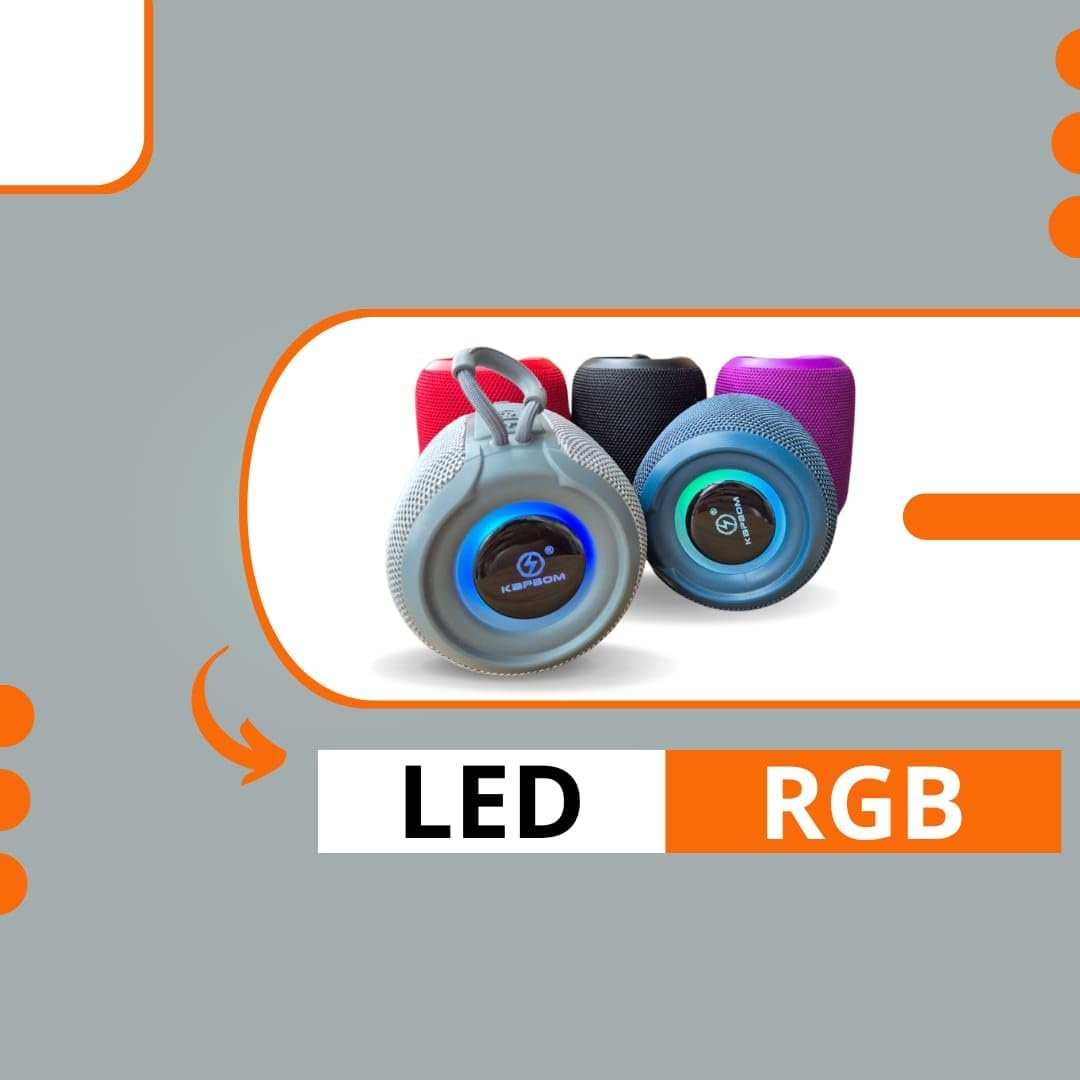
Image: Several Genérico KA-8673 speakers in different colors, each displaying illuminated RGB LED rings around the base. This illustrates the visual effect of the LED lighting feature.
4.5 Audio Playback
- Bluetooth Mode: Once paired, play audio from your connected device. Use the speaker's Play/Pause button to control playback. Use the Volume Up/Down buttons for volume adjustment.
- Auxiliary (P2) Mode: Connect an audio source using the 3.5mm auxiliary cable to the speaker's P2 port. The speaker will automatically switch to auxiliary mode.
- USB-A Playback: Insert a USB flash drive containing audio files into the USB-A port. The speaker will automatically detect and play audio files.
- TF Card Playback: Insert a TF (microSD) card containing audio files into the TF card slot. The speaker will automatically detect and play audio files.
5. Maintenance
- Cleaning: Wipe the speaker with a soft, damp cloth. Do not use abrasive cleaners or solvents.
- Storage: Store the speaker in a cool, dry place away from direct sunlight and extreme temperatures.
- Battery Care: To prolong battery life, avoid fully discharging the battery frequently. Recharge the speaker regularly, even if not in use for extended periods.
- Water Resistance: While IPX6 rated, avoid submerging the speaker in water. Ensure port covers are securely closed when exposed to water or dust.
6. Troubleshooting
| Problem | Possible Cause | Solution |
|---|---|---|
| Speaker does not power on. | Low battery. | Charge the speaker for at least 30 minutes. |
| Cannot pair via Bluetooth. | Speaker not in pairing mode; device Bluetooth off; too far from speaker. | Ensure speaker is in pairing mode. Turn device Bluetooth on/off. Move device closer to speaker. |
| No sound. | Volume too low; incorrect input mode; device not playing. | Increase speaker and device volume. Check input mode (Bluetooth, Aux, USB, TF). Ensure audio is playing on the source device. |
| TWS pairing fails. | Speakers too far apart; one speaker already paired to a device. | Ensure speakers are close to each other. Disconnect any Bluetooth devices from both speakers before initiating TWS pairing. |
7. Specifications
| Feature | Detail |
|---|---|
| Model Name | KA-8673 |
| Brand | Genérico |
| Connectivity Technology | Bluetooth, Auxiliary (3.5mm), USB-A, TF Card |
| Audio Output Mode | Stereo (with TWS) |
| Speaker Type | Portable Speaker |
| Special Features | IPX6 Water/Dust Resistant, RGB LED, TWS Function |
| Compatible Devices | Desktop, Laptop, Tablet, Television, Smartphones |
| Battery Capacity | 1200mAh |
| Battery Life | 2-3 hours (approximate, varies with usage) |
| Material | Plastic, Mesh Fabric |
| Audio Output | 85dB |
8. Warranty and Support
This product comes with a standard manufacturer's warranty. Please refer to the warranty card included in your package for specific terms and conditions. For technical support or warranty claims, please contact your retailer or the manufacturer's customer service department.
Keep your proof of purchase for warranty validation.
Ask a question about this manual
Ask about setup, troubleshooting, compatibility, parts, safety, or missing instructions. Manuals+ will review the question and use this page’s manual context to help answer it.