
1. Introduction
This manual provides detailed instructions for the safe and effective use of your PARD Merlin ME-35/940 Night Vision Binoculars. Please read this manual thoroughly before operating the device to ensure optimal performance and longevity. Keep this manual for future reference.
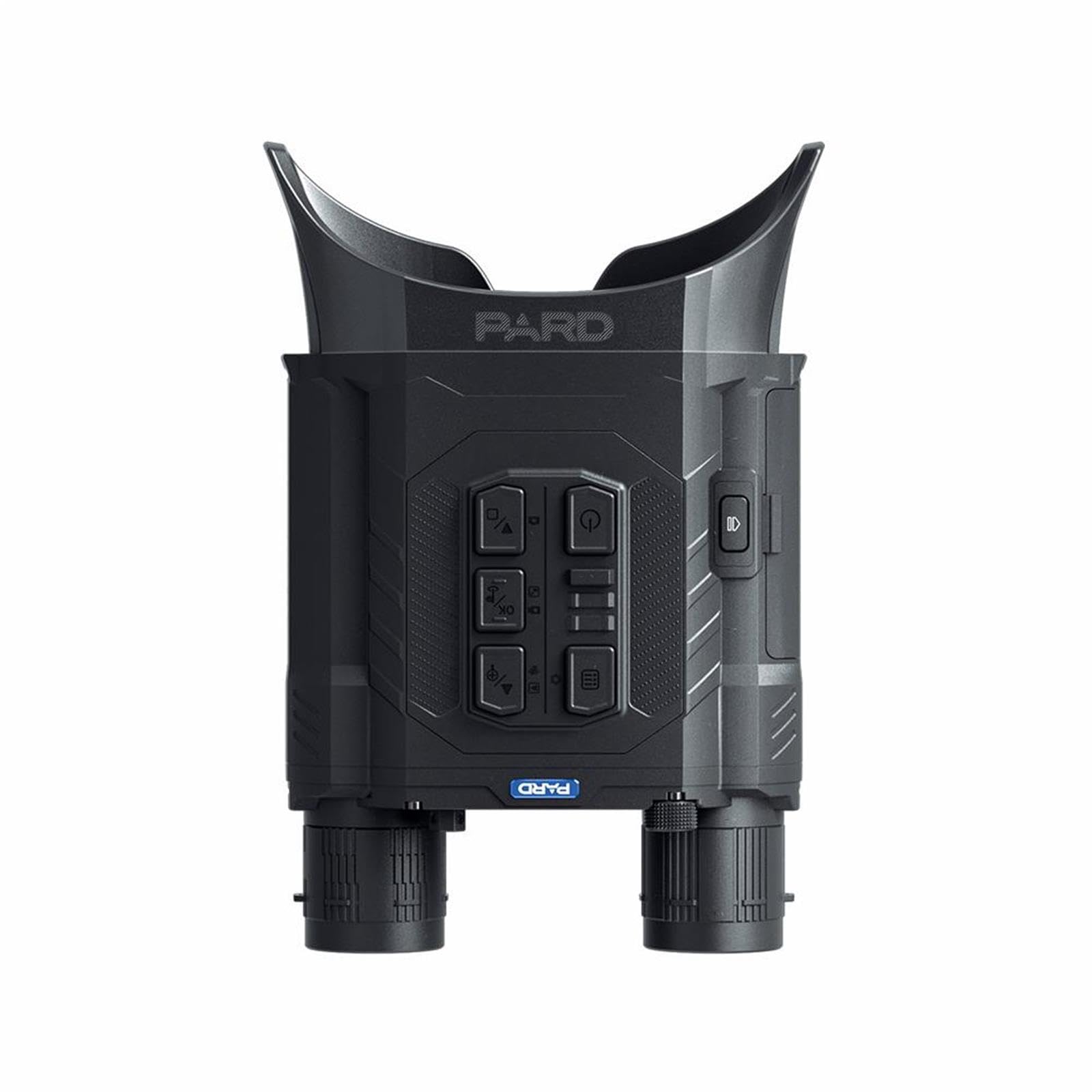
Image 1.1: PARD Merlin ME-35/940 Night Vision Binoculars, front view.
2. Product Features
The PARD Merlin ME-35/940 Night Vision Binoculars are designed with advanced features for enhanced observation capabilities in various conditions.
- Day and Night Operation: Equipped with a powerful built-in IR illuminator for total darkness. Offers two IR wavelength options: 850nm for brighter, longer-range illumination, and 940nm for undetectable use by animals.
- 1920*1080 CMOS Sensor and Full Coverage Eye Mask: Features a 1080P CMOS sensor for improved image precision and effective target acquisition. A soft, full-coverage silicone eye mask blocks external light for an immersive viewing experience.
- Adjustable Interpupillary Distance and Compact Design: Allows adjustment of interpupillary distance to suit individual users. Its compact and lightweight design (441.6g) ensures comfortable use and easy portability.
- IP67 Rating, WiFi Connectivity, and Video Recording: IP67 waterproof rating ensures reliable performance in harsh weather. Built-in WiFi enables connection to a smartphone for external viewing and instant image/video transfer. Capture photos and videos of your observations.
- Picture-in-Picture and HDMI Output: Displays a 2x magnified central area at the top of the screen for quick target identification. An HDMI interface provides high-quality audio and video transmission.

Image 2.1: Overview of key features including IP67, WiFi, and HDMI output.

Image 2.2: High-sensitivity 1920x1080 CMOS sensor for enhanced image quality.
3. Setup
3.1 Battery Installation
The device requires 1 Lithium Ion battery, which is included. Locate the battery compartment, insert the battery according to the polarity indicators, and securely close the compartment.
3.2 Initial Power-On
Press and hold the power button (refer to section 4.1 for button layout) to turn on the device. The display will illuminate.
3.3 Adjusting Interpupillary Distance
To ensure comfortable viewing and a clear image, adjust the interpupillary distance. Rotate the ring on the back of the device until the two images merge into a single, clear field of view.

Image 3.1: Adjusting the interpupillary distance for optimal viewing comfort.
3.4 Focus Adjustment
The device features individual manual focus. Rotate the focus rings on each eyepiece until the image appears sharp and clear for both eyes.
4. Operating Instructions
4.1 Button Functions
The device features large, easy-to-operate buttons for intuitive control, even in low-light conditions or when wearing gloves.

Image 4.1: Control button layout for easy operation.
4.2 Power On/Off and Standby Mode
- Power On: Press and hold the power button until the display activates.
- Power Off: Press and hold the power button until the device shuts down.
- Standby Mode: A single press of the power button will put the device into standby mode, conserving battery power. Press again to resume operation.
4.3 IR Illuminator Usage
The built-in IR illuminator provides visibility in complete darkness. It offers 3 levels of infrared intensity and two wavelength options:
- 850nm: Provides brighter and longer-range illumination.
- 940nm: Less visible to animals, ideal for remaining undetected.
Use the dedicated IR button to cycle through intensity levels and switch between 850nm and 940nm modes as needed.
4.4 Day/Night Mode Switching
The device automatically or manually switches between day (color) and night (monochrome) modes. Refer to the on-screen display for the current mode indicator.
4.5 Recording Videos and Taking Photos
Use the designated record/capture buttons to record video footage or take still photographs. Ensure a compatible memory card is inserted (if applicable, check specifications for storage details).

Image 4.2: Example of night vision view with animals in the field.
4.6 WiFi Connection and App Usage
Activate the WiFi function on the device and connect to it using your smartphone. Download the official PARD app to use your phone as an external viewfinder, transfer media, and adjust settings.
4.7 Picture-in-Picture (PiP) Function
Enable the PiP function to display a 2x magnified view of the central area of your observation on the screen, allowing for quick and precise target identification without losing the wider field of view.
4.8 HDMI Output
Connect the device to an external display using an HDMI cable to view live footage or recorded media in high quality.
5. Maintenance
5.1 Cleaning Lenses
The lenses feature anti-scratch, UV protection, and anti-reflective coatings. Use a soft, lint-free cloth specifically designed for optics to gently wipe the lenses. Avoid abrasive materials or harsh chemicals that could damage the coatings.
5.2 Battery Care
- Charge the Lithium Ion battery fully before first use.
- Do not expose the battery to extreme temperatures.
- Remove the battery if the device will not be used for an extended period.
5.3 Storage
Store the binoculars in a cool, dry place, away from direct sunlight and moisture. Use the provided protective case (if included) to prevent dust and physical damage.
5.4 Water Resistance (IP67)
The device is IP67 rated, meaning it is protected from dust and can withstand immersion in water up to 1 meter for 30 minutes. However, avoid intentional submersion and ensure all covers and ports are securely closed before exposure to water.
6. Troubleshooting
| Problem | Possible Cause | Solution |
|---|---|---|
| Device does not power on. | Battery is depleted or incorrectly installed. | Charge the battery. Ensure the battery is inserted with correct polarity. |
| IR illuminator is not working. | IR function is off or faulty. | Ensure IR is activated and cycle through intensity levels. If problem persists, contact support. |
| Image is blurry. | Focus is not adjusted correctly. | Adjust the individual focus rings on the eyepieces. |
| Cannot connect to WiFi. | WiFi is not enabled on the device or phone. | Ensure WiFi is enabled on both the binoculars and your smartphone. Check app permissions. |
7. Specifications
| Feature | Detail |
|---|---|
| Brand | Pard |
| Model Name | Merlin ME-35/940 |
| Product Model Number | ME-35/940 |
| Batteries | 1 Lithium Ion (included) |
| Product Dimensions (L x W x H) | 22 x 13.7 x 5.8 cm |
| Product Weight | 441.6 Grams |
| Country of Origin | China |
| Objective Lens Diameter | 35 Millimeters |
| Maximum Magnification | 6.4x |
| Digital Magnification (Digital Zoom) | 6.4x |
| Specific Product Uses | Hunting, Bird Watching, Hiking & Outdoors, Surveillance |
| Color | Black |
| Material | Plastic |
| Binocular Prism Description | Porro Prism |
| Relative Brightness | 5.47 |
| Exit Pupil Diameter | 5.47 Millimeters |
| Lens Coating | Anti-scratch, UV Protection, Anti-reflective |
| Water Resistance Level | Waterproof (IP67) |
| Focus Type | Individual Focus |
| Diopter Adjustment Range | ± 5 diopters |
| Field of View | 70 Degrees |
| Focus Description | Manual |
| Night Vision | Yes |
| Special Feature | Portable |
| Box Contents | Lens (Note: Actual contents may vary, typically includes device, battery, charging cable, and case) |

Image 7.1: Compact design with dimensions (220*137*58mm) and weight (510g).
8. Warranty and Support
8.1 Product Warranty
The PARD Merlin ME-35/940 Night Vision Binoculars come with a 2-year product warranty covering manufacturing defects. Please retain your proof of purchase for warranty claims.
8.2 Customer Support
For technical assistance, troubleshooting beyond this manual, or warranty inquiries, please contact PARD customer support. Contact details can typically be found on the official PARD website or through your retailer.

