
PSIER S18
PSIER S18 Bone Conduction Headphones User Manual
Model: S18
1. Introduction
Thank you for choosing PSIER S18 Bone Conduction Headphones. These headphones are designed to provide a unique audio experience with an open-ear design, allowing you to stay aware of your surroundings while enjoying music. Featuring IPX8 waterproofing, Bluetooth 5.4 connectivity, and an integrated 32GB MP3 player, the S18 is suitable for various activities, including swimming, running, and daily use.

Image: PSIER S18 Bone Conduction Headphones demonstrating their waterproof design, suitable for use in water.
2. Package Contents
Verify that all items are present in the package:
- PSIER S18 Bone Conduction Headphones
- Magnetic Charging Cable
- Adjustable Rope
- Earplugs
- User Manual

Image: The complete package contents of the PSIER S18 headphones, showing the headphones, charging cable, adjustable strap, and earplugs.
3. Getting Started
3.1. Charging the Headphones
Before first use, fully charge the headphones. Use the provided magnetic charging cable.
- Connect the magnetic end of the charging cable to the charging port on the headphones.
- Connect the USB end of the cable to a USB power adapter (not included) or a computer's USB port.
- The indicator light will show charging status. A full charge typically takes approximately 2 hours.

Image: Illustration of the magnetic charging connection for the PSIER S18 headphones, highlighting the charging port and cable.
3.2. Power On/Off
- Power On: Press and hold the Power button for 3 seconds. The indicator light will flash.
- Power Off: Press and hold the Power button for 5 seconds. The indicator light will turn off.
3.3. Wearing the Headphones
Proper placement ensures optimal sound and comfort.
- Gently pull the headphones open with your hands to widen the neckband.
- Position the ear hooks over your ears, ensuring the transducers rest on your cheekbones, just in front of your ears.
- Adjust the fit using the included adjustable rope if needed, to ensure stability during activity.

Image: Step-by-step guide on how to properly wear the headphones, including adjusting for a secure fit.
4. Operating Modes
The PSIER S18 headphones support both Bluetooth and MP3 modes.
4.1. Bluetooth Mode
Bluetooth mode allows wireless connection to your smartphone or other Bluetooth-enabled devices.
- Ensure the headphones are powered on. They will automatically enter pairing mode if not connected to a previously paired device.
- On your device, enable Bluetooth and search for "PSIER S18".
- Select "PSIER S18" to connect. A voice prompt will confirm successful pairing.
- The headphones can connect to two devices simultaneously, allowing seamless switching.
4.2. MP3 Mode (Internal Storage)
The headphones feature 32GB of internal storage for music playback without a connected device.

Image: Visual representation of the 32GB internal MP3 storage, indicating capacity for approximately 4,000 songs.
4.2.1. Transferring Music to MP3 Mode
- Connect the headphones to your computer using the magnetic charging cable.
- The headphones will appear as a removable disk drive on your computer.
- Drag and drop your desired MP3 audio files into the headphones' storage folder.
- Safely eject the headphones from your computer before disconnecting the cable.
4.2.2. Switching Between Bluetooth and MP3 Mode
To switch between modes, double-click the Power button. A voice prompt will indicate the current mode.
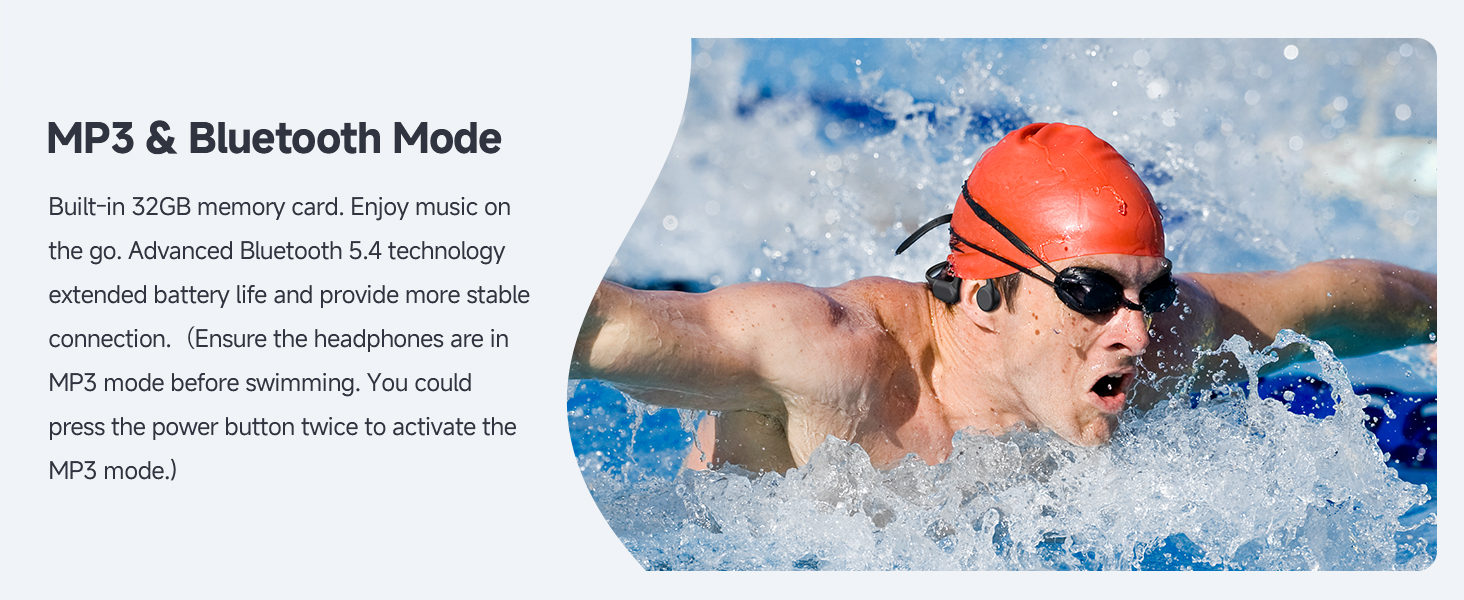
Image: A swimmer using the headphones, emphasizing the importance of MP3 mode for underwater listening due to Bluetooth signal limitations in water.
5. Controls
The headphones feature intuitive buttons for easy operation:

Image: Detailed diagram of the headphone controls, showing button locations and their corresponding functions for music playback and calls.
- Power Button (Multi-function Button):
- Press and hold for 3s: Power On
- Press and hold for 5s: Power Off
- Double-click: Switch between Bluetooth and MP3 Mode
- Click: Play/Pause music, Answer/End call
- Press and hold for 2s (during call): Reject call
- Volume Up (+) / Next Track Button:
- Click: Increase Volume
- Press and hold for 2s: Next Track
- Volume Down (-) / Previous Track Button:
- Click: Decrease Volume
- Press and hold for 2s: Previous Track
6. Water Usage Guidelines
The PSIER S18 headphones are IPX8 waterproof, allowing submersion up to 2 meters for 1 hour.

Image: The headphones fully submerged in water, demonstrating their IPX8 waterproof capability for swimming and other water sports.
- Important: When using the headphones in water (e.g., swimming), ensure they are switched to MP3 Mode. Bluetooth signals do not transmit effectively underwater.
- After use in chlorinated or saltwater, rinse the headphones with fresh water and dry thoroughly before charging.
- The fully sealed coating protects against water ingress.
7. Care and Maintenance
- Cleaning: Wipe the headphones with a soft, damp cloth. Do not use harsh chemicals or abrasive materials. For water use, rinse with fresh water and dry completely.
- Storage: Store the headphones in a cool, dry place away from direct sunlight and extreme temperatures.
- Charging Port: Keep the magnetic charging contacts clean and dry to ensure proper charging.
8. Troubleshooting
| Issue | Possible Solution |
|---|---|
| Headphones do not power on. | Ensure the headphones are fully charged. Press and hold the Power button for 3 seconds. |
| Cannot pair via Bluetooth. | Ensure headphones are in Bluetooth mode. Turn off and on Bluetooth on your device. Move closer to the device. |
| No sound in MP3 mode. | Ensure headphones are in MP3 mode. Check if music files are correctly transferred. Adjust volume. |
| Poor sound quality underwater. | Ensure headphones are in MP3 mode. Bluetooth does not work underwater. Ensure earplugs are used for optimal underwater sound. |
| Cannot transfer music files. | Ensure the magnetic charging cable is securely connected to both the headphones and the computer. Try a different USB port. |
9. Specifications
| Feature | Specification |
|---|---|
| Model Name | S18 |
| Connectivity Technology | Wireless (Bluetooth) |
| Wireless Communication Technology | Bluetooth 5.4 |
| Water Resistance Level | IPX8 (up to 2 meters for 1 hour) |
| Internal Storage | 32GB (MP3 Mode) |
| Battery Life | Up to 8 Hours |
| Charging Time | Approximately 2 Hours |
| Audio Driver Type | Bone Conduction Driver (14mm) |
| Frequency Range | 20Hz - 20,000Hz |
| Item Weight | 7.4 ounces (0.21 Kilograms) |
| Ear Placement | On Ear (Open-Ear Design) |
10. Safety Information
- Do not attempt to disassemble or modify the headphones.
- Avoid exposing the headphones to extreme temperatures or direct flame.
- Keep out of reach of children.
- Do not use the headphones at excessively high volumes for prolonged periods to prevent hearing damage.
- Maintain awareness of your surroundings, especially when using the headphones in traffic or other potentially hazardous environments.
11. Warranty and Support
For warranty information or technical support, please refer to the documentation included with your purchase or visit the official PSIER website. Contact information for customer service is typically available on the product packaging or the brand's online support page.
Related documentsS18


Ask a question about this manual
Ask about setup, troubleshooting, compatibility, parts, safety, or missing instructions. Manuals+ will review the question and use this page’s manual context to help answer it.