
SRJTEK Pixel 6
SRJTEK OLED Screen Replacement Instruction Manual for Google Pixel 6
Models: GB7N6, G9S9B16, G9S9B, GR1YH
1. Product Overview and Package Contents
This manual provides instructions for the installation and use of the SRJTEK OLED screen replacement for the Google Pixel 6. This product is designed to replace defective LCD display touch screen digitizer assemblies, addressing issues such as incorrect screen response, display problems, pixel distortion, cracked screens, and color inaccuracies.
Package Contents:
- 1x LCD Touch Screen Assembly Replacement (OLED Material, with Frame)
- 1x Free Double-sided Adhesive Tape
- 1x Set of Installation Tools
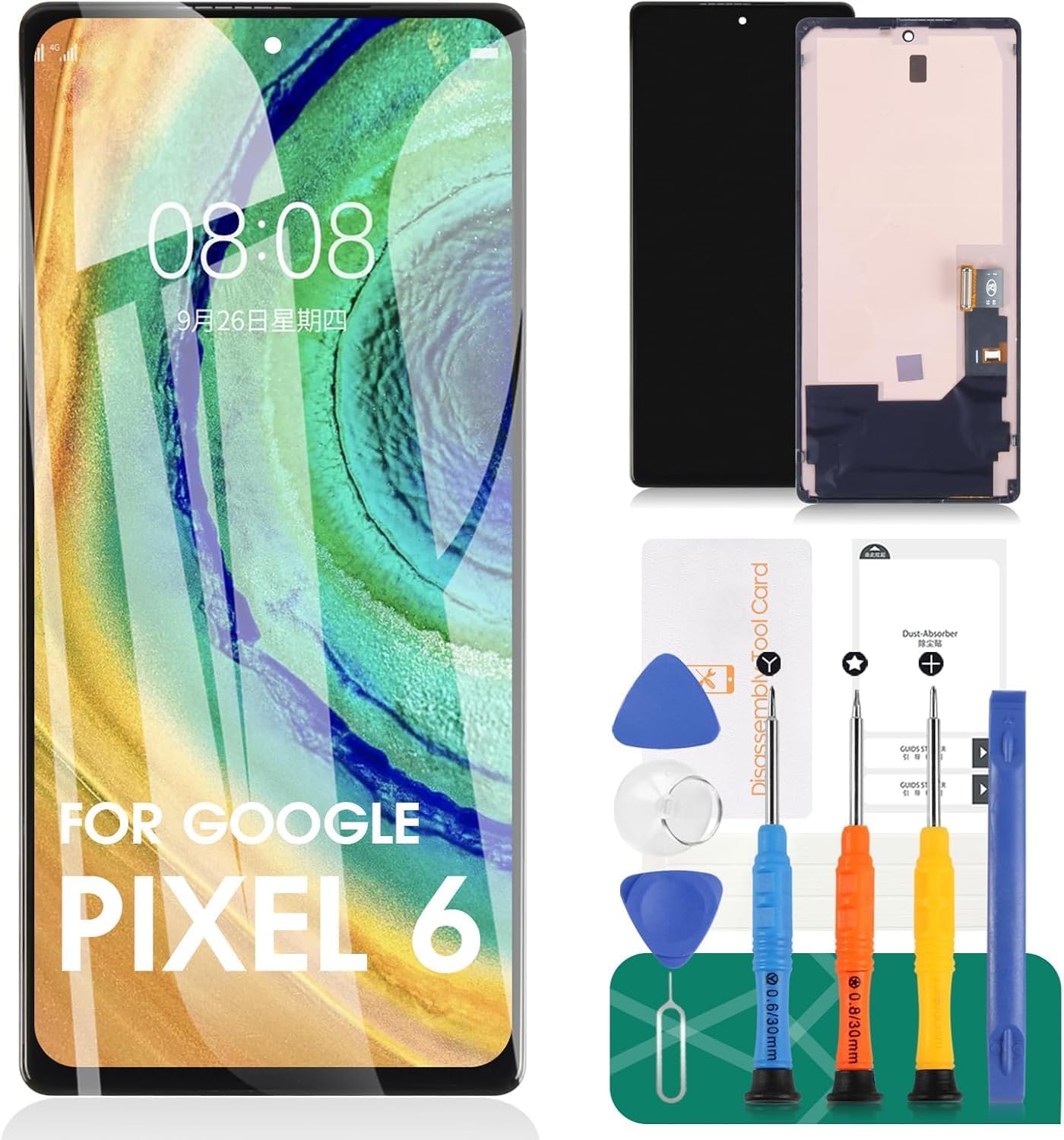
Image 1.1: The SRJTEK OLED screen replacement for Google Pixel 6, shown alongside the included double-sided adhesive tape and a set of professional opening tools for installation.
2. Installation Instructions and Precautions
Careful installation is crucial for proper functionality. Non-professional installation is not recommended. If you lack experience in repairing electronic equipment, consider seeking assistance from a professional repair shop or consult relevant installation videos on platforms like YouTube.
Pre-Installation Steps:
- Inspect and Test: Before proceeding with installation, carefully check the product for any physical damage. It is strongly recommended to test the screen's functionality before removing any protective films or labels. Do not remove these until testing is complete and successful.
- Static Precautions: Be mindful of static electricity during handling and installation, as it can damage electronic components.
- Fingerprint Function: This screen replacement includes fingerprint functionality. However, it requires the installation of the original fingerprint flex cable from your old screen to function correctly.
- Component Transfer: The replacement screen does not include power buttons, volume buttons, or other small components. These must be carefully removed from your original screen and re-installed onto the new assembly.
During Installation:
- Flex Cable Handling: The screen's flex cable is delicate. Ensure it is not bent, especially at angles greater than 90 degrees, as this can lead to a black display.
- Black Screen Issue: If your phone displays a black screen during or after installation, press and hold the power key and volume key simultaneously. If the phone vibrates, it indicates that the main flex cable may not be properly installed. Reinstall the product, ensuring all connections are secure.

Image 2.1: A detailed view of the screen assembly, highlighting the flex cable connector, camera ring, and the integrated ARC frame, which are critical components during installation.
3. Operating and Display Characteristics
Once properly installed, the SRJTEK OLED screen replacement is designed to restore your Google Pixel 6's display functionality with high performance.
Key Features:
- High Sensitivity Touch: The screen features high sensitivity touch functionality, ensuring smooth and responsive interaction.
- Vibrant Display: Expect high color saturation, high resolution, and a wide color gamut for a clear and vivid visual experience.
- Quality Assurance: Each unit undergoes strict quality control testing to ensure no scratches, dead zones, or pixel defects.

Image 3.1: An illustration of the screen's responsive touch functionality, indicating a smooth and accurate user experience.

Image 3.2: A visual comparison highlighting the superior brightness and clarity of the SRJTEK screen ('Ours') compared to other replacement screens ('Others').

Image 3.3: This image demonstrates the display effect comparison, showing consistent visibility and color accuracy from various viewing angles (positive 90 degrees and side 45 degrees) for the SRJTEK screen, indicating good polarization and brightness.
4. Maintenance
To ensure the longevity and optimal performance of your new screen, follow these general maintenance guidelines:
- Cleaning: Use a soft, lint-free cloth, slightly dampened with water or a screen-specific cleaning solution, to gently wipe the screen. Avoid harsh chemicals or abrasive materials.
- Protection: Consider using a screen protector and a protective case for your device to minimize the risk of scratches and impact damage.
- Avoid Extreme Conditions: Protect your device from extreme temperatures, direct sunlight for prolonged periods, and excessive moisture.
- Careful Handling: Avoid dropping your device or subjecting it to strong impacts, as this can damage the screen and internal components.

Image 4.1: This image highlights the upgraded features of the SRJTEK screen, including a smooth feel, 3D Arc edge design, 9H hardness for scratch resistance, HD display effect, and waterproof properties, contributing to its durability and enhanced user experience.
5. Troubleshooting
If you encounter issues after installing your SRJTEK screen replacement, refer to the following troubleshooting steps:
- Black Screen: If the screen remains black after installation, ensure the main flex cable is securely connected. Try pressing and holding the power key and volume key simultaneously. If the phone vibrates, it indicates a potential connection issue with the main flex cable, requiring reinstallation.
- Incorrect Screen Response/Touch Issues: Verify that all flex cables are properly seated and undamaged. Ensure no debris is obstructing the connections. If the issue persists, a factory reset (after backing up data) might resolve software-related touch problems.
- Display Issues (Pixel Distortion, Wrong Colors): Recheck the display flex cable connection. If the issue was present during pre-installation testing, the screen unit itself might be faulty. If it appeared after installation, ensure no pressure points or bends are affecting the display.
- Fingerprint Sensor Not Working: Confirm that the original fingerprint flex cable was correctly transferred and connected to the new screen assembly. The fingerprint function relies on the original component.
- Persistent Problems: If troubleshooting steps do not resolve the issue, it is recommended to contact SRJTEK customer support or consult a professional repair technician.
6. Specifications
| Feature | Detail |
|---|---|
| Material | OLED |
| Compatible Models | Google Pixel 6 (GB7N6, G9S9B16, G9S9B, GR1YH) |
| Screen Size | 6.4 inches |
| Resolution | 1080 x 2400 pixels |
| Package Dimensions | 7.64 x 4.06 x 1.34 inches |
| Item Weight | 4.6 ounces |
| Manufacturer | SRJTEK |
| Date First Available | February 11, 2025 |
7. Warranty and Support
SRJTEK is committed to providing quality products. While specific warranty details are not provided in this manual, if you require assistance or encounter any issues with your SRJTEK OLED screen replacement, please contact SRJTEK customer support. They will provide guidance and support to address your concerns.
For further assistance, please refer to the contact information provided with your purchase or visit the official SRJTEK store page on Amazon.
Ask a question about this manual
Ask about setup, troubleshooting, compatibility, parts, safety, or missing instructions. Manuals+ will review the question and use this page’s manual context to help answer it.