Introduction
Thank you for choosing the Govee Floor Lamp 2 and Wall Sconces. This manual provides essential information for the safe and efficient use of your new smart lighting system. Please read these instructions thoroughly before installation and operation, and retain them for future reference.

Image: The Govee Floor Lamp 2 and Wall Sconces, showcasing the products alongside the Govee Home App interface on a smartphone.
Safety Instructions
- Ensure the power supply voltage matches the product's requirements (100-240V AC, 50/60Hz).
- Do not expose the devices to water or high humidity. For indoor use only.
- Avoid disassembling or modifying the product, as this may void the warranty and pose safety risks.
- Keep out of reach of children.
- Use only the provided power adapter.
- If any damage occurs, discontinue use immediately and contact customer support.
Package Contents
- Govee Floor Lamp 2 (1)
- Govee Wall Sconce (2)
- Power Adapters (3)
- Mounting Hardware (for Wall Sconces)
- User Manual (1)
Setup
1. Floor Lamp Assembly
- Carefully unbox the floor lamp components.
- Connect the lamp sections by twisting them clockwise until secure.
- Attach the base to the bottom section of the lamp.
- Plug the power adapter into the lamp and then into a power outlet.
2. Wall Sconce Installation
- Assemble the two parts of each wall sconce by aligning and connecting them.
- Identify the desired mounting location on your wall. Ensure the surface is clean and dry.
- Use the provided mounting hardware (screws and anchors) to securely attach the support bar to the wall. Note the arrow on the support bar to ensure correct power cord direction.
- Attach the wall sconce to the mounted support bar.
- Connect the power adapter to the wall sconce and then to a power outlet.

Image: Step-by-step guide for assembling and mounting the Govee Wall Sconce, showing connection of parts, support bar alignment, and screw installation.
3. Govee Home App Connection
- Download the Govee Home App from the App Store (iOS) or Google Play Store (Android).
- Register or log in to your Govee account.
- Ensure Bluetooth and Wi-Fi (2.4GHz) are enabled on your smartphone.
- In the app, tap the '+' icon in the top right corner to add a device.
- Search for 'Floor Lamp 2' or 'Wall Sconce' or allow the app to auto-scan for nearby devices.
- Follow the on-screen instructions to complete the pairing process.
Operating Instructions
1. Govee Home App Control
The Govee Home App provides full control over your Floor Lamp 2 and Wall Sconces:
- Power On/Off: Toggle the lights on or off.
- Color Selection: Choose from 16 million colors using the color wheel.
- Brightness Adjustment: Adjust the light intensity from 0% to 100%.
- Color Temperature: Adjust white light from 2700K (warm white) to 6500K (cool white).
- Scene Modes: Select from over 65 preset scene modes for various atmospheres.
- DIY Mode: Customize each of the 12 segments of the wall sconce and floor lamp to create unique lighting effects.
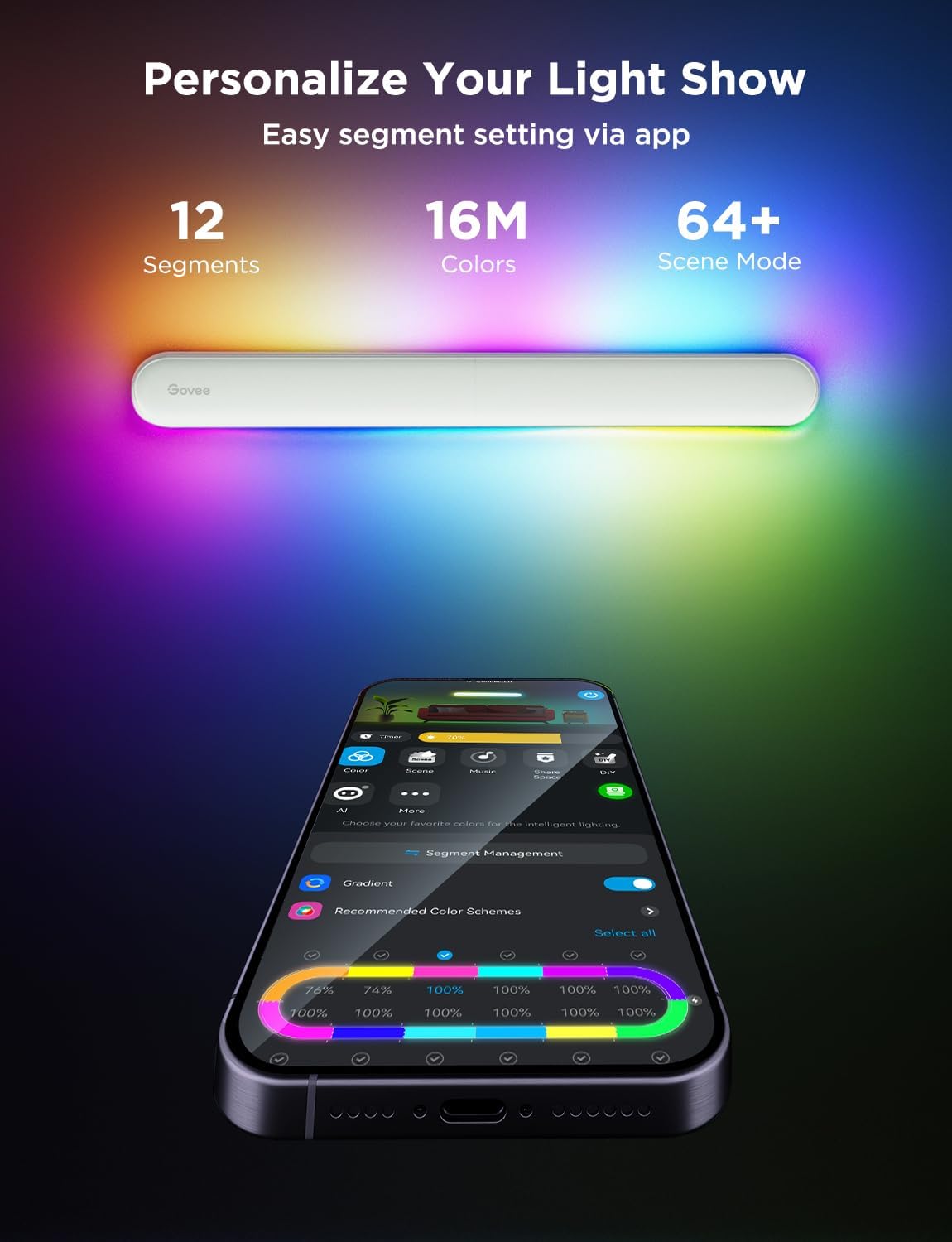
Image: The Govee Home App interface displaying options for customizing individual light segments and selecting recommended color schemes.
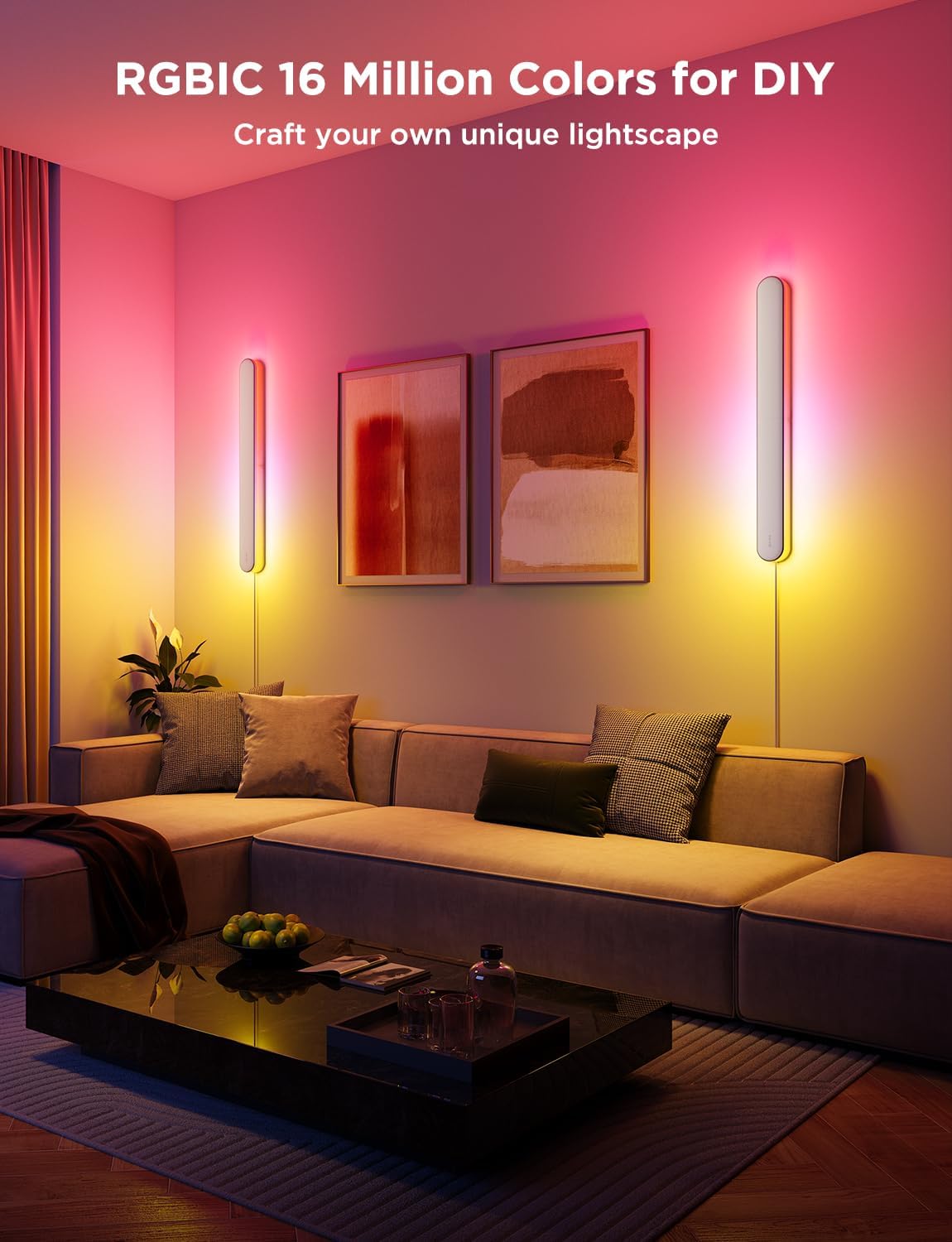
Image: Two Govee Wall Sconces illuminating a living room with vibrant RGBIC colors, demonstrating the customizable lightscape feature.

Image: The Govee Floor Lamp demonstrating various white light color temperatures, including Cool White (6500K), Neutral White (4000K), and Warm White (2200K).
2. Voice Control
The Govee Floor Lamp 2 and Wall Sconces are compatible with Matter, Amazon Alexa, and Google Assistant for hands-free operation.
- Connecting to Voice Assistants: Follow the instructions within the Govee Home App to link your devices to Alexa, Google Assistant, or Matter.
- Voice Commands: Use commands such as:
- "Alexa, turn on the floor lamp."
- "Hey Google, set the wall sconce to blue."
- "Siri, set the floor lamp to 70%." (via Matter)

Image: The Govee Floor Lamp in a living room setting, illustrating its compatibility with Matter, Google Home, and Alexa for hands-free voice control.
3. Schedule Timers
Set custom schedules for your lights to turn on/off, change colors, or adjust brightness at specific times. This feature can be configured through the Govee Home App to align with your daily routine.
4. Dynamic Music Sync
The lights can synchronize with music played in your environment, creating dynamic lighting effects that respond to audio. Activate this feature via the Govee Home App.

Image: A Govee Wall Sconce displaying dynamic lighting effects synchronized with music, illustrating various modes like Light Music, Jazz, Disco, and Bass.
Maintenance
To maintain the performance and appearance of your Govee Floor Lamp 2 and Wall Sconces:
- Cleaning: Wipe the surfaces with a soft, dry cloth. Do not use abrasive cleaners or solvents.
- Storage: If storing the devices for an extended period, unplug them and store in a cool, dry place.
Troubleshooting
| Issue | Possible Cause | Solution |
|---|---|---|
| Device does not power on. | Power adapter not connected, power outlet not working, device malfunction. | Check power connections. Test outlet with another device. Contact support if issue persists. |
| Cannot connect to Govee Home App. | Bluetooth/Wi-Fi off, incorrect Wi-Fi band (not 2.4GHz), device too far from router, app error. | Ensure Bluetooth and 2.4GHz Wi-Fi are active. Move device closer to router. Restart app and device. |
| Voice control not working. | Not linked to voice assistant, incorrect commands, internet connectivity issues. | Verify linking in Govee Home App and voice assistant app. Use correct commands. Check internet connection. |
| Lights flicker or behave erratically. | Loose connection, power fluctuations, software glitch. | Check all physical connections. Restart the device. Update firmware via Govee Home App. |
Specifications
| Feature | Detail |
|---|---|
| Brand | Govee |
| Light Type | LED |
| Special Feature | Dimmable |
| Light Color | RGBICW (16M colors), Warm White, Cool White |
| Color Temperature | 2700K - 6500K |
| Brightness | Up to 1200 Lumens |
| Voltage | 100-240V AC, 50/60Hz |
| Control Method | Govee Home App, Voice (Matter, Alexa, Google Assistant) |
| Connectivity | 2.4GHz Wi-Fi, Bluetooth |
| Indoor/Outdoor Usage | Indoor |
| ASIN | B0DWSP7HCQ |
Warranty and Support
Govee products come with a limited warranty. For detailed warranty information, product support, or to contact customer service, please visit the official Govee website or refer to the warranty card included with your purchase.
Govee Official Website: www.govee.com


