
1. Introduction
Thank you for choosing the CURECURE FDP29-2025V1R3 Portable Air Conditioner. This 3-in-1 unit provides powerful cooling, efficient dehumidification, and effective fan functions, designed for comfort in various indoor environments such as living rooms, bedrooms, small rooms, studies, and offices.
With a 10,000 BTU cooling capacity, it quickly cools rooms up to 250 sq.ft. Key features include an adjustable air flow direction (130° up/down manual swing), a humanized sleep mode for quiet operation (as low as 56 dB), a 24-hour timer, a smart LED touch panel, and a remote control. For safety, a child lock feature is integrated. The unit also includes a drain plug and hose for easy water removal, and a window kit for simple installation in vertical or horizontal sliding windows (24.4"-48").

Image 1: The CURECURE Portable Air Conditioner in a modern living room setting, demonstrating its compact design and cooling capability.
2. Important Safety Information
Please read all instructions carefully before using this appliance. Keep this manual for future reference.
- Ensure the power supply matches the voltage specified on the unit's rating label.
- Do not operate the unit with a damaged cord or plug.
- Always unplug the unit before cleaning or servicing.
- Do not block air inlets or outlets. Maintain at least 30 cm (12 inches) clearance from walls and other objects.
- Do not use the unit in wet areas such as bathrooms or laundries.
- Keep children away from the appliance. The child lock feature helps prevent accidental changes to settings.
- Dispose of the unit properly in accordance with federal and local regulations for flammable refrigerants.
3. Package Contents
Verify that all items listed below are included in your package:
- 1 x CURECURE Portable Air Conditioner Unit
- 1 x Air Exhaust Duct
- 1 x Connector of Air Exhaust Duct
- 1 x Window Exhaust Adapter
- 1 x Remote Control (with 1 Lithium Metal battery included)
- 1 x Baffle Plate (Window Kit)
- 1 x Drainage Hose
- Instruction Manual (this document)
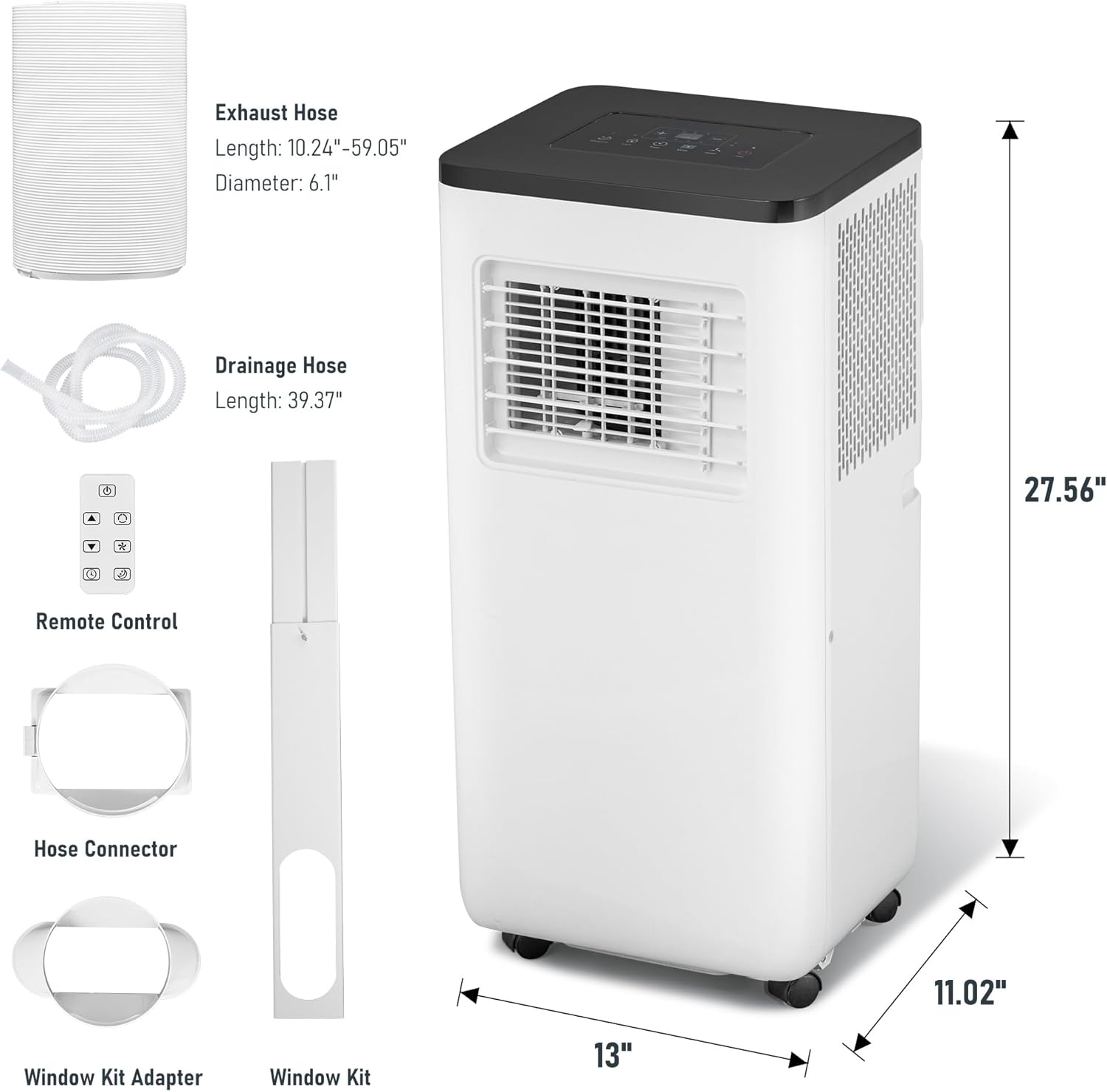
Image 2: Visual representation of the portable air conditioner unit, exhaust hose, drainage hose, remote control, hose connector, and window kit components.
4. Setup Guide
Follow these steps to set up your portable air conditioner:
- Positioning the Unit: Place the air conditioner on a flat, stable surface near a window and a power outlet. Ensure there is at least 30 cm (12 inches) of space around the unit for proper airflow. The unit features four rolling casters for easy movement.
- Attaching the Exhaust Hose: Connect the air exhaust duct to the connector, then attach the connector to the exhaust outlet on the back of the air conditioner unit. Ensure a secure fit to prevent air leakage.
- Window Kit Installation: The included baffle plate (window kit) is designed for vertical or horizontal sliding windows with a size range of 24.4" to 48". Adjust the baffle plate to fit your window opening. Insert the window exhaust adapter into the opening of the baffle plate.
- Connecting to Window: Extend the air exhaust duct and connect it to the window exhaust adapter. Ensure the hose is relatively straight to avoid blocking airflow, which can lead to overheating. Close the window securely against the baffle plate to seal the opening.
- Power Connection: Plug the unit into a standard 115 Volt electrical outlet.
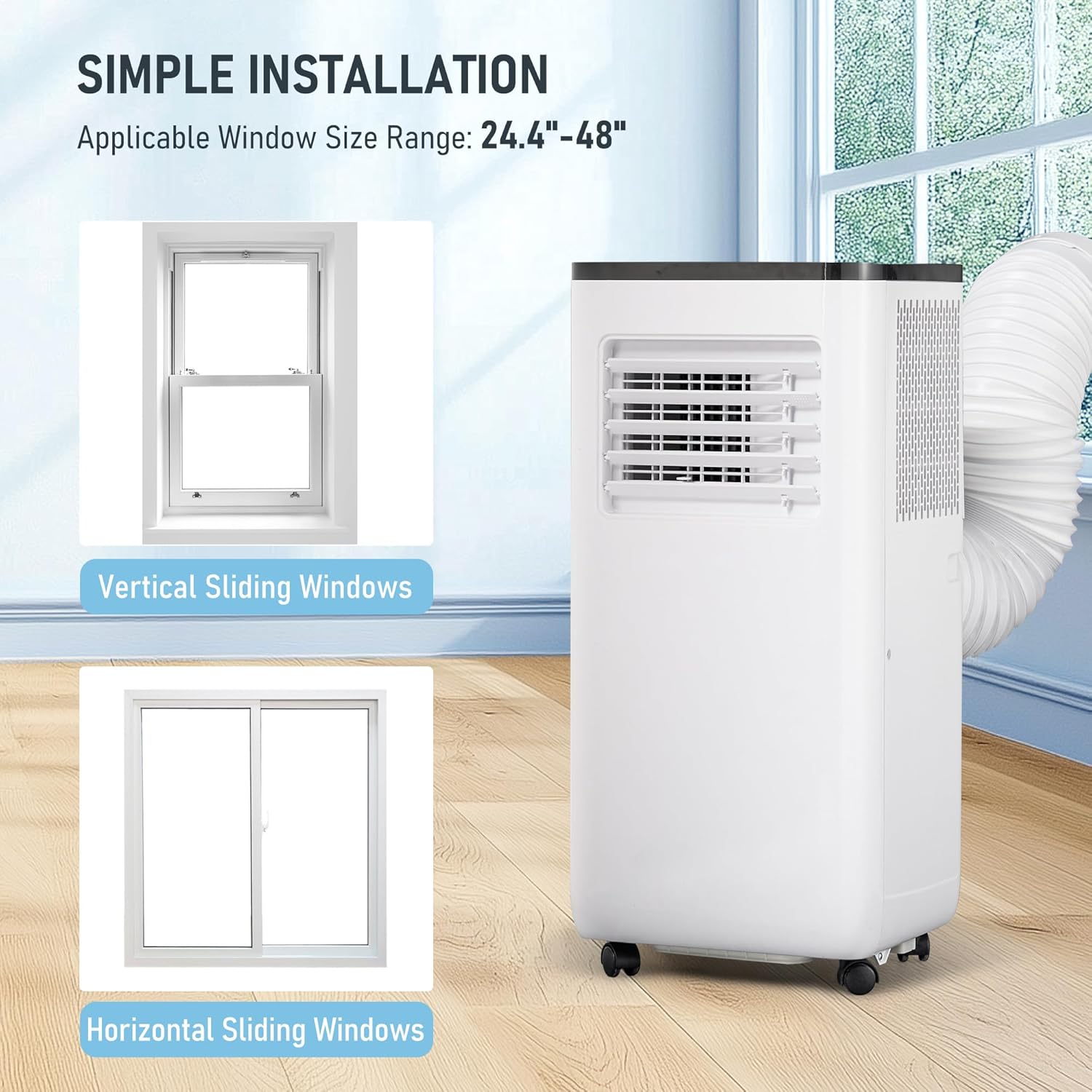
Image 3: Illustration of how to install the exhaust hose into the portable air conditioner and secure the window kit in both vertical and horizontal sliding windows.
5. Operating Instructions
Your CURECURE Portable Air Conditioner can be operated using the smart LED touch panel on the unit or the included remote control.
5.1 Control Panel Overview

Image 4: Detailed view of the LED touch control panel, showing buttons for Sleep Mode, Child Lock, Timer, Modes, Speed, Power, and Swing.
- Power Button: Turns the unit ON or OFF.
- Mode Button: Cycles through Cooling, Dehumidifier, and Fan modes.
- Temperature Adjustment (+/-): Increases or decreases the desired temperature. Press '+' and '-' simultaneously to switch between Fahrenheit and Celsius.
- Speed Button: Adjusts fan speed (High/Low).
- Timer Button: Sets the 24-hour timer for automatic ON/OFF.
- Sleep Mode: Activates sleep mode, where the temperature gradually increases by 1.8°F/1°C per hour for comfortable sleep and energy saving.
- Child Lock: Engages or disengages the child lock to prevent unintended changes to settings.
- Swing: Manually adjust the air flow direction (130° up/down).
5.2 Operating Modes
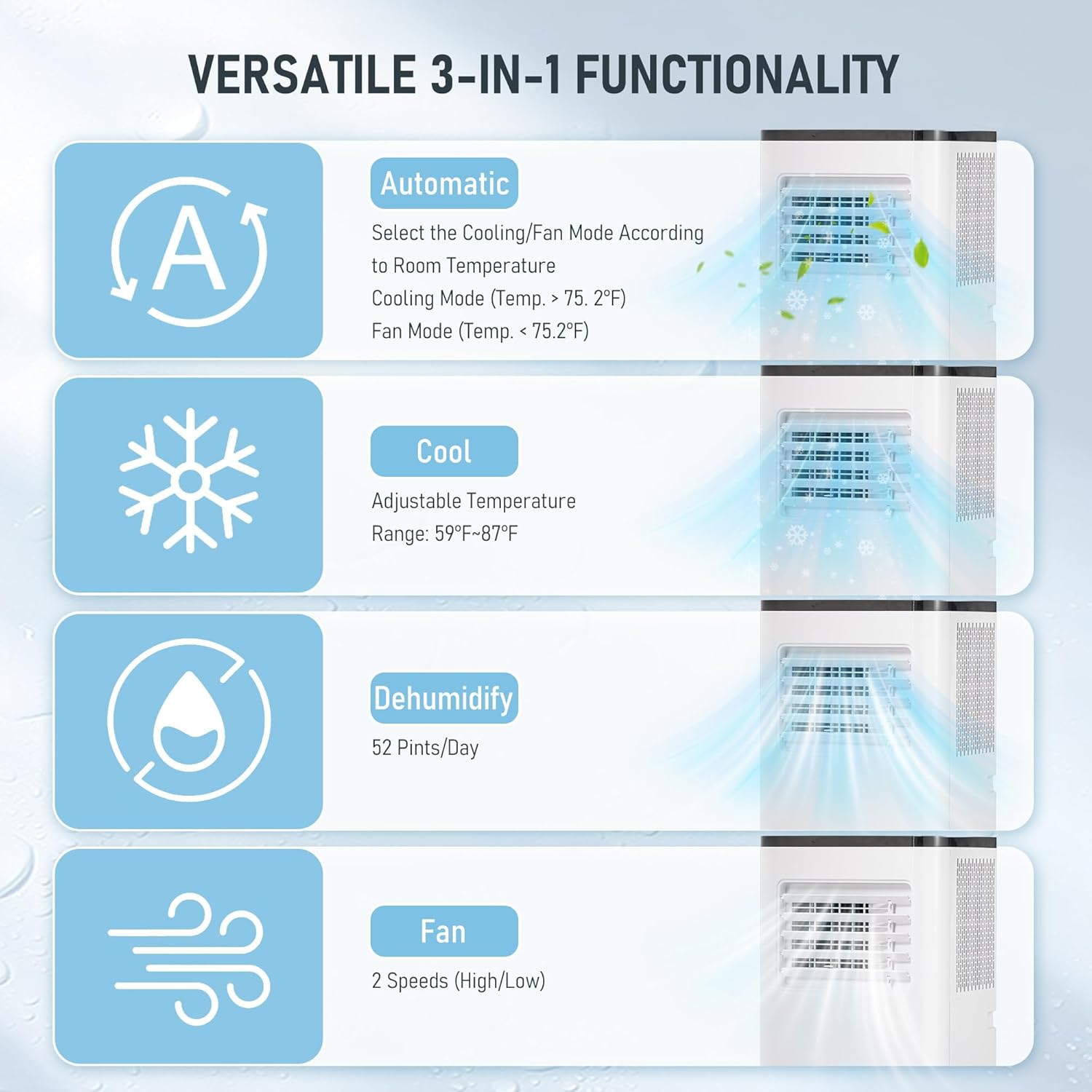
Image 5: Visual explanation of the unit's versatile 3-in-1 functionality, including Automatic, Cool, Dehumidify, and Fan modes with their respective functions.
- Cooling Mode: Provides powerful cooling with an adjustable temperature range of 59°F-87°F (15°C-30°C).
- Dehumidifier Mode: Removes up to 51 pints of moisture per day, reducing humidity in the room.
- Fan Mode: Circulates air with two-speed settings (High/Low) for ventilation without cooling.
- Automatic Mode: Selects either cooling or fan mode based on the room temperature.
5.3 Sleep Mode
Activate Sleep Mode for a comfortable night's rest. In this mode, the set temperature will automatically increase by 1.8°F (1°C) per hour to prevent overcooling and save energy. The unit operates at a low noise level of 56 dB.
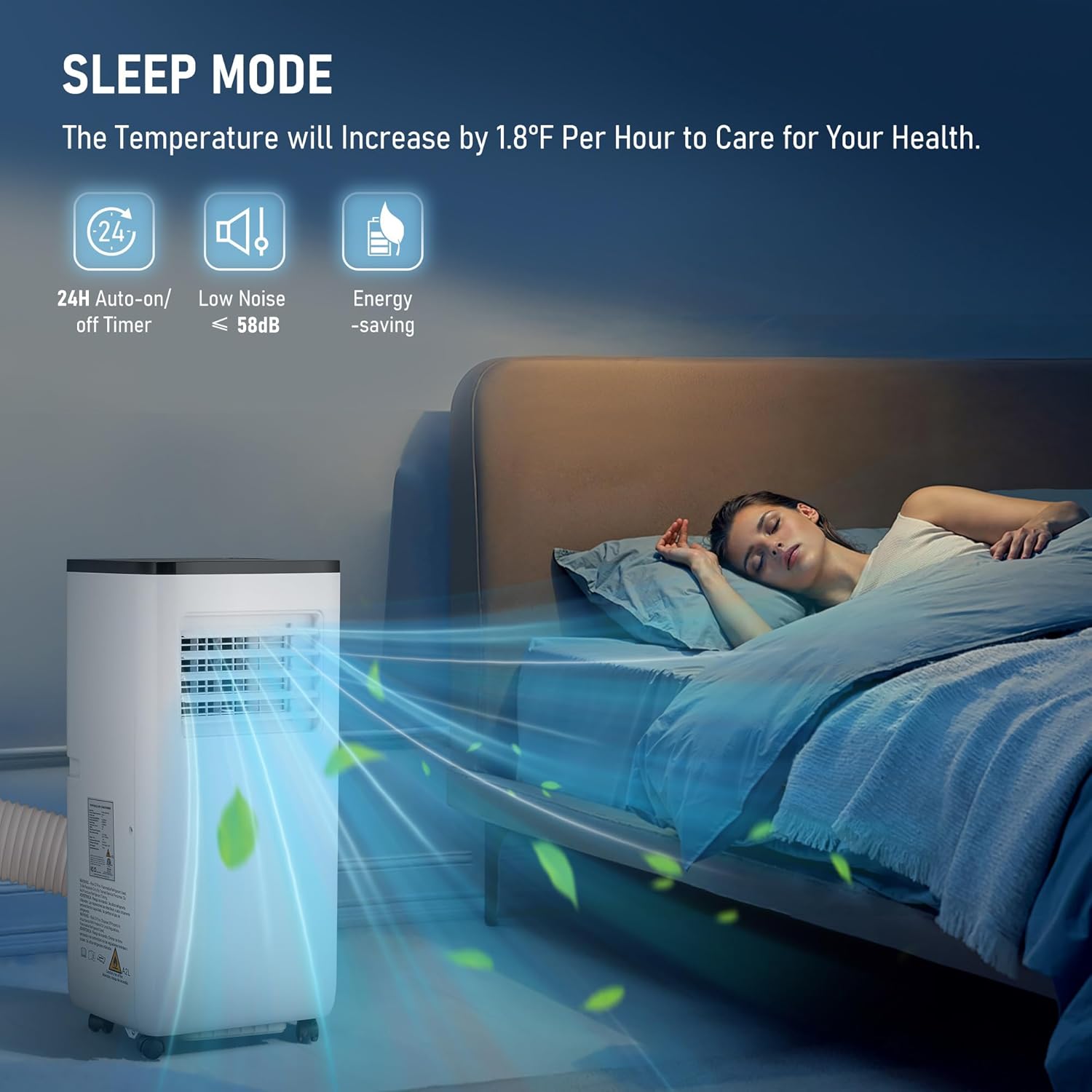
Image 6: A person sleeping comfortably in a bedroom with the portable air conditioner running in its quiet Sleep Mode.
6. Maintenance
Regular maintenance ensures optimal performance and longevity of your air conditioner.
6.1 Cleaning the Air Filter
The air filter should be cleaned regularly (at least once a month, or more frequently depending on usage and air quality) to maintain cooling efficiency and air quality.
- Unplug the air conditioner from the power outlet.
- Locate the air filter panel (usually on the back or side of the unit).
- Remove the filter by gently pulling it out.
- Wash the filter with warm, soapy water. Rinse thoroughly and allow it to air dry completely before reinserting.
- Reinsert the dry filter back into the unit and close the panel.
6.2 Drainage
The unit has a drain plug at the bottom for easy water removal, especially when operating in dehumidifier mode or before storing the unit. Connect the provided drain hose to the drain outlet and direct it to a suitable container or floor drain.
7. Troubleshooting
If you encounter issues with your air conditioner, refer to the following common problems and solutions:
| Problem | Possible Cause | Solution |
|---|---|---|
| Unit does not turn on. | No power, power cord unplugged, circuit breaker tripped. | Check power outlet, plug in the unit, reset circuit breaker. |
| Unit is not cooling effectively. | Dirty air filter, blocked air intake/outlet, room too large, window kit not properly sealed. | Clean air filter, ensure clear airflow, verify room size (max 250 sq.ft), check window kit seal. |
| Unit is noisy. | Unit not on a level surface, internal components vibrating. | Place unit on a flat, stable surface. If noise persists, contact support. |
| Water leakage. | Drain plug not properly secured, drainage hose blocked. | Ensure drain plug is tight, check drainage hose for kinks or blockages. |
8. Specifications
| Feature | Detail |
|---|---|
| Model Number | FDP29-2025V1R3 |
| Cooling Power | 10000 British Thermal Units |
| Functions | 3-in-1 (Cooling, Dehumidifier, Fan) |
| Dehumidification Capacity | 51 pints/day |
| Coverage Area | Up to 250 Square Feet |
| Noise Level | 56 Decibels |
| Voltage | 115 Volts |
| Wattage | 2900 watts |
| Product Dimensions (D x W x H) | 28D x 33W x 70H Centimetres |
| Weight | 26 Kilograms |
| Window Kit Compatibility | 24.4" - 48" (Width/Height) |
| Control Method | Remote, Touch |
| Special Features | Child Lock, Fast Cooling, Remote Controlled, Sleep Mode |
9. Warranty and Support
Warranty: The product comes with NO stated warranty. Please refer to your retailer's return policy for details on returns or replacements.
Manufacturer: YIYOUYI
For further assistance or inquiries, please contact your point of purchase or refer to the contact information provided by the retailer.