
1. Introduction
The Godox FT433 N TTL Wireless Flash Trigger is designed to provide stable and versatile control over your flash units. Utilizing a 433MHz signal, it ensures reliable communication for various photographic scenarios. This trigger supports advanced flash modes including TTL auto flash, Manual, and Multi-flash, along with High-Speed Sync (HSS) up to 1/8000s. It also features app control for enhanced flexibility and a TCM function for quick conversion between TTL and Manual settings.

Figure 1.1: Front and back view of the Godox FT433 N Wireless Flash Trigger, showing the LCD display and control buttons on the front, and the hot shoe mount on the back.
2. Setup
2.1. Battery Installation
The FT433 N Wireless Flash Trigger requires two AA batteries (not included) for operation. Open the battery compartment cover, insert the batteries according to the polarity indicators, and close the cover securely.
2.2. Mounting the Trigger
Attach the FT433 N trigger to your camera's hot shoe. Ensure it is securely fastened using the quick-release hot shoe lock mechanism.
2.3. Connecting the Receiver
For wireless flash control, plug the FR433 Receiver into the Type-C port of your compatible Godox outdoor flash unit (e.g., AD200Pro II, AD600Pro II).

Figure 2.1: The FT433 N Trigger mounted on a camera, demonstrating the quick-release hot shoe lock and the FR433 Receiver being plugged into a Godox flash unit for easy pairing.
2.4. Camera Compatibility
The FT433 N is compatible with various Nikon camera models, including but not limited to: Z9, Z8, Zfc, Z50, Z30, Z5, Z6, Z7, Z6II, Z7II, D4, D5, D6, D60, D70S, D90, D100, D200, D300, D610, D700, D750, D780, D800, D850, D3100, D3200, D3300, D3400, D3500, D5000, D5100, D5200, D5300, D7100, D7500. Note: It is NOT compatible with the Nikon D810.
For cameras equipped with a PC sync socket, sync triggering is supported.
3. Operating Instructions
3.1. Wireless Synchronization and Control
The FT433 N operates on a 433MHz frequency band, ensuring stable signal transmission. It supports 16 groups and 32 channels for remote control and triggering. To prevent interference, set a Wireless ID (1-99 or OFF) on both the trigger and receiver.
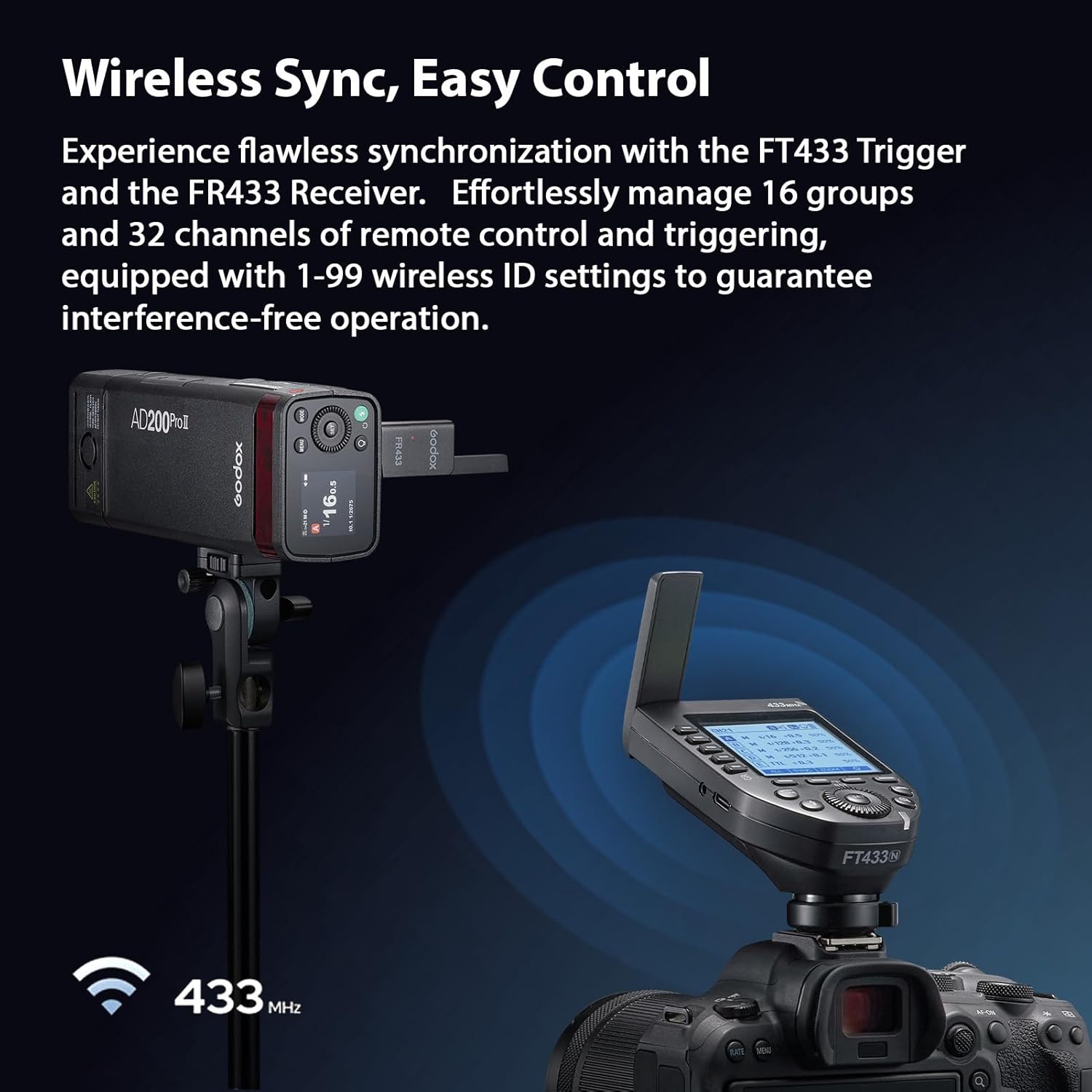
Figure 3.1: The FT433 N Trigger mounted on a camera, wirelessly controlling a Godox flash unit equipped with an FR433 Receiver, illustrating seamless synchronization.
3.2. TTL and HSS Functionality
The trigger provides comprehensive support for TTL auto flash, Manual, and Multi-flash modes. High-Speed Sync (HSS) up to 1/8000s is available, along with front and rear curtain sync. The large LCD panel and intuitive buttons facilitate parameter settings.
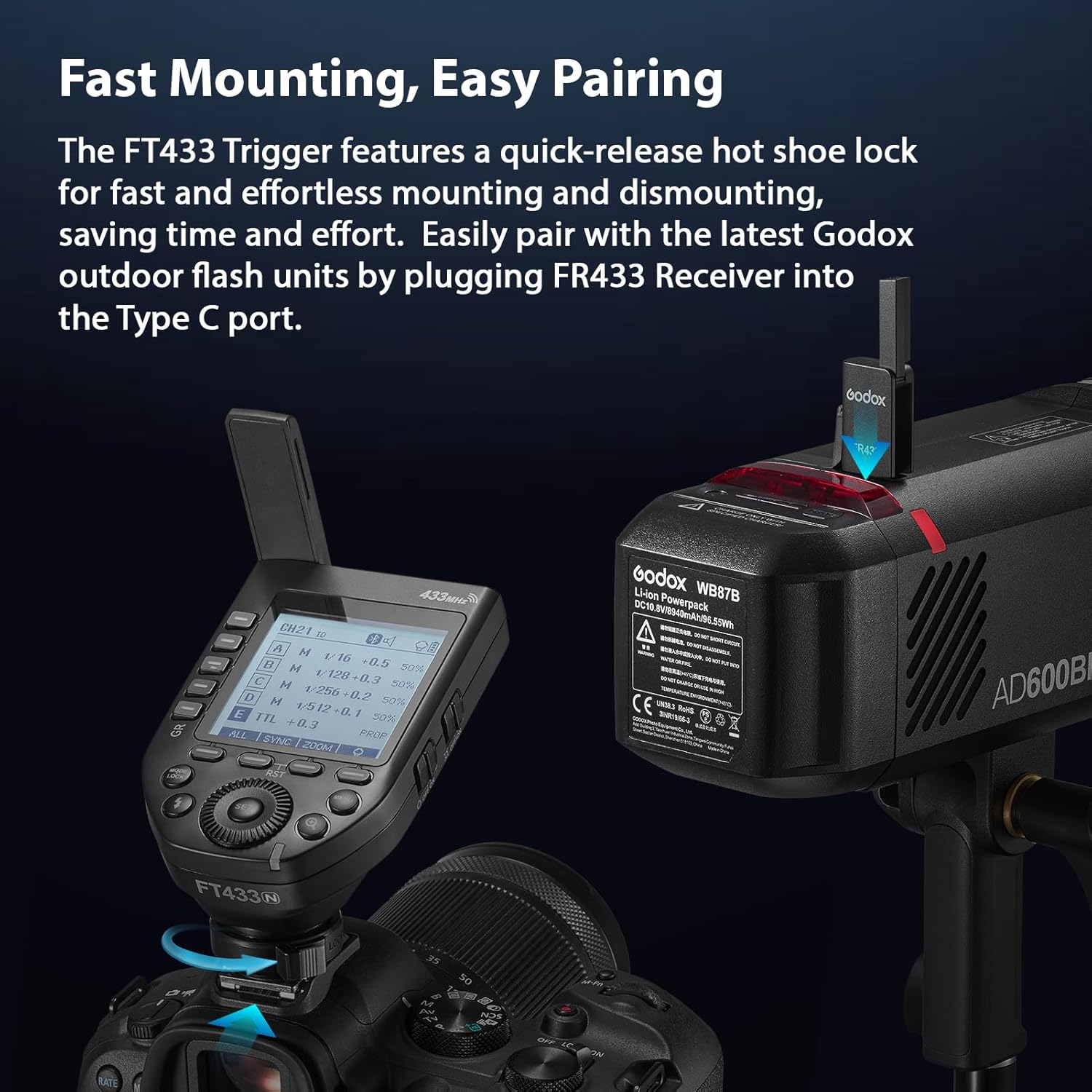
Figure 3.2: A close-up view of the FT433 N Trigger's LCD screen, highlighting its support for TTL auto flash and High-Speed Sync (HSS) up to 1/8000s.
3.3. APP Wireless Control
Control the FT433 N trigger wirelessly using the Godox Flash app on your smartphone (iOS or Android). The app allows remote adjustment of flash mode, power levels, modeling lamp settings, beeper settings, and more.
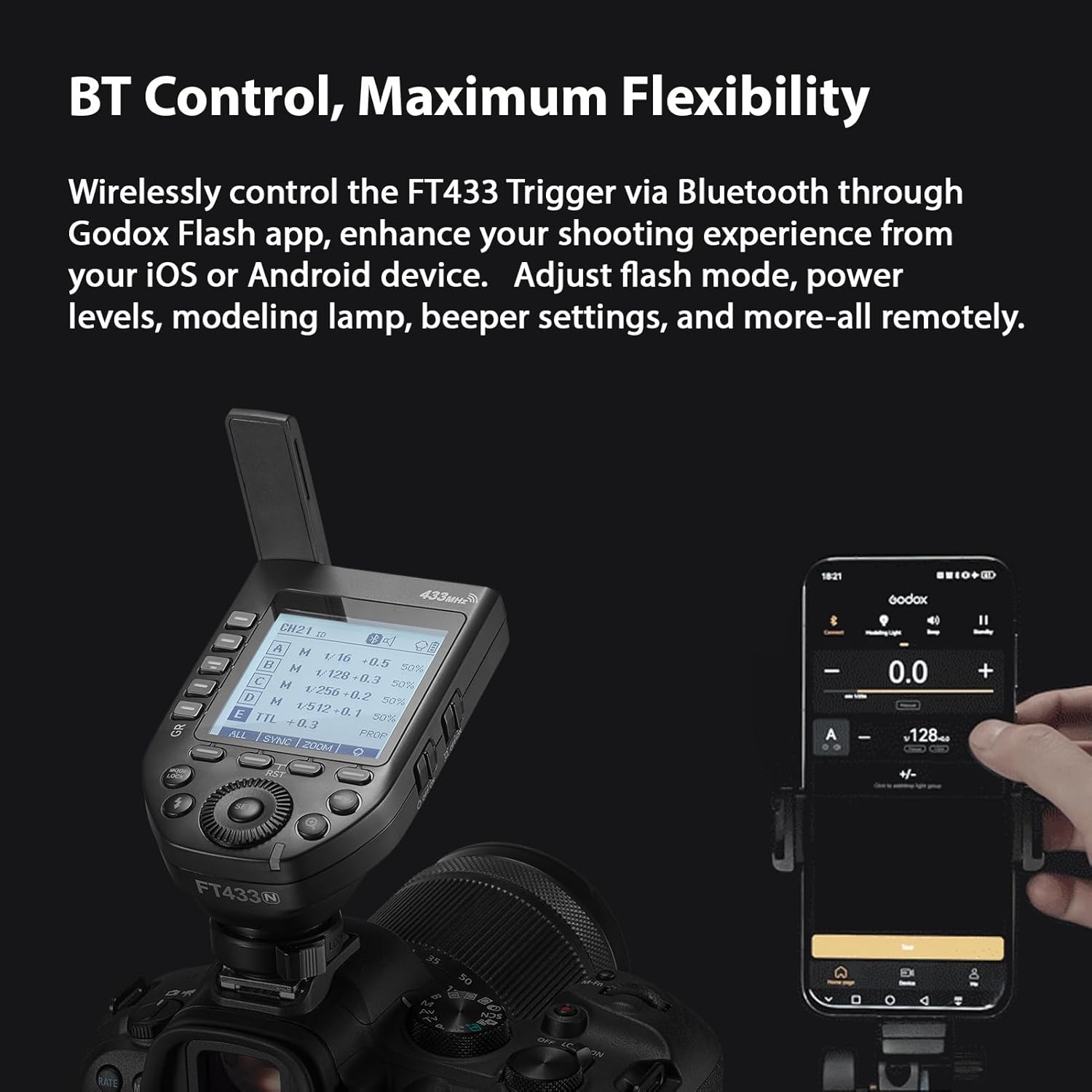
Figure 3.3: The FT433 N Trigger on a camera, with a smartphone displaying the Godox Flash app interface, demonstrating flexible wireless control via Bluetooth.
3.4. TCM Switch Function
The TCM (TTL Converted to Manual) function allows for a one-click switch from TTL mode to Manual mode. This feature automatically converts TTL output parameters into Manual settings, streamlining your workflow.

Figure 3.4: A hand interacting with the FT433 N Trigger, illustrating the one-click TCM switch function for converting TTL settings to Manual mode.
3.5. Single-Contact, Rapid-Fire Mode
The single-contact mode minimizes data exchange between the trigger and camera, enabling faster continuous shooting. This is ideal for rapid-fire photography scenarios.

Figure 3.5: The FT433 N Trigger mounted on a camera, emphasizing its single-contact, rapid-fire capability for high-speed photography.
3.6. Other Settings
- Flash Exposure Compensation: Adjust ± 3EV in 1/3 EV increments.
- Focus Assist: Available if supported by the camera.
- Zoom Setting: Auto / 24-200mm.
- Memory Function: Settings are stored 2 seconds after the last operation and recovered upon restart.
- Display: Large LCD panel with switchable backlighting.
4. Maintenance
4.1. Cleaning
Use a soft, dry cloth to clean the trigger. For stubborn dirt, a slightly damp cloth can be used, followed by a dry cloth. Avoid using harsh chemicals or abrasive materials.
4.2. Storage
When not in use for extended periods, remove the AA batteries to prevent leakage and damage. Store the trigger in a cool, dry place away from direct sunlight and extreme temperatures.
4.3. Firmware Upgrade
The trigger supports firmware upgrades via its USB-C port. Refer to the official Godox website for the latest firmware and instructions.
5. Troubleshooting
5.1. Flash Not Firing
- Ensure batteries are correctly installed and have sufficient charge.
- Verify the trigger is securely mounted on the camera's hot shoe.
- Check that the FR433 Receiver is properly connected to the flash unit.
- Confirm that the trigger and receiver are set to the same channel and Wireless ID.
- Ensure the flash unit is powered on and in a compatible mode.
5.2. Inconsistent Performance
- Check for potential sources of interference (e.g., other wireless devices).
- Ensure the trigger and receiver are within the effective transmission range (approx. 0-100M).
- Verify camera and flash settings are appropriate for the desired outcome.
5.3. App Control Issues
- Ensure Bluetooth is enabled on your smartphone and the trigger.
- Update the Godox Flash app to the latest version.
- Restart both the trigger and your smartphone.
6. Specifications
| Feature | Detail |
|---|---|
| Item Name | Wireless Flash Trigger |
| Brand | GODOX |
| Model Name | FT433 N |
| Compatible Camera Model | Nikon Z9, Z8, Zfc, Z50, Z30, Z5, Z6, Z7, Z6II, Z7II, D4, D5, D6, D60, D70S, D90, D100, D200, D300, D610, D700, D750, D780, D800, D850, D3100, D3200, D3300, D3400, D3500, D5000, D5100, D5200, D5300, D7100, D7500 (NOT compatible with D810) |
| Sync Triggering | Supports cameras with PC sync socket |
| Power Supply | 2 * AA batteries (not included) |
| Flash Exposure Compensation | ± 3EV, adjustable in 1/3 EV increment |
| Focus Assist | YES (if available on camera) |
| Zoom Setting | Auto / 24-200mm |
| Firmware Upgrade | Via USB-C port |
| Memory Function | Settings stored 2 seconds after last operation, recovered after restart |
| Display | Large LCD panel, backlighting ON or OFF |
| Transmission Range | Approx. 0-100M |
| Built-in Wireless | 433MHz |
| Modulation Mode | GFSK |
| Channel | 32 |
| Wireless ID | OFF / 1-99 |
| Group | 5 groups or 16 groups |
| Flash Trigger Net Weight | 97g |
| Connectivity Technology | Wireless |
| Color | Black |
7. What's in the Box
The package includes the following items:
- 1 * Wireless Flash Trigger (Godox FT433 N)
- 1 * Receiver (Godox FR433)
- 1 * Users Manual
- 1 * Pair of Gloves
- 1 * Lens Brush
- 1 * Cleaning Cloth
8. Warranty & Support
8.1. Warranty Information
This product does not include a manufacturer's warranty as per the provided information.
8.2. Customer Support
For further assistance, technical support, or to inquire about additional products, please visit the official GODOX Store on Amazon or their official website.


