
1. Overview
The Waterdrop 10UA PRO Under Sink Water Filter System is designed to provide clean, filtered water directly from your cold water line. This system, compatible with FUL12 replacement cartridges for UL12A/UL12B models, effectively reduces various contaminants while improving water taste and odor. It is certified by IAPMO against NSF/ANSI 42 & 372 standards, ensuring quality and safety.
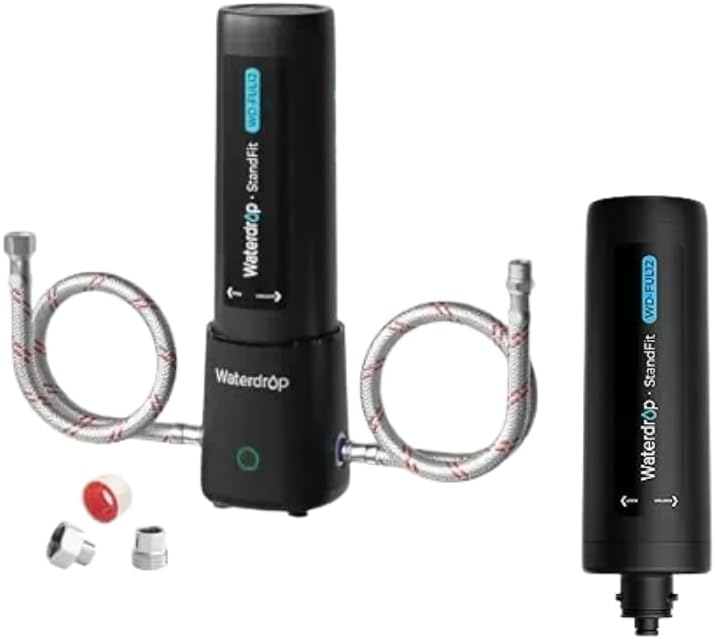
Image 1.1: The Waterdrop 10UA PRO Under Sink Water Filter System with its FUL12 replacement cartridge. The main unit connects to the cold water line, and the cartridge is easily replaceable.
1.1 Advanced Filtration Capabilities
The filter element is engineered to reduce a wide range of impurities, including PFAS, PFOA/PFOS, rust, lead, chlorine, heavy metals, chemical impurities, and sand. It also enhances the taste and odor of your drinking water. Please note that this system does not reduce Total Dissolved Solids (TDS) and is intended for cold water connections only.

Image 1.2: Visual representation of the advanced purification process, highlighting the reduction of various contaminants such as PFAS, PFOA/PFOS, VOC, rust, heavy metals, and chemical impurities. The image also notes NSF/ANSI 372 and 42 certifications.
1.2 Certifications
The filter element is IAPMO R&T certified against NSF/ANSI Standard 42 for the reduction of specified claims and against NSF/ANSI 372 for lead-free materials (≤0.25% lead). For detailed certification information, refer to the IAPMO website and search for 'WD-UL12A'.

Image 1.3: Certificates from IAPMO R&T, confirming the product's compliance with NSF/ANSI 42 and 372 standards for material safety and contaminant reduction.
2. Safety Information
- Use only with cold water. Do not connect to a hot water supply.
- Do not use with water that is microbiologically unsafe or of unknown quality without adequate disinfection before or after the system.
- Ensure all connections are secure to prevent leaks.
- The product is made from BPA-free and lead-free materials, ensuring safety for all users.
- Keep the filter system away from direct sunlight and heat sources.
- Do not overtighten connections, as this may cause damage.

Image 2.1: A couple enjoying filtered water, emphasizing that the product is made from BPA-free and lead-free materials for family water safety.
3. Product Components
The Waterdrop 10UA PRO system typically includes the following components:
- Waterdrop 10UA PRO Filter Unit
- Waterdrop FUL12 Replacement Filter Cartridge (pre-installed or separate)
- 3/8" Water Line Hoses
- 3/8" to 1/2" Converter (for faucet connection)
- Suction Cup Base (for stability)
- User Manual (this document)
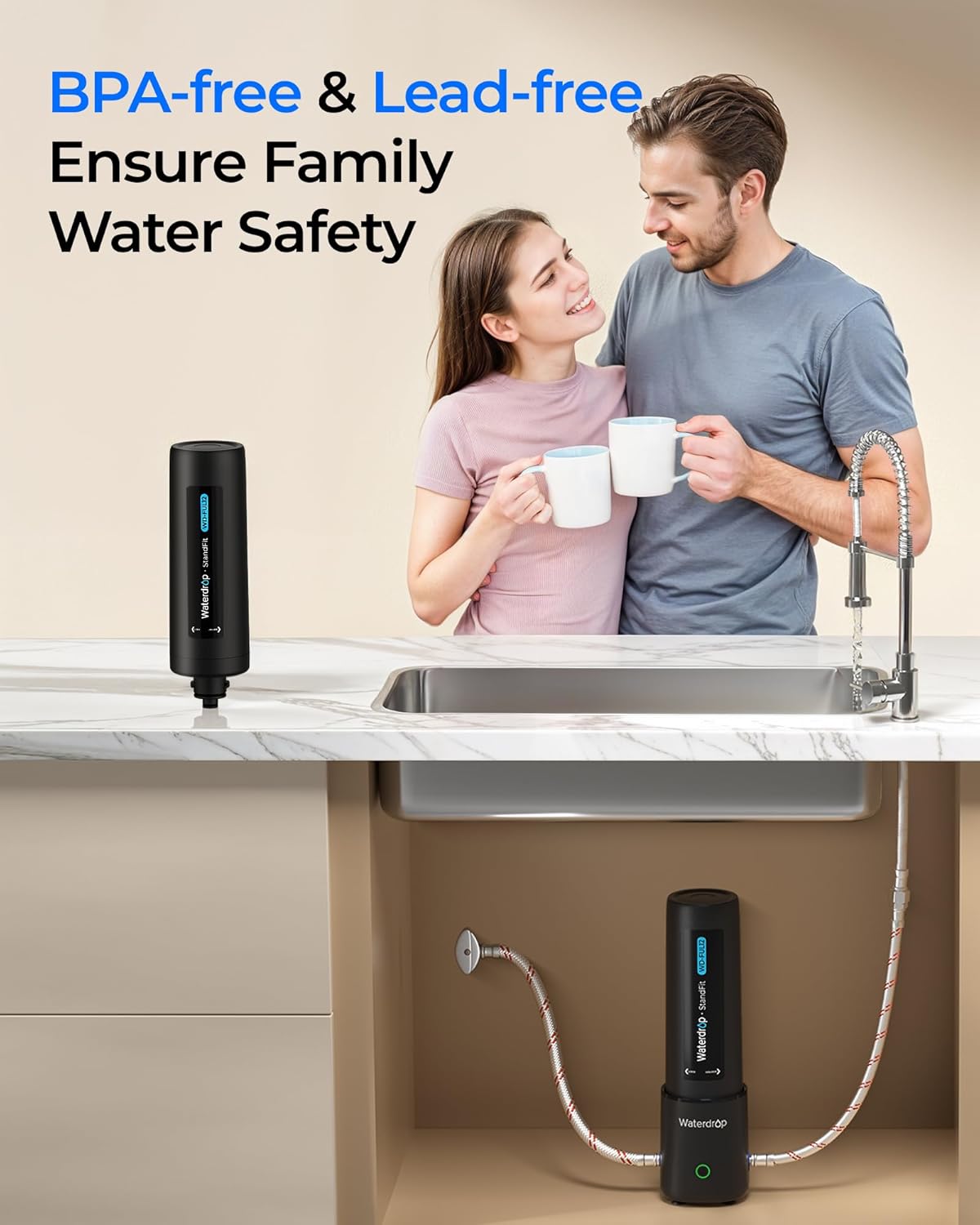
Image 3.1: The Waterdrop filter system, illustrating its compatibility with UL12A/UL12B under sink filters. It highlights features like NSF/ANSI certification, no leakage, easy installation, and long lifespan.
4. Setup & Installation
The Waterdrop 10UA PRO system is designed for drill-free, under-sink installation, saving time and effort. It connects directly to your cold water line.
4.1 Pre-Installation Checklist
- Ensure you have adequate space under your sink for the filter unit.
- Locate your cold water supply line and shut-off valve.
- Gather any necessary tools (e.g., adjustable wrench for tightening connections).
4.2 Installation Steps
- Shut off Water Supply: Turn off the cold water supply to your sink at the angle stop valve. Open the faucet to relieve pressure and drain any remaining water.
- Connect to Filter: Connect the provided water lines to the inlet and outlet ports of the Waterdrop 10UA PRO filter unit. Ensure the flow direction arrow on the filter aligns with the water flow.
- Connect Water Supply: Disconnect your existing cold water line from the faucet. Connect one end of the filter's inlet hose to the cold water angle stop valve.
- Connect to Faucet: Connect the other end of the filter's outlet hose to your faucet's cold water inlet. Use the 3/8" to 1/2" converter if your faucet connection requires it.
- Secure the Unit: Place the filter unit on its suction cup base in a stable position under the sink. The suction cup base helps maintain stability.
- Check for Leaks: Slowly turn on the cold water supply. Check all connections for leaks. If leaks occur, tighten connections as needed.
- Flush the System: Let the water run from the filtered faucet for 5-10 minutes to flush out any carbon fines and air from the system.

Image 4.1: A visual guide demonstrating the easy installation process. Step 1 shows connecting to the filter, Step 2 connecting to the water supply, and Step 3 connecting to the faucet.
5. Operation
Once installed, the Waterdrop 10UA PRO operates automatically whenever you turn on your cold water faucet. The system provides a continuous supply of filtered water.
5.1 Initial Use
After installation and flushing, your filter system is ready for use. It is normal for the water to appear cloudy or contain small air bubbles initially; this will clear up after a few minutes of use.
5.2 Flow Rate
The upgraded 3/8" outlet ensures a fast flow rate of approximately 5.03 liters per minute, providing efficient water delivery without significant pressure drop.
6. Maintenance
Regular maintenance, primarily filter replacement, is crucial for optimal performance and water quality.
6.1 Filter Life Reminder
The Waterdrop 10UA PRO system features a built-in indicator to remind you when it's time to replace the filter cartridge. This smart reminder ensures you always have clean water.
- Green light flashing: Time to replace the battery for the indicator.
- Red light flashing and beep: Time to replace the filter cartridge.
- If no light or a steady green light is displayed, the filter and battery are functioning correctly. Tap the unit to check.

Image 6.1: Illustration of the filter life reminder system, showing a green light for battery replacement and a red light with a beep for filter replacement.
6.2 Filter Replacement
The FUL12 filter cartridge has a superior lifespan, supporting up to 11,000 gallons or approximately 12 months, depending on water quality and usage. Replace the filter when the indicator signals or when you notice a significant drop in flow rate or water quality.
- Shut off Water Supply: Turn off the cold water supply to your sink.
- Remove Old Filter: Twist the old filter cartridge counter-clockwise to unlock it from the filter head. Pull it down to remove.
- Install New Filter: Insert the new FUL12 replacement cartridge into the filter head. Align the arrows and twist clockwise until it locks securely into place.
- Restore Water Supply: Slowly turn on the cold water supply.
- Flush New Filter: Run water from the filtered faucet for 5-10 minutes to flush the new cartridge.

Image 6.2: A visual comparison illustrating the larger filtration surface of the Waterdrop filter (20X filtration efficiency) compared to a single-layer thin paper filter, designed to extend the filter's lifespan and improve dirt absorption.
7. Troubleshooting
| Problem | Possible Cause | Solution |
|---|---|---|
| Low Water Flow |
|
|
| Water Leaks |
|
|
| Unpleasant Taste/Odor |
|
|
| Filter Life Indicator Not Working |
|
|
8. Specifications
| Feature | Detail |
|---|---|
| Model Name | UL12A (System is 10UA PRO) |
| Installation Type | Under Sink |
| Power Source | Manual Operation (Filter Life Indicator uses battery) |
| Maximum Flow Rate | 5.03 Liters Per Minute |
| Filter Lifespan | Up to 11,000 gallons or 12 months |
| Certifications | NSF/ANSI 42 & 372 (IAPMO R&T Certified) |
| Operating Temperature | Cold Water Use Only |

Image 8.1: A detailed diagram illustrating the high-performance filtration process, showing how the polyester membrane and activated carbon block work together to reduce chlorine, taste & odor, heavy metals, sand, VOC, chloroform, turbidity, rust, and chlorobenzene.
9. Warranty & Support
9.1 Warranty Information
For specific warranty details regarding your Waterdrop 10UA PRO Under Sink Water Filter System, please refer to the warranty card included with your product or visit the official Waterdrop website. Warranty terms typically cover manufacturing defects for a specified period from the date of purchase.
9.2 Customer Support
If you have any questions, require technical assistance, or need to order replacement parts, please contact Waterdrop customer support. You can find contact information on the official Waterdrop website or through the retailer where you purchased the product.
Waterdrop Official Store: Visit Waterdrop Store on Amazon


