
1. Introduction
Thank you for purchasing the HarmonyHealth 50-inch Electric Fireplace. This appliance is designed to provide supplemental heat and a captivating visual flame effect, enhancing the ambiance of your living space. It can be installed as a wall-mounted unit or recessed into a wall or cabinet. Please read this manual thoroughly before installation, operation, or maintenance to ensure safe and efficient use of your electric fireplace.

Image 1.1: The HarmonyHealth 50-inch Electric Fireplace, showcasing its sleek design, the included remote control, and the intuitive smartphone application interface for convenient operation.
2. Important Safety Instructions
WARNING: To reduce the risk of fire, electric shock, or injury, read all instructions before using this appliance.
- Ensure the power outlet is properly grounded and rated for 1500W.
- Do not operate the fireplace with a damaged cord or plug.
- Keep combustible materials such as furniture, pillows, bedding, papers, clothes, and curtains at least 3 feet (0.9 m) from the front of the heater.
- Do not insert or allow foreign objects to enter any ventilation or exhaust opening as this may cause an electric shock or fire, or damage the heater.
- This fireplace is equipped with an overheat protection feature that automatically shuts off the unit if it overheats. If this occurs, unplug the unit and wait 10 minutes before plugging it back in.
- The glass panel remains cool to the touch during operation, enhancing safety, especially around children and pets.
- Do not use outdoors. This fireplace is for indoor use only.
- Always unplug the fireplace when not in use.
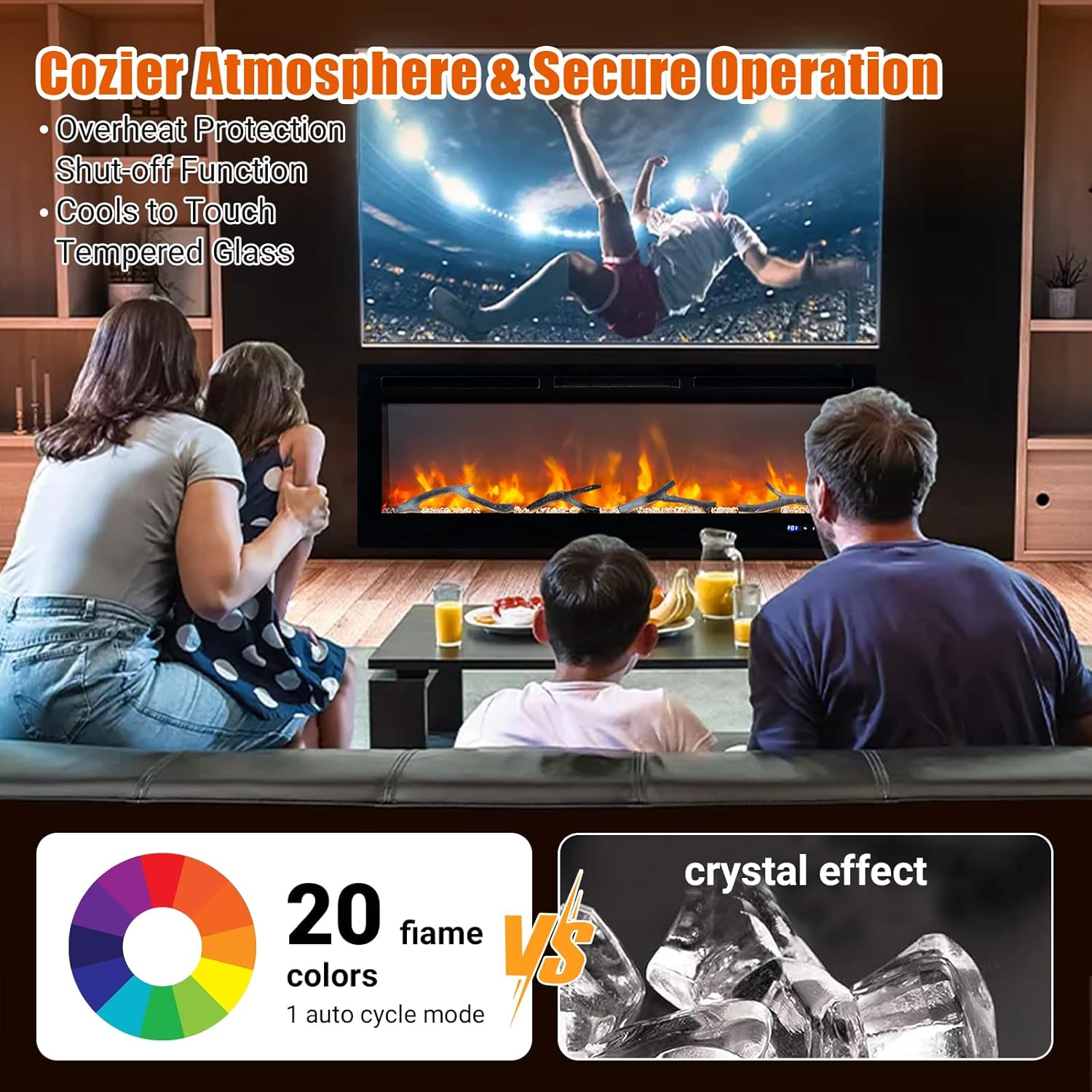
Image 2.1: The electric fireplace in a living room setting, emphasizing its secure operation with features such as overheat protection and tempered glass that remains cool to the touch, ensuring a safe environment for families.
3. Package Contents
Carefully remove all components from the packaging and check against the list below. Ensure all items are present and undamaged. If any parts are missing or damaged, do not attempt to assemble or operate the fireplace. Contact customer support immediately.
- Electric Fireplace Unit (1)
- Remote Control (1)
- Mounting Bracket (1)
- Mounting Hardware Kit (Screws, Wall Anchors)
- Decorative Media (Faux Logs, Crystals)
- User Manual (1)
4. Product Specifications
| Feature | Specification |
|---|---|
| Brand | HarmonyHealth |
| Model Name | 50 inch Electric Heater Smart |
| Power Source | Corded Electric |
| Product Dimensions (D x W x H) | 52.76" x 7.68" x 22.05" |
| Heat Output | 1500W / 5120 BTU |
| Heating Area | Up to 400 sq. ft. |
| Flame Colors | 12 Adjustable Flame Colors |
| Ember Bed Lighting | 13 Carbon Bed Lighting Options |
| Flame Brightness | 5 Adjustable Levels |
| Flame Speed | 5 Adjustable Levels |
| Timer | 0.5 - 12 Hours |
| Thermostat Range | 60°F - 99°F (9 adjustable settings) |
| Control Options | Touch Screen, Remote Control, WiFi App |
| Noise Level | ≤45dB |
| Item Weight | 52.9 pounds |
| Installation Type | Wall Mount, Recessed Insert |
5. Installation
The HarmonyHealth Electric Fireplace offers versatile installation options: wall-mounted or recessed. Choose the method that best suits your space and aesthetic preferences. Always ensure the installation surface is sturdy and capable of supporting the fireplace's weight.

Image 5.1: Visual guide for both wall-mounted and recessed installation methods, including critical dimensions for wall cutouts and a list of general installation steps.
General Installation Steps:
- Removing the Glass Frame: Carefully detach the front glass frame from the main unit.
- Removing the Mounting Bracket: If wall-mounting, remove the separate mounting bracket from the fireplace unit.
- Settling the Holes of Screw: Mark and drill pilot holes for mounting screws according to your chosen installation method.
- Drilling & Installing the Wall Anchors: Insert appropriate wall anchors into the drilled holes.
- Placing the Pads and Fixing the Fireplace: Position the fireplace unit and secure it using the provided screws. Ensure it is level and stable.
- Placing the Decorations: Arrange the faux logs or crystal media within the ember bed.
- Hanging the Glass Frame: Reattach the front glass frame to the unit.
- Refasten the Glass Frame: Secure the glass frame firmly.
5.1 Wall-Mounted Installation
For wall-mounted installation, use the provided mounting bracket. Ensure the wall is capable of supporting the fireplace's weight. The fireplace features a super slim design for minimal protrusion.
5.2 Recessed Installation
For recessed installation, a wall opening or wooden cabinet must be prepared with the correct dimensions. Refer to Image 5.1 for required framing sizes. Ensure adequate ventilation space around the unit.
6. Operation
Your HarmonyHealth Electric Fireplace can be controlled via the touch screen panel on the unit, the included remote control, or a smart app on your smartphone.
6.1 Touch Screen Control Panel
The touch screen panel is located on the front of the fireplace. It provides direct access to all primary functions.

Image 6.1: Detailed view of the fireplace's touch control panel, illustrating the functions of each button including flame sound, flame speed, heater, carbon light, and power. Also depicts the five adjustable flame brightness levels (L1-L5).
- Power: Turns the fireplace ON/OFF.
- Flame: Cycles through flame color options.
- Flame Speed: Adjusts the speed of the flame effect (5 levels).
- Flame Sound: Toggles flame crackling sound ON/OFF (3 levels).
- Carbon Light: Adjusts the ember bed lighting (13 options).
- Heater: Activates/deactivates the heating function and adjusts temperature.
- Display Screen: Shows current settings (e.g., temperature, timer).
6.2 Remote Control
The included remote control allows for convenient operation from a distance (up to 32 feet). Ensure batteries are correctly inserted.

Image 6.2: The remote control layout, detailing buttons for Power, Flame Sound, Flame, Flame Brightness, Carbon Light, Flame Speed, Heater, and Child Lock. Also shows the smartphone app interface.
- All functions available on the touch screen are also accessible via the remote.
- Child Lock: Activates/deactivates the child lock feature to prevent unintended operation.
6.3 Smart App Control (WiFi Compatible)
For ultimate convenience, download the dedicated smartphone app to control your fireplace from anywhere. The app allows for seamless integration with smart home systems like Alexa.

Image 6.3: A smartphone screen showing the electric fireplace control application, demonstrating its user-friendly interface and compatibility with smart home assistants like Alexa for remote operation.
- Download the app from your device's app store (search for HarmonyHealth Fireplace App).
- Follow the in-app instructions to connect your fireplace to your home WiFi network.
- Control all fireplace functions, including flame colors, heating, and timer settings, directly from your phone.
- Integrate with voice assistants for hands-free control (e.g., "Alexa, turn on the fireplace").
7. Features
7.1 Captivating Flame Effects
Experience a realistic and customizable flame display with multiple options to suit your mood and decor.
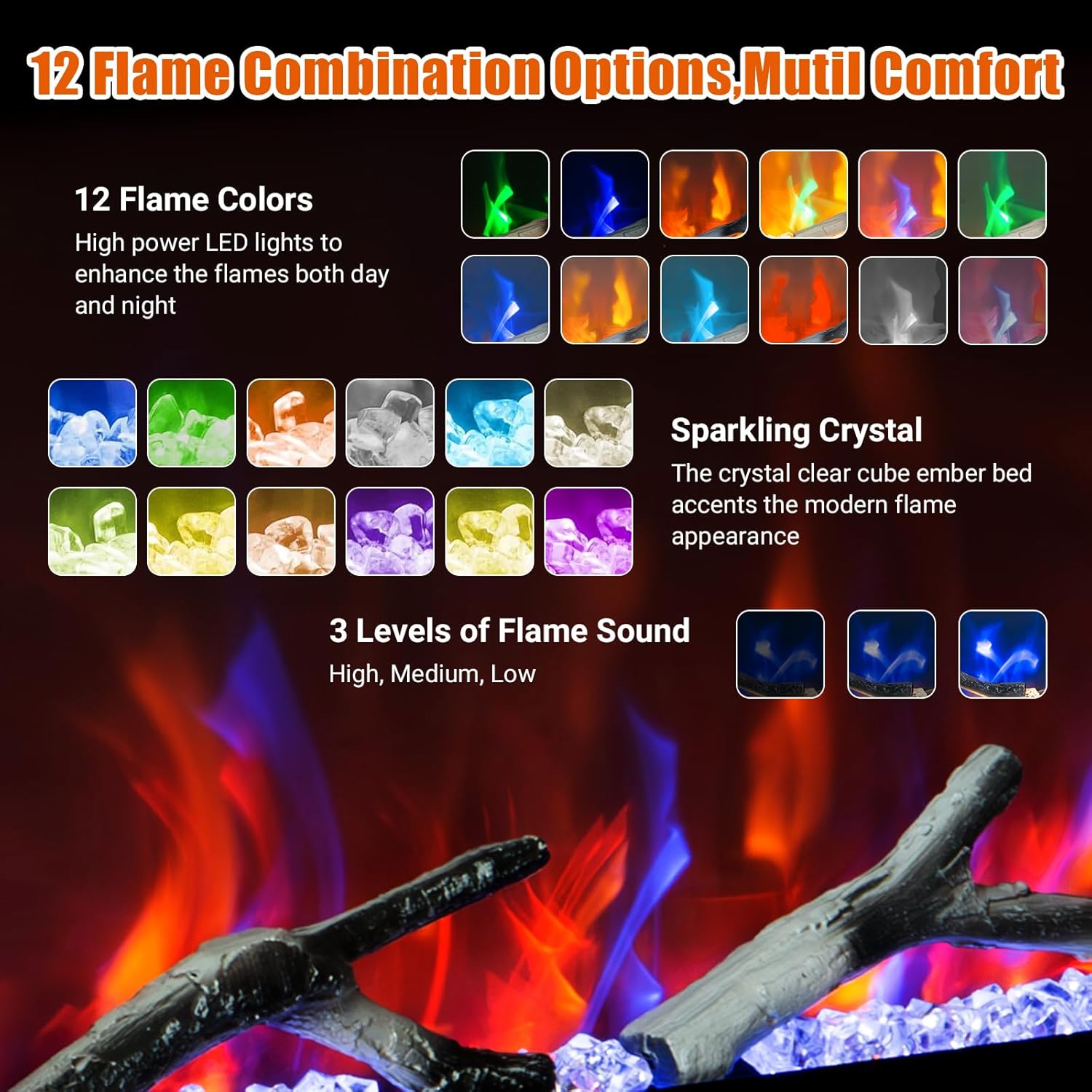
Image 7.1: An illustration of the 12 available flame color combinations, the sparkling crystal ember bed option, and the three levels of flame sound (High, Medium, Low) for enhanced ambiance.
- 12 Adjustable Flame Colors: Choose from a wide spectrum of colors to match your preference.
- 13 Carbon Bed Lighting Options: Customize the glow of the ember bed.
- 5 Adjustable Flame Brightness Levels: Control the intensity of the flame effect.
- 5 Adjustable Flame Speed Settings: Modify how quickly the flames appear to move.
- 3 Levels of Flame Sound: Enjoy realistic crackling sounds (High, Medium, Low).
7.2 Powerful Heating Performance
The integrated heater provides efficient supplemental warmth for your room.

Image 7.2: The electric fireplace operating in a room, highlighting its heating capabilities including 1500W/5120 BTU output, a 1-12 hour timer, overheat protection, quiet operation (≤45dB), and effective heating for areas up to 400 sq. ft.
- 1500W Heater: Provides efficient heating for spaces up to 400 sq. ft.
- Adjustable Thermostat: Set your desired temperature between 60°F and 99°F with 9 adjustable settings.
- 12-Hour Timer: Program the fireplace to turn off automatically after a set period (0.5 to 12 hours).
- Quiet Operation: Operates at a low noise level of ≤45dB.
8. Maintenance
Regular maintenance ensures the longevity and optimal performance of your electric fireplace. Always unplug the unit before performing any maintenance.
- Cleaning the Exterior: Wipe the exterior surfaces with a soft, damp cloth. Do not use abrasive cleaners or solvents.
- Cleaning the Air Vents: Use a vacuum cleaner with a brush attachment to gently remove dust from the air intake and exhaust vents.
- Light Bulbs: The flame effect uses LED technology, which typically does not require replacement. If issues arise, contact customer support.
- Storage: If storing the fireplace for an extended period, unplug it and store it in a dry, dust-free location.
9. Troubleshooting
If you encounter any issues with your electric fireplace, refer to the following common problems and solutions. If the problem persists, contact customer support.
| Problem | Possible Cause & Solution |
|---|---|
| Fireplace does not turn on. |
|
| No heat output. |
|
| Flame effect not working. |
|
| Remote control not working. |
|
| App control not connecting. |
|
10. Warranty and Customer Support
Your HarmonyHealth Electric Fireplace is designed for durability and performance. For specific warranty details, please refer to the warranty card included with your product or contact the manufacturer directly. Keep your purchase receipt as proof of purchase.
For any questions, technical assistance, or to report missing/damaged parts, please contact HarmonyHealth Customer Support. Information regarding returns and customer service can also be found on the product's purchase page on Amazon.com.
- Customer Support: Refer to the contact information provided in your product packaging or on the HarmonyHealth official website.
- Returns: This product typically offers a 30-day easy return policy through Amazon.com. Please check your order details for specific return eligibility.