
TRIUMPHKEY Z0BK
TRIUMPHKEY Gaming Desk User Manual
Model: Z0BK
Introduction
Welcome to the user manual for your new TRIUMPHKEY Gaming Desk. This desk is designed for gamers, featuring a professional gaming style, a durable carbon fiber surface, and robust construction. This manual provides essential information for assembly, operation, maintenance, and troubleshooting to ensure you get the most out of your product.
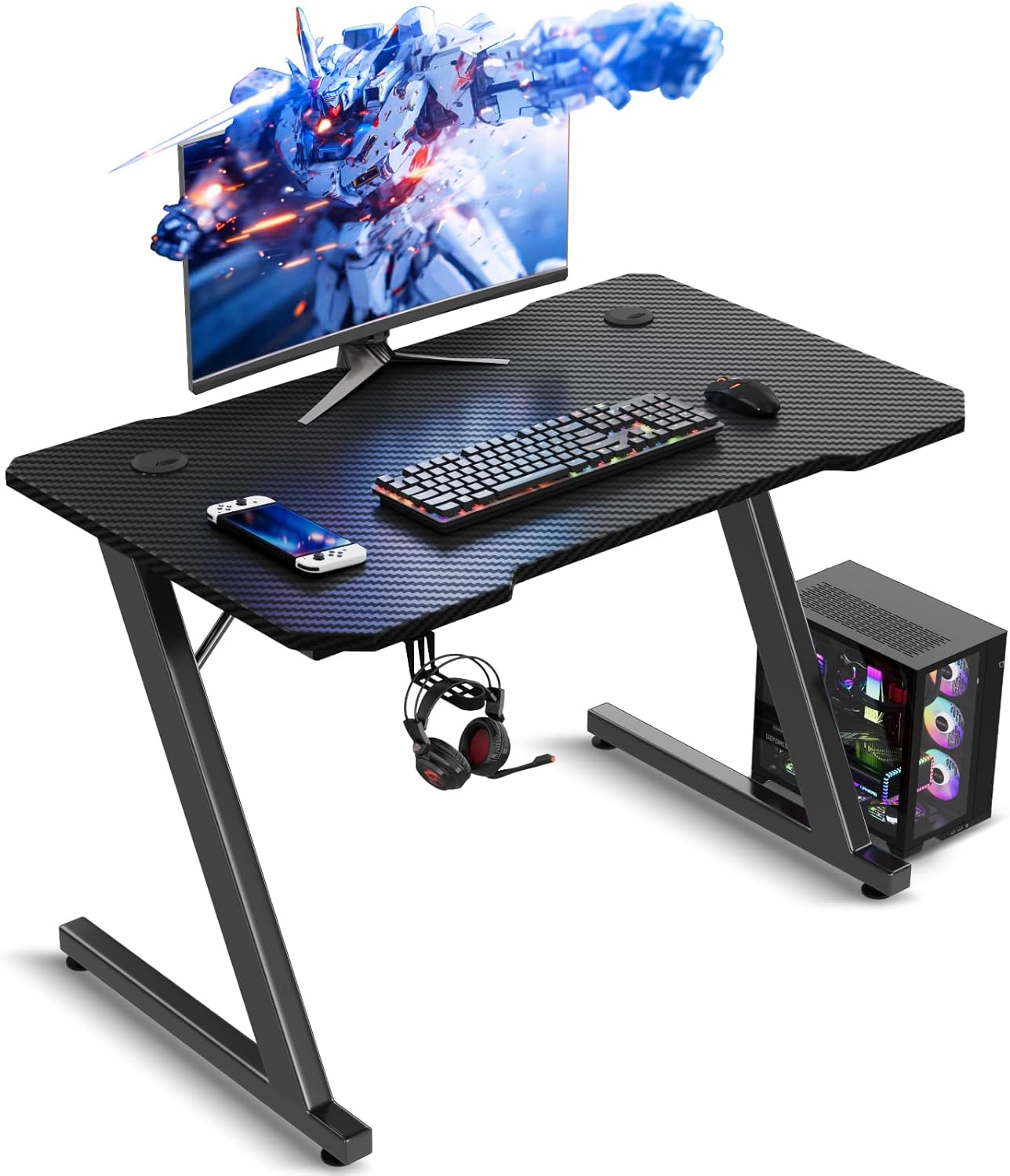
Image: The TRIUMPHKEY Gaming Desk, showcasing its design with a monitor, keyboard, mouse, and PC tower setup.
Product Features
The TRIUMPHKEY Gaming Desk offers several key features designed for an optimal gaming and work experience:
- Professional Gaming Style: Designed with a professional gaming aesthetic, making the desk cool and stylish.
- Stable and Sturdy Construction: Features robust Z-shaped legs with an 80kg load capacity, ensuring stability during intense use.
- Durable Carbon Fiber Surface: The smooth carbon fiber tabletop is scratch-resistant, easy to clean, and offers a fascinating textured look.
- Adjustable Feet: Equipped with non-slip foot pads for stability on uneven surfaces.
- Convenient Accessories: Includes a drink holder and a headphone hook for an organized setup.
- Ergonomic Design: Curved design for enhanced comfort during long gaming sessions.
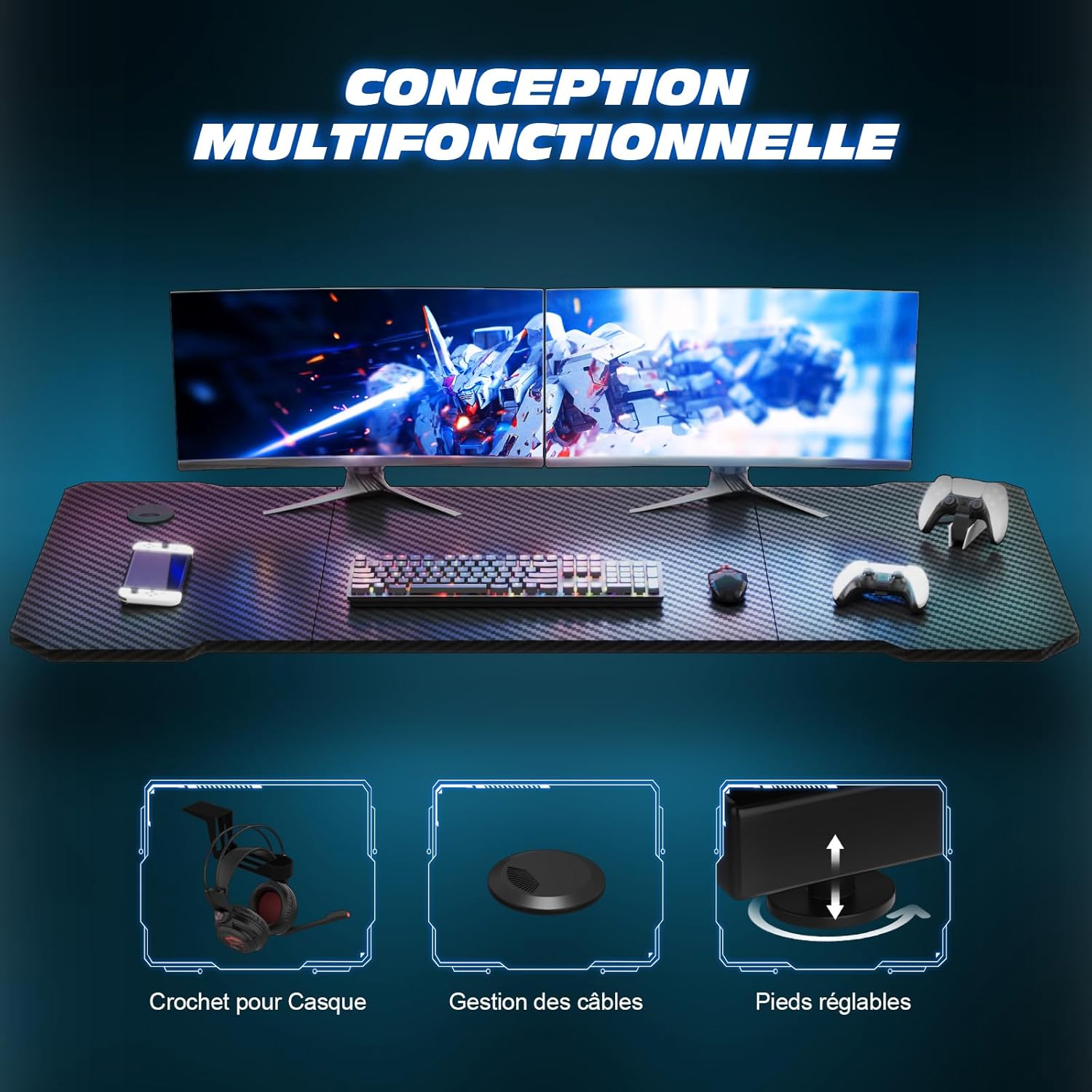
Image: Detailed view of the desk's features, including the headphone hook, cable management grommets, and adjustable leveling feet.
Setup and Assembly
Your TRIUMPHKEY Gaming Desk comes with all necessary tools and an installation manual to guide you through the assembly process. Please follow the instructions carefully.
Before You Begin:
- Unpack all components and verify against the parts list in the included manual.
- Ensure you have enough clear space for assembly.
- Keep small parts out of reach of children.
Assembly Steps (General Guidance):
- Attach the Z-shaped legs to the tabletop using the provided screws and tools.
- Securely fasten all connections to ensure stability.
- Install the adjustable foot pads at the bottom of the legs.
- Attach the headphone hook and drink holder to the desired locations on the desk.
- Place the desk on a flat, stable surface. Adjust the foot pads as needed to eliminate any wobbling.
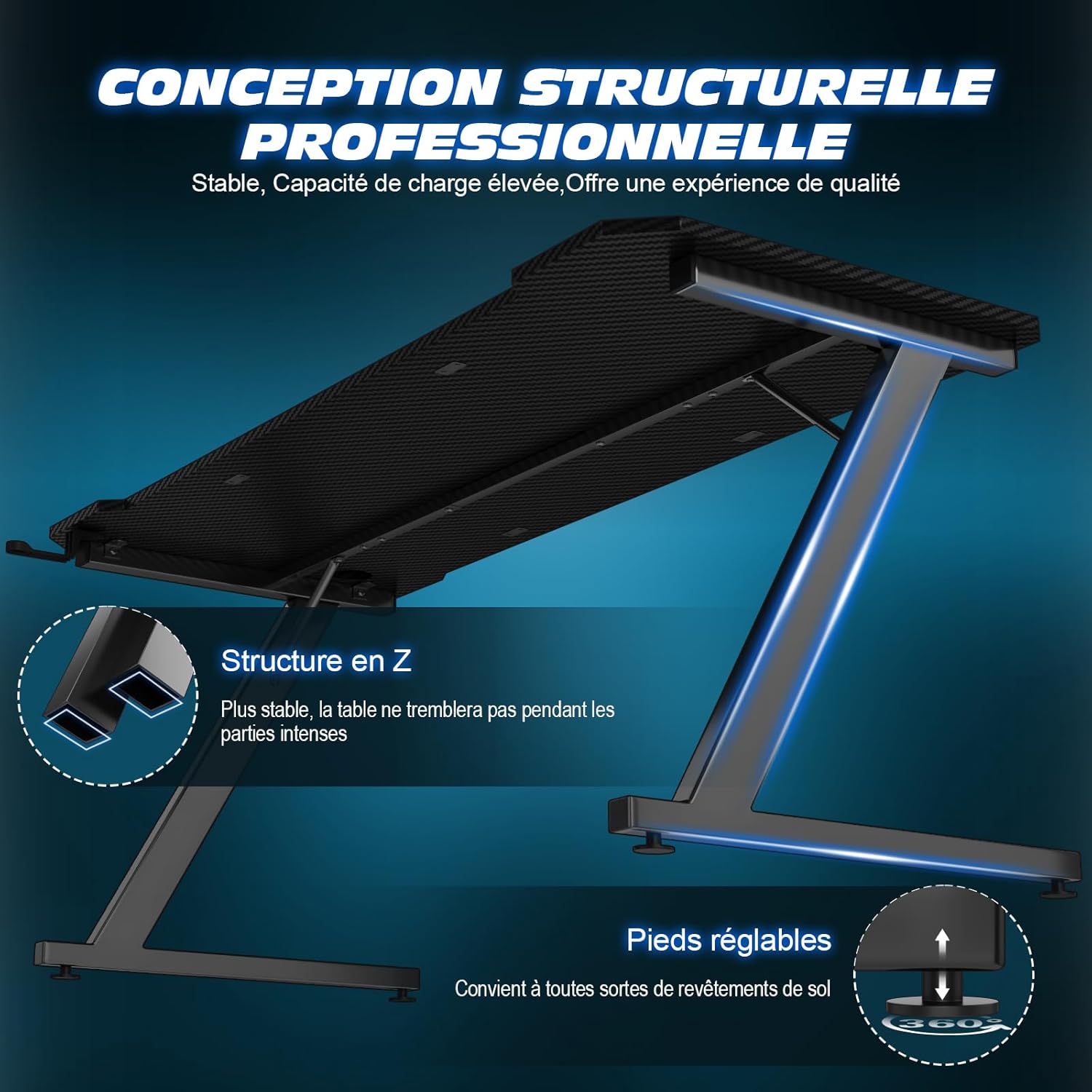
Image: Illustration highlighting the stable Z-structure and adjustable feet for enhanced stability.
Operating Instructions
The TRIUMPHKEY Gaming Desk is designed for straightforward use. Here are some tips for optimal operation:
- Weight Limit: Do not exceed the recommended maximum weight limit of 80 kg (176 lbs) on the tabletop.
- Stability: Always ensure the desk is stable and securely placed on a flat surface. Use the adjustable foot pads to compensate for uneven floors.
- Headphone Hook: Utilize the integrated headphone hook to keep your headphones organized and off the desk surface.
- Drink Holder: Use the drink holder to prevent spills and keep beverages secure.
- Cable Management: Use the cable grommets (if present) to route and organize your cables, maintaining a tidy workspace.

Image: Top-down view illustrating the ergonomic curved design of the desk, optimized for user comfort and accessibility of peripherals.
Care and Maintenance
Proper care will extend the life and maintain the appearance of your TRIUMPHKEY Gaming Desk.
- Cleaning the Surface: The carbon fiber surface is easy to clean. Use a soft, damp cloth with a mild cleaner. Avoid abrasive cleaners or harsh chemicals that could damage the finish.
- Regular Inspection: Periodically check all screws and connections to ensure they remain tight. Retighten if necessary.
- Avoid Excessive Moisture: While the surface is durable, avoid prolonged exposure to liquids. Wipe up spills immediately.
- Protect from Heat: Do not place hot items directly on the surface without a protective pad.

Image: Close-up view of the carbon fiber tabletop, highlighting its texture and durability features like wear resistance, scratch resistance, and easy cleaning.
Troubleshooting
If you encounter any issues with your gaming desk, refer to the following common problems and solutions:
| Problem | Possible Cause | Solution |
|---|---|---|
| Desk is wobbly or unstable. | Uneven floor or loose connections. | Adjust the leveling foot pads until the desk is stable. Check and tighten all assembly screws. |
| Scratches on the surface. | Sharp objects or abrasive cleaning. | The carbon fiber surface is scratch-resistant but not scratch-proof. Avoid dragging sharp objects. Use soft cloths for cleaning. |
| Difficulty assembling. | Misinterpretation of instructions or missing parts. | Review the included installation manual carefully. Ensure all parts are present. Contact customer support if parts are missing or instructions are unclear. |
Specifications
| Feature | Detail |
|---|---|
| Brand | TRIUMPHKEY |
| Model Number | Z0BK |
| Color | Black |
| Product Dimensions (L x W x H) | 80 x 52 x 75 cm (31.5 x 20.5 x 29.5 inches) |
| Item Weight | 10 Kilograms (22 lbs) |
| Material | Carbon Fiber (top), Metal (frame) |
| Special Features | Carbon fiber surface, Headphone hook, Adjustable feet |
| Maximum Load Capacity | 80 kg (176 lbs) |

Image: Dimensional diagram of the gaming desk, indicating its length, width, and height.
Warranty and Support
TRIUMPHKEY is committed to providing high-quality products and excellent customer service.
- After-Sales Service: We offer high-quality after-sales service. If you have any questions or concerns regarding your product, please do not hesitate to contact us.
- Response Time: We aim to respond to all inquiries within 24 hours.
- Contact Information: Please refer to your purchase documentation or the TRIUMPHKEY official website for specific contact details.
Related documentsZ0BK


Ask a question about this manual
Ask about setup, troubleshooting, compatibility, parts, safety, or missing instructions. Manuals+ will review the question and use this page’s manual context to help answer it.