
1. Introduction
Thank you for choosing the Newbealer 2-in-1 Pro Steam Station Iron (Model NB318A) and Dual Voltage Travel Iron (Model NB301) bundle. This comprehensive garment care solution is designed to provide efficient and convenient wrinkle removal for both home and travel use. The Pro Steam Station Iron offers powerful steaming capabilities for everyday use, while the compact Dual Voltage Travel Iron ensures your clothes remain crisp wherever you go. Please read this manual thoroughly before operating the appliances to ensure safe and optimal performance.
2. Important Safety Instructions
When using electrical appliances, basic safety precautions should always be followed to reduce the risk of fire, electric shock, or injury.
- Read all instructions before using the irons.
- Use the irons only for their intended purpose.
- To protect against the risk of electric shock, do not immerse the iron, power cord, or plug in water or other liquids.
- Always turn the iron OFF before plugging or unplugging from the electrical outlet. Never pull on the cord to disconnect from the outlet; instead, grasp the plug and pull to disconnect.
- Do not allow the cord to touch hot surfaces. Let the iron cool completely before putting it away. Loop cord loosely around the iron when storing.
- Always disconnect the iron from the electrical outlet when filling with water or emptying, and when not in use.
- Do not operate any appliance with a damaged cord or plug, or after the appliance malfunctions or has been dropped or damaged in any manner. Contact customer support for examination, repair, or adjustment.
- Close supervision is necessary for any appliance used by or near children. Do not leave the iron unattended while connected or on an ironing board.
- Burns can occur from touching hot metal parts, hot water, or steam. Use caution when you turn a steam iron upside down – there may be hot water in the reservoir.
- For the Dual Voltage Travel Iron (NB301), ensure the voltage selector is set to the correct voltage (100V or 240V) before plugging in. Use an appropriate plug adapter when traveling internationally.
- Use the heat-resistant silicone stand provided with the Travel Iron (NB301) to rest the hot iron during use and prevent damage to surfaces.
3. Product Overview
3.1 Newbealer Pro Steam Station Iron (Model NB318A)
The NB318A is a powerful 1550W steam station iron designed for efficient home use. It features advanced PSA steam technology, a large detachable water tank, and versatile storage options.
- Powerful Performance: 1550W system heats up in 30 seconds, delivering up to 40g/min of steam across 3 settings.
- Large Water Tank: 1.2L detachable tank provides up to 40 minutes of continuous steaming.
- Innovative Storage: Flexible hook and wall-mount options for convenient storage in various spaces.
- Smart Features: Smart LED screen, Steam & Dry switch button, Auto-Off, Self-Cleaning function, and Impurity Filter.
- Soleplate: Diamond Ceramic soleplate for smooth gliding.

Image: Key features of the Newbealer Pro Steam Station Iron (NB318A), highlighting the smart LED screen, 1.2L detachable water tank, silicone cord, power cord, steam & dry switch button, and impurity filter.

Image: The Newbealer Pro Steam Station Iron (NB318A) showcasing its innovative storage capabilities, including a flexible hook and easy wall-mount feature, suitable for use in balconies, entryways, and wardrobes.
3.2 Newbealer Dual Voltage Travel Iron (Model NB301)
The NB301 is a compact and lightweight travel iron designed for global use, featuring dual voltage capability and a non-stick ceramic soleplate.
- Dual Voltage: 100-240V switch allows for worldwide use.
- Compact & Lightweight: Weighs only 0.95 lbs (approx. 1.3 lbs with accessories) and measures 6" x 3" x 1.3", making it ideal for travel.
- Efficient Dry Ironing: 300W power quickly removes wrinkles from various fabrics.
- Soleplate: Non-stick ceramic soleplate for smooth gliding.
- Safety Feature: Includes a heat-resistant silicone stand for safe placement during use.

Image: The Newbealer Dual Voltage Travel Iron (NB301) depicted in a travel context, emphasizing its lightweight design, mini size, dual voltage capability, and effectiveness for quick wrinkle removal, making it suitable for worldwide travel.

Image: Close-up of the Newbealer Dual Voltage Travel Iron (NB301) highlighting its diamond ceramic soleplate for effortless gliding and the heat-resistant silicone stand for safe use and desktop protection.
4. Setup
4.1 Newbealer Pro Steam Station Iron (NB318A)
- Unpack: Carefully remove all components from the packaging. Retain packaging for future storage or transport.
- Placement: Choose a stable, heat-resistant surface for operation. The unit can also be mounted on a wall or hung using the flexible hook. Ensure adequate space for steam release.
- Fill Water Tank: Detach the 1.2L water tank. Open the water inlet cap and fill with distilled or demineralized water up to the MAX line. Close the cap securely and reattach the tank to the main unit.
- Connect Power: Plug the power cord into a suitable electrical outlet (120V AC).
4.2 Newbealer Dual Voltage Travel Iron (NB301)
- Unpack: Remove the travel iron and its accessories, including the silicone stand, from the packaging.
- Select Voltage: Locate the dual-voltage switch on the iron. Set it to the appropriate voltage for your region (100V for USA/Japan, 240V for Europe/UK/Australia). Failure to select the correct voltage may damage the iron.
- Plug Adapter: If traveling internationally, ensure you have the correct plug adapter for the local electrical outlets.
- Connect Power: Plug the power cord into a suitable electrical outlet.

Image: The Newbealer Dual Voltage Travel Iron (NB301) illustrating its voltage selection switch (120V/240V) and providing visual context for its use in different regions like the UK and USA, emphasizing the need for a plug adapter.
5. Operating Instructions
5.1 Newbealer Pro Steam Station Iron (NB318A)
- Power On: Press the Power Button. The iron will begin to heat up, indicated by the Smart LED screen. It reaches operating temperature in approximately 30 seconds.
- Select Mode: Use the mode selection button (often labeled 'M' or similar) to cycle through the available steam modes and dry ironing mode. The LED indicators will show the selected mode and fabric type.
- Steam Modes:
- Small Gear Steam (20g/min): Ideal for delicate fabrics like Polyester Fiber.
- Mid-Range Steam (30g/min): Suitable for fabrics like Wool Nylon.
- Large Steam (40g/min): Best for heavier fabrics such as Cotton Denim.
- Dry Ironing: Select the dry ironing mode for shaping clothes or when steam is not desired. The iron operates at temperatures between 239°F-311°F, with specific temperatures for various fabrics (e.g., Polyester: 212°F, Silk: 230°F, Wool: 248°F, Cotton: 266°F, Linen: 284°F, Blend: 302°F).
- Steam & Dry Switch Button: Use this button to activate or deactivate steam output during operation.
- Ironing: Hold the iron by the handle and glide it over the fabric. For steaming, hold the iron vertically or horizontally, ensuring the soleplate does not directly touch delicate fabrics if only steaming.
- Power Off: Press and hold the Power Button to turn off the iron. Unplug from the outlet when finished.

Image: The Newbealer Pro Steam Station Iron (NB318A) illustrating its three steam modes (Small, Mid-Range, Large Steam) and dry ironing function, alongside a guide for custom temperature settings tailored to different fabric types such as polyester, silk, wool, cotton, linen, and blends.
5.2 Newbealer Dual Voltage Travel Iron (NB301)
- Power On: Plug the iron into the appropriate electrical outlet after ensuring the correct voltage is selected. The iron will begin to heat up.
- Preheat: Allow a few minutes for the iron to reach its optimal dry ironing temperature.
- Ironing: Place the garment on a heat-resistant surface. Hold the iron by the handle and glide it smoothly over the fabric to remove wrinkles. This is a dry iron and does not produce steam.
- Resting the Iron: During use, always place the hot iron on the provided heat-resistant silicone stand to protect surfaces.
- Power Off: Unplug the iron from the electrical outlet when finished. Allow it to cool completely before storing.
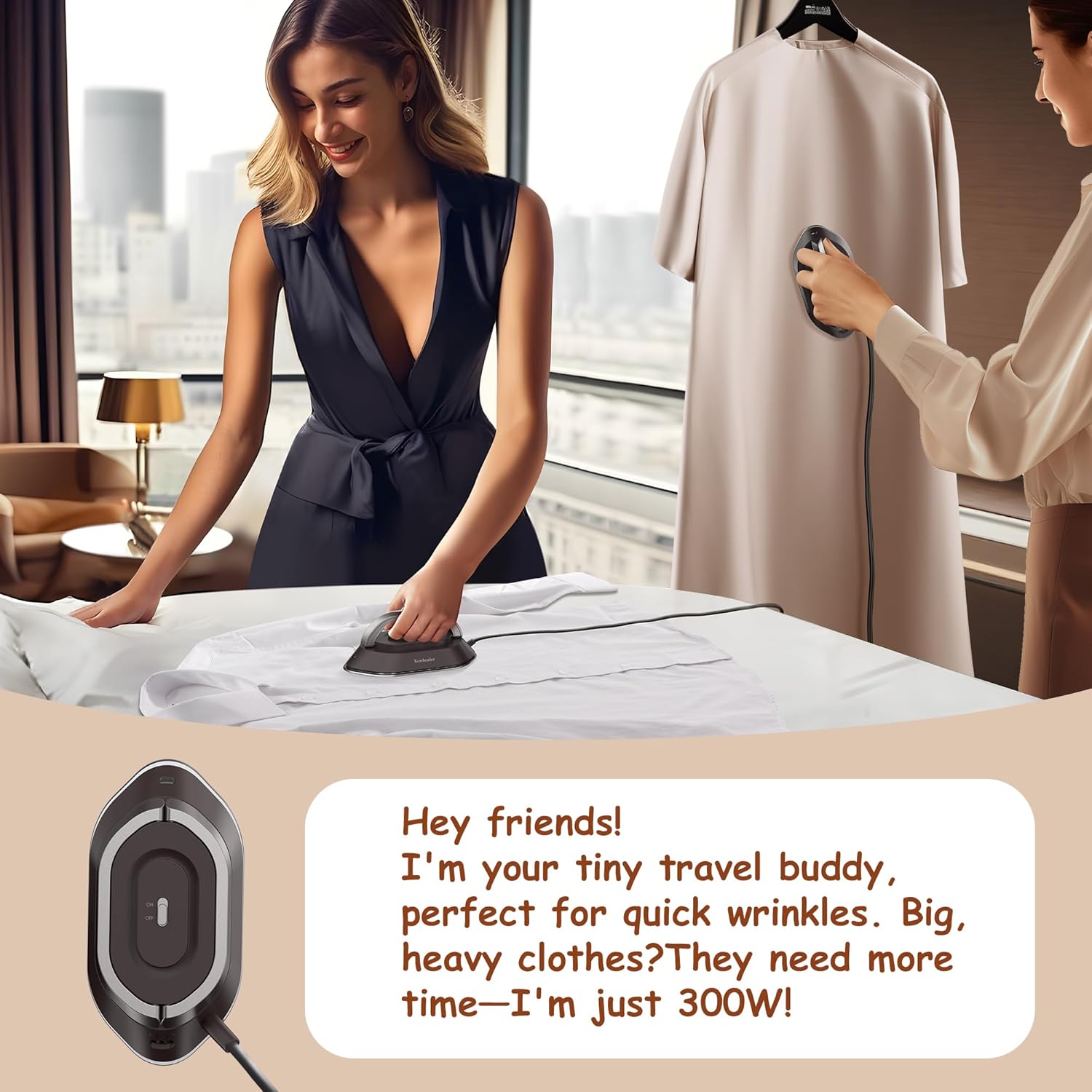
Image: The Newbealer Dual Voltage Travel Iron (NB301) in use, showing its compact form factor as it irons clothes on a bed, highlighting its suitability for quick wrinkle removal, especially for lighter garments.
6. Maintenance
Regular maintenance ensures the longevity and optimal performance of your Newbealer irons.
6.1 Newbealer Pro Steam Station Iron (NB318A)
- Self-Cleaning: Periodically use the self-cleaning function to remove mineral buildup from the steam vents. Refer to the specific instructions on the device's LED screen or accompanying quick start guide for activation.
- Empty Water Tank: After each use, or before storing, detach and empty any remaining water from the 1.2L tank.
- Clean Soleplate: If the diamond ceramic soleplate becomes dirty, clean it with a damp cloth and a mild, non-abrasive cleaner when the iron is cool and unplugged. Do not use abrasive pads or metallic scourers.
- Clean Impurity Filter: Regularly check and clean the impurity filter to ensure optimal steam performance. Follow instructions for removal and cleaning.
- Storage: Ensure the iron is cool and dry before storing. Utilize the innovative storage options (hook or wall-mount) for convenient and space-saving storage.
6.2 Newbealer Dual Voltage Travel Iron (NB301)
- Clean Soleplate: When the iron is cool and unplugged, wipe the non-stick ceramic soleplate with a damp cloth. For stubborn marks, use a small amount of mild, non-abrasive cleaner.
- Storage: Ensure the iron is completely cool and dry before storing. Wrap the cord loosely and place it in its travel pouch or a suitable storage area. Always use the silicone stand when the iron is hot.
7. Troubleshooting
If you encounter issues with your Newbealer irons, refer to the following common problems and solutions:
7.1 Pro Steam Station Iron (NB318A) Troubleshooting
- No Power:
- Check if the power cord is securely plugged into a working electrical outlet.
- Ensure the Power Button has been pressed.
- No Steam or Low Steam:
- Check if the water tank is filled with water.
- Ensure the iron has reached its operating temperature.
- Check if the steam mode is selected and the Steam & Dry switch button is activated.
- Perform a self-cleaning cycle to remove mineral buildup.
- Clean the impurity filter.
- Water Leakage:
- Ensure the water tank cap is securely closed.
- Do not overfill the water tank.
- Ensure the iron has fully heated before using steam.
7.2 Dual Voltage Travel Iron (NB301) Troubleshooting
- Iron Not Heating:
- Check if the power cord is securely plugged into a working electrical outlet.
- Verify that the voltage selector switch is set to the correct voltage for your region.
- Ensure the plug adapter (if used) is functioning correctly.
- Wrinkles Not Removing Effectively:
- Allow sufficient time for the iron to preheat.
- Ensure the fabric is suitable for dry ironing.
- For stubborn wrinkles, consider using the Pro Steam Station Iron (NB318A) or a spray bottle to lightly dampen the fabric before ironing with the travel iron.
If the problem persists after attempting these solutions, please contact Newbealer customer support through Amazon.
8. Specifications
8.1 Newbealer Pro Steam Station Iron (NB318A)
| Feature | Specification |
|---|---|
| Model | NB318A |
| Power | 1550W |
| Heat-up Time | Approx. 30 seconds |
| Steam Output | Up to 40g/min (3 levels) |
| Water Tank Capacity | 1.2 Liters (Detachable) |
| Soleplate Material | Diamond Ceramic |
| Cord Length (Silicone) | 5.6 ft |
| Cord Length (Power) | 6.6 ft |
| Features | Smart LED Screen, Steam & Dry Switch, Auto-Off, Self-Cleaning, Impurity Filter, Flexible Hook, Wall-Mount |
8.2 Newbealer Dual Voltage Travel Iron (NB301)
| Feature | Specification |
|---|---|
| Model | NB301 |
| Power | 300W (USA: 208-326W, UK: 274-326W) |
| Voltage | 100-240V (Dual Voltage) |
| Weight | 0.95 lbs (approx. 1.3 lbs with accessories) |
| Dimensions | 6" x 3" x 1.3" |
| Soleplate Material | Non-stick Ceramic |
| Ironing Type | Dry Ironing (No Steam) |
| Accessories | Heat-resistant Silicone Stand |
9. Warranty and Support
Newbealer products are manufactured to high-quality standards. If you encounter any issues with your Newbealer 2-in-1 Pro Steam Station Iron and Dual Voltage Travel Iron bundle, please contact our customer support team. We recommend reaching out through the Amazon platform where you purchased the product for the most efficient assistance.
Please retain your proof of purchase for warranty claims. Specific warranty terms and conditions may vary, so refer to the documentation provided with your purchase or contact customer support for details.