
1. Introduction
This manual provides essential instructions for the safe and efficient use of your Uleway T185 4G Senior Mobile Phone. Please read this manual thoroughly before operating the device and retain it for future reference.
The Uleway T185 is a compact and lightweight 4G feature phone designed for ease of use, featuring a 1.77-inch color display, large keys, and essential functions. It supports 4G, 3G, and 2G networks and offers dual Nano SIM capability.

Image 1.1: Front and back view of the Uleway T185 mobile phone, showcasing its compact design and keypad.
2. Package Contents
Verify that all items are present in the package:
- Uleway T185 Mobile Phone
- Headphones
- USB-C Charger
- Rechargeable Battery
- User Manual
3. Getting Started (Setup)
3.1 Installing SIM Cards, SD Card, and Battery
The phone supports two Nano SIM cards and one Micro SD card (up to 32GB) for expanded storage.
- Remove the back cover of the phone.
- Carefully insert your Nano SIM card(s) into the designated SIM1 and SIM2 slots.
- If desired, insert a Micro SD card into the SD card slot.
- Insert the rechargeable battery into its compartment, ensuring the contacts align.
- Replace the back cover until it clicks securely into place.

Image 3.1: Illustration of the internal components, showing the battery, SIM1, SIM2, and SD card slots for proper installation.
3.2 Charging the Phone
Before first use, fully charge the phone battery.
- Connect the USB-C charger cable to the charging port on the phone.
- Plug the other end of the charger into a power outlet.
- The battery indicator on the screen will show charging status.
- Once fully charged, disconnect the charger.
3.3 Powering On/Off
- To power on: Press and hold the Power/End Call key (red button) until the screen lights up.
- To power off: Press and hold the Power/End Call key until the power off options appear, then select 'Power off'.
4. Basic Operation
4.1 Making and Receiving Calls
- To make a call: Enter the phone number using the keypad and press the Call key (green button).
- To answer a call: Press the Call key when the phone rings.
- To end a call: Press the Power/End Call key.
4.2 Sending and Receiving Messages
Navigate to the 'Message' menu to compose and read SMS messages.
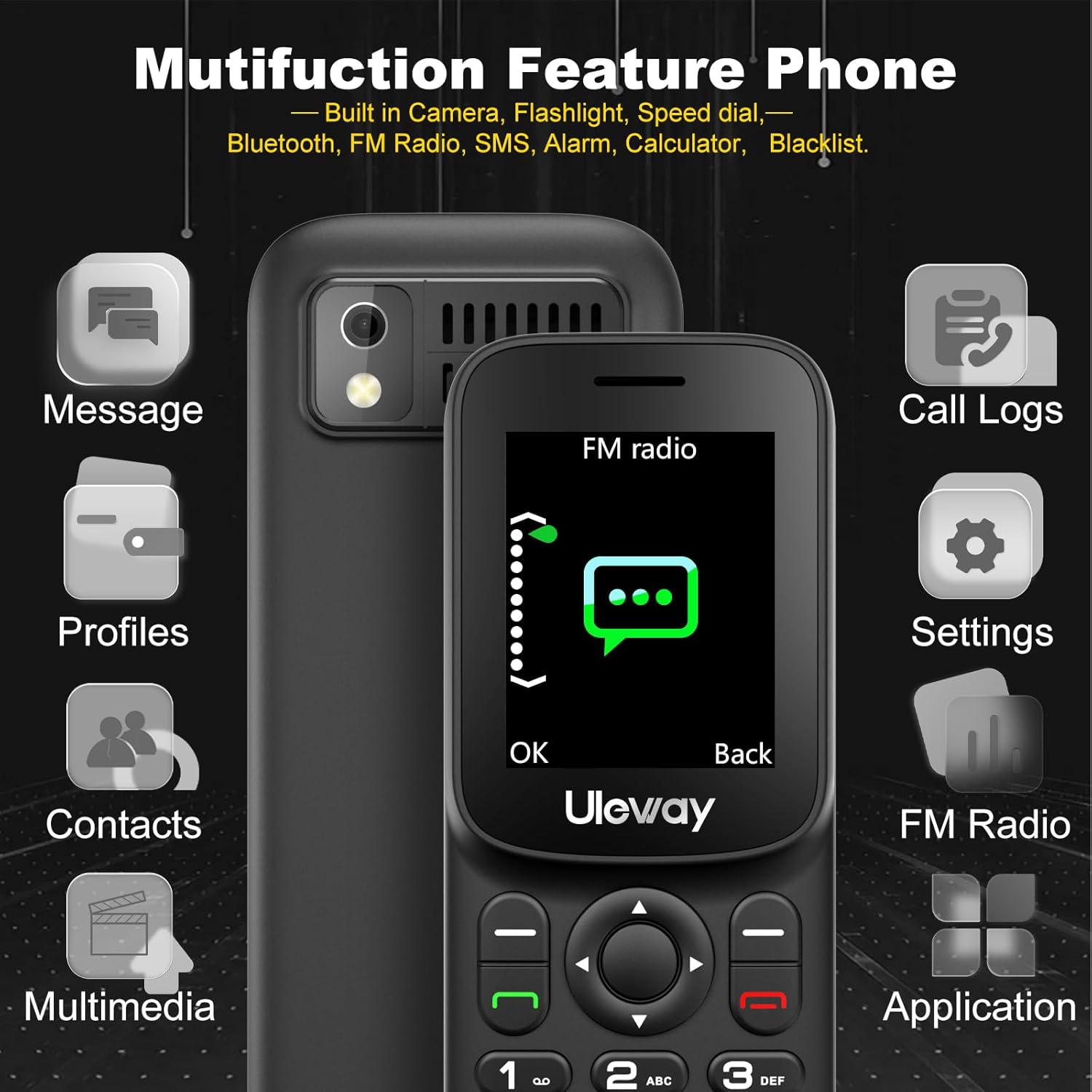
Image 4.1: The phone's display showing various menu options including Message, Call Logs, Settings, and FM Radio, indicating its multi-functional capabilities.
4.3 Speed Dial
Assign frequently called numbers to keys 2-9 for quick dialing.
- Go to Settings > Speed Dial.
- Select a number key (2-9) and assign a contact from your phonebook.
- To use: Press and hold the assigned number key to dial the contact.

Image 4.2: Close-up of the phone's keypad, with keys 2 through 9 highlighted to indicate their function as speed dial buttons.
4.4 Flashlight
The phone includes a built-in flashlight for convenience.
- To turn on/off: Press and hold the Key 0.

Image 4.3: The phone displaying its flashlight function, with light emanating from the top of the device, illustrating its utility in dark environments.
4.5 FM Radio
The phone features an integrated FM radio.
- Access the FM Radio application from the main menu.
- Use the navigation keys to scan for stations and adjust volume.
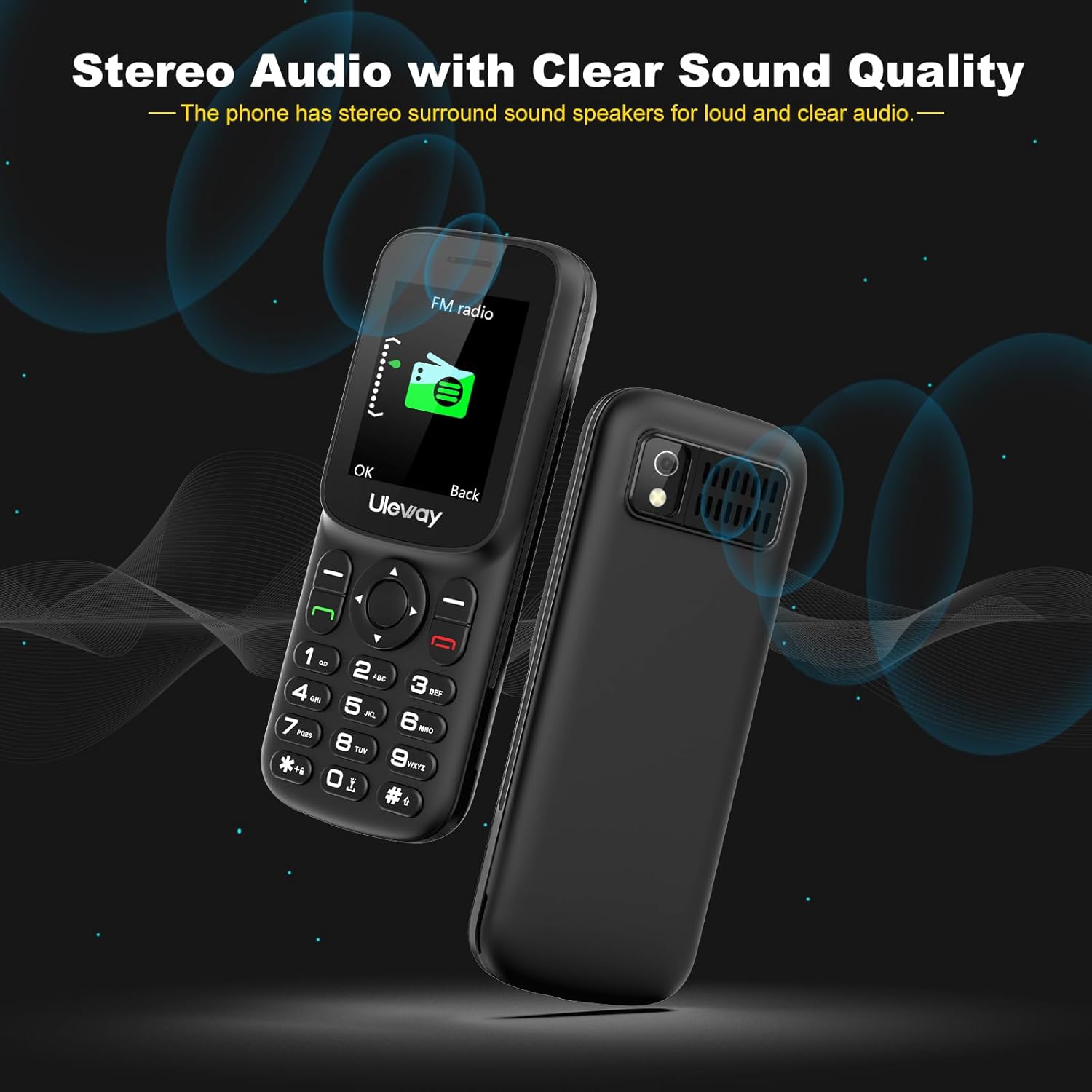
Image 4.4: The phone's rear speaker design, emphasizing its stereo audio capabilities for clear sound quality, particularly useful for features like the FM radio.
5. Advanced Features
5.1 Multimedia
The phone supports MP3/MP4 playback and includes a basic camera.
- Access the Multimedia menu for music, video, and camera functions.
- Ensure an SD card is inserted for storing media files.
5.2 Tools and Utilities
The phone includes several useful tools:
- Alarm: Set multiple alarms.
- Calendar: View dates and add events.
- Calculator: Perform basic arithmetic.
- Bluetooth: Connect to compatible wireless devices.
5.3 Language Settings
The phone supports 7 languages:
- English
- German
- French
- Spanish
- Italian
- Portuguese
- Dutch
To change the language, navigate to Settings > Phone Settings > Language.
6. Maintenance
6.1 Battery Care
- Use only the original charger provided with the phone.
- Avoid exposing the battery to extreme temperatures.
- Do not puncture or damage the battery.
- If the phone will not be used for an extended period, charge it periodically to maintain battery health.
6.2 Cleaning the Device
- Wipe the phone with a soft, dry cloth.
- Avoid using liquid cleaners or abrasive materials.
6.3 Storage
- Store the phone in a cool, dry place away from direct sunlight.
- Keep out of reach of children and pets.
7. Troubleshooting
| Problem | Possible Solution |
|---|---|
| Phone does not power on | Ensure the battery is correctly installed and charged. Try charging the phone for at least 30 minutes. |
| Cannot make/receive calls | Check SIM card installation. Verify network signal strength. Contact your service provider. |
| Poor audio quality | Ensure the speaker/microphone is not obstructed. Adjust call volume. Move to an area with better network coverage. |
| Battery drains quickly | Reduce screen brightness. Close unused applications. Limit background data usage. |
8. Specifications
- Model Number: T185
- Display: 1.77 inches color LCD
- Network: 4G (FDD B1/B3/B7 B8/B20), 3G (WCDMA 900/2100), 2G (GSM 900/1800)
- SIM Card: Dual Nano SIM
- Memory: 48MB RAM + 128MB ROM (Supports up to 32GB expandable memory via Micro SD card)
- Battery: 1000 mAh Lithium-polymer
- Charging Port: USB-C
- Dimensions: Approximately 1.7" x 0.55" x 4.25"
- Weight: 67g (including battery)
- Features: Camera, Flashlight, Bluetooth, MP3/MP4 Player, FM Radio, Calendar, Alarm, Calculator
- Languages: English, German, French, Spanish, Italian, Portuguese, Dutch

Image 8.1: Visual representation of the phone's 4G network compatibility, indicating support for various European operator networks for wider coverage and stronger signals.

Image 8.2: The phone's compact size and lightweight design (67g with battery) are illustrated by comparing it to a credit card, highlighting its portability.
9. Warranty and Support
Uleway provides a two-year warranty for this mobile phone, covering technical and customer service. This warranty does not cover artificial damage.
For technical assistance or customer support, please refer to the contact information provided with your purchase or visit the official Uleway website.
