1. Introduction
The GardePro E8PWF is a high-performance Wi-Fi trail camera designed for capturing wildlife activity and for security monitoring. It features 48MP still image resolution, 1296p video recording, Bluetooth connectivity, and an 8000mAh rechargeable battery. Its color night vision with white flash technology provides detailed nighttime captures. This manual provides essential information for setting up, operating, and maintaining your camera.
2. Package Contents
Please check the package contents to ensure all items are present:
- GardePro E8PWF Wi-Fi Trail Camera
- 8000mAh Rechargeable Lithium Battery Pack
- Mounting Strap
- USB Cable
- User Manual
3. Product Overview
Familiarize yourself with the main components of your GardePro E8PWF camera.

Figure 3.1: Front view of the GardePro E8PWF camera alongside a smartphone showing the camera's app interface with captured images.
3.1 Front Panel
- Lens: Main camera lens.
- PIR Sensors: Passive Infrared sensors for motion detection.
- White Flash LEDs: For color night vision.
- Infrared LEDs: For adaptive infrared illumination.
- Antenna: For Wi-Fi and Bluetooth connectivity.
3.2 Inside Panel
- 2.4" Color Screen: For menu navigation and image/video playback.
- Control Buttons: Menu, OK, Navigation (Up/Down/Left/Right), Shot, Playback.
- SD Card Slot: Supports up to 512GB SDHC/SDXC card (not included).
- USB Port: For connecting to a computer or external power.
- Battery Compartment: Houses the rechargeable battery pack.
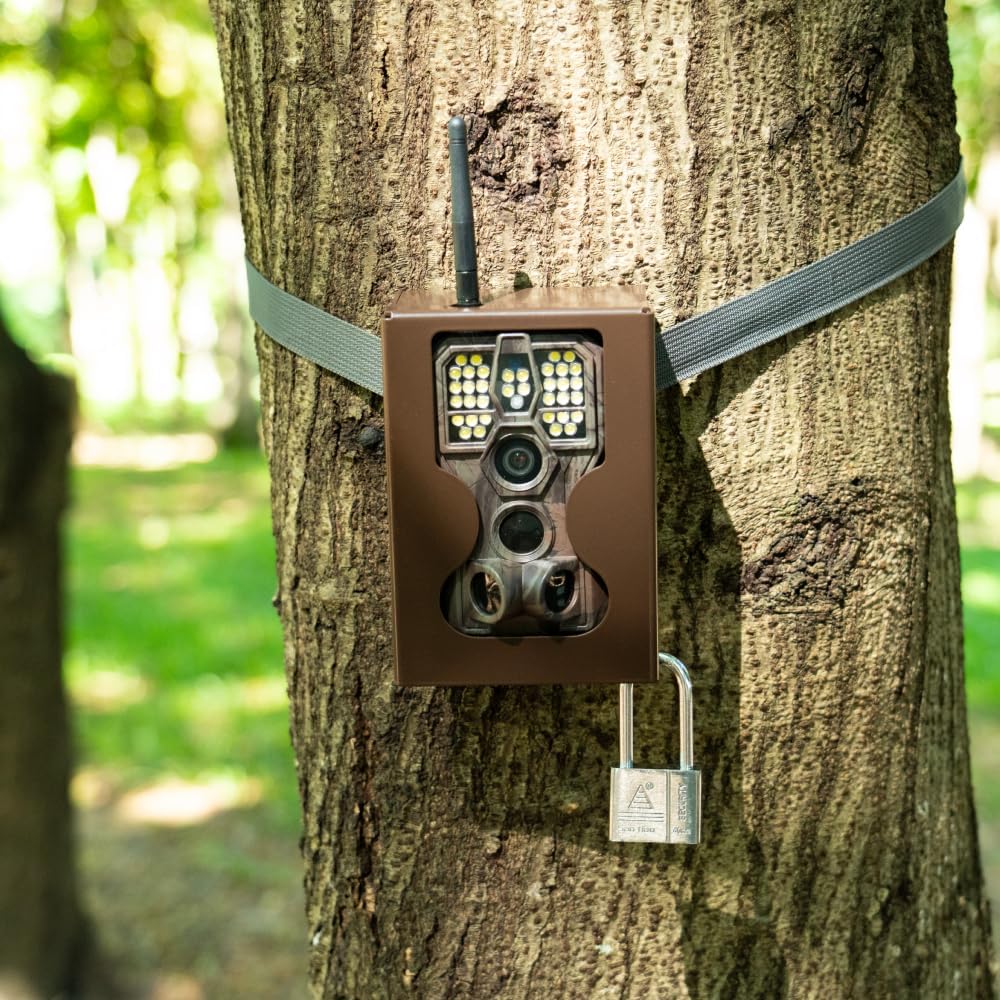
Figure 3.2: Open camera showing the internal screen, control buttons, and the battery compartment with a rechargeable battery being inserted.
4. Setup
4.1 Battery Installation
- Open the camera's side latch and swing open the front cover.
- Locate the battery compartment.
- Insert the provided 8000mAh rechargeable lithium battery pack, ensuring correct polarity.
- Close the battery compartment cover securely.

Figure 4.1: A close-up view of hands inserting the rechargeable battery pack into the camera's battery slot.
4.2 SD Card Installation
- With the camera powered off, locate the SD card slot on the side of the camera.
- Insert an SDHC/SDXC card (Class 10 or higher, up to 512GB) with the metal contacts facing down until it clicks into place.
- To remove, push the card in again until it springs out.
4.3 Mounting the Camera
The camera can be mounted using the provided strap or a tripod mount.
- Strap Mounting: Thread the mounting strap through the slots on the back of the camera and secure it around a tree or pole. Ensure the camera is stable and pointed towards the desired monitoring area.
- Tripod Mounting: Use the 1/4"-20 threaded insert on the bottom of the camera to attach it to a tripod or other mounting accessory.

Figure 4.2: The GardePro E8PWF camera securely mounted to a tree using its strap, with a smartphone nearby showing a live feed of a bird.
5. Operating Instructions
5.1 Powering On/Off
To power on the camera, slide the power switch to the 'ON' position. To power off, slide the switch to 'OFF'.
5.2 Menu Navigation
Use the 'MENU' button to access settings. Use the 'UP' and 'DOWN' arrows to navigate through options, 'OK' to select, and 'LEFT'/'RIGHT' to change values. Press 'MENU' again to exit.
5.3 Recording Modes
The camera supports Photo, Video, and Photo+Video (Hybrid) modes. Select your desired mode from the settings menu.
- Photo Mode: Captures still images when triggered.
- Video Mode: Records video clips when triggered.
- Photo+Video Mode: Captures a still image followed by a video clip when triggered.
5.4 Motion Detection Settings
Adjust PIR sensitivity and trigger delay to optimize detection for your environment.
- PIR Sensitivity: Set to High, Medium, or Low based on the distance and size of subjects you wish to capture.
- Trigger Delay: Determines the time interval before the camera can be triggered again after an initial capture.
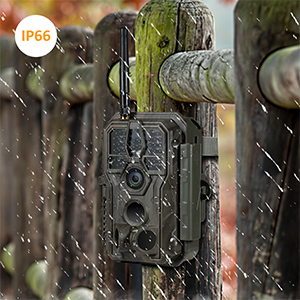
Figure 5.1: Illustration of the camera's 120-degree capture zone and preactivated zones, indicating its wide detection range.
6. Connectivity (Wi-Fi & Bluetooth App)
The GardePro E8PWF camera can connect to your smartphone via Wi-Fi and Bluetooth for convenient viewing and management.
6.1 App Installation
Download the official GardePro app from your smartphone's app store (iOS or Android).
6.2 Connecting to the Camera
- Ensure Bluetooth is enabled on your smartphone.
- Open the GardePro app and follow the on-screen instructions to add your camera. The app will use Bluetooth to initiate a Wi-Fi connection with the camera.
- Once connected, you can view the camera's live feed, adjust settings, and download captured photos and videos directly to your phone.
The local Wi-Fi connection is effective up to approximately 33 feet (10 meters).
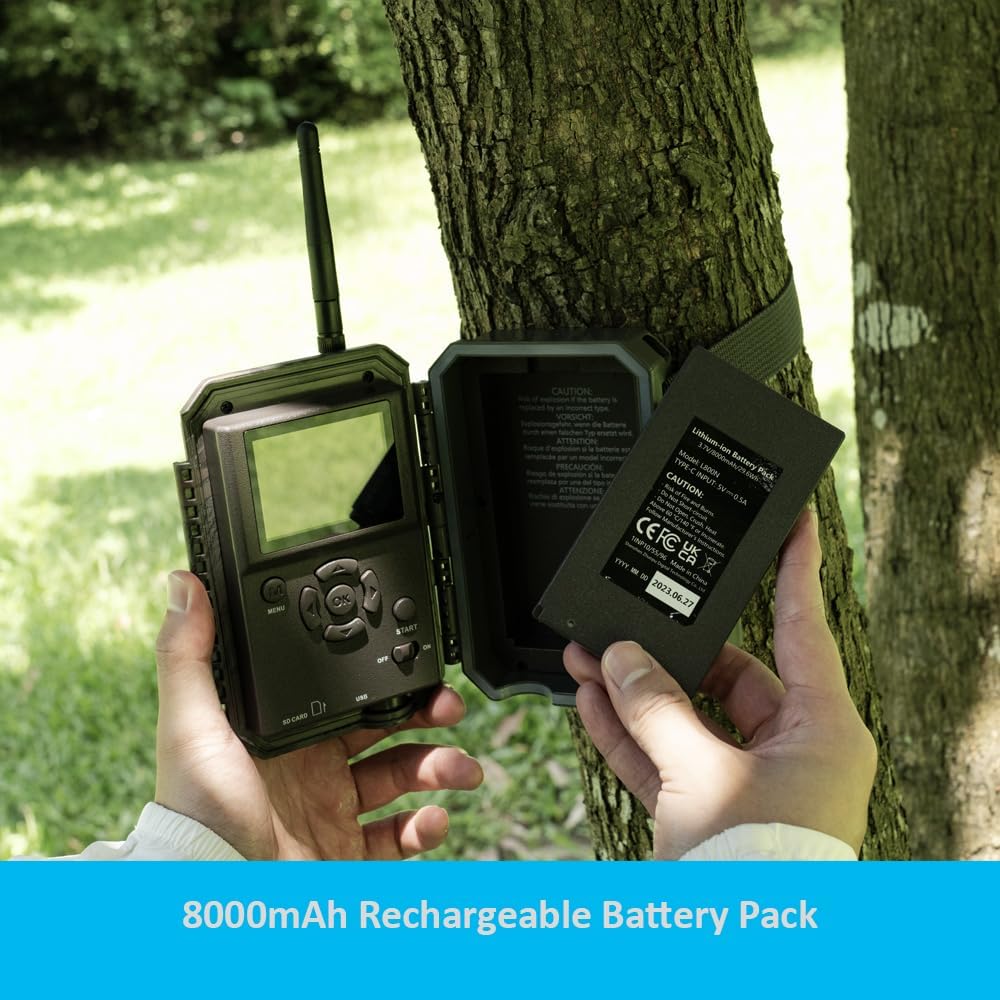
Figure 6.1: The GardePro E8PWF camera positioned next to a smartphone showing its dedicated application, indicating seamless wireless connectivity.
7. Night Vision Features
The E8PWF camera incorporates advanced night vision technology for clear nighttime captures.
- Color Night Vision with White Flash: Utilizes white flash LEDs to capture full-color photos and videos at night, revealing more detail and true colors compared to traditional infrared.
- Adaptive Infrared Illumination: The camera intelligently adjusts infrared light intensity based on the distance of the subject, optimizing clarity and reducing overexposure.

Figure 7.1: A nighttime image of a deer, demonstrating the camera's color night vision capabilities with white flash, capturing fine details and natural hues.
8. Power Management
The GardePro E8PWF is designed for efficient and eco-friendly power usage.
8.1 Rechargeable Battery
The camera is powered by an 8000mAh rechargeable lithium battery pack. This reduces the need for disposable batteries, offering a cost-effective and environmentally conscious solution.
8.2 Solar Panel Compatibility
For extended operation without manual battery changes, the camera is compatible with the GardePro SP300 solar panel (sold separately). Connecting a solar panel can provide continuous power, especially in remote locations.
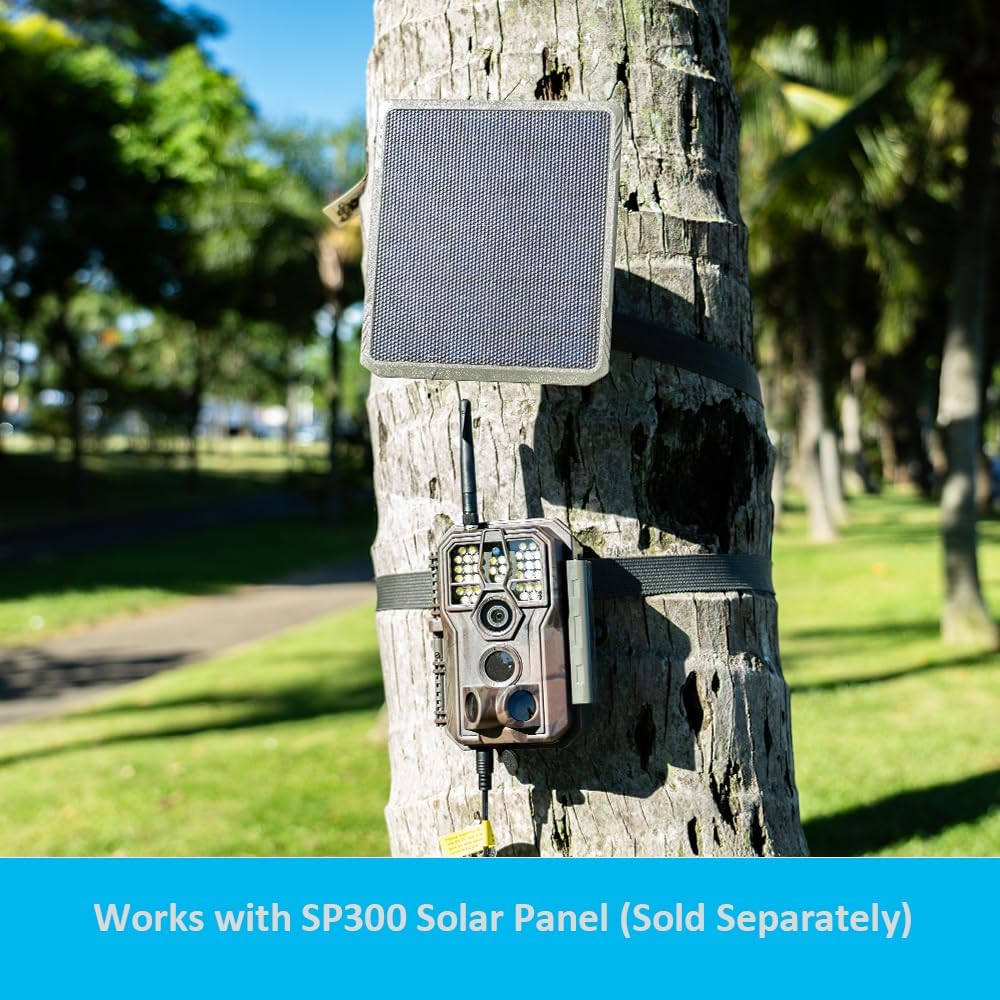
Figure 8.1: The GardePro E8PWF camera mounted on a tree, with a GardePro SP300 solar panel positioned above it, illustrating the optional solar power setup.
9. Maintenance
- Cleaning: Use a soft, dry cloth to clean the camera lens and PIR sensors. Avoid abrasive materials or harsh chemicals.
- Storage: When not in use for extended periods, remove the battery pack and store the camera in a cool, dry place.
- Firmware Updates: Periodically check the GardePro website for firmware updates to ensure optimal performance and access to new features.
- Water Resistance: The camera has an IP66 waterproof rating, protecting it from dust and strong jets of water. However, it is not designed for submersion.

Figure 9.1: The GardePro E8PWF camera enduring rainfall while mounted on a wooden fence, highlighting its IP66 waterproof design.
10. Troubleshooting
10.1 Camera Not Turning On
- Ensure the battery pack is fully charged and correctly inserted.
- Check if the power switch is firmly in the 'ON' position.
10.2 Poor Image/Video Quality
- Clean the camera lens and PIR sensors.
- Ensure the camera is mounted securely to prevent movement.
- Adjust PIR sensitivity and trigger delay settings.
- For night captures, ensure no obstructions are blocking the white flash or IR LEDs.
10.3 Wi-Fi/Bluetooth Connectivity Issues
- Ensure the camera is within the 33-foot (10-meter) effective range of your smartphone.
- Restart both the camera and your smartphone.
- Verify that Bluetooth and Wi-Fi are enabled on your phone.
- Update the GardePro app to the latest version.
10.4 SD Card Errors
- Ensure the SD card is correctly inserted.
- Format the SD card using the camera's menu or a computer.
- Try a different SD card (Class 10 or higher, up to 512GB).
11. Specifications
| Model | E8PWF |
| Image Resolution | 48MP |
| Video Resolution | 1296p (H.264) |
| Trigger Speed | 0.1s |
| Connectivity | Wi-Fi, Bluetooth |
| Night Vision | Color Night Vision with White Flash, Adaptive IR |
| Battery | 8000mAh Rechargeable Lithium Battery Pack (included) |
| External Power | Compatible with GardePro SP300 Solar Panel (sold separately) |
| Storage | SDHC/SDXC card up to 512GB (not included) |
| Display | 2.4" Color Screen |
| Waterproof Rating | IP66 |
| Item Weight | 1.52 pounds |
| Dimensions | 7.56 x 4.88 x 3.35 inches |
12. Warranty and Support
GardePro products are designed for reliability and performance. For warranty information, technical support, or service inquiries, please refer to the official GardePro website or contact their customer service directly. Keep your purchase receipt as proof of purchase for warranty claims.
For further assistance, visit the GardePro Store on Amazon.


