Introduction
The Plkm Wireless Dog Fence System is an intelligent pet containment solution designed to provide a safe and free play area for your dog. This system utilizes advanced radio signals to create an invisible circular boundary, ensuring your pet stays within designated safe zones. Key features include adjustable boundary ranges, real-time receiver battery monitoring, 360° strong signal coverage, and an AI smart alarm for enhanced safety and convenience.
This manual provides detailed instructions for setting up, operating, maintaining, and troubleshooting your wireless dog fence system.
Package Contents
What's Included

The Plkm Wireless Dog Fence System package typically includes the following items:
- Transmitter: The main unit that emits the radio signal to create the boundary.
- Receiver Collar: Worn by your dog, it receives signals from the transmitter and provides corrections.
- USB Charger: For charging the system components.
- USB Charge Cable: Connects the charger to the devices.
- Contact Points: Two sets of different lengths (long and short) to suit various dog coat types.
- Test Light: Used to verify the correction functions of the receiver.
- Boundary Flags: Visual aids for initial training.
Setup Guide
Charging the Device

Before initial use, ensure both the transmitter and receiver collar are fully charged. Connect the USB charge cable to the respective charging ports on the devices and plug the USB charger into a power outlet. A full charge is recommended for optimal performance.
Attaching Contact Points
Select the appropriate contact points for your dog's coat length. Use longer contact points for dogs with thick or long fur to ensure proper skin contact, and shorter ones for dogs with short fur. Screw the chosen contact points firmly onto the receiver collar.
Initial Power On and Satellite Acquisition

To power on the receiver collar, press and hold the power button for 3 seconds. The display will illuminate. The device will then begin searching for satellite signals. Once a sufficient number of satellites are acquired, the display will show a stable number, indicating it is ready for use. If the display shows '00' or an error, the device is still searching or has a weak signal.
Setting the Boundary Range

The system allows you to set a circular invisible boundary from 1 to 9 acres, with a radius of 140-360 feet. Use the signal range set buttons (up/down arrows on the transmitter) to adjust the boundary to one of the 5 available levels. Ensure the chosen area is safe and free from hazards for your dog.
Testing the System
After setting the boundary, use the provided test light to verify the correction functions. Place the test light across the contact points on the receiver collar. Walk towards the edge of your set boundary. The receiver should emit a beep, then vibrate, and finally provide a static correction, indicated by the test light flashing. This confirms the system is functioning correctly.
Operating Instructions
Training Your Dog

This wireless dog fence is designed for outdoor use only. It employs a three-stage reminder system: sound, vibration, and electrostatic shock. When your dog approaches the boundary, the collar will first emit a warning sound, followed by vibration, and then a gentle static correction if the dog continues to move beyond the boundary.
The system features static-free reentry, allowing your pet to return to the safe area without further correction if they cross the line. This helps reduce fear and confusion, encouraging them to return to the designated zone.
During training, the correction sequence is typically 16 seconds of active correction followed by a 30-second pause. This cycle repeats up to three times. If the dog has not returned to the safe area after three cycles, the static correction will cease, but the sound and vibration will continue until the dog re-enters the boundary. Patience and consistent training are crucial for your dog to understand the boundaries.
AI Smart Alarm and Battery Display
The transmitter features an AI smart alarm that provides real-time alerts. It will flash a light and sound an alarm if the receiver collar's battery is low or if your dog approaches or runs out of the set range. The transmitter also displays the receiver's battery level, allowing you to monitor and recharge the collar in a timely manner.
Video: Demonstrating the Plkm Wireless Dog Fence System's features, including setup, testing, and how it functions to contain pets.
Maintenance
Cleaning
Regularly clean the receiver collar and contact points to ensure proper function and hygiene. Use a damp cloth to wipe down the surfaces. Ensure the contact points are free from dirt or debris that could impede contact with your dog's skin.
Charging
Charge the transmitter and receiver collar as indicated by the battery level display and AI smart alarm. Consistent charging ensures the system is always ready for use.
Waterproofing

The receiver collar is designed with high-density waterproofing, making it suitable for use in rainy conditions. However, it is not intended for prolonged submersion or swimming. Avoid allowing your dog to swim while wearing the collar to prevent potential damage.
Troubleshooting
Signal Issues
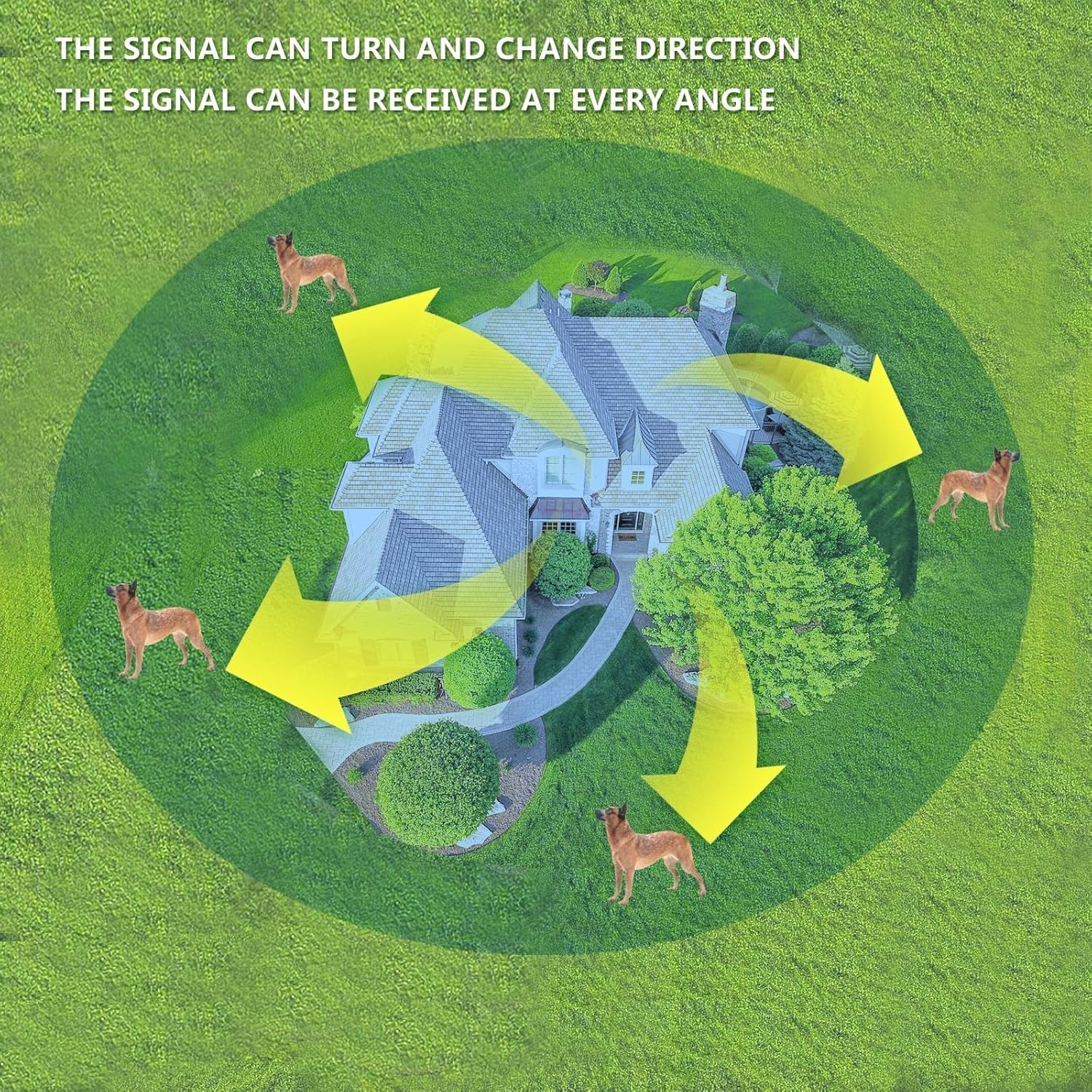
The system offers 360° strong signal coverage, designed to penetrate walls and other common obstructions. However, in environments with very dense foliage, large metal structures, or significant terrain changes, signal strength may be affected. If you experience inconsistent boundary performance, try repositioning the transmitter to a more open area or adjusting the boundary range.
Device Not Responding
If the device is not responding, check the battery levels of both the transmitter and receiver collar. Ensure they are fully charged. Verify that the devices are powered on correctly. If issues persist, refer to the setup guide for initial power-on procedures.
Dog Not Responding to Correction
Ensure the contact points are making firm and consistent contact with your dog's skin. Adjust the collar's tightness if necessary. For dogs with thicker coats, ensure the longer contact points are used. Gradually increase the intensity level of the static correction if your dog does not respond to lower settings, always observing your dog's reaction to avoid over-correction.
Video: A user demonstrating the functionality of the Plkm Wireless Dog Fence System, including how the collar works and its effectiveness in containing a dog.
Product Specifications
| Feature | Detail |
|---|---|
| Model Number | 02FX-01-GP-CA-AS01-B-1C |
| Brand | Plkm |
| Battery Type | 1 Lithium Ion battery (included) |
| Parcel Dimensions | 30.5 x 17.1 x 9.7 cm; 830 g |
| Boundary Range | 1-9 acres (140-360 feet radius), 5 adjustable levels |
| Signal Coverage | 360° strong signal penetration |
| Correction Modes | Sound, Vibration, Electrostatic Shock |
| Safety Features | Static-free reentry, AI smart alarm for low battery/out of range |
Warranty and Support
For warranty information or technical support regarding your Plkm Wireless Dog Fence System, please contact our customer service team. We are committed to providing assistance and ensuring your satisfaction with our product.
Post-Sale Service Email: e-fence@outlook.com


