
MechMaxx EDC880C
MechMaxx 880L ESD Desiccator Cabinet User Manual
Model: EDC880C
Brand: MechMaxx
Product Overview
The MechMaxx 880L ESD Desiccator Cabinet is designed for the precise control of humidity, maintaining levels between 1-10% RH. This unit is ideal for storing moisture-sensitive components such as semiconductors, optical lenses, printed circuit board assemblies, and laboratory chemicals. It features advanced, self-regenerating desiccants, eliminating the need for external nitrogen or compressed air.
Key features include:
- Ultra-Low Humidity Control: Maintains humidity levels between 1-10% RH to protect moisture-sensitive components. Utilizes advanced, self-regenerating desiccants, eliminating the need for nitrogen or compressed air.
- Modular & Flexible Design: Customizable with easily replaceable modules, including dehumidifiers, shelves, controller, and power unit. Add additional modules as your needs grow, providing a future-proof solution.
- Robust Structure: Built with durable materials like powder-coated steel and tempered glass for long-lasting performance. Designed to withstand frequent access without compromising the storage environment.
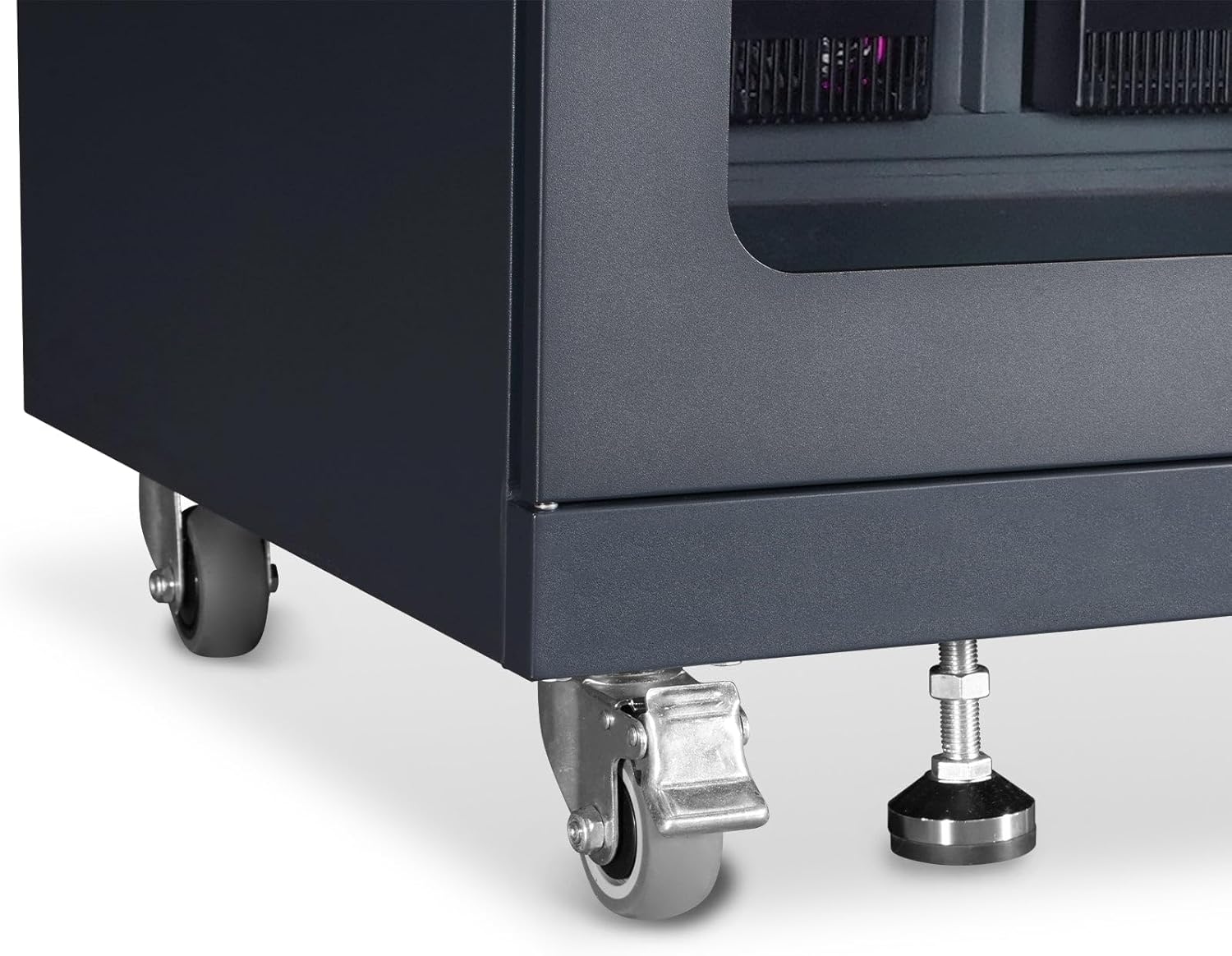
- Anti-Static Protection: ESD-safe features include anti-static coatings (body and shelves), anti-static casters, and 1 MΩ ground wire, protecting electronic components from electrostatic discharge.
- Intelligent Digital Control: The intelligent microcomputer control system precisely regulates both temperature and humidity. Equipped with high-precision humidity sensor, it ensures stable and reliable performance. The humidity settings feature a memory function, so there’s no need to reset after power loss.

Setup and Installation
1. Unboxing and Inspection
Carefully remove the desiccator cabinet from its packaging. Inspect the unit for any signs of damage during transit. Ensure all components listed in the packing list are present. Retain original packaging for future transport or storage.
2. Placement
Place the cabinet on a stable, level surface. Ensure there is adequate clearance around the unit for proper ventilation and access. Avoid placing the cabinet near heat sources, direct sunlight, or in areas with high humidity fluctuations.
3. Shelf Installation
The cabinet comes with adjustable shelves. To install or adjust shelves:
- Open the cabinet doors.
- Locate the shelf support brackets on the interior side walls.
- Insert the shelf into the desired slots, ensuring it is level and securely seated on all four brackets.

For a visual guide on shelf installation, please refer to the product demonstration video below (0:24 mark).
4. Power Connection
Locate the power input on the rear of the cabinet. Connect the provided power cord to the cabinet and then to a grounded electrical outlet. Ensure the power source matches the voltage requirements specified on the product label.

A demonstration of connecting the power can be found in the product video (0:40 mark).
5. Grounding
The cabinet is equipped with a 1 MΩ ground wire for ESD protection. Connect this ground wire to an appropriate grounding point in your facility to ensure proper electrostatic discharge safety for sensitive electronic components.
Operating Instructions
1. Initial Power On
After connecting the power, press the “ON/OFF” button on the control panel. The LED screen will light up, displaying the current temperature and humidity inside the cabinet.

2. Setting Desired Humidity
To set the required humidity level:
- Press the “SET” button (often represented by a gear icon or similar).
- Use the “UP” (▲) and “DOWN” (▼) buttons to adjust the target humidity percentage.
- Once the desired humidity is set, release the button. The system will automatically save the setting within 5 seconds and begin to adjust the internal humidity to the new target. The temperature display cannot be adjusted manually.
The humidity settings feature a memory function, so there is no need to reset after a power loss.
See the product video for a demonstration of setting the humidity (0:43 mark).
3. Locking the Doors
The cabinet doors are equipped with locks to secure contents. Use the provided keys to lock and unlock the doors as needed.
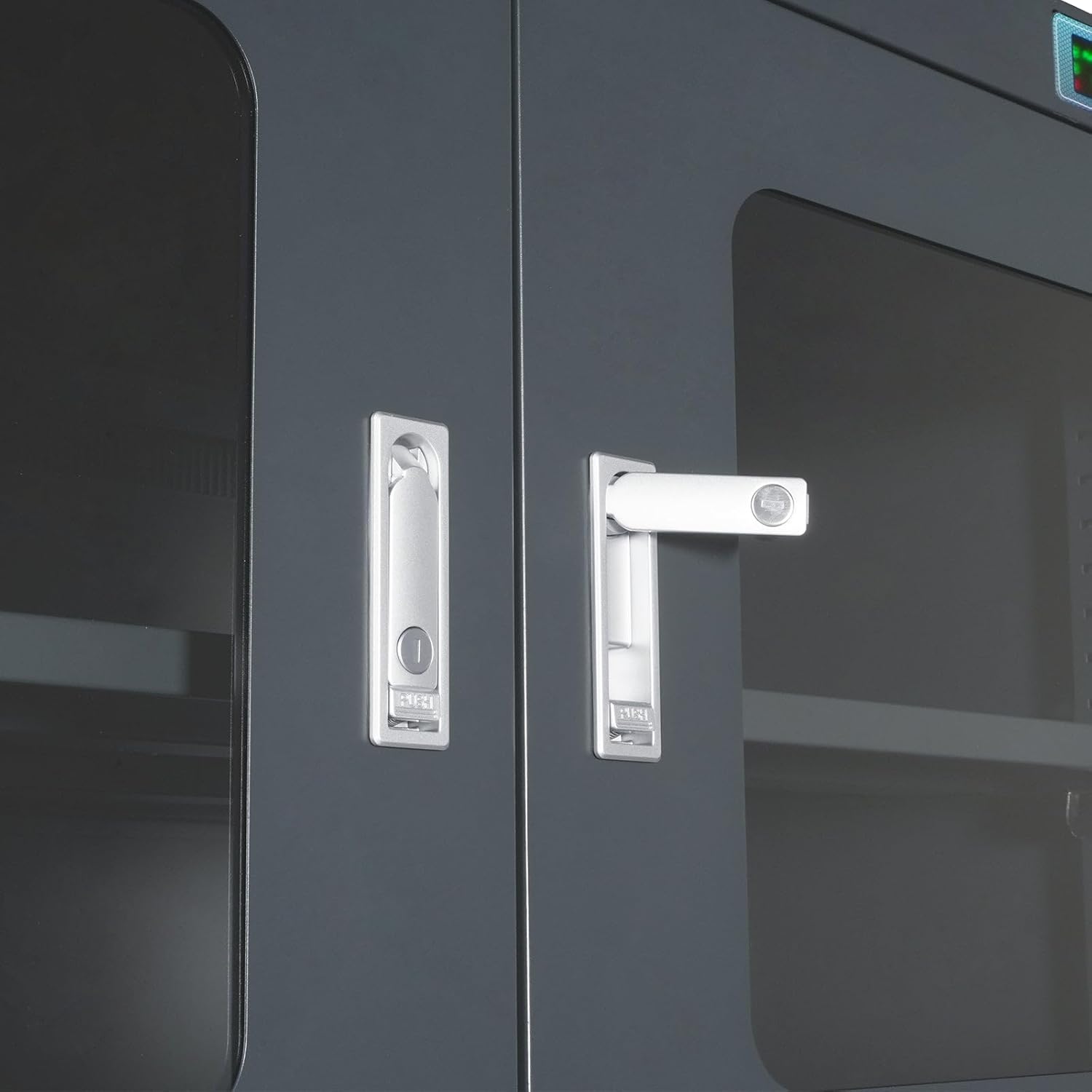
A demonstration of the door locking mechanism is available in the product video (0:16 mark).
Maintenance
Regular maintenance ensures optimal performance and longevity of your desiccator cabinet.
- Cleaning: Wipe the exterior and interior surfaces with a soft, damp cloth. Avoid abrasive cleaners or solvents that could damage the finish or internal components.
- Door Seals: Periodically inspect the door seals for any signs of wear or damage. Ensure they are clean and free of debris to maintain an airtight environment.
- Ventilation: Ensure the ventilation grilles on the rear of the cabinet are not obstructed to allow for proper air circulation for the dehumidification units.
- Power Cord: Check the power cord for any fraying or damage. Replace immediately if any damage is found.
Troubleshooting
If you encounter issues with your MechMaxx Desiccator Cabinet, refer to the following common problems and solutions:
| Problem | Possible Cause | Solution |
|---|---|---|
| Humidity not decreasing |
|
|
| Display not working |
|
|
| Unusual noise from unit |
|
|
Specifications
| Feature | Detail |
|---|---|
| Brand | MechMaxx |
| Model | EDC880C |
| Humidity Control Range | 1-10% RH |
| Color | Black |
| Recommended Uses | Laboratory Chemicals, Semiconductors, Optical Lenses, Printed Circuit Board Assemblies |
| Special Features | Adjustable Shelf, Customizable, Durable, Lockable, Moisture Resistant, Wheeled |
| Mounting Type | Floor Mount |
| Door Style | Open Frame (with glass panels) |
| Included Components | Dry Cabinet |
| Finish Type | Powder Coated |
| Number of Shelves | 3 |
| Base Type | Legs (with casters) |
| Installation Type | Freestanding |
| Top Material Type | Steel |
| Assembly Required | No (minor setup like shelf installation) |
| Frame Material | Alloy Steel |
| Item Weight | 362 pounds |
| Package Dimensions | 80 x 38 x 28 inches |
| Date First Available | February 10, 2025 |
Product Demonstration Video
Warranty and Support
MechMaxx products are designed for durability and performance. For warranty information, technical support, or service inquiries, please contact MechMaxx customer service through their official website or the retailer where the product was purchased. Please have your model number (EDC880C) and purchase date available when contacting support.
For more information, visit the MechMaxx Store on Amazon.
Related documentsEDC880C

Ask a question about this manual
Ask about setup, troubleshooting, compatibility, parts, safety, or missing instructions. Manuals+ will review the question and use this page’s manual context to help answer it.