1. Introduction
This manual provides instructions for the safe and efficient operation of your Vernijtrdy DC1018P Uninterruptible Power Supply (UPS). This device is designed to provide backup power for various DC-powered devices such as routers, modems, security cameras, and cell phones during power outages, ensuring continuous operation.
Package Contents:
- 1 x Vernijtrdy DC1018P UPS Unit
- 3 x DC Output Cables
- 1 x AC Power Cable (US Plug)
- 1 x English Instruction Manual
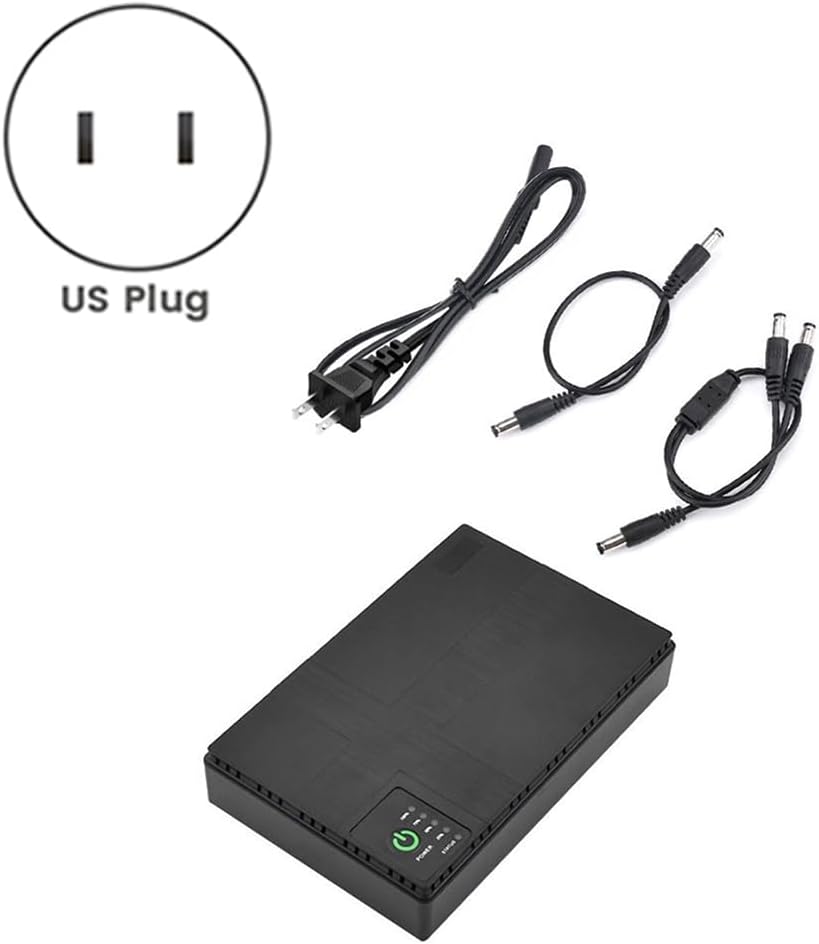
Image 1.1: Vernijtrdy DC1018P UPS and accessories.
2. Safety Information
Please read all safety instructions before using this product to prevent injury or damage to the device. Keep this manual for future reference.
- Do not expose the device to water, moisture, or extreme temperatures.
- Do not disassemble, repair, or modify the device. This may void the warranty and pose safety risks.
- Ensure proper ventilation around the UPS during operation.
- Use only the provided power adapter and cables.
- Keep out of reach of children.
- The device includes built-in safety protections against overheating, short circuits, overvoltage, overcurrent, and overcharge. However, avoid overloading the unit beyond its specified output power.
3. Product Overview
Familiarize yourself with the ports and indicators on your Vernijtrdy DC1018P UPS.
Ports and Connectors:

Image 3.1: Front panel ports and connectors.
- RESET: Button to reset the device.
- POE/LAN: Power over Ethernet (POE) output and LAN passthrough ports.
- SELECTOR (15V/24V): Switch to select the POE output voltage.
- USB (5V): USB Type-A output port for 5V devices.
- DC OUT (5V, 9V, 12V): Standard DC barrel jack outputs for various voltage devices.
- INPUT (85-265Vac): AC power input for charging the UPS and providing pass-through power.
Power and Status Indicators:

Image 3.2: Power button and status indicators.
- POWER Button: Press to turn the UPS on or off.
- STATUS LEDs (100%, 75%, 50%, 25%): Indicate the remaining battery charge level. These LEDs illuminate sequentially during charging and dim as the battery discharges.
4. Setup
Follow these steps to set up your Vernijtrdy DC1018P UPS.
- Connect to AC Power: Plug the provided AC power cable into the INPUT (85-265Vac) port on the UPS, then plug the other end into a standard wall outlet. The UPS will begin charging, and the status LEDs will indicate the charge level.
- Power On: Press the POWER button to turn on the UPS. The power indicator will illuminate.
- Connect Your Devices:
- For DC Devices (5V, 9V, 12V): Use one of the provided DC output cables. Connect one end to the corresponding DC OUT port on the UPS (e.g., 12V to 12V device) and the other end to your device's power input. Ensure the voltage matches your device's requirements.
- For USB Devices (5V): Connect your device's USB charging cable to the USB (5V) port on the UPS.
- For POE Devices (15V, 24V): First, set the POE SELECTOR switch to either 15V or 24V, matching your POE device's requirement. Then, connect an Ethernet cable from the POE port on the UPS to your POE-powered device. If your device also requires a LAN connection, you can use the LAN port for passthrough.
- Verify Operation: Once connected, ensure your devices are receiving power and operating correctly.
5. Operating Instructions
Powering On/Off:
- To turn on the UPS, press and hold the POWER button for a few seconds until the power indicator illuminates.
- To turn off the UPS, press and hold the POWER button again until the power indicator turns off.
Charging the UPS:
When connected to AC power, the UPS will automatically charge its internal battery. The STATUS LEDs will indicate the current charge level:
- All 4 LEDs lit: 75-100% charge
- 3 LEDs lit: 50-75% charge
- 2 LEDs lit: 25-50% charge
- 1 LED lit: Below 25% charge (recharge soon)
Uninterruptible Power Function:
When the UPS is connected to AC power and devices are connected to its output ports, it will provide continuous power to your devices. In the event of an AC power failure, the UPS will automatically switch to battery power without interruption, ensuring your connected devices remain operational.
Simultaneous Device Power:
The UPS supports simultaneous power delivery to multiple devices through its various output ports, provided the total power consumption does not exceed the maximum output power of 18W.
6. Maintenance
- Cleaning: Use a soft, dry cloth to clean the exterior of the UPS. Do not use liquid cleaners or solvents.
- Storage: Store the UPS in a cool, dry place away from direct sunlight and extreme temperatures (-10°C to 40°C).
- Battery Care: For optimal battery life, fully charge the UPS before first use. If storing for extended periods, charge the unit at least once every three months to prevent deep discharge.
- Ventilation: Ensure the ventilation slots are not blocked to prevent overheating.
7. Troubleshooting
If you encounter issues with your Vernijtrdy DC1018P UPS, refer to the following common problems and solutions:
- UPS does not power on:
- Ensure the UPS is charged. Connect it to AC power and check the status LEDs.
- Press and hold the POWER button for a few seconds to ensure it is properly activated.
- Connected device is not receiving power:
- Verify the UPS is powered on.
- Check that the output cable is securely connected to both the UPS and your device.
- Ensure the correct voltage output port is used for your device (e.g., 12V device connected to 12V output).
- For POE devices, confirm the POE SELECTOR switch is set to the correct voltage (15V or 24V).
- Check if the total power consumption of all connected devices exceeds the 18W maximum output. Disconnect some devices if necessary.
- UPS is overheating or shutting down unexpectedly:
- Ensure adequate ventilation around the unit. Do not cover the ventilation slots.
- Reduce the load by disconnecting some devices if the total power draw is too high.
- If the issue persists, contact customer support.
8. Specifications
Technical specifications for the Vernijtrdy DC1018P UPS.
| Parameter | Value |
|---|---|
| Model Number | 500760340A2 |
| Battery Capacity | 10400mAh |
| Input | AC 85-265V, 50-60Hz |
| Output (USB) | DC 5V/2A |
| Output (DC) | DC 5V/1A, DC 9V/1A, DC 12V/1A |
| Output (POE) | 15V/0.6A, 24V/0.6A |
| Maximum Output Power | 18W |
| Working Temperature | -10°C ~ 40°C |
| Humidity | 10% - 90% PH (non-condensing) |
| Product Dimensions | Approx. 16cm x 10cm x 3cm (6.3 x 3.9 x 1.2 inches) |
| Safety Protection | Overheat, Short Circuit, Overvoltage, Overcurrent, Overcharge |
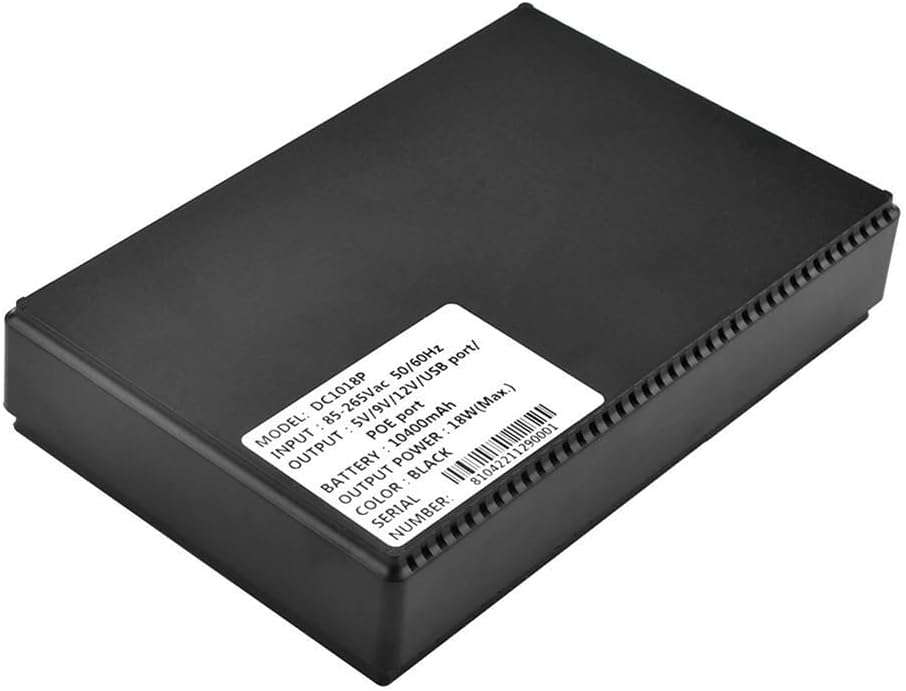
Image 8.1: Product label with detailed specifications.
9. Warranty and Support
For warranty information or technical support, please refer to the purchase documentation or contact the seller directly. Keep your proof of purchase for any warranty claims.