
1. Product Overview
The HEYAXA Wireless Floating Pool Thermometer provides convenient and accurate water temperature monitoring for various aquatic environments. It features a digital display and wireless transmission capabilities, allowing you to check temperatures from a distance.
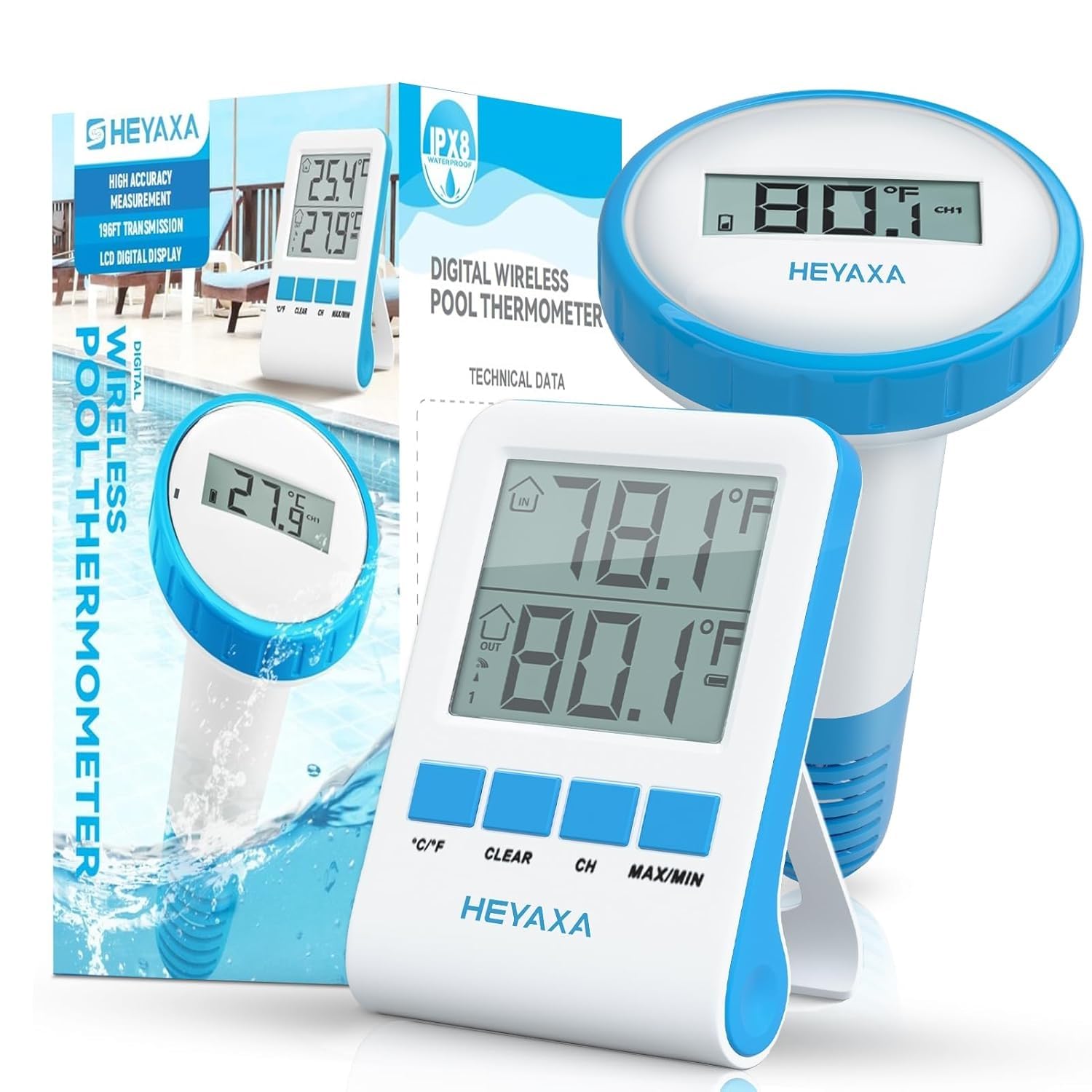
Image: The HEYAXA Wireless Floating Pool Thermometer system, showing the floating outdoor sensor in a pool and the indoor digital display unit.
- Wireless Digital Display: The 2.5-inch digital display provides a clear and easy-to-read view of your pool’s water temperature.
- Extended Wireless Transmission: Enjoy wireless transmission up to 196 ft (60m) with data updates every 50 seconds, eliminating the need to approach the thermometer for readings.
- High Accuracy: Designed for precise temperature measurement.
- IPX8 Waterproof: The outdoor sensor is highly waterproof and durable, made from high-quality ABS materials for longevity.
- Multi-Sensor Support: The system supports up to 3 pool sensors (additional sensors sold separately), allowing you to monitor multiple water bodies simultaneously.
- Versatile Use: Suitable for swimming pools, hot tubs, bathtubs, fish tanks, ponds, and hot springs.
2. What's in the Box
- 1 x Outdoor Thermometer (Floating Sensor)
- 1 x Digital LCD Display (Indoor Receiver)
- 1 x Instruction Manual
3. Setup Instructions
Follow these steps to set up your HEYAXA Wireless Floating Pool Thermometer:
- Install Batteries in Indoor Display: Open the battery compartment on the back of the indoor LCD display. Insert two AAA batteries, ensuring correct polarity. Close the compartment securely.
- Install Batteries in Outdoor Thermometer: Unscrew the top cap of the floating outdoor thermometer. Carefully remove the battery holder. Insert two AAA batteries into the holder, observing polarity. Reinsert the battery holder and screw the top cap back on tightly to ensure a waterproof seal.
- Select Temperature Unit: On the indoor display, press the “°C/°F” button to switch between Celsius and Fahrenheit. On the outdoor thermometer, there is usually a small switch or button inside the battery compartment area to select the unit. Ensure both units are set to your preferred measurement.
- Pairing (if necessary): The units should automatically pair. If they do not, refer to the troubleshooting section or the included quick start guide for specific pairing instructions, which usually involves pressing a “CH” or “SYNC” button on both units within a short timeframe.
- Placement: Place the outdoor thermometer in the water body you wish to monitor. Use the included tethering strap to secure it to a fixed location if desired, preventing it from being pulled into skimmers or drifting away. Place the indoor display in a convenient location within the 196 ft transmission range.
Visual Guide: Battery Installation and Initial Setup
Video: This video demonstrates the battery installation process for both the indoor display and the outdoor floating sensor, as well as initial setup steps like unit selection and securing the sensor in the pool.
4. Operating Instructions
Once set up, operating your thermometer is straightforward:
- Reading Temperatures: The indoor display will show both the indoor ambient temperature (top) and the outdoor water temperature (bottom). The outdoor temperature is updated approximately every 50 seconds.
- Temperature Range: The indoor temperature range is 14°F to 140°F (-10°C to 60°C). The outdoor water temperature range is -4°F to 140°F (-20°C to 60°C).
- Switching Channels: If you are using multiple outdoor sensors, press the “CH” button on the indoor display to cycle through the different sensor channels (CH1, CH2, CH3).
- Max/Min Readings: Press the “MAX/MIN” button to view the maximum and minimum temperatures recorded for both indoor and outdoor readings since the last reset. Press “CLEAR” to reset these values.
Display Overview

Image: A detailed view of the indoor display unit, highlighting indicators for indoor temperature, outdoor temperature, wireless signal strength, channel number, and battery status.
5. Maintenance
To ensure the longevity and accuracy of your thermometer, follow these maintenance guidelines:
- Battery Replacement: Replace batteries in both units when the low battery indicator appears on the display. Use fresh AAA batteries.
- Cleaning: Wipe the indoor display with a soft, dry cloth. For the outdoor sensor, periodically clean any algae or debris that may accumulate on its surface to ensure accurate readings. Avoid using abrasive cleaners.
- Waterproof Seal: Always ensure the outdoor thermometer's cap is tightly screwed on to maintain its IPX8 waterproof rating. Regularly check the rubber seal for any signs of wear or damage.
- Storage: During off-season or extended periods of non-use, remove batteries from both units and store them in a cool, dry place.
Waterproof Design
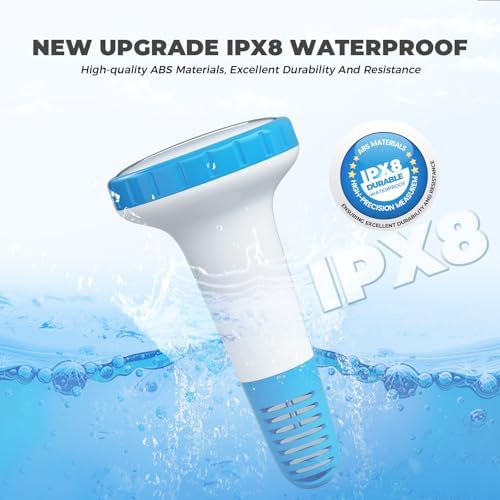
Image: The floating outdoor thermometer sensor, emphasizing its IPX8 waterproof construction and high-quality ABS materials for durability.
6. Troubleshooting
If you encounter issues with your thermometer, refer to the following common problems and solutions:
- Connection Issue (Unable to Upload Sensor Data):
- Check the sensor's battery level.
- Reduce the connection range between the sensor and the device.
- Examine the surroundings of the sensor for potential sources of interference (such as high-power signal towers, thick walls, etc.).
- Leakage Issue (Swimming Pool Sensor is Leaking):
- Verify if the sensor cover is securely fastened.
- If leakage persists after tightening, please contact customer service immediately.
7. Specifications
| Feature | Specification |
|---|---|
| Brand | HEYAXA |
| Model Name | Wireless Pool Thermometer |
| Item Model Number | 647379028510 |
| Special Feature | High Accuracy |
| Color | Teal |
| Outer Material | Plastic |
| Display Type | Digital |
| Connectivity Technology | Bluetooth |
| Power Source | Battery Powered (2*AAA for outdoor, 2*AAA for indoor - not included) |
| Indoor Temperature Range | 14°F to 140°F (-10°C to 60°C) |
| Outdoor Temperature Range | -4°F to 140°F (-20°C to 60°C) |
| Response Time | 50 seconds |
| Wireless Transmission Range | Up to 196 ft (60m) |
| Waterproof Rating | IPX8 |
| Item Weight | 9.6 ounces |
8. Warranty and Support
For any product inquiries, technical support, or warranty claims, please contact HEYAXA customer service:
- Email: support@heyaxa.com
- Website: https://heyaxa.com/
Our customer service team aims to reply to your email within 24 hours. You may also contact us through the HEYAXA app if available.