
1. Introduction
The Ejoyous Programmable Mechanical Macro Keyboard is a versatile input device designed to enhance efficiency in both gaming and office environments. Featuring 12 customizable buttons and 2 rotary knobs, this keypad allows users to assign various functions, macros, and quick commands to streamline workflows and improve response times. Its mechanical red switches provide tactile feedback and precise actuation, ensuring a reliable user experience. This manual provides instructions for setup, operation, programming, and maintenance of your Ejoyous macro keyboard.

Image 1.1: Ejoyous Programmable Mechanical Macro Keyboard in a typical usage scenario.
2. Product Features
- 12 Programmable Buttons & 2 Rotary Knobs: Customize each button and knob for specific functions, macros, or shortcuts to optimize your workflow or gaming experience.
- Mechanical Red Switches: Equipped with responsive mechanical red switches for sensitive feedback and quick reaction times, ensuring precise input.
- Wide Compatibility: Compatible with various operating systems including Windows, Vista, Linux, and OS X laptops.
- Durable Construction: Made from robust ABS material, designed for longevity and intensive use.
- USB Wired Connection: Simple plug-and-play connectivity via a standard USB cable.
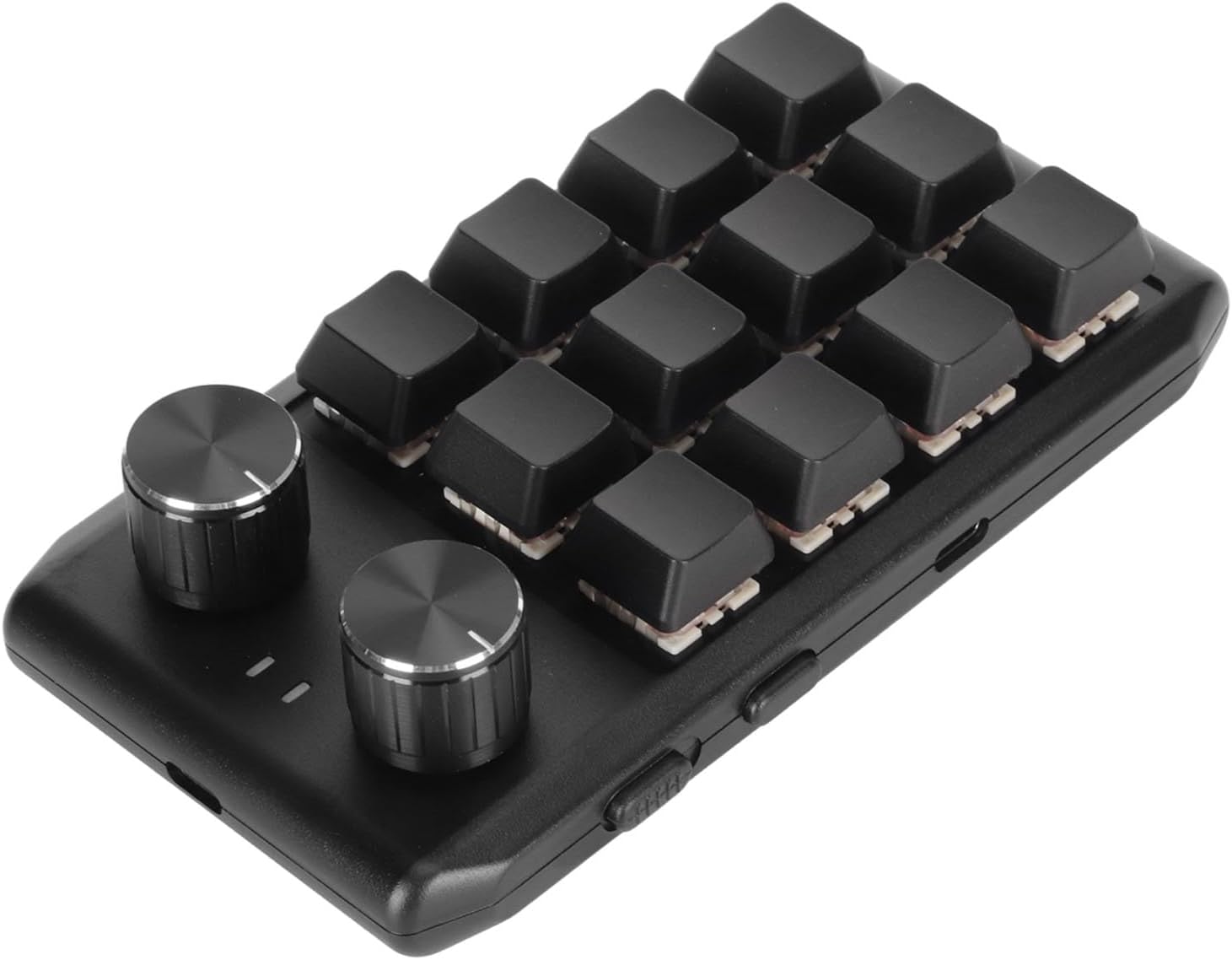
Image 2.1: Angled view of the Ejoyous Programmable Mechanical Macro Keyboard, highlighting its buttons and knobs.
3. Package Contents
Please check the package contents upon unboxing:
- 1 x Ejoyous Programmable Mechanical Macro Keyboard
- 1 x USB Cable
4. Specifications
| Attribute | Value |
|---|---|
| Article Type | Mini Keyboard |
| Material | ABS |
| Switch Type | Mechanical Red Switch |
| Number of Buttons | 12 |
| Number of Knobs | 2 |
| Connectivity | USB Wired |
| Supported OS | Windows, Vista, Linux, OS X |
| Item Weight | 6.7 ounces (approx. 190g) |
| Package Dimensions | 6.3 x 3.94 x 1.97 inches (approx. 16 x 10 x 5 cm) |
| Model Number | Ejoyousa2oznh7ymw-11 |
5. Setup
Follow these steps to set up your Ejoyous Programmable Mechanical Macro Keyboard:
- Unpack the Keyboard: Carefully remove the keyboard and USB cable from its packaging.
- Connect the USB Cable: Insert the smaller end of the provided USB cable into the USB port on the side of the macro keyboard.
- Connect to Computer: Plug the larger end of the USB cable into an available USB port on your computer.
- Driver Installation: Your computer should automatically detect and install the necessary drivers. No manual driver installation is typically required for basic functionality.

Image 5.1: Side view of the keyboard, indicating the USB connection port.
6. Operating Instructions
6.1 Basic Operation
Once connected, the keyboard will function as a standard input device. However, its primary utility comes from its programmable nature. Without specific programming, the keys may not perform desired functions.
6.2 Programming the Keyboard
To utilize the full potential of your Ejoyous Programmable Mechanical Macro Keyboard, you will need to use dedicated programming software. This software allows you to:
- Assign single key presses (e.g., 'A', 'Ctrl', 'Shift').
- Create complex macros (sequences of key presses and delays).
- Assign multimedia controls (e.g., volume up/down, play/pause).
- Configure the rotary knobs for functions like volume control, scrolling, or zooming.
Important: The programming software is typically provided by the manufacturer. Please refer to the documentation included with your product or visit the official Ejoyous website for instructions on downloading and using the programming software. The software will guide you through the process of assigning functions to each of the 12 buttons and 2 rotary knobs.

Image 6.1: Top-down view of the keyboard, illustrating the layout of the 12 buttons and 2 rotary knobs.
7. Maintenance
To ensure the longevity and optimal performance of your macro keyboard, follow these maintenance guidelines:
- Cleaning: Use a soft, dry cloth to wipe the surface of the keyboard. For stubborn dirt, a slightly damp cloth with mild soap can be used, ensuring no liquid enters the device.
- Avoid Liquids: Do not expose the keyboard to excessive moisture or immerse it in water.
- Storage: Store the keyboard in a cool, dry place away from direct sunlight and extreme temperatures when not in use.
- Cable Care: Avoid bending or twisting the USB cable excessively to prevent damage.
8. Troubleshooting
If you encounter issues with your Ejoyous Programmable Mechanical Macro Keyboard, refer to the following common solutions:
| Problem | Possible Cause | Solution |
|---|---|---|
| Keyboard not recognized by computer | Loose USB connection, faulty USB port, driver issue | Ensure USB cable is securely connected. Try a different USB port on your computer. Restart your computer. |
| Buttons not responding or performing incorrect actions | Incorrect programming, software conflict | Verify button assignments in the programming software. Re-program the affected keys. Ensure no other software is interfering with keyboard input. |
| Keyboard feels unresponsive | Dust or debris under keycaps, software lag | Clean the keyboard surface and around keycaps. Close unnecessary background applications. |
| Rotary knobs not working | Not programmed, software issue | Ensure the rotary knobs are correctly programmed in the software. Restart the programming software or your computer. |
If the problem persists after trying these solutions, please contact Ejoyous customer support for further assistance.
9. Warranty and Support
Ejoyous products are manufactured with quality and reliability in mind. This product typically comes with a standard manufacturer's warranty against defects in materials and workmanship. The specific terms and duration of the warranty may vary by region and retailer.
For detailed warranty information, technical support, or to download the latest programming software and drivers, please visit the official Ejoyous website or refer to the warranty card included with your purchase.
Manufacturer: Ejoyous
Model Number: Ejoyousa2oznh7ymw-11
For customer service inquiries, please contact your retailer or the Ejoyous support team through their official channels.