
1. Introduction
The Nerf Elite Digital Target is an interactive electronic target designed to enhance Nerf blaster play. It provides instant feedback on accuracy and features multiple game modes for varied play experiences. This manual provides detailed instructions for the setup, operation, and maintenance of your Nerf Elite Digital Target.
Key Features:
- Interactive electronic target with lights and sounds.
- Suitable for both wall-hanging and tabletop placement.
- Designed for precision training and competitive play.
- Features multiple game modes and an LCD display for scoring.
2. Setup
2.1 Package Contents
- 1 x Nerf Elite Digital Target
Note: Nerf blasters and darts are not included and must be purchased separately.
2.2 Battery Installation
The Nerf Elite Digital Target requires 3 x 1.5V AA batteries (not included) for operation.
- Locate the battery compartment on the back of the target.
- Using a Phillips head screwdriver, unscrew the battery compartment cover.
- Insert three (3) new 1.5V AA batteries, ensuring correct polarity (+/-) as indicated inside the compartment.
- Replace the battery compartment cover and secure it with the screw.
2.3 Placement Options
The target can be used in two configurations:
- Tabletop Use: Extend the integrated stand on the back of the target to place it securely on a flat surface.
- Wall Mounting: Use the designated mounting holes on the back of the target to hang it on a wall. Ensure appropriate hardware (not included) is used for secure installation.

Image: Nerf Elite Digital Target positioned on a desk, ready for tabletop play.
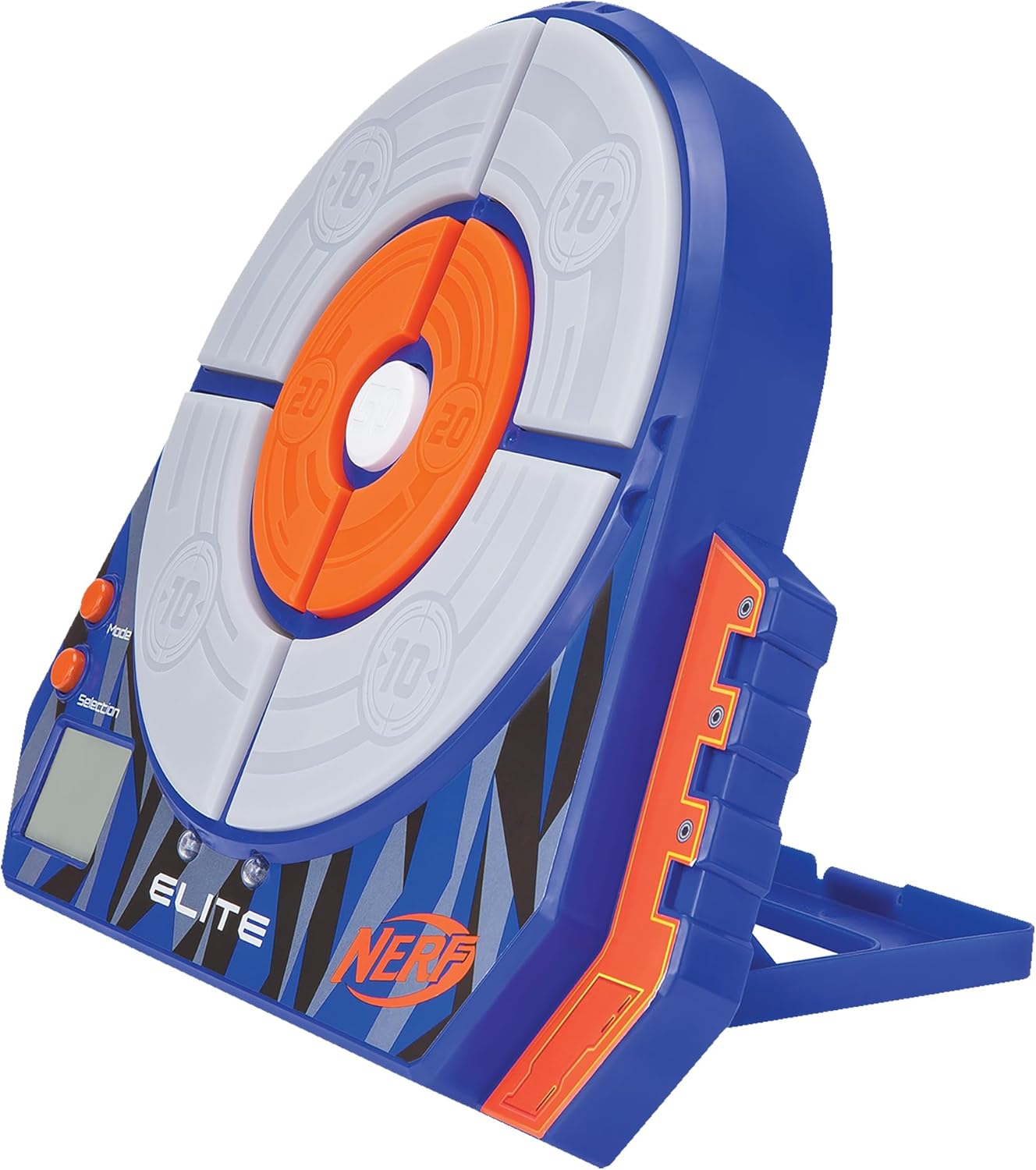
Image: Angled view of the Nerf Elite Digital Target, highlighting its integrated stand for stable placement.
3. Operating Instructions
3.1 Powering On/Off
To power on the target, press the Mode button. To power off, press and hold the Mode button for a few seconds until the display turns off.
3.2 Game Modes
The Nerf Elite Digital Target features multiple game modes to challenge your accuracy and speed. Use the Mode button to cycle through the available game options and the Selection button to confirm your choice or adjust settings (e.g., number of players).
The target includes an LCD display that shows scores and game information. The target segments light up upon impact, providing visual feedback.

Image: Front view of the Nerf Elite Digital Target, displaying its scoring zones and control buttons for mode and selection.
3.3 Scoring
Each segment of the target has a designated point value (e.g., 10, 20, 50 points). When a segment is hit, it will light up, and the score will be registered on the LCD display. The target can track scores for single or multiple players, depending on the selected game mode.

Image: Front of the product packaging, illustrating the target's features including the LCD display and various game modes.
4. Maintenance
4.1 Cleaning
To clean the target, wipe it with a dry, soft cloth. Do not use abrasive cleaners or immerse the target in water, as this can damage the electronic components.
4.2 Storage
When not in use, store the target in a cool, dry place away from direct sunlight and extreme temperatures. If storing for an extended period, remove the batteries to prevent leakage and potential damage to the device.
5. Troubleshooting
- Target not powering on: Ensure batteries are correctly installed with proper polarity and are not depleted. Replace with fresh batteries if necessary.
- Target not registering hits: Ensure darts are hitting the target segments directly. If the issue persists, check battery levels. Some users have noted the target may not be sensitive enough for very light impacts.
- Display issues: If the LCD display is not functioning correctly, try replacing the batteries.
- Sound issues: The target's sound volume is fixed and cannot be adjusted. If there is no sound, check battery levels.
- Difficulty understanding game modes: Refer to the operating instructions section for a general overview. Experiment with the Mode and Selection buttons to familiarize yourself with the different game options.
6. Specifications
| Model Number | NER0156 |
| Brand | Nerf |
| Dimensions (L x W x H) | 5.08 x 24.77 x 30.48 cm (2 x 9.75 x 12 inches) |
| Weight | 440 grams (0.97 lbs) |
| Material | Plastic |
| Power Source | 3 x 1.5V AA Batteries (not included) |
| Age Range | 6 to 99 years |
| Components Included | 1 Digital Target |

Image: Diagram illustrating the approximate dimensions of the Nerf Elite Digital Target.
7. Safety Information
- WARNING: Not suitable for children under 36 months due to small parts.
- Always use official Nerf darts with Nerf blasters and targets.
- Do not aim blasters at eyes or face.
- Keep electronic devices away from water and moisture.
- Dispose of used batteries responsibly according to local regulations.
8. Warranty and Support
Specific warranty information for the Nerf NER0156 Elite Digital Target is not provided in this manual. For details regarding warranty coverage, please refer to the product packaging or contact Nerf customer support directly.
For further assistance or inquiries, please visit the official Nerf website or contact their customer service department.

