
Mitlvge ZQ
Mitlvge 5.1 Cuft Biometric Fireproof Safe User Manual
Model: ZQ
Your guide to secure storage and peace of mind.
1. Introduction and Overview
Thank you for choosing the Mitlvge 5.1 Cuft Biometric Fireproof Safe. This advanced security solution is designed to protect your valuables from theft and fire, offering quick and secure access through biometric fingerprint recognition, digital code, or traditional key. Its robust construction and intelligent features ensure your peace of mind.
This manual provides detailed instructions for setting up, operating, and maintaining your safe. Please read it thoroughly before initial use to ensure proper functionality and safety.

Image: The Mitlvge 5.1 Cuft Biometric Fireproof Safe with its door open, revealing a spacious interior with multiple shelves holding various valuables like documents, jewelry, and cash. An external fireproof document bag is also visible.
2. Key Features
- Heavy-Duty & Durable Design: Constructed from low-carbon alloy steel with a 6cm-thick anti-drill door, a 1mm anti-pry seam, and 7 robust 28mm anti-theft bolts for enhanced security.
- High-Tech Fingerprint Locking System: Quick-access biometric fingerprint recognition, backlit keypad for digital code entry, and traditional key access.
- Spacious & Customizable Interior: 5.1 cubic feet capacity (inner size: 14.6" x 11.8" x 23.6") with three removable shelves for flexible storage. The interior is lined with soft felt to protect contents.
- Dual Alarm System: Triggers a 70-decibel alarm after 6 incorrect password/fingerprint entries or upon detecting significant vibration/movement.
- Silent Mode: Allows discreet access when quiet operation is required.
- Emergency Power: Equipped with an emergency USB-C port for external power in case of battery depletion.
- Internal LED Light: Illuminates the interior for better visibility.
- Interior Organization: Includes key hooks and pistol pockets on the inside of the door.
- Fireproof Document Bag: An included accessory for additional protection of sensitive documents.
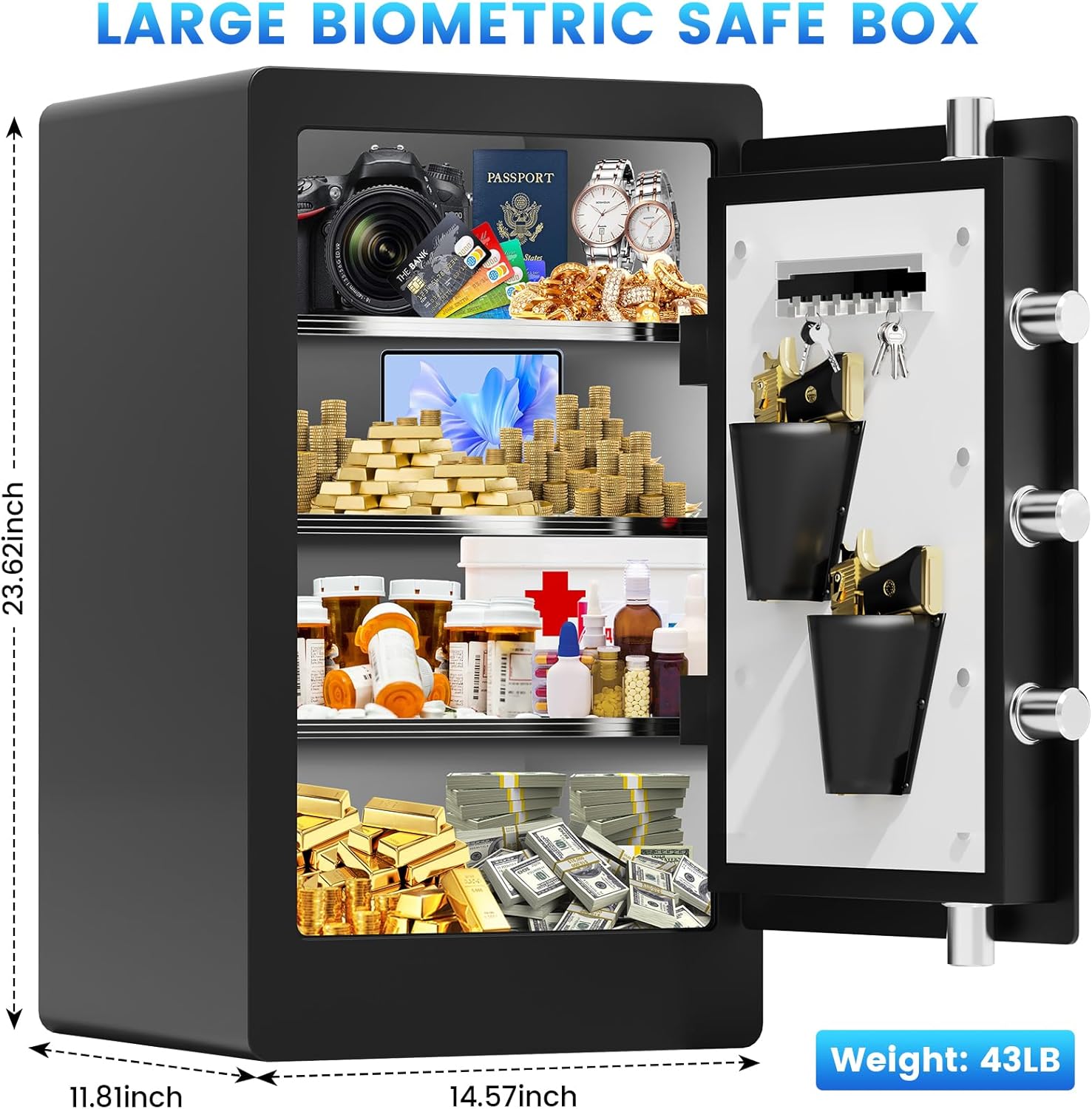
Image: A diagram showing the external dimensions of the safe (23.62 inches height, 11.81 inches depth, 14.57 inches width) and its weight (43 lbs).

Image: A close-up view of the safe's high-strength anti-theft system, highlighting the robust 2.6-inch long, 1.2-inch thick solid steel locking bolts.

Image: An illustration demonstrating the flexibility of the safe's interior with removable steel shelves, showing configurations both with and without shelves to accommodate different sized items.
3. Setup Guide
3.1 Unboxing and Initial Inspection
Carefully remove the safe from its packaging. Inspect for any signs of damage. Ensure all included components are present:
- 1 x Biometric Home Safe
- 1 x User Manual
- 2 x Emergency Keys
- 1 x External Battery Box
- 1 x Fireproof Document Bag
- 4 x Expansion Screws
- 4 x Foot Mats

Image: A visual representation of all items included in the product package, such as the safe, user manual, emergency keys, external battery box, fireproof document bag, expansion screws, and foot mats.
3.2 Battery Installation
The safe requires batteries for the electronic lock. Open the battery compartment (usually located on the inside of the door or behind the keypad) and insert the required batteries (not included) according to the polarity markings. Close the compartment securely.
3.3 Setting Up Initial Access
Upon first use, you will need to set up your digital code and register fingerprints. Refer to the detailed instructions in the included paper user manual for specific steps on programming your personal code and enrolling fingerprints. It is recommended to test all access methods after setup.
3.4 Mounting the Safe
For enhanced security, the safe can be mounted to a wall or floor using the provided expansion screws. Choose a secure location, mark the drilling points through the pre-drilled holes at the back or bottom of the safe, and secure it firmly.

Image: A diagram illustrating the anti-theft design, specifically how to securely mount the safe to a wall using expansion screws, showing the drilling and attachment process.
Important Safety Note: Do not store the emergency keys or the external battery box inside the safe. Keep them in a secure, accessible location outside the safe.
4. Operating Instructions
4.1 Opening the Safe
- Using Fingerprint: Place your registered finger firmly on the fingerprint sensor. The safe will unlock if the fingerprint is recognized.
- Using Digital Code: Enter your programmed digital code on the backlit keypad, then press the '#' or 'OK' button. The safe will unlock if the code is correct.
- Using Emergency Key: In case of battery failure or forgotten code/fingerprint, insert the emergency key into the keyhole and turn it while rotating the handle to open the safe.
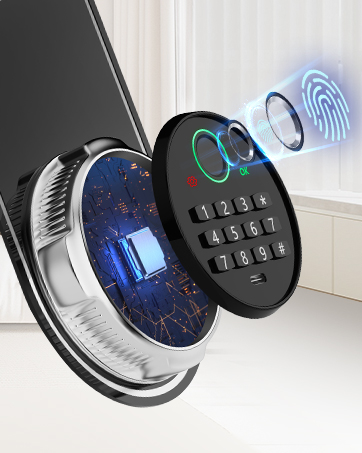
Image: A detailed view of the safe's biometric fingerprint sensor and digital keypad, illustrating the advanced locking mechanism.
4.2 Closing and Locking the Safe
Close the safe door firmly and turn the handle to the locked position. The safe will automatically lock. Ensure the bolts are fully extended.
4.3 Silent Mode
To activate or deactivate silent mode, press "3" and then "#" on the keypad. This will mute the keypad tones and alarm sounds for discreet operation.
4.4 Internal Features
Utilize the three removable shelves to organize your items efficiently. The interior LED light activates when the safe is opened, providing visibility. The door features convenient key hooks and pistol pockets for additional storage.
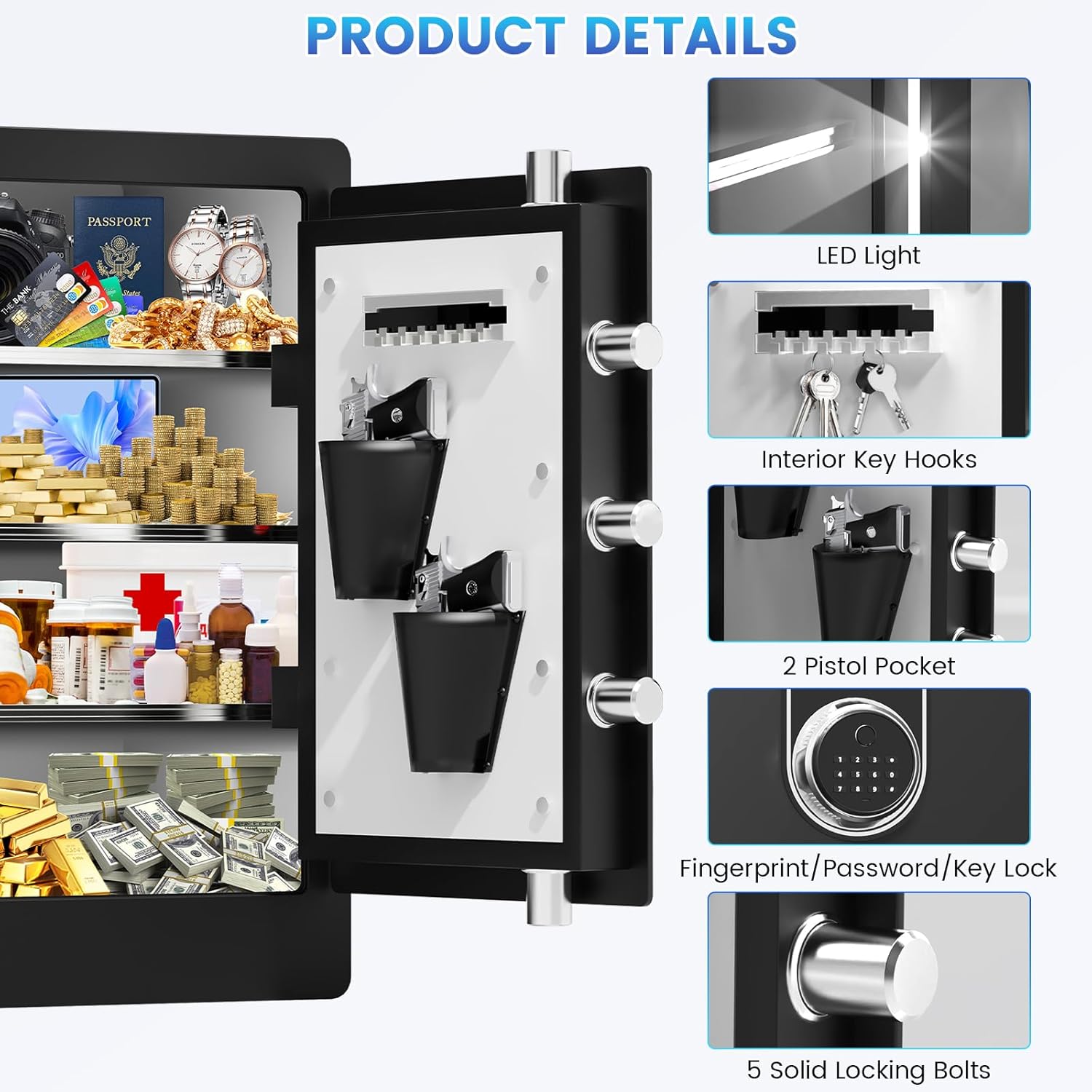
Image: A close-up showing the interior details of the safe, including the LED light, interior key hooks, two pistol pockets, the fingerprint/password/key lock mechanism, and the five solid locking bolts.
5. Maintenance
5.1 Battery Replacement
When the battery indicator light signals low power, or if the keypad becomes unresponsive, replace all batteries with new ones of the same type. Always use high-quality alkaline batteries.
5.2 Cleaning
Wipe the exterior of the safe with a soft, damp cloth. Avoid using abrasive cleaners or solvents that could damage the finish. For the fingerprint sensor and keypad, use a dry, lint-free cloth.
5.3 Long-Term Storage
If storing the safe for an extended period, remove the batteries to prevent leakage and potential damage to the electronic components.
6. Troubleshooting
6.1 Alarm System Activation
The dual alarm system will activate under two conditions:
- Password/Fingerprint Error: If an incorrect password or fingerprint is entered 6 consecutive times.
- Vibration Alarm: If the safe detects significant vibration or attempts to move it while locked.
To silence the alarm, enter a correct password or fingerprint, or use the emergency key.
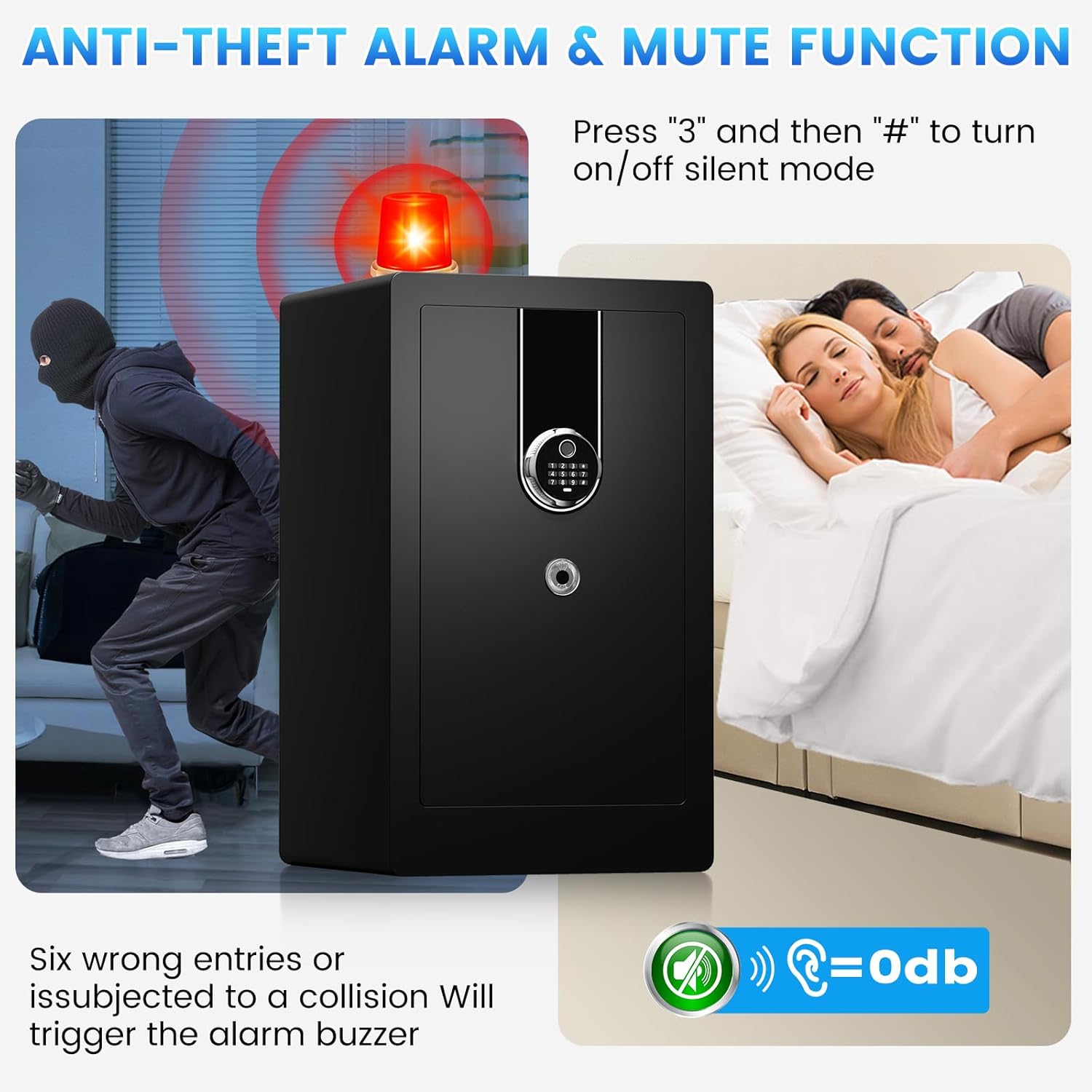
Image: A visual depicting the anti-theft alarm system, showing a burglar attempting to open the safe and the alarm light flashing. It also illustrates the silent mode feature, allowing discreet access.
6.2 Safe Not Opening
- Check Batteries: Ensure batteries are correctly installed and have sufficient power. Replace if necessary.
- Incorrect Entry: Double-check your digital code or ensure your finger is clean and properly placed on the sensor.
- Emergency Key: Use the emergency key as a backup method to open the safe.
- Emergency Power: If batteries are completely dead, connect an external power source via the USB-C port to power the keypad temporarily.

Image: A diagram illustrating the emergency USB-C port on the safe's keypad, showing how to connect an external power bank to provide temporary power if the internal batteries are depleted or backup keys are missing.
7. Specifications
| Feature | Detail |
|---|---|
| Brand | Mitlvge |
| Model Number | ZQ |
| Product Dimensions | 11"D x 14"W x 23"H |
| Capacity | 5.1 Cubic Feet |
| Lock Type | Biometric, Electronic Combination Lock, Key |
| Color | Black |
| Material | Alloy Steel |
| Mounting Type | Wall or Floor Mount |
| Special Features | Alarm System, Biometric Fingerprint, Combination Lock, Anti-Theft, Removable Shelf |
| Item Weight | 48.4 pounds |
| Included Components | User Manual x 1, Emergency key x 2, External battery box x 1, Biometric Home Safe x 1, Fireproof Document Bag x 1 |
8. Warranty and Support
Mitlvge offers a 5-year return or exchange warranty and lifetime technical support for your safe. All parts can be replaced for free within the warranty period.
If you have any questions or require assistance after receiving your product, please contact Mitlvge customer service immediately. We are committed to solving any issues for you within 24 hours.
For more information and support, visit the official Mitlvge Store: Mitlvge Store on Amazon
Ask a question about this manual
Ask about setup, troubleshooting, compatibility, parts, safety, or missing instructions. Manuals+ will review the question and use this page’s manual context to help answer it.