
1. Introduction
The ZUOYA HE30 is a high-performance one-handed gaming keyboard designed for competitive play. It features Hall Effect magnetic switches, rapid trigger technology, adjustable actuation points, and customizable RGB lighting. This manual provides essential information for setting up, operating, maintaining, and troubleshooting your HE30 keyboard.
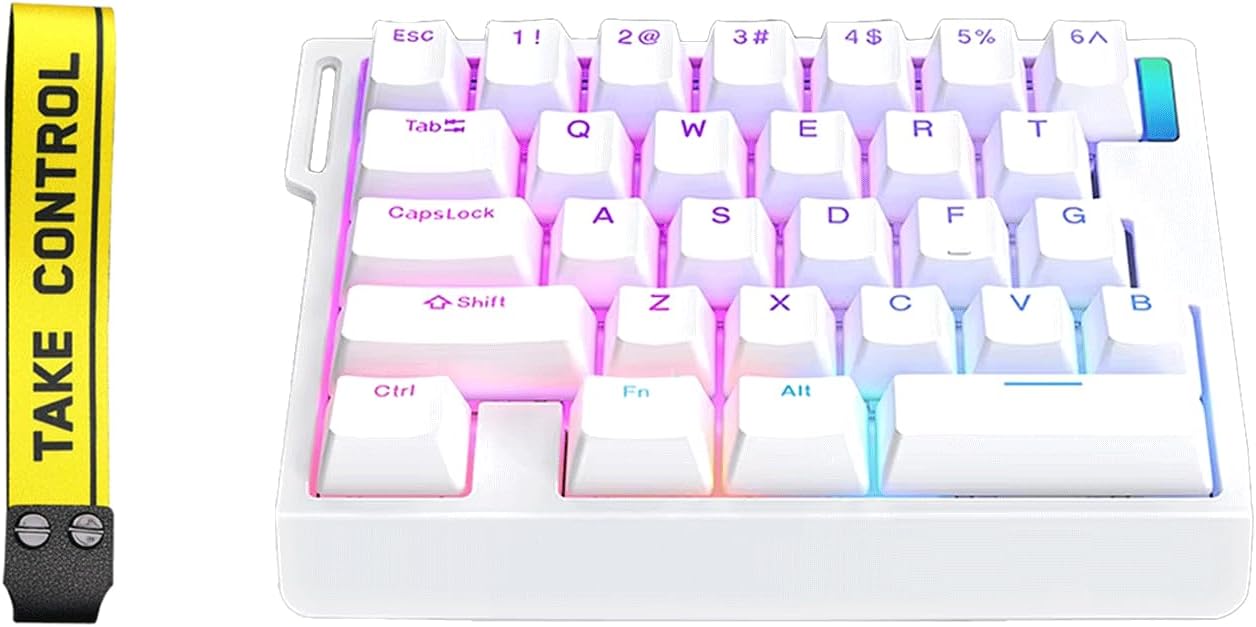
Image 1: ZUOYA HE30 Rapid Trigger Magnetic Switch Gaming Keyboard (White model shown).
2. Package Contents
Please verify that all items are present in the package:
- HE30 Magnetic Switch Keyboard
- Keycap Puller
- Type C Cable
- User Manual (this document)
Video 1: Unboxing the ZMX HE30 One-Handed Rapid Trigger Gaming Keyboard. This video demonstrates the contents of the package and initial handling of the keyboard.
3. Setup Guide
3.1 Connecting the Keyboard
- Locate the included Type-C cable.
- Connect one end of the Type-C cable to the port on the ZUOYA HE30 keyboard.
- Connect the other end of the cable to an available USB port on your computer.
- The keyboard should be automatically recognized by your operating system.
3.2 Software Installation
For full customization of features such as macro programming, key remapping, actuation point adjustment, and RGB lighting effects, dedicated software is required. Please visit the official ZUOYA website for the latest software download. Refer to the software interface for detailed instructions on customization.
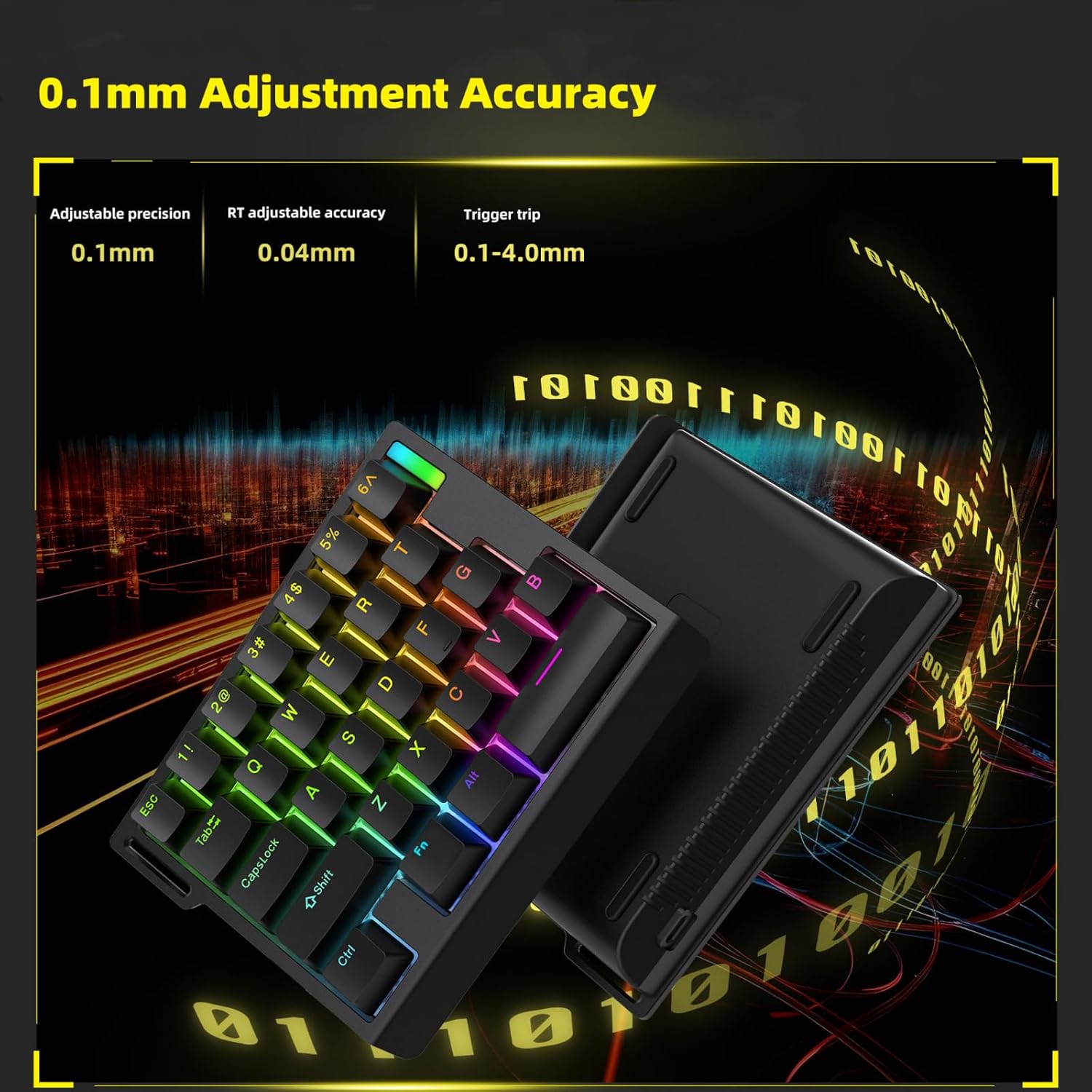
Image 2: Screenshot of the Macro Programming Page within the ZUOYA HE30 keyboard software, illustrating customization options.
4. Operating Instructions
4.1 Hall Effect Magnetic Switches & Hot-Swap
The HE30 keyboard utilizes Hall Effect magnetic switches, which offer a zero-contact actuation mechanism for enhanced durability and responsiveness. The full-key hot-swap design allows users to easily replace switches without soldering, enabling personalized tactile preferences.

Image 3: An exploded diagram illustrating the internal components of the ZUOYA HE30 keyboard, highlighting the magnetic switches and gasket-mounted structure.
4.2 Rapid Trigger & Dynamic Keystrokes (DKS/MT)
Rapid Trigger functionality allows keys to reset with minimal upward movement (as low as 0.1mm), providing hyper-fast response times. Dynamic Keystrokes (DKS/MT) enable programming up to four different commands on a single key, facilitating complex in-game actions and combos.

Image 4: A Force-Travel diagram illustrating the actuation characteristics of the magnetic switches, including the rapid trigger reset point.
4.3 Adjustable Actuation
The HE30 keyboard offers 40 levels of per-key actuation adjustment, allowing you to set the trigger travel from 0.1mm to 4.0mm with 0.1mm accuracy. This precision enables fine-tuning for optimal response in various gaming scenarios.

Image 5: Visual representation of the 0.1mm adjustment accuracy for key actuation points on the HE30 keyboard.
4.4 8K Hz Hyper-Polling Rate
Experience ultra-low latency with an 8K Hz hyper-polling rate, transmitting keystrokes 8 times faster than standard gaming keyboards. This ensures immediate in-game response, crucial for fast-paced competitive gaming.

Image 6: Feature graphic detailing the 8000Hz polling rate, 0.02mm adjustable precision, and 2000Hz scan rate of the HE30 keyboard.
4.5 RGB Backlighting
The HE30 features 16.8 million customizable RGB presets with north-facing LEDs for vibrant illumination and clear shine-through keycap visibility. Lighting effects can be synchronized with music rhythm via the professional software to enhance your gaming environment.
- Changing Light Modes: Use the dedicated software or specific key combinations (e.g., Fn + Esc) to cycle through various RGB lighting modes.
- Adjusting Brightness: Use the dedicated software or specific key combinations (e.g., Fn + 5 or Fn + 6) to increase or decrease the backlight brightness.

Image 7: The ZUOYA HE30 keyboard showcasing its customizable RGB backlighting.
Video 2: A demonstration of the ZUOYA HE30 Rapid Trigger RGB Gaming Keyboard, highlighting its features and RGB lighting effects.
5. Maintenance
To ensure the longevity and optimal performance of your ZUOYA HE30 keyboard, follow these maintenance guidelines:
- Cleaning: Use a soft, dry cloth to wipe the surface of the keyboard. For deeper cleaning, use a can of compressed air to remove dust and debris from between the keycaps. The included keycap puller can be used to carefully remove keycaps for thorough cleaning.
- Avoid Liquids: Do not expose the keyboard to liquids. In case of accidental spills, immediately disconnect the keyboard from your computer and allow it to dry completely before reconnecting.
- Storage: Store the keyboard in a cool, dry place away from direct sunlight and extreme temperatures.
6. Troubleshooting
If you encounter issues with your ZUOYA HE30 keyboard, please refer to the following common solutions:
- Keyboard Not Responding: Ensure the Type-C cable is securely connected to both the keyboard and your computer's USB port. Try connecting to a different USB port.
- Software Issues: If you experience difficulties with the customization software, ensure you have downloaded the latest version from the official ZUOYA website. Some user reviews indicate challenges in locating the correct software; please refer to the product packaging or manufacturer's support page for direct links.
- RGB Lighting Not Working: Check if the lighting is simply turned off or set to a very low brightness. Use the Fn + Esc key combination to cycle through lighting modes and Fn + 5/6 to adjust brightness. Ensure the software is correctly configured if custom lighting profiles are not activating.
- Keys Not Registering Correctly: This could be due to debris under the keycap or a faulty switch. Use the keycap puller to remove the keycap and clean the area. If the issue persists, the hot-swappable design allows for easy switch replacement.
7. Specifications
| Feature | Detail |
|---|---|
| Model Number | HE30 Magnetic Switch Keyboard |
| Brand | ZUOYA |
| Connectivity | Type C Wired Connection |
| Switch Type | Hall Effect Magnetic Switches |
| Actuation Adjustment | 0.1-4.0mm (40 levels, 0.1mm accuracy) |
| Polling Rate | 8K Hz |
| Key Count | 29 Keys (One-Handed) |
| Backlighting | RGB (North-facing LEDs) |
| Structure | Gasket Mounted |
| Dimensions | Approximately 15cm x 11.5cm x 4cm (L x W x H) |
| Weight | 1.2 pounds |

Image 8: Dimensions of the ZUOYA HE30 keyboard, providing measurements for length, width, and height.
8. Warranty and Support
ZUOYA products are manufactured to high-quality standards. For warranty information, technical support, or service inquiries, please refer to the warranty card included in your package or visit the official ZUOYA website. Keep your proof of purchase for warranty claims.
For further assistance, you may contact ZUOYA customer support through the channels provided on their official website.