1. Introduction
The BHK-TENS 280 White is an FDA-cleared 3-in-1 device designed for pain relief and muscle stimulation. It combines Transcutaneous Electrical Nerve Stimulation (TENS), Electrical Muscle Stimulation (EMS), and massage functions to help alleviate body soreness, muscle fatigue, and improve muscle performance. This manual provides essential information for the safe and effective use of your device.
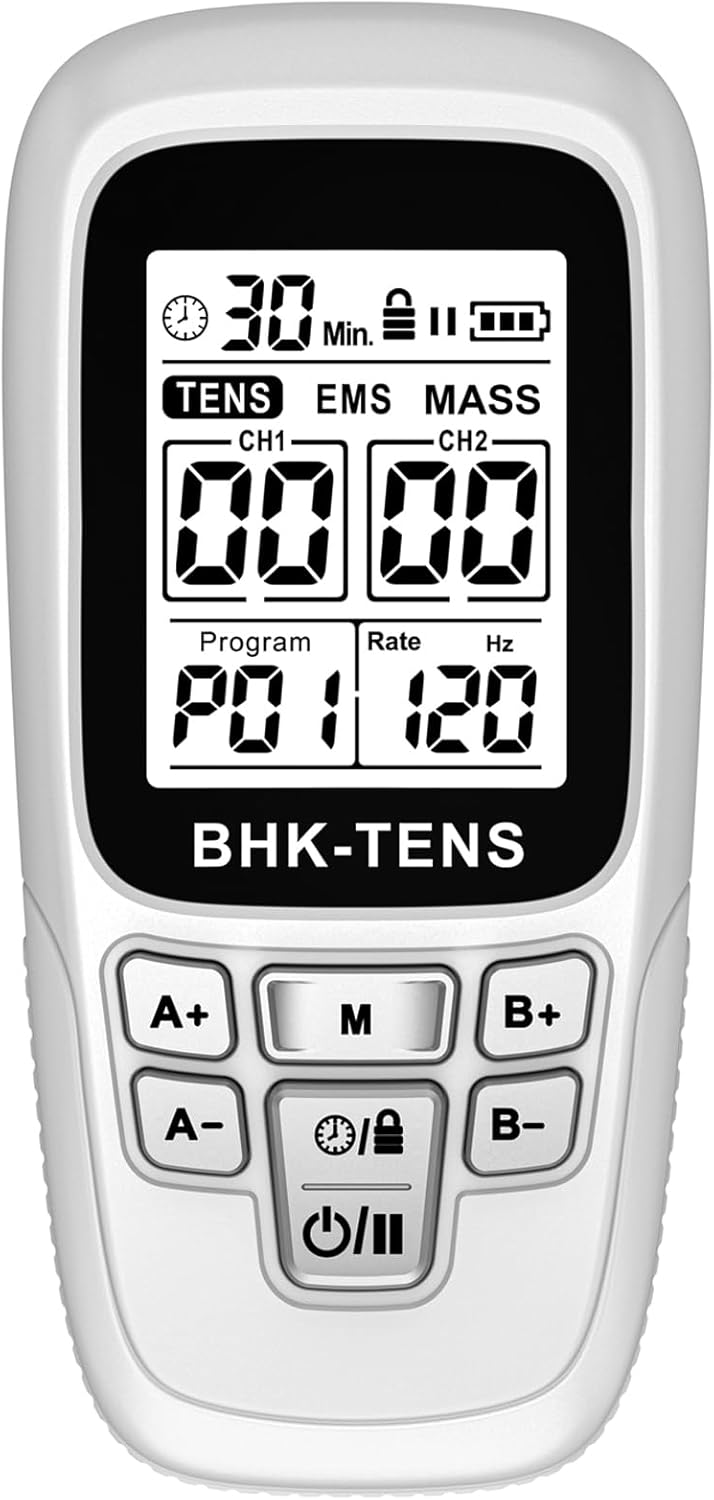
Image 1.1: The BHK-TENS 280 White device, a compact unit with a digital display and control buttons.
2. Important Safety Information
Please read all instructions carefully before using this device. Failure to follow safety guidelines may result in injury or device malfunction.
- This device is not intended to diagnose, treat, cure, or prevent any disease or health condition. Consult a healthcare professional before use, especially if you have pre-existing medical conditions.
- Do not use if you have a pacemaker, implanted defibrillator, or other implanted metallic or electronic device.
- Do not use on open wounds, rashes, swollen, red, infected, or inflamed skin areas.
- Do not use near the heart, on the head, face, or throat.
- Do not use while driving, operating machinery, or during any activity where involuntary muscle contractions could put you at risk.
- Start with the lowest intensity level and gradually increase to a comfortable sensation. High intensity levels can cause discomfort or shock if not adjusted properly.
- Keep out of reach of children.
- If you experience any adverse reactions, discontinue use immediately and consult a healthcare professional.
3. Package Contents
Verify that all items are present in your package:
- 1 x BHK-TENS 280 TENS & EMS Therapy Device
- 6 x Electrode Pads (2'' x 2'')
- 2 x Electrode Pads (2'' x 4'')
- 2 x Lead Wires
- 1 x Storage Bag
- 1 x Pads Holder
- 1 x Type-C USB Cable
- 1 x User Manual
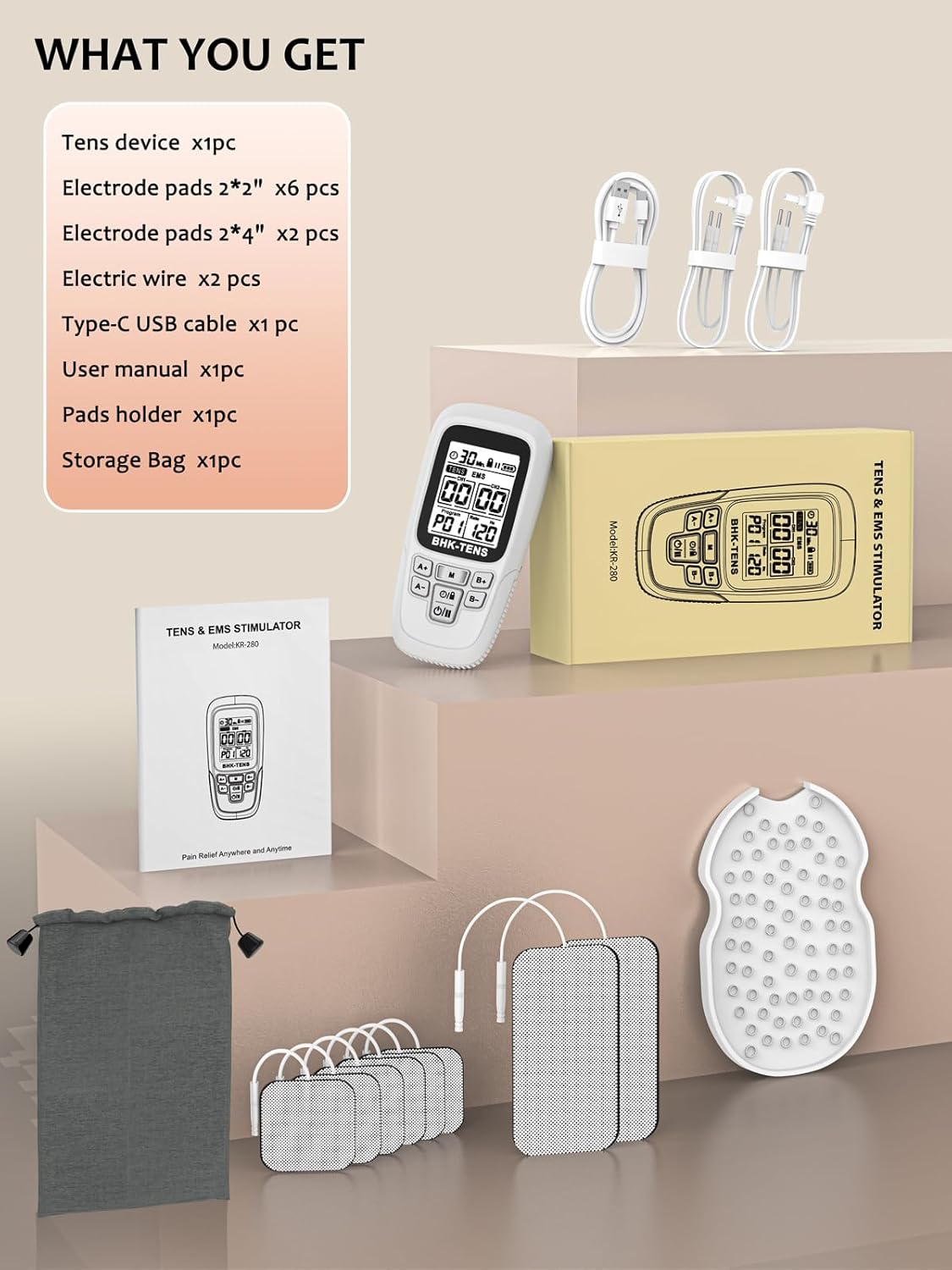
Image 3.1: All items included in the BHK-TENS 280 package, neatly arranged with the device, pads, wires, and accessories.
4. Setup Instructions
- Charge the Device: Connect the Type-C USB cable to the device and a suitable USB power source. The battery indicator on the screen will show charging status. Ensure the device is fully charged before first use.
- Connect Lead Wires: Insert the pin connectors of the lead wires into the output ports (CH1 and CH2) on the top of the device.
- Attach Electrode Pads: Connect the electrode pads to the other end of the lead wires. Ensure a secure connection.
- Prepare Skin: Clean and dry the skin area where the electrode pads will be placed. Avoid applying lotions or oils.
- Apply Electrode Pads: Carefully remove the protective film from the electrode pads and firmly place them on the targeted skin area. Ensure the pads are flat against the skin and not overlapping.

Image 4.1: Visual guide demonstrating how to connect wires, attach pads, and apply them to the skin.
5. Operating Instructions
- Power On/Off: Press and hold the Power button (U/II) located at the bottom of the device to turn it on or off.
- Select Mode: Press the Mode button (M) to cycle through the 24 available modes (P01-P24). The selected program number will be displayed on the screen.
- Adjust Intensity: Use the A+ and A- buttons to increase or decrease the intensity for Channel 1. Use the B+ and B- buttons for Channel 2. Start at the lowest setting and gradually increase until a comfortable sensation is felt. There are 40 intensity levels.
- Set Timer: Press the Timer button (Clock/Lock) to adjust the treatment duration. The timer can be set from 5 to 90 minutes, with a default setting of 30 minutes. The remaining time will be displayed on the screen.
- Lock/Unlock Screen: Press and hold the Timer button (Clock/Lock) to lock or unlock the screen, preventing accidental changes during treatment.
- Monitor Treatment: The screen displays the selected program, pulse rate (Hz), and remaining time.

Image 5.1: The device display highlighting the 24 modes and 40 intensity levels available for customization.
6. Modes and Applications
The BHK-TENS 280 offers 24 pre-programmed modes, combining TENS, EMS, and massage therapies. These modes are designed to target various types of pain and muscle conditions across different body parts.
6.1 TENS (Transcutaneous Electrical Nerve Stimulation)
TENS therapy is primarily used for pain relief by sending low-voltage electrical currents through the skin to stimulate nerves, blocking pain signals to the brain. It is effective for chronic and acute pain conditions.
6.2 EMS (Electrical Muscle Stimulation)
EMS therapy uses electrical impulses to stimulate muscle contractions, which can aid in muscle strengthening, rehabilitation, and preventing muscle atrophy. It helps improve and facilitate muscle performance.
6.3 Massage
The massage modes provide gentle electrical pulses to relax muscles, reduce tension, and improve circulation, offering a soothing effect similar to traditional massage.
6.4 Recommended Application Areas
The device can be used for various body parts, including but not limited to:
- Neck
- Shoulders
- Back (upper, middle, lower)
- Elbows
- Arms
- Wrists
- Hips
- Knees
- Legs
- Feet

Image 6.1: Examples of electrode pad placement for common pain areas such as neck, shoulder, elbow, waist, thigh, and leg.
7. Maintenance
Proper maintenance ensures the longevity and effectiveness of your BHK-TENS 280 device and electrode pads.
- Cleaning the Device: Wipe the device with a soft, damp cloth. Do not use abrasive cleaners or immerse the device in water.
- Electrode Pad Care: After each use, place the electrode pads back onto the provided pads holder or their protective film to maintain adhesiveness. If pads lose stickiness, gently clean the adhesive surface with a drop of water and let air dry. Replace pads when they no longer adhere well.
- Storage: Store the device and accessories in the provided storage bag in a cool, dry place, away from direct sunlight and extreme temperatures.
- Battery: The device has a built-in rechargeable lithium battery. Charge it regularly to maintain battery health, even if not used frequently.
8. Troubleshooting
If you encounter issues with your BHK-TENS 280, refer to the following common troubleshooting steps:
- No Power: Ensure the device is fully charged. Connect it to a power source using the Type-C USB cable and allow it to charge for at least 30 minutes before attempting to power on again.
- No Sensation/Weak Sensation:
- Check that the lead wires are securely connected to both the device and the electrode pads.
- Ensure the electrode pads are firmly applied to clean, dry skin. Replace pads if they have lost their adhesiveness.
- Increase the intensity level gradually using the A+ or B+ buttons.
- Verify that the device is not in 'Lock' mode. Press and hold the Timer button to unlock if necessary.
- Uncomfortable Sensation/Shock:
- Immediately decrease the intensity level using the A- or B- buttons.
- Ensure pads are fully adhered to the skin and not lifting.
- Check for any skin irritation under the pads. Discontinue use if irritation occurs.
- Device Not Responding: Try resetting the device by turning it off and then on again. If the issue persists, contact customer support.
9. Specifications
| Feature | Specification |
|---|---|
| Model | 280 |
| Modes | 24 Pre-programmed (TENS, EMS, Massage) |
| Intensity Levels | 40 Adjustable Levels |
| Pulse Rate | 2-150 Hz |
| Pulse Width | 80-300 µs |
| Timer | 5-90 Minutes (Default: 30 Minutes) |
| Battery | 1 Lithium Polymer Battery (included), Rechargeable |
| Dimensions | Approximately 6.69 x 3.86 x 2.13 inches |
| Weight | Approximately 9.14 ounces |
| Manufacturer | Dongguan bohuikang Technology Co.,Ltd |
10. Warranty and Support
BHK-TENS provides comprehensive support for your device:
- Warranty: 24 Months Customer Service.
- Technical Support: Lifetime Technical Support is available for all BHK-TENS products.
- Contact Information: For assistance, please refer to the contact details provided in your product packaging or visit the official BHK-TENS store online.
For more information, visit the BHK-TENS Store.


