
1. Introduction
The Reyke Wallet Tracker Card HB12 is a slim, rechargeable Bluetooth item finder designed to help you locate your personal belongings using the Apple Find My network. This device is ideal for tracking wallets, luggage, passports, and other valuables. It integrates seamlessly with your Apple iOS devices, providing peace of mind by helping you keep track of your important items.
2. Product Overview
The Reyke Wallet Tracker Card HB12 features a compact design, making it easy to carry. Key functionalities include compatibility with the Apple Find My network, a built-in speaker for nearby location, and a 'Left-Behind Remind' feature. It is also IP68 waterproof and supports wireless charging.

Image: The Reyke Wallet Tracker Card shown alongside an iPhone displaying the Apple Find My application, illustrating its tracking capabilities.
Key Features:
- Ultra-Slim Design: At just 1.8mm thin, it fits discreetly into wallets and cardholders.
- Apple Find My Network: Utilizes the extensive Apple Find My network for global tracking.
- Rechargeable Battery: Equipped with a wireless rechargeable battery that lasts up to 5 months on a single charge.
- Loud Sound Alert: Features a built-in speaker that emits a 90-100dB sound to help locate items nearby.
- IP68 Waterproof: Designed to withstand splashes, rain, and brief submersion.
- Left-Behind Remind: Notifies your iPhone when the tracker card moves out of Bluetooth range.
- Lost Mode: Allows you to mark your item as lost, leveraging the Find My network to help locate it.

Image: Visual representation of the Reyke Wallet Tracker Card's ultra-thin design and key specifications like sound level, water resistance, Bluetooth range, and rechargeable battery.
3. Setup Instructions
Follow these steps to set up your Reyke Wallet Tracker Card with your Apple iOS device.
- Charge the Device: Before initial use, ensure the tracker card is fully charged. Place the card on a compatible wireless charging pad. A color-changing LED light will indicate charging status. A full charge typically lasts up to 5 months.
- Enable Bluetooth: On your iPhone or iPad, go to Settings > Bluetooth and ensure Bluetooth is turned on.
- Open Find My App: Open the Find My app on your Apple device.
- Add New Item: Navigate to the 'Items' tab and tap the 'Add Item' button (usually a '+' icon). Select 'Other Supported Item'.
- Pair the Tracker: Follow the on-screen instructions to pair your Reyke Wallet Tracker Card. This typically involves bringing the card close to your device and confirming the connection.
- Name Your Item: Assign a name to your tracker card (e.g., "Emily's Wallet") and choose an emoji to easily identify it in the Find My app.
- Activate Features: Configure features like 'Notify When Left Behind' and 'Lost Mode' as desired within the Find My app settings for your tracker.
Note: Android devices are not supported by the Apple Find My network.

Image: An overview of the Reyke Smart Card's features, including its compatibility with the Find My App, built-in privacy, rechargeable battery, and voice command integration with Siri.
4. Operating Instructions
4.1 Locating Nearby Items
If your item is within Bluetooth range (up to 164 feet / 50 meters), you can use the Find My app to play a sound on your Reyke Wallet Tracker Card.
- Open the Find My app on your iPhone or iPad.
- Go to the 'Items' tab.
- Select your Reyke Wallet Tracker Card from the list.
- Tap 'Play Sound'. The tracker card will emit a loud sound, helping you pinpoint its location.
4.2 Left-Behind Remind
This feature notifies you if you leave your tracked item behind.
- In the Find My app, select your tracker card.
- Under 'Notifications', tap 'Notify When Left Behind'.
- Toggle the feature on. You can also set specific locations where you don't want to be notified (e.g., your home).
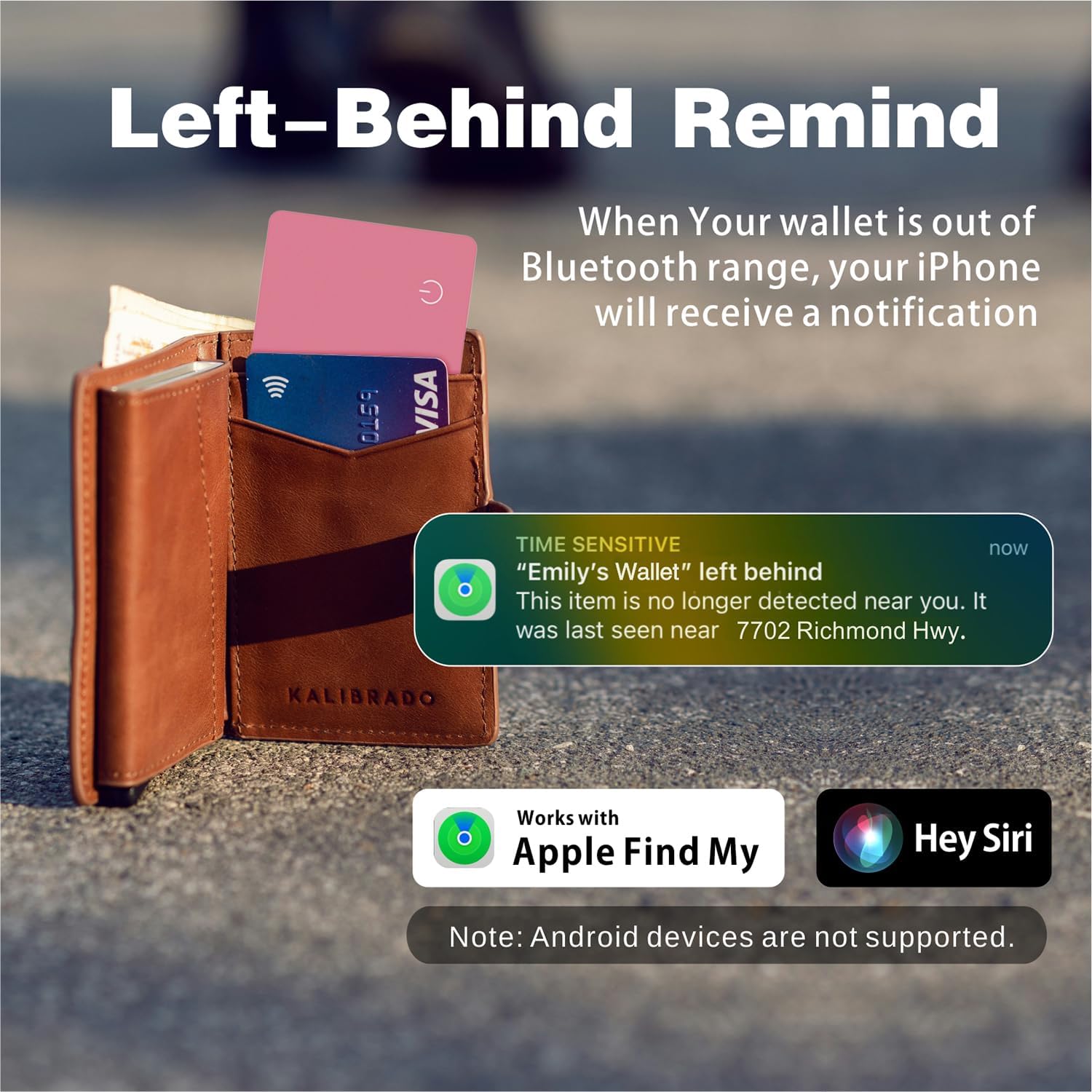
Image: An iPhone screen showing a 'Left-Behind Remind' notification, indicating an item has been separated from the user, with the Reyke Wallet Tracker Card in a wallet.
4.3 Lost Mode
If your item is lost and out of Bluetooth range, activate Lost Mode.
- In the Find My app, select your tracker card.
- Scroll down and tap 'Enable' under 'Lost Mode'.
- Follow the prompts to enter a contact phone number or email address. If someone finds your item, they can use an NFC-enabled smartphone to tap the tracker card and see your contact information.
- You will receive a notification when your item is detected by any device in the Apple Find My network.
4.4 Using Siri
You can use Siri to locate your items by saying, for example, "Hey Siri, find my wallet."
4.5 Sharing Your Item
You can share your tracker card's location with up to five other Apple users (friends or family) who also have iOS 17 or later installed.
- In the Find My app, select your tracker card.
- Tap 'Share This Item'.
- Follow the instructions to add contacts with whom you wish to share the item's location.

Image: An iPhone displaying the 'Share This Item' interface within the Find My app, demonstrating how to share the tracker card's location with other users.
5. Maintenance
5.1 Charging
The Reyke Wallet Tracker Card features wireless charging. Simply place it on any compatible Qi wireless charging pad. A full charge can last up to 5 months. The LED indicator on the card will change color to show charging status.

Image: The Reyke Wallet Tracker Card being wirelessly charged on a charging pad, highlighting its rechargeable and reusable nature.
5.2 Water Resistance
The tracker card is IP68 waterproof, meaning it is protected against dust ingress and can withstand immersion in water up to 1.5 meters for up to 30 minutes. This makes it resistant to splashes, rain, and accidental brief submersions. However, it is not recommended for prolonged underwater use.

Image: The Reyke Wallet Tracker Card being splashed with water, demonstrating its IP68 waterproof capability.
6. Troubleshooting
- Cannot connect to Find My app:
- Ensure your iPhone/iPad has Bluetooth enabled.
- Make sure the tracker card is charged.
- Bring the tracker card close to your iOS device during setup.
- Restart your iOS device and try again.
- Tracker not playing sound:
- Verify the tracker card is within Bluetooth range of your iOS device.
- Check the battery level of the tracker card in the Find My app.
- Battery life shorter than expected:
- Ensure the card is fully charged each time.
- Frequent use of the 'Play Sound' feature or constant tracking in dense areas may slightly reduce battery life.
- No 'Left-Behind Remind' notifications:
- Confirm the feature is enabled for the specific tracker in the Find My app.
- Check your iPhone's notification settings for the Find My app.
- Android devices are not supported: This product is exclusively designed to work with Apple iOS devices and the Apple Find My network. It is not compatible with Android smartphones or tablets.
7. Specifications
| Feature | Specification |
|---|---|
| Model Number | HB12 |
| Dimensions | 4.37 x 3.23 x 0.47 inches (Package) |
| Item Weight | 1.06 ounces |
| Battery Type | 1 Lithium Ion battery (rechargeable) |
| Charging | Wireless |
| Battery Life | Up to 5 months on a single charge |
| Water Resistance | IP68 |
| Bluetooth Range | Up to 164 feet (50 meters) |
| Sound Level | 90-100dB |
| Compatible Devices | Apple iOS devices (iPhone, iPad, Apple Watch) |
| Material | Plastic |
8. Warranty and Support
For warranty information and technical support, please refer to the product packaging or contact Reyke customer service directly. Details can typically be found on the manufacturer's official website or through your point of purchase.


